
March 21, 2026
How to Choose a Web Development Company (2026)
Choose a web development company using portfolio proof, scope, pricing, timelines, SEO capability, ownership, support, and contract red flags.
Read articlePublished Updated
Plan a corporate website around stakeholder journeys, governance, proof, security, performance, SEO migration, analytics, approvals, and ongoing ownership.
A corporate website is not the same as a small business website. In 2026, corporate buyers, partners, investors, and even job candidates use your website to judge trust, stability, and professionalism. A corporate website must look premium, load fast, stay secure, and communicate your credibility clearly—without confusion.
Most corporate websites fail for one reason: they are built like a brochure. But a high-performing corporate website is a business system. It supports sales teams, improves trust during negotiations, helps recruitment, and strengthens your brand presence across Google and social.
This guide will show you exactly how to build a corporate website the “right way”—including the best structure, content sections, technical SEO, security practices, and a launch checklist that prevents expensive mistakes.
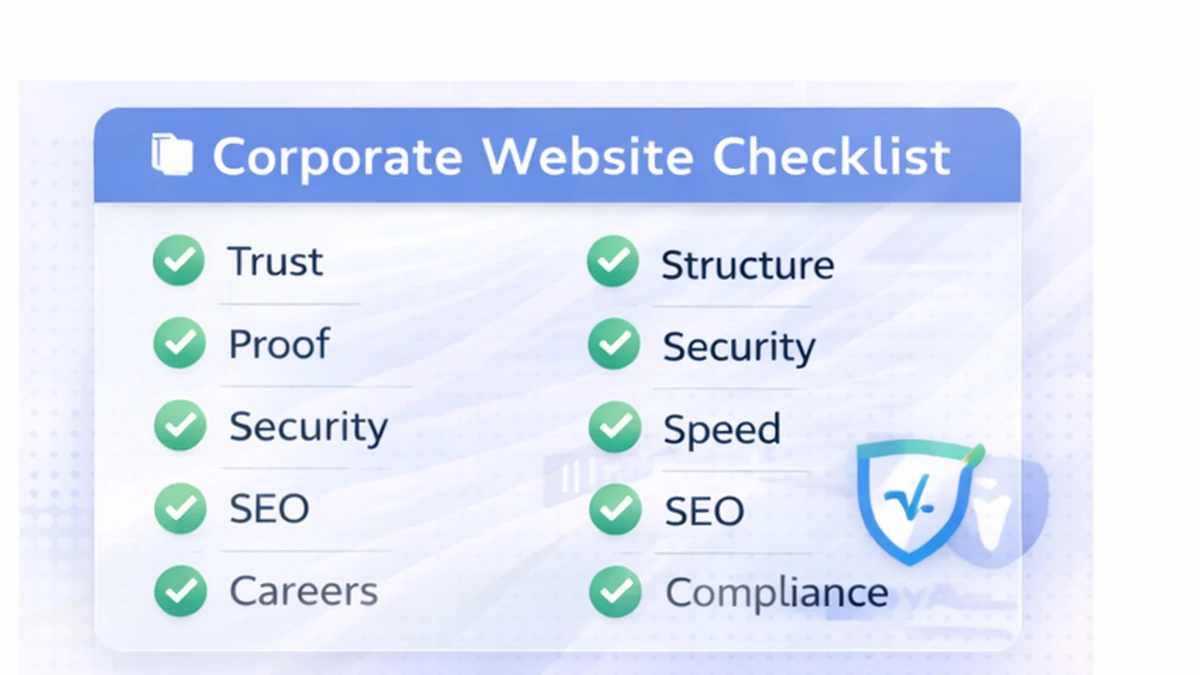
A corporate website is built for:
A corporate website is not only about “looking good.” It must feel:
If your corporate website also needs dashboards/portals/admin systems, explore: Web Applications Services
Your corporate website should do these 5 things:
1) Explain your company clearly (what you do, for whom, outcomes) 2) Build trust fast (proof, structure, compliance signals) 3) Support sales conversations (case studies, process, FAQs) 4) Support hiring (careers, culture, role clarity) 5) Support SEO authority (blogs, resources, internal linking)
A strong corporate website can reduce sales cycle time because it answers objections before the first call.
A corporate site needs a complete structure, but it should still be simple to navigate.

1) Home 2) About / Company 3) Services / Solutions (separate pages = better SEO) 4) Industries (optional but powerful for targeting) 5) Case Studies / Portfolio 6) Contact 7) Blog / Insights
8) Careers 9) Press / Media 10) Partners (optional) 11) Security / Privacy 12) Terms & Conditions 13) Compliance (if relevant)
If you’re a tech services company, your “Services” section is one of the most important conversion drivers. Link it from multiple blogs and pages.
Corporate homepage should follow a clear hierarchy:
1) Solutions overview (3–6 cards) 2) Industries served (optional) 3) Process / approach 4) Case studies 5) Testimonials 6) Security/compliance badges (if relevant) 7) FAQ 8) Final CTA
A corporate site should avoid “messy” design. Clean spacing and readability matters more than heavy graphics.
Corporate websites feel premium when they have:
A corporate website should feel like it was built by a professional team, not assembled quickly.
Corporate trust content is different from marketing content. It should be:
You can show real demos for faster trust:
And your work:

Pros:
Cons:
Pros:
Cons:
This is often the best corporate setup:
For corporate tech companies building dashboards and portals, custom architecture is best.
Security is not optional in corporate sites.
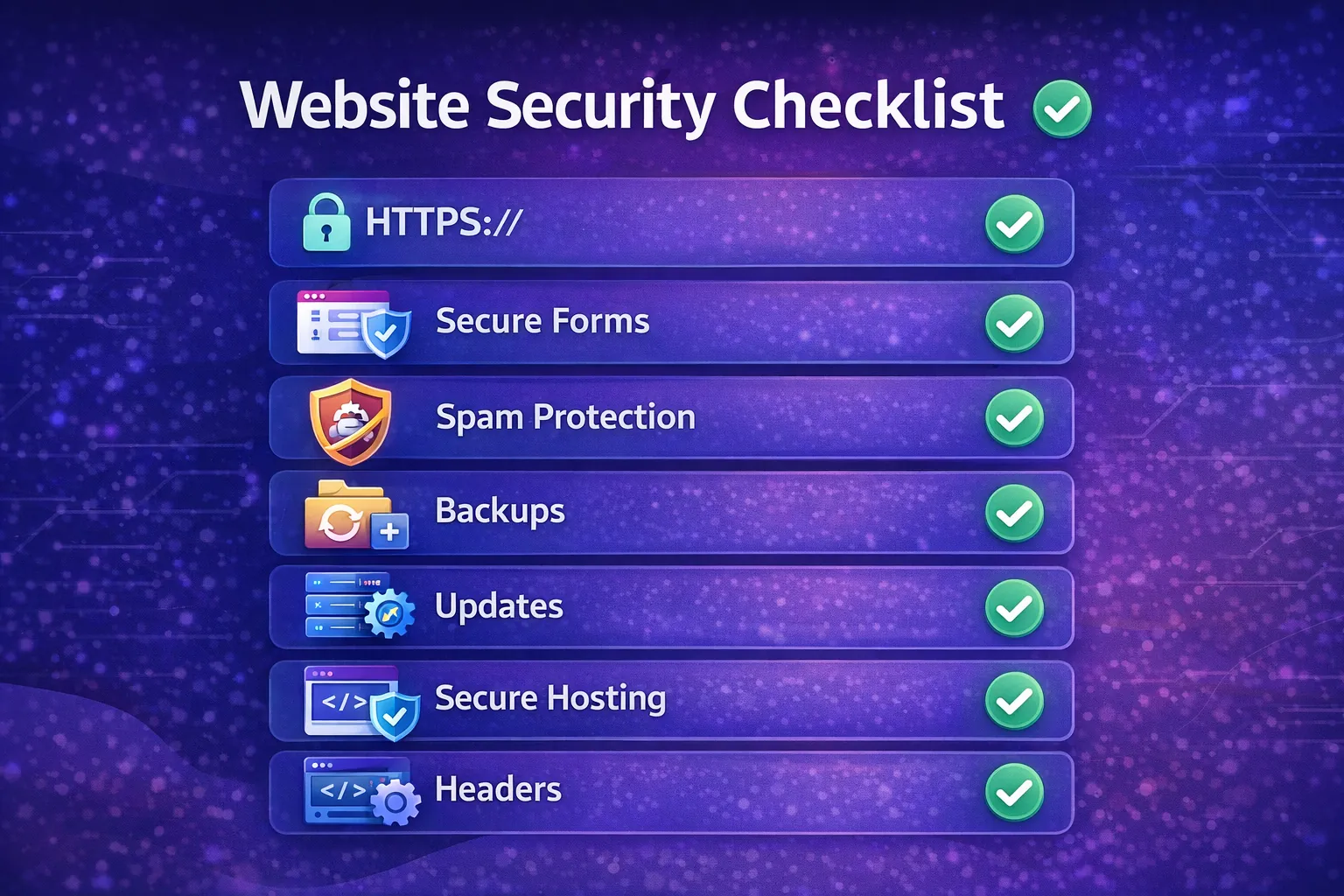
If you collect leads, ensure forms are protected. Spam leads waste money and time.
Corporate websites must load fast on mobile and desktop.
Performance checklist:
Fast websites convert more, rank better, and feel premium.
Corporate SEO is about:
If you want pricing-related corporate content, link to: Cost of Website Development in India (2026)
Corporate audiences don’t like pushy sales. Use a professional conversion system:
Example: 👉 Contact Page: Contact us
Before going live, test:
After launch:
If you want a fast, secure, SEO-ready corporate website (and later dashboards/portals), we can build it with a professional process.
A corporate website should build trust for buyers, partners, investors, and hiring candidates. It needs more than attractive sections; it needs structured proof, clear services, leadership/company information, compliance signals, and contact paths.
Before development, define:
For companies with portals, dashboards, or integrations, align the corporate site with software development services and web applications.
Most corporate websites start with 10–20 pages depending on services, industries, and compliance needs.
Yes, if set up with strong hosting and minimal plugins. For premium performance, custom Next.js is often better. Compare the operational trade-offs in the business CMS selection guide.
Clean spacing, strong typography, high-quality visuals, fast performance, and proof-based content structure.
Usually 2–6 weeks depending on pages, approvals, and integrations.
If you want Google traffic and authority, yes. Blogs are one of the best long-term corporate growth assets.
For teams considering a separate content backend and frontend, the headless architecture decision guide explains content modeling, editor permissions, publishing failures, SEO rendering, and maintenance ownership.
A corporate website often has several owners: marketing writes, business units supply facts, legal reviews claims, HR manages careers, IT controls domains and security, and sales receives enquiries. The project should name one accountable website owner and one approver for each content type.
| Content area | Typical accountable owner | Review evidence |
|---|---|---|
| Services and industries | Business or sales lead | Approved capability statements |
| Company and leadership | Communications or leadership | Current bios and permissions |
| Legal and privacy | Legal or compliance | Versioned approved text |
| Careers | HR | Active roles and application route |
| Investor or media material | Finance or communications | Publication approval and date |
| Technical operation | IT or digital owner | Access, backup, security, and renewal record |
Without governance, the launch slips and facts become stale. Define content review frequency, emergency publishing authority, archived-page policy, and what happens when an employee with administrator access leaves.
An enterprise buyer may need capability, industry proof, security information, procurement details, and a named contact. A candidate needs culture, role clarity, location or remote policy, and an application route. A journalist needs current facts and brand assets. Do not force all of them through one generic homepage.
Keep common claims consistent across pages, but give each audience a clear path and next action. The service-page content guide supports buyer pages, while the About-page trust template helps separate company evidence from marketing adjectives.
Before replacing an established site, inventory URLs, backlinks, organic landing pages, downloads, forms, analytics events, and embedded systems. Map redirects one-to-one where a genuine successor exists. Do not redirect every removed URL to the homepage.
After launch, verify:
Use the website security checklist, speed optimization guide, and SEO-friendly architecture guide as separate acceptance references.
VASUYASHII's website service, integration service, and demo collection show current public delivery scope and interface examples. They do not prove corporate approvals, compliance, traffic growth, or conversion results for a future client. Those outcomes require stakeholder inputs, factual evidence, implementation review, and post-launch measurement.
A serious corporate quotation should therefore include discovery, governance, content ownership, migration, acceptance, handover, and an operating plan, not only design and page count.
Related Articles
March 21, 2026
Choose a web development company using portfolio proof, scope, pricing, timelines, SEO capability, ownership, support, and contract red flags.
Read article
March 15, 2026
Plan a startup website with the right pages, positioning, lead flow, technology, SEO, timeline, and cost decisions for an efficient 2026 launch.
Read article
March 15, 2026
Website development cost in India for 2026 with pricing for business sites, ecommerce, web apps, portals, SaaS, timelines, and budget factors.
Read article
March 15, 2026
Learn when a business website adds trust, search visibility, lead qualification, measurement, and control beyond social media and marketplace profiles.
Read article