

March 17, 2026
Mobile Friendly Website Design Guide (2026)
Use this mobile-friendly website design guide to improve responsive layouts, navigation, forms, speed, accessibility, SEO, and lead conversion in 2026.
Read articlePublished Updated
Use practical website UI/UX best practices for clearer mobile journeys, stronger trust, accessible forms, faster decisions, and qualified business leads.

Good website UI/UX helps the right visitor understand the offer, find credible proof, and complete the next action without confusion. Visual polish matters, but it cannot compensate for an unclear first screen, inaccessible controls, slow rendering, vague forms, or a broken lead handoff.
UI (User Interface) is what people see: layout, buttons, cards, colors, typography. UX (User Experience) is how people feel and behave: clarity, ease, trust, speed, flow.
This guide gives you professional UI/UX practices designed to support:
If you’re building premium websites and web applications, see: Web Applications Services
A website has good UX when users can:
Good UX is not “extra.” It is the foundation of conversions.
UI/UX redesign means re-evaluating how users understand, navigate, and complete tasks on an existing website, then updating the interface and interaction system around verified problems. It is broader than changing colours, fonts, or card styles.
| Redesign layer | Question to answer |
|---|---|
| information architecture | Can users find the right service or answer quickly? |
| content hierarchy | Does each screen explain the offer, proof, objections, and next action? |
| interaction design | Are navigation, forms, feedback, errors, and mobile controls predictable? |
| visual system | Do typography, spacing, colour, components, and states create clear priority? |
| accessibility | Can keyboard, zoom, contrast, labels, focus, and reduced motion be validated? |
| measurement | Which task failures or conversion events will show whether the change helped? |
A redesign should preserve patterns that already work. Capture current task completion, common user questions, form outcomes, important URLs, and representative screenshots before changing the interface. Then test the redesigned journey against observable acceptance conditions instead of approving appearance alone.
Use the business website redesign guide when UI/UX changes also affect content, URLs, tracking, performance, or launch risk.
There is no single official list that every designer must follow. Different courses and agencies use these labels differently. For a business website, the useful question is whether the framework produces a clear, accessible and measurable customer journey.
| C | Review question |
|---|---|
| Clear | Can a new visitor explain the offer after the first screen? |
| Concise | Is unnecessary copy removed without hiding decision details? |
| Consistent | Do repeated components look and behave the same? |
| Credible | Are claims supported by identity, process, proof or limitations? |
| Contextual | Does the page answer the needs of its intended buyer and device? |
| Convenient | Can visitors navigate, read and contact the business without friction? |
| Conversion-ready | Is one relevant next action visible and measurable? |
Contrast separates priorities, repetition creates consistency, alignment establishes order, and proximity groups related information. These principles improve visual structure, but they still need responsive testing, accessible controls and accurate content.
Use this framework as an audit, not as a decorative checklist. Apply it first to the Home-to-Service-to-Contact journey, then validate the mobile experience with the mobile-friendly design guide and the contact-page conversion guide.
A modern website UI/UX system has 8 pillars:
1) Clarity (messaging) 2) Visual hierarchy (what stands out) 3) Layout and spacing (premium feel) 4) Typography (readability) 5) Navigation (structure) 6) CTAs (conversion) 7) Forms (lead capture) 8) Speed + accessibility (quality)
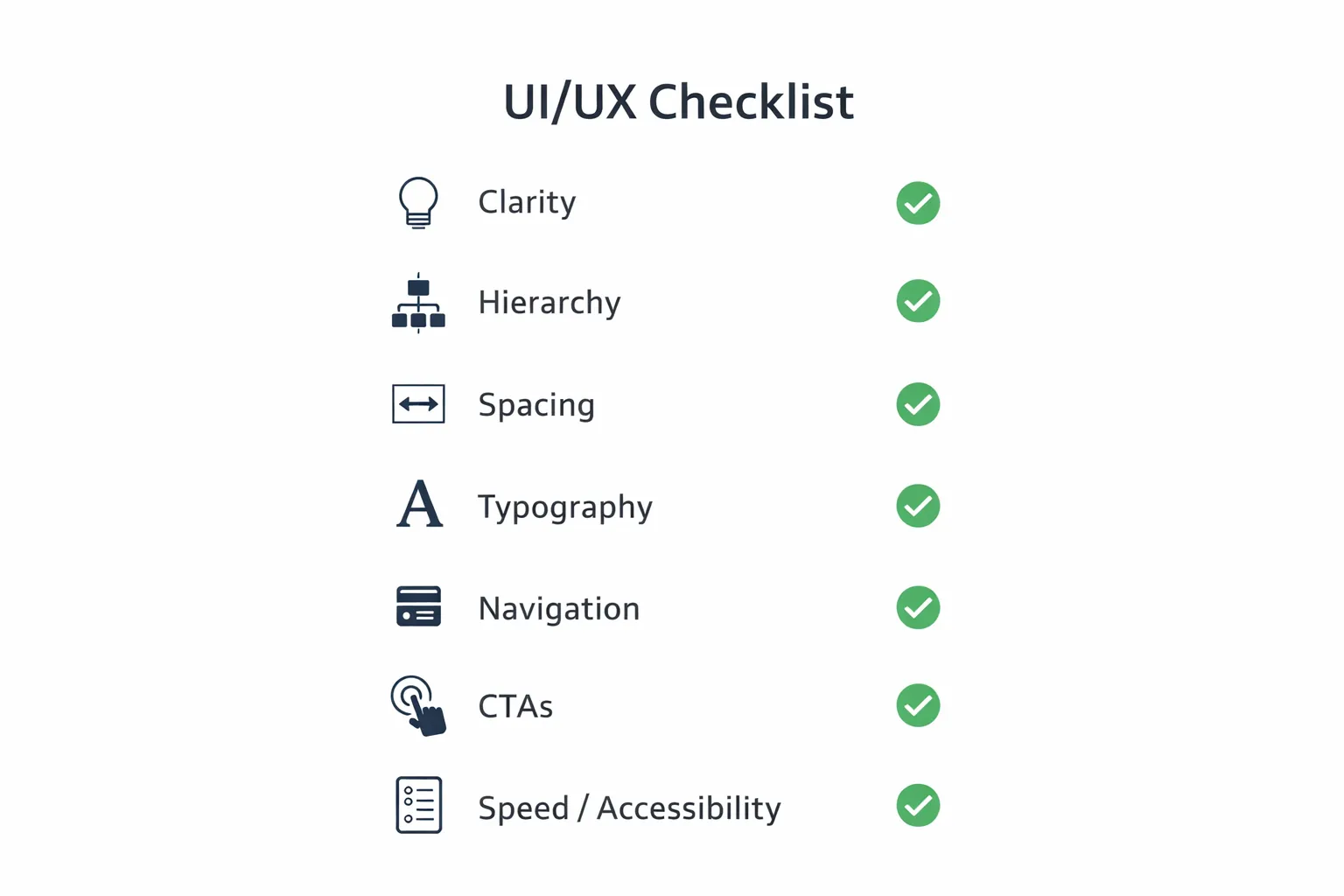
The top reason visitors leave: confusion.
Your hero section should include:
“We provide innovative solutions for businesses.”
“We build fast, SEO-ready business websites and web applications that generate leads.”
Clarity converts. Creativity comes after clarity.
UI/UX is a visual conversation. Users scan, they don’t read.
Your design must guide attention:
Avoid making everything look equal. If everything is bold, nothing is important.
Most websites look “cheap” because of spacing issues.
A premium UI is mostly spacing + typography.
Typography decides whether users can comfortably consume content.
Keep paragraphs short:
If your users can’t read comfortably, they won’t convert.
Mobile-first means:
A site that looks great on desktop but weak on mobile will fail in 2026.
Navigation must help users reach key pages quickly.
A website without strong CTA is like a shop without a cashier.
WhatsApp usually converts fastest.
Example: 👉 WhatsApp: Chat on WhatsApp 👉 Contact: Contact page
Also add proof links near CTA:
Forms often reduce conversions if they are hard to fill.
If WhatsApp is primary CTA, keep form as a secondary option.
Even if your service is amazing, users need proof.
If you have demo systems:
A slow website feels unprofessional.
Speed affects:
Accessibility improvements also improve general UX:
A site that is accessible is usually more usable.
Avoid these: 1) confusing headline (no clarity) 2) no CTA above fold 3) too much text without structure 4) inconsistent spacing 5) too many fonts/colors 6) weak proof section 7) slow pages 8) popups that block mobile experience
If you want to improve your current website, follow this:
Clear headline + CTA + proof.
Keep it clean and easy.
Separate service pages rank better and convert better.
Portfolio, demos, screenshots.
WhatsApp CTA, contact page, short form.
WebP images, reduce scripts, lazy-load.
If you need professional website development and web apps: Web Applications Services
If you want a modern UI/UX refresh or a new premium website built for conversions, we can help.
👉 WhatsApp: Chat on WhatsApp 👉 Services: Web Applications Services 👉 Projects: View our services 👉 Contact: Contact page
A business website can look modern and still fail if users cannot understand the offer, find proof, or contact the business quickly. For Indian SMBs, mobile UX matters most because many visitors come from WhatsApp, Google search, ads, or referrals on phones.
Audit these areas first:
The current VASUYASHII Business Suite dashboard is a first-party interface example. Its primary operating questions are inventory value, available units, customer dues, supplier dues, expenses, profit, and stock alerts. The useful UX lesson is not the visual style; it is that every summary must connect to a definition, source record, permitted role, and follow-up action.
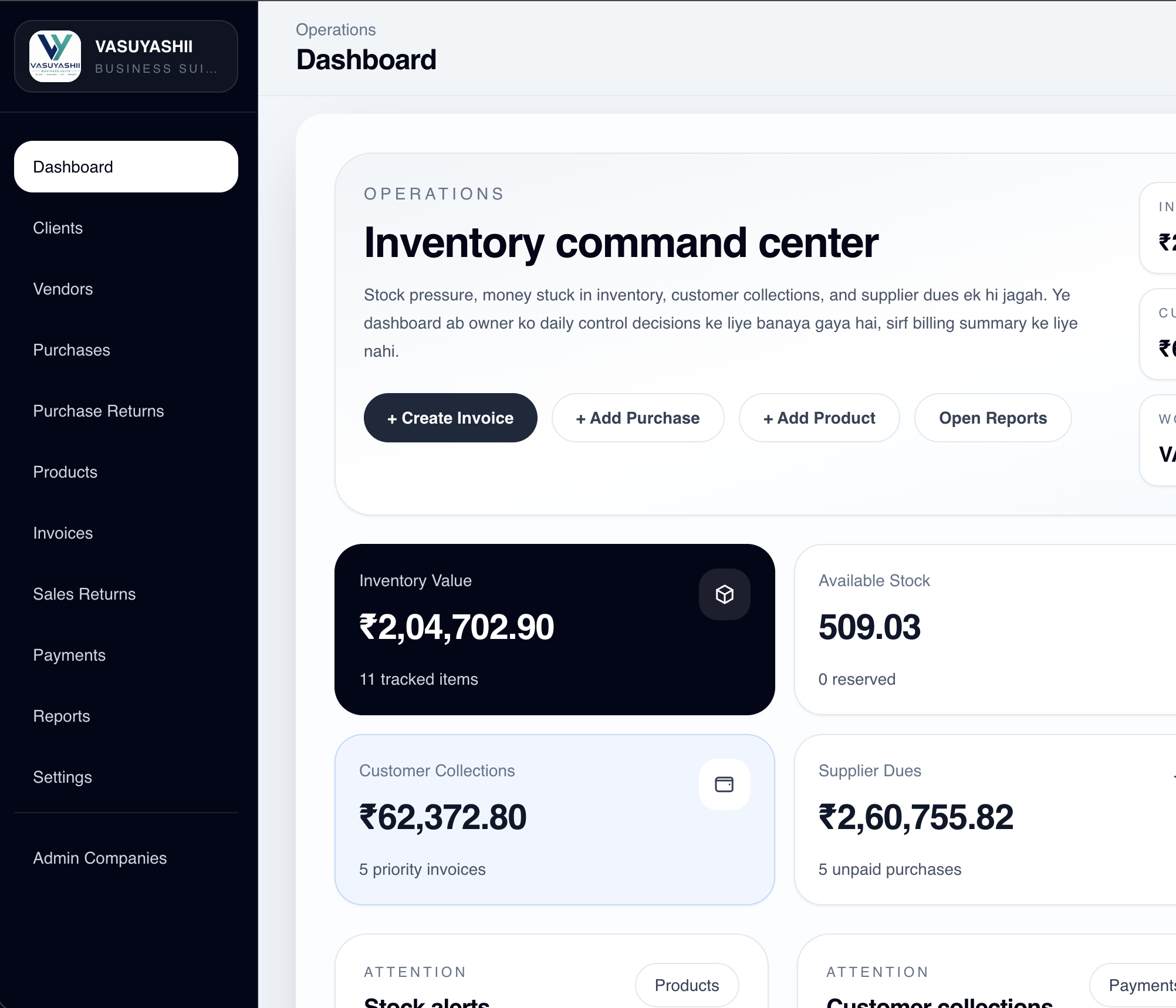
For example, a “customer due” card is trustworthy only when the product defines included invoice statuses, partial payments, credit notes, date cut-off, company scope, and the drill-down list. A beautiful card with an ambiguous total creates decision risk. The same rule applies to a public website: a “trusted by businesses” statement needs verifiable proof, and a “get a free demo” CTA needs a reliable submission and response process.
This screenshot proves the current interface pattern and product scope visible on the product page. It does not prove a conversion lift, time saving, or customer outcome; those claims require separate measured evidence.
| Journey | Acceptance check | Evidence |
|---|---|---|
| First screen | A new tester can state the offer, audience, and main action | Short moderated task on mobile and desktop |
| Navigation | Tester reaches the correct service without using search | Click path and wrong-turn notes |
| Contact form | Valid submission is confirmed; failure is recoverable | Network, success, validation, and notification tests |
| WhatsApp CTA | Link preserves service/page context and does not cover content | Device screenshots plus destination test |
| Accessibility | Keyboard focus, labels, contrast, zoom, and reduced motion work | WCAG-oriented manual and automated checks |
| Performance | Main content appears and responds within agreed field/lab targets | PageSpeed/CrUX plus repeatable lab run |
Use the WCAG 2.2 standard as the accessibility reference. Automated scores help find issues, but manual keyboard, zoom, form, and task testing remain necessary.
If the sample is too small to claim improvement, report the usability defects fixed and continue measurement. That is more credible than presenting an unverified conversion percentage.
Useful next links: services, web application services, and contact.
Do not begin a redesign by collecting visual references alone. Start with the page's job. A homepage may need to route visitors to the right service, while a service page must explain scope, proof, objections, and the next action. A contact page should reduce uncertainty and collect only the information needed for a useful reply.
For an Indian service business receiving traffic from Google, referrals, and WhatsApp, review the interface in this order:
A practical redesign should change one measurable journey first. Improve the homepage-to-service-to-contact route, verify analytics, and compare qualified enquiries before redesigning every section. Use the Website Development Delhi NCR hub for the parent website plan, then review website conversion optimization and SEO-friendly website development as connected implementation guides.
For viewport-specific acceptance rules, use the responsive website development guide instead of treating a single desktop mockup as responsive proof.
The final checkpoint is business usefulness: the interface should help the right visitor understand the offer and contact the business confidently. Review VASUYASHII services for proof patterns or discuss the website scope before choosing visual polish that has no conversion role.
UI is the visual interface (design, buttons, layout). UX is the overall experience (clarity, flow, ease, trust).
Better UX improves engagement, lowers bounce rate, and improves user signals which support SEO performance.
Clear headline + strong CTA above the fold + proof near the CTA.
Typically 3: one in hero, one mid-page, one at the end.
WhatsApp is often the highest converting CTA, supported by a contact page form.
Use clarity, consistency, feedback, accessibility and restraint. The exact labels can vary, so verify them through observable page behavior rather than treating the list as a formal standard.
A practical business version is clear, concise, consistent, credible, contextual, convenient and conversion-ready. Each item should map to a review question and an owner.
Contrast, repetition, alignment and proximity are common layout principles. They organize information but do not replace accessibility, responsive behavior, speed or content quality.
Related Articles
March 17, 2026
Use this mobile-friendly website design guide to improve responsive layouts, navigation, forms, speed, accessibility, SEO, and lead conversion in 2026.
Read article
March 18, 2026
Design a lead-generation landing page with clear messaging, trust signals, focused CTAs, WhatsApp or forms, mobile speed, tracking, and testing.
Read article
March 21, 2026
Common website development mistakes in 2026 that hurt SEO and leads, including slow speed, weak UX, bad forms, duplicate content, and no tracking.
Read article
May 2, 2026
WhatsApp chatbot vs live WhatsApp CTA: lead quality, response speed, setup cost, tracking, and best use cases for Indian businesses in 2026.
Read article