
March 21, 2026
Website Development Process: Planning to Launch
Website development process explained for 2026 with discovery, sitemap, wireframes, UI design, SEO setup, speed, QA, launch, and maintenance.
Read articlePublished Updated
Common website development mistakes in 2026 that hurt SEO and leads, including slow speed, weak UX, bad forms, duplicate content, and no tracking.
By Tushar C., Founder of VASUYASHII Published: March 21, 2026 | Reviewed: August 3, 2026
The most expensive website mistake is building pages before agreeing on the visitor, offer, conversion action, content ownership, and measurement plan. The result may look polished but still hide services, load slowly, lose mobile leads, send unreliable forms, create duplicate search pages, and provide no evidence for a buyer's decision.
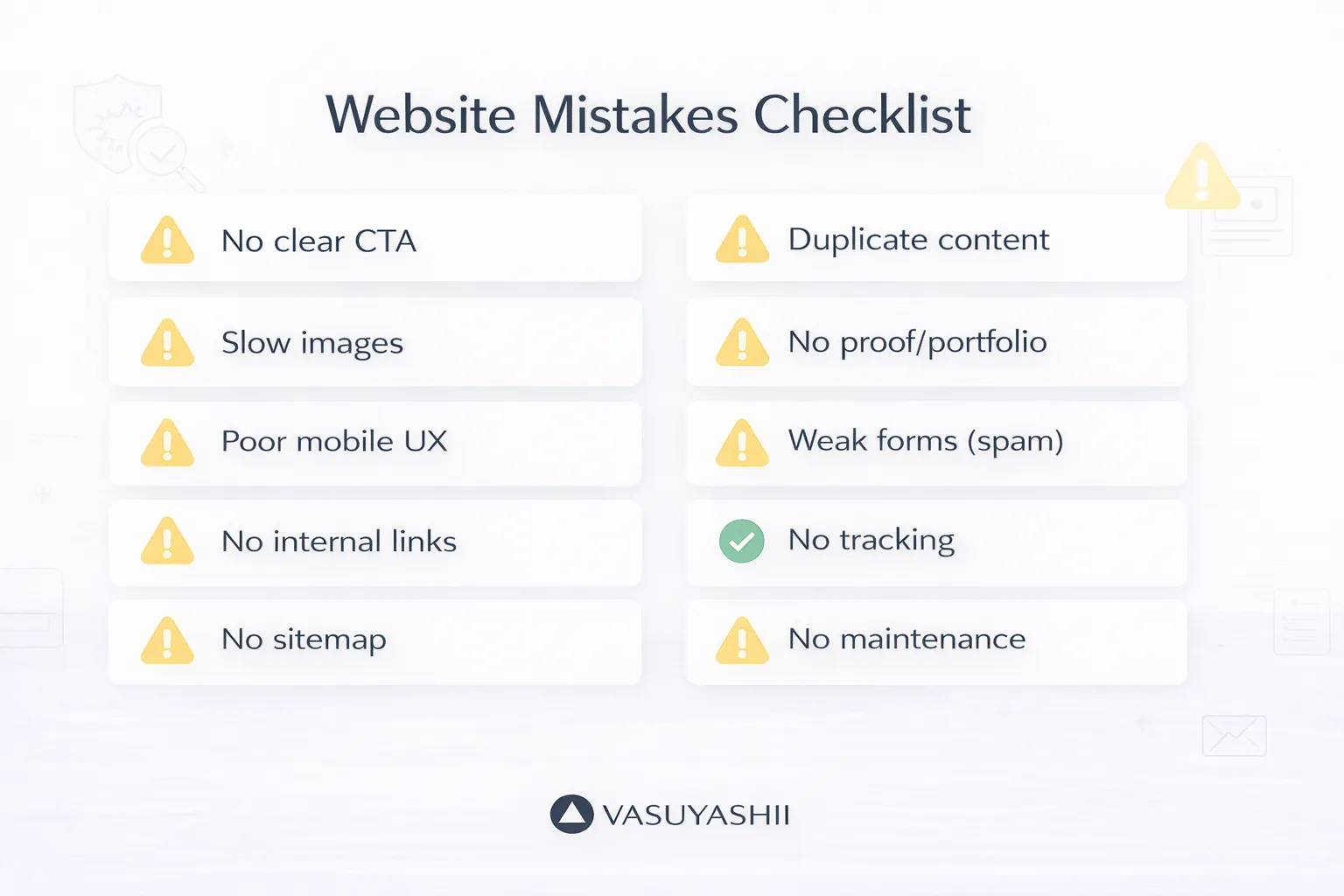
Use this guide as an acceptance audit. It separates design preference from observable failure and gives a corrective action for each issue.
| Area | Failure signal | Minimum acceptance evidence |
|---|---|---|
| Purpose | Visitor cannot identify the offer or next action | One clear H1, audience, outcome, and CTA |
| Structure | All services compete on one generic page | Dedicated useful pages and crawlable navigation |
| Mobile | Text, buttons, forms, or menus are difficult to use | Manual mobile tests on representative widths |
| Performance | Main content appears late or interaction blocks | Measured lab and field review where data exists |
| Search | Duplicate titles, weak headings, wrong canonicals | Unique metadata, one H1, indexable final URL |
| Trust | Claims have no inspectable evidence | Current screenshots, demos, credentials, approved reviews |
| Lead flow | Forms fail silently or lose context | Confirmed submission and owner notification |
| Measurement | Clicks and leads cannot be attributed | Privacy-safe conversion events and Search Console |
| Operations | Nobody owns updates, backups, or broken links | Written maintenance and support routine |
A service website is not an art direction exercise. Before design, write:
If the homepage says "digital excellence" but never explains the service, location or delivery scope, process, and next step, visual polish cannot compensate.
Fix: Create one-page content briefs for homepage, services, product, about, contact, and proof pages. Test whether a person unfamiliar with the company can answer "what, for whom, why trust, and what next" in 10 seconds.
A generic service list cannot answer buyer-specific questions. Website development, web applications, mobile apps, custom software, and integrations have different requirements, risks, evidence, and calls to action.
Fix: Give each important service a useful page with scope, suitable use cases, process, boundaries, decision criteria, FAQs, related evidence, and contact context. Connect them through the services hub, web application services, software development services, and integration services.
Do not create dozens of near-identical city or keyword pages. A new page should serve a distinct intent and contain genuine local or service value.
Responsive CSS does not prove usability. Test the menu, hero, service selection, demo, form, WhatsApp link, footer, and long article on real mobile widths.
Common failures include:
The screenshot below is first-party evidence of the current VASUYASHII homepage rendered at a mobile viewport. It documents the implementation state, not a performance or conversion claim.
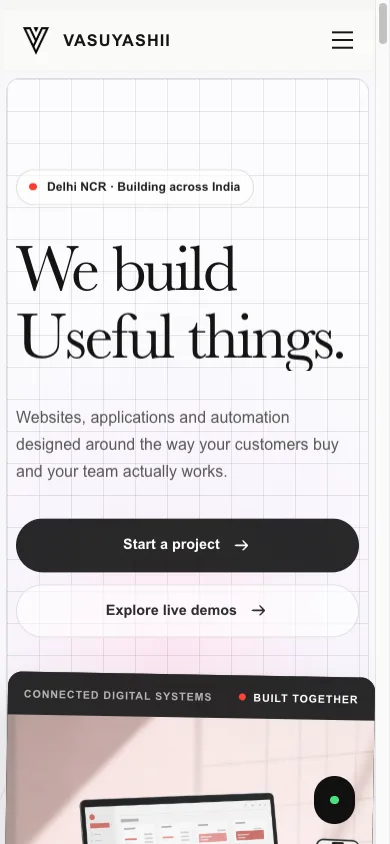
Use the mobile-friendly website guide for a deeper checklist.
Images matter, but slow rendering can also come from fonts, global JavaScript, third-party tags, client-side animation, CSS, hydration, and poor loading priorities.
Google's Core Web Vitals focus on loading, interaction, and visual stability. Review current definitions through web.dev's Web Vitals guidance, then measure representative pages rather than chasing one synthetic score.
Fix:
Read the website speed optimisation guide before changing the visual design.
Search problems often come from inconsistent URL versions, wrong canonicals, accidental noindex, missing sitemap entries, duplicate titles, or pages that are technically available but not linked.
Fix: For every indexable page, verify final HTTPS host, direct 200 response, self-canonical, Open Graph URL, sitemap membership, robots allowance, unique title and description, one primary H1, and useful internal links.
Google recommends creating helpful, reliable, people-first content rather than content made mainly to manipulate rankings. Review the official helpful content guidance.
Hundreds of blog posts do not create authority if important pages remain buried. Every cluster needs a clear parent page and contextual links based on reader decisions.
Fix:
Use the internal linking plan for service pages for implementation detail.
"Best," "premium," "fast," and "trusted" are claims. Useful evidence includes current product screenshots, public demos, explainable workflows, approved client reviews, launch URLs, methodology, team identity, and stated limitations.
Do not invent case studies or imply that a demo is a client project. Do not publish a percentage result without the baseline, period, method, and approval.
Fix: Place relevant proof next to the decision. A software page should show the software. A website service page should link to representative demos, process, and acceptance criteria. See the demo collection and Business Suite product page for current first-party assets.
A lead is not generated when a user clicks Submit. The system should validate input, send it to the intended endpoint, receive a readable confirmed response, show success, prevent accidental duplicates, and notify an owner.
Fix: Test valid, invalid, duplicate, offline, slow, and provider-error cases. Preserve the selected service or product context into the enquiry. Fire generate_lead only after confirmed success and never send personal form values to analytics.
The current contact form is a practical place to verify the visible experience; implementation teams must also test the downstream receipt and ownership process.
Installing analytics does not create a measurement plan. Define the decisions that events support.
Useful events can include:
Use safe event keys and aggregate reporting. Do not send emails, phone numbers, names, GST details, or free text as analytics parameters. Connect Search Console to understand queries and pages, but do not rewrite a page based on one day's movement.
Low contrast, missing labels, keyboard traps, poor focus states, heading disorder, autoplay, and inaccessible menus exclude users and often harm usability for everyone.
Fix: Use semantic HTML, associated form labels, keyboard access, visible focus, sufficient contrast, meaningful alt text, predictable navigation, reduced-motion support, and correctly ordered headings. The W3C publishes the official WCAG standard overview.
Automated tests are useful but cannot replace keyboard, screen-reader, zoom, and human review.
Security includes dependency maintenance, authentication, permissions, input handling, secrets, headers, backups, restore tests, logs, and incident ownership.
Fix: Define the threat and data scope, use least privilege, protect credentials, validate server-side, patch dependencies, test backup restoration, and document response contacts. Review the website security guide and obtain specialist review for high-risk systems.
Pages become outdated, forms break, links disappear, certificates expire, dependencies age, and offers change. A launch without ownership is an unfinished project.
Assign monthly responsibility for:
Use the website maintenance guide to build the routine.
This checklist does not guarantee rankings, traffic, accessibility conformance, security, or leads. Outcomes depend on demand, competition, authority, offer, evidence, implementation, and ongoing operations. Specialist legal, accessibility, security, privacy, and performance reviews may be required.
Building the wrong structure before validating the buyer journey is often the most expensive because content, design, SEO, forms, and analytics all depend on it.
Yes. Many sites improve through focused fixes to structure, content, performance, forms, proof, and tracking. Redesign only when the current system prevents those changes.
Use one primary action and a relevant secondary option, such as WhatsApp or demo. Repetition is useful when it follows information; competing actions are not.
No. Lighthouse is a controlled lab test. Review real-user field data when available, test representative devices, and inspect the actual user journey.
Important distinct services should. Do not split minor keyword variations into thin pages with the same intent.
Lead forms, WhatsApp and phone links, key navigation, important redirects, security updates, backups, representative performance, and Search Console anomalies.
Audit one conversion journey from search result to service page, proof, form, confirmed receipt, and owner follow-up. For a focused website scope, use the software project requirement template or contact VASUYASHII.
Related Articles
March 21, 2026
Website development process explained for 2026 with discovery, sitemap, wireframes, UI design, SEO setup, speed, QA, launch, and maintenance.
Read article
March 21, 2026
Business website redesign guide for 2026 with SEO migration, speed, UX, trust signals, conversion upgrades, tracking, and launch checklist.
Read article
March 18, 2026
Website conversion optimization guide for 2026 with CRO principles, CTA flow, trust signals, forms, WhatsApp, speed, UX, analytics, and action plan.
Read article
March 17, 2026
Use practical website UI/UX best practices for clearer mobile journeys, stronger trust, accessible forms, faster decisions, and qualified business leads.
Read article