
March 18, 2026
Website Speed Optimization: 2026 Practical Guide
Use this 2026 website speed optimization guide to measure Core Web Vitals, prioritize LCP and script fixes, improve images and fonts, and retest safely.
Read articlePublished Updated
Optimize lead-generation website speed by prioritizing the first screen, forms, WhatsApp, images, fonts, JavaScript, tracking and post-launch measurement.
Speed optimization for a lead-generation website should protect the path from search result to enquiry. The visitor needs to see the offer, evaluate proof, open navigation, tap WhatsApp or call, and submit a form without waiting or losing entered information.
A technically fast page can still fail if the CTA is unclear. A conversion-focused page can still lose leads if the first screen arrives late. The work must connect web performance with lead handling rather than treating Lighthouse as an isolated score.
Start with the actual conversion route. For a service business it may be:
Performance work should make this sequence reliable. Optimising an unused carousel while the form JavaScript fails on slow mobile does not serve the goal.
| Finding | Lead risk | First action |
|---|---|---|
| Hero offer appears late | Visitor cannot evaluate fit | Diagnose LCP resource and render delay |
| CTA moves during load | Accidental or missed tap | Reserve dimensions and fix layout shift |
| Menu responds late | Service discovery blocked | Reduce early main-thread work |
| Form takes long to activate | High-intent user abandons | Load core form without optional widgets |
| WhatsApp link works late | Mobile lead path blocked | Keep navigation action simple and available |
| Below-fold gallery is heavy | Scroll becomes expensive | Responsive images and deferred loading |
| Analytics blocks rendering | Measurement harms experience | Load safely while preserving essential events |
Fix severe journey failures before polishing small byte savings.
Record the same URLs, devices, and conditions before and after changes.
Use Lighthouse, PageSpeed Insights, or browser performance tooling to inspect:
Where sufficient traffic exists, use CrUX, Search Console Core Web Vitals, or a responsibly configured real-user monitoring system. Field data reflects actual devices and networks but takes time and may not be available for new pages.
Google's Web Vitals guidance stresses that lab tools help diagnosis while field measurement captures real-user experience. Keep both in the project record.
Track business outcomes alongside speed:
Do not send names, emails, phone numbers, or message text to analytics.
The first viewport normally contains the brand, navigation, offer, supporting copy, and one or two actions. Protect it from unnecessary dependencies.
The visitor should not need a large client bundle to see the headline and core CTA. Server-rendered or static content can still become interactive where needed.
Do not guess. It may be the hero image, text block, poster, or background. Break its timing into server response, discovery delay, download, and render delay using the LCP optimization method.
Set stable media dimensions. Avoid inserting banners above the hero after load. Use fallbacks that minimise font-driven movement.
The offer should remain visible with JavaScript unavailable or delayed. Entrance effects can progressively enhance rather than gate content.
Every image should have a communication job.
Load below-fold media when it approaches the viewport. Use thumbnails appropriate to card size and provide a larger version only when opened.
Do not ship a 2000-pixel logo for a 56-pixel header mark. Prefer a compact raster or SVG when suitable and safe. Avoid loading an icon font for a few symbols.
Use the business website image checklist for a repeatable asset review.
Use one primary family where possible, load only required weights, define a reliable fallback, and decide how text renders while the font arrives. Preload only a proven critical face; too many preloads compete for bandwidth.
The website font guide explains trust, language coverage, fallbacks, and mobile testing in detail.
JavaScript can delay interaction and text rendering even when transfer size appears modest. Review:
Move stable content to static or server rendering where the framework allows. Load optional sections near use. Keep the primary menu and lead action dependable.
A form is not complete because it appears quickly. It must work on a slow connection and communicate its state.
Test:
The contact page design guide covers the wider conversion experience.
A plain WhatsApp or phone link can remain fast. Problems arise when a heavy floating widget, multiple chat SDKs, and tracking wrappers are loaded before content.
Use the simplest implementation that meets the workflow. Include useful page context in a WhatsApp message without personal information. Confirm the business-controlled recipient and response hours. For placement guidance, read WhatsApp CTA button best practices.
Measurement is necessary, but implementation should be controlled.
A script with no owner or decision use is a candidate for removal, not merely deferment.
Shared design systems improve consistency but can grow. Audit global styles, unused themes, duplicate component CSS, font declarations, and expensive effects. Keep fixed-format controls dimensionally stable so hover, loading, or validation states do not move surrounding content.
On long service pages, use content visibility or deferred rendering only after checking accessibility, search rendering, and browser support. Simple semantic HTML is often the most reliable base.
Run tests on a narrow viewport and, when possible, a real mid-range device.
The mobile-friendly website guide extends this review to layout and content.
Fix broken forms, inaccessible navigation, moving CTAs, hidden text, and failed lead delivery. These are business defects.
Prioritise the actual LCP element, reduce resource delay, optimise the asset, and remove unnecessary render gating.
Break long tasks, shrink client boundaries, defer third parties, simplify listeners, and test menu and form response.
Set budgets for hero assets, fonts, common JavaScript, and third parties. Add repeatable checks to the release process and monitor field data.
Consider a coaching institute landing page receiving mobile ad traffic. The first viewport contains a video background, two font families, a chat widget, an admission form modal, and several analytics tags. The form opens after a visible delay.
A conversion-first plan might replace the initial video with an optimised poster, render the course offer and admission CTA immediately, reduce fonts, load the detailed video after interaction, and ensure the form shell is ready without the chat SDK. The team would then compare valid enquiries and mobile timings, not only the visual score. This is an illustrative scenario.
VASUYASHII maps page performance to the lead journey. We identify the first-screen LCP, important interactions, form-delivery path, analytics events, and third-party ownership. Fixes are ranked by lead risk, user impact, and implementation confidence.
Our website development service builds lead pages with static-first content and controlled client interactions. When forms must connect to CRM, WhatsApp, payments, or internal workflows, the integration service scopes retries, security, and operational ownership.
There is no single conversion metric. LCP affects how soon the main offer appears, INP reflects interaction responsiveness, and CLS covers movement. Form success and qualified leads must also be measured.
Google's current guidance defines good LCP as 2.5 seconds or less at the 75th percentile. Treat it as an experience threshold, not a guarantee of rankings or leads.
Many can be, but confirm that they are truly below the fold and that the implementation preserves dimensions. Do not apply lazy loading blindly to the main visible image.
Yes. Weak targeting, unclear offers, missing proof, poor lead handling, and irrelevant traffic can limit conversions. Speed removes friction; it does not replace strategy.
Field datasets use real visits and aggregation windows, so they do not update like an immediate lab test. Verify deployment now and monitor the relevant reporting period without repeatedly changing the page.
Remove or simplify animations that gate content, trigger expensive work, or distract from action. Keep controlled motion that communicates state or hierarchy and respects reduced-motion preferences.
Choose three high-intent landing pages, record their lead journey and performance baseline, then fix the highest-impact bottleneck on each. For a scoped review, contact VASUYASHII with the URLs and current PageSpeed or field evidence.
Related Articles
March 18, 2026
Use this 2026 website speed optimization guide to measure Core Web Vitals, prioritize LCP and script fixes, improve images and fonts, and retest safely.
Read article
June 12, 2026
Image optimization checklist for business websites with WebP, sizing, lazy loading, alt text, hero images, galleries, and speed checks.
Read article
June 12, 2026
Choose website fonts that protect speed, readability and trust. Compare font files, weights, fallbacks, mobile legibility and loading strategy.
Read article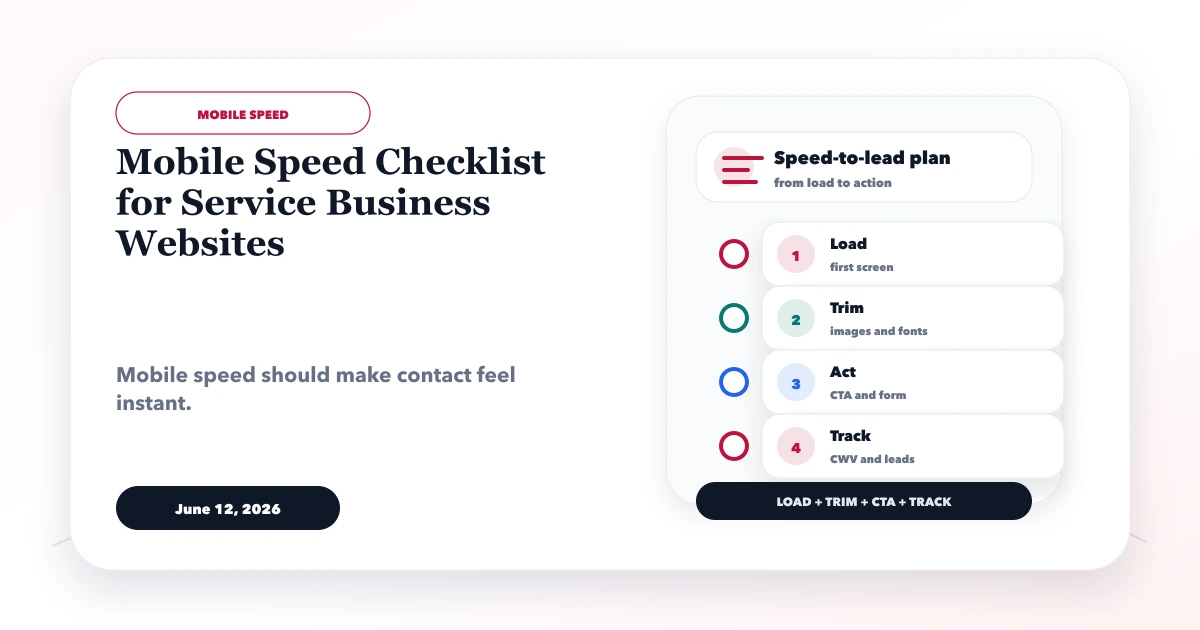
June 12, 2026
Use this mobile speed checklist to improve Core Web Vitals, hero rendering, images, fonts, forms, analytics, WhatsApp CTAs, and real-device UX.
Read article