
May 13, 2026
Fix slow images (WebP pipeline)
fix slow images WebP pipeline: practical 2026 audit guide with checklist, pricing, roadmap, mistakes, FAQs, tools, and next steps for Indian SMBs today.
Read articlePublished Updated
Image optimization checklist for business websites with WebP, sizing, lazy loading, alt text, hero images, galleries, and speed checks.
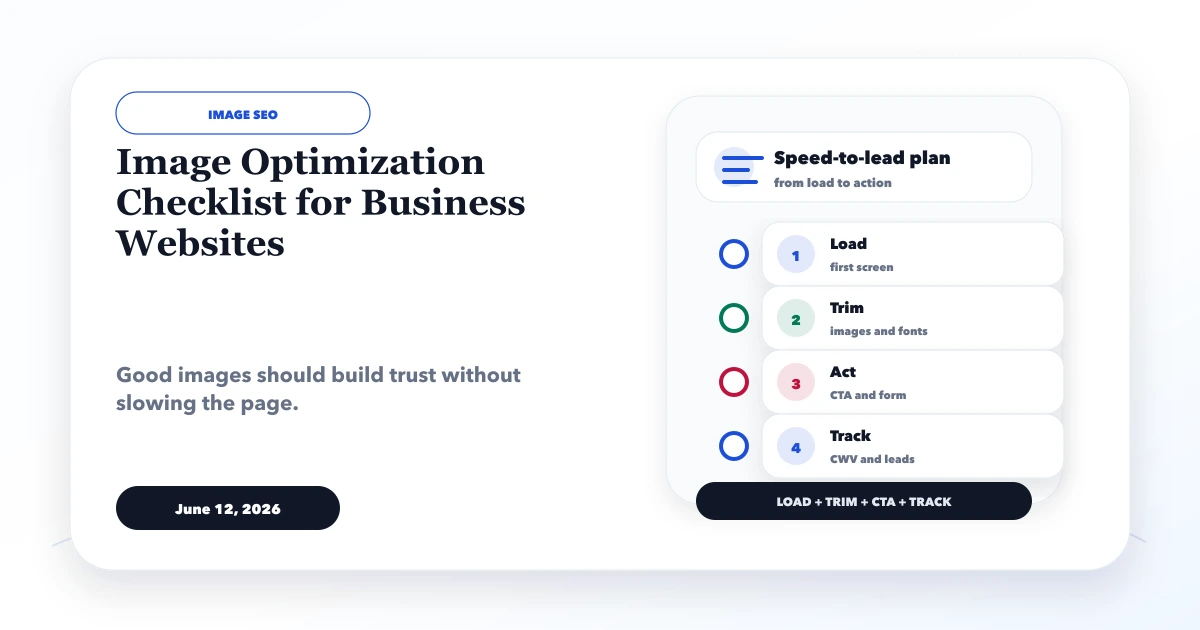
This image optimization checklist for business websites covers the full delivery path: selecting a useful visual, exporting the right dimensions, serving responsive variants, reserving layout space, loading the main image early, and delaying images that are not yet visible.
Compression alone is not enough. A 2,000-pixel logo displayed at 56 pixels still wastes bandwidth, while an aggressively compressed hero can damage trust. The goal is to send the smallest image that remains sharp at its rendered size and importance.
By Tushar C. (Founder, VASUYASHII). Reviewed by VASUYASHII Editorial for practical website speed, Core Web Vitals, lead generation, mobile UX, image optimization, and business website delivery.
Business website images should be resized, compressed, converted to WebP or AVIF where suitable, named clearly, given useful alt text, lazy loaded when below the fold, and tested on mobile.
A hardware supplier uploads 25 camera photos to a product gallery. Each file is several megabytes, the homepage loads all thumbnails immediately, and the same desktop hero is sent to every mobile device. The page appears complete on office Wi-Fi but is slow for a buyer opening it from a mobile network.
A better workflow creates a product thumbnail, a normal detail image, and a larger zoom image only when zoom is needed. The first visible product image receives priority; the remaining gallery waits until the visitor approaches it. Width and height are reserved so the enquiry button does not move while files load.
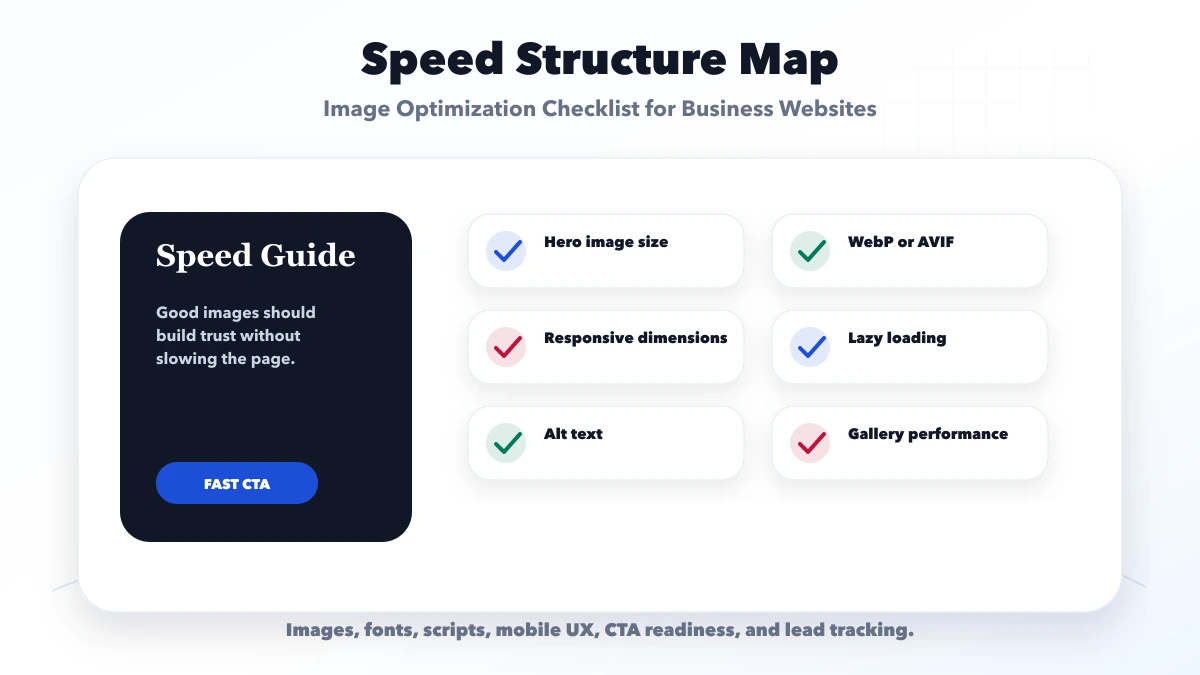
Each check should connect to a real buyer action. If an asset, font, script, or visual effect does not support trust, clarity, contact, or tracking, it should be simplified.
| Speed area | What to check | Why it matters |
|---|---|---|
| Format layer | WebP, AVIF, compression | Reduces weight |
| Layout layer | Correct dimensions and aspect ratios | Avoids layout shift |
| SEO layer | Names and alt text | Improves clarity |
The right setup depends on page purpose. A service page, landing page, gallery, product page, and blog should not all use the same asset and script strategy.
Export a page-level list with image URL, intrinsic dimensions, rendered dimensions, file size, format, loading behavior, and whether the image is visible in the first viewport. This separates four different problems:
Fix the largest first-viewport waste before processing every icon. One oversized hero or logo can matter more than dozens of already-small assets.
| Visual | Practical starting format | Notes |
|---|---|---|
| Business or product photo | WebP or AVIF with tested quality | Keep enough detail for the buyer to inspect the subject |
| Logo or simple icon | SVG where the source is trustworthy; otherwise optimized PNG/WebP | Avoid shipping a huge square logo for a small navbar slot |
| Screenshot with small text | WebP or optimized PNG | Check text legibility after compression |
| Decorative background | Responsive raster or CSS where appropriate | Do not hide important content in a CSS image |
Google's image SEO documentation recommends standard HTML image elements, descriptive alt text, supported formats, and responsive delivery. It also explains that sharp, relevant images and their surrounding page context matter; file-size reduction should not make the evidence unreadable.
The likely Largest Contentful Paint image should not be lazy loaded. Make it discoverable in the initial HTML, avoid client-side delays, and give the browser correct responsive candidates. Below-the-fold gallery and article images can normally use lazy loading.
For every image, reserve dimensions with width and height or a stable aspect-ratio container. This prevents the page from shifting when the file arrives. Then verify the rendered mobile width rather than assuming the desktop export is acceptable.
Alt text should explain the relevant content or function. For example, Inventory dashboard showing low-stock alerts and customer dues is useful when that screen demonstrates a workflow. Best software company dashboard image is not. Decorative visuals should not repeat nearby text just to add keywords.
When the image contains data or a multi-step diagram, summarize the key information in nearby text as well. This helps readers who cannot inspect the visual and keeps the article understandable if the image fails.
VASUYASHII blog guides use dated asset folders with a cover, structure map, roadmap, and checklist image. This pattern makes ownership predictable and keeps every article from referencing one generic visual. The files still require individual review: a diagram must remain readable on mobile, a cover must fit social-preview dimensions, and every MDX path must resolve after the static build.
For this content refresh, the four existing WebP assets for each article were retained instead of generating decorative replacements. That is an important optimization decision: reuse a relevant, already-compressed asset when it serves the section, and create a new image only when it adds evidence or understanding.
Define a working budget by slot rather than one global maximum. A small navbar logo, card thumbnail, article diagram, and full-width product screenshot have different visual needs. Record target dimensions and quality in the content workflow so editors do not repeatedly upload oversized originals.
When a visual exceeds the budget, decide whether to crop, resize, change format, split a long diagram, or load a detailed version on demand. Retest the whole page because image decoding, layout, JavaScript, fonts, and third-party tags interact; reducing one file does not guarantee a good user experience.
Keep the original approved asset outside the public delivery folder when future editing may be required. The production folder should contain only the formats and sizes the website actually uses. This avoids accidental publication of camera originals, duplicated variants, hidden metadata, or outdated screenshots during a later content update.
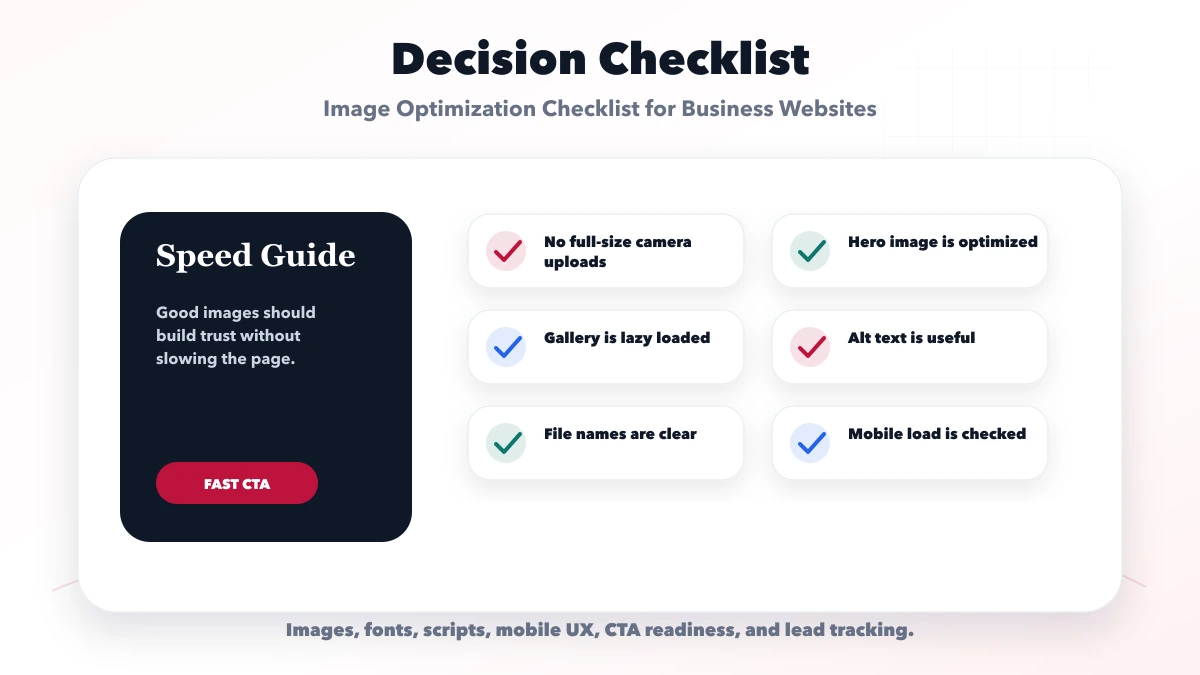
Use this roadmap to fix the biggest bottleneck first. Review lead behavior after speed changes instead of judging only by score.
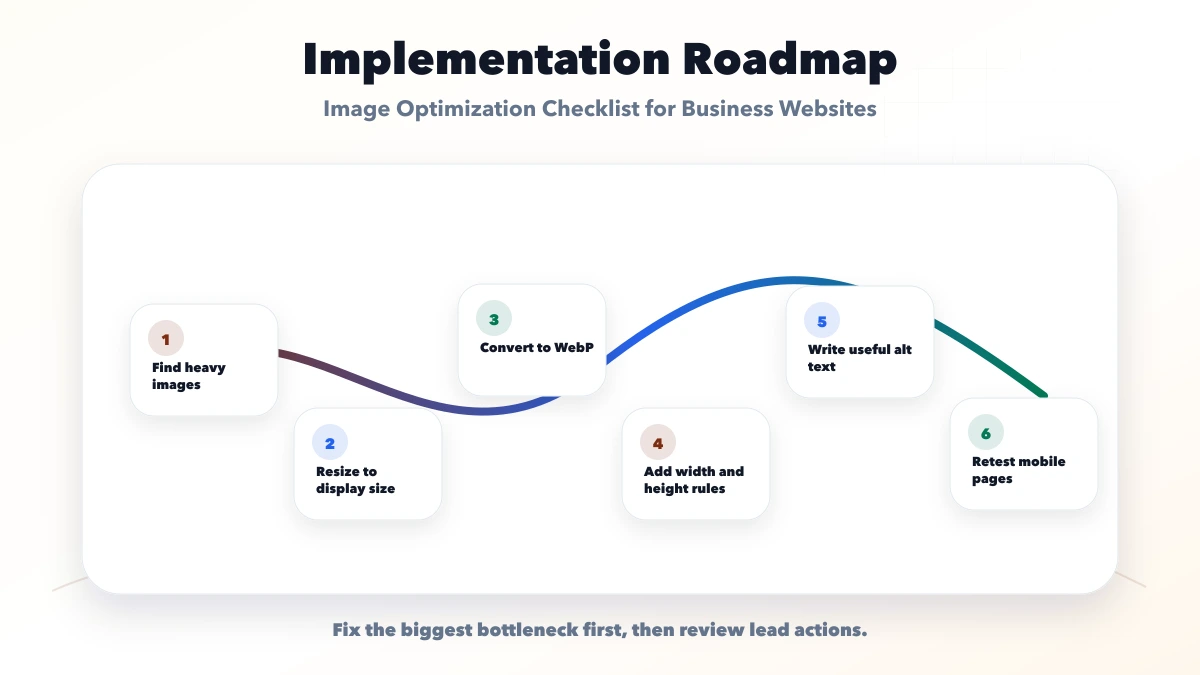
This checklist protects the project from looking polished but losing leads on real devices. A good page should feel fast, readable, and easy to act on.
VASUYASHII would first check page weight, images, fonts, scripts, hosting, Core Web Vitals, CTA visibility, and lead actions. Then we would improve the page in a focused speed phase.
Useful links: web application services, software development, integrations, services, and contact.
Avoid judging speed only from a desktop screenshot. Real users often visit from mobile networks, and the lead action must be ready quickly.
WebP is a strong default for many photos and graphics, with AVIF useful where supported.
Important content images should have useful alt text. Decorative images can be handled differently.
Yes. It supports speed, user experience, and image context.
Yes. Galleries need resizing, compression, lazy loading, and pagination or grouping when large.
Yes. We can create a WebP pipeline and speed-focused image setup.
Before applying lazy loading globally, use the blog image lazy-loading guide to identify the LCP asset, reserve image geometry, and set responsive sources correctly.
If you want a practical plan for image optimization checklist for business websites, VASUYASHII can help with speed audit, image optimization, font cleanup, Core Web Vitals, lead flow, and launch support.
Related Articles
May 13, 2026
fix slow images WebP pipeline: practical 2026 audit guide with checklist, pricing, roadmap, mistakes, FAQs, tools, and next steps for Indian SMBs today.
Read article
June 12, 2026
Optimize lead-generation website speed by prioritizing the first screen, forms, WhatsApp, images, fonts, JavaScript, tracking and post-launch measurement.
Read article
June 4, 2026
Reduce bounce rate by diagnosing search intent, mobile speed, content clarity, CTA friction, and tracking quality instead of chasing one sitewide number.
Read article
March 24, 2026
Compare WordPress vs custom website cost in India, including design, CMS, speed, SEO, maintenance, integrations and three-year ownership trade-offs.
Read article