
March 20, 2026
WordPress vs Custom Development: Buyer Guide
Compare WordPress and custom development by workflow, content ownership, integrations, security, performance, maintenance, cost, migration, and long-term fit.
Read articlePublished Updated
Compare WordPress vs custom website cost in India, including design, CMS, speed, SEO, maintenance, integrations and three-year ownership trade-offs.
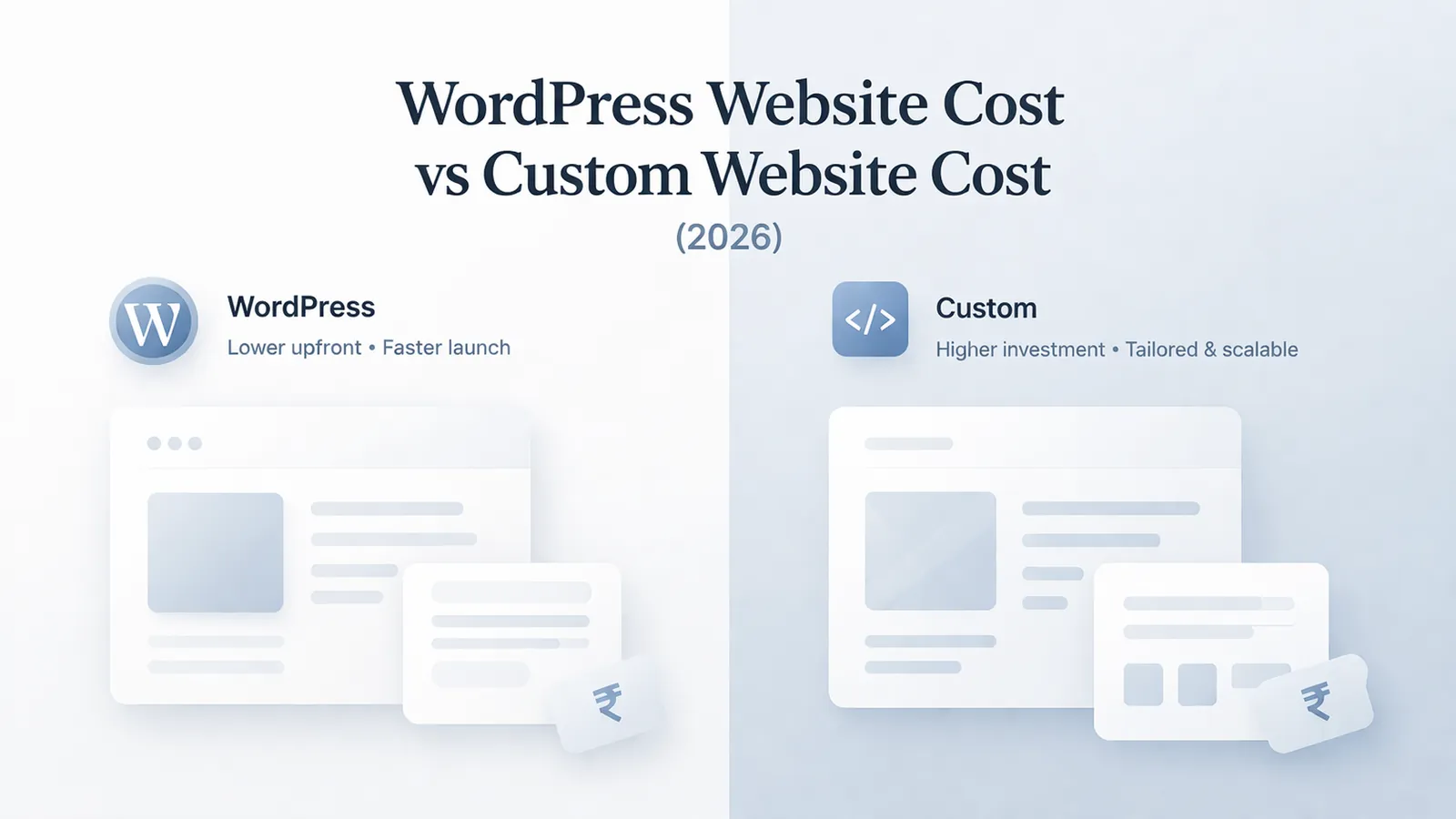
Most businesses do not compare WordPress and custom development on the same basis. One quote may include theme setup, basic forms, and plugin configuration, while the other may include custom design systems, performance work, structured content, and SEO foundation. That is why price gaps look dramatic even when both vendors say they are building a business website.
In 2026, the gap matters more because websites are no longer just digital brochures. Owners expect stronger mobile experience, lead tracking, WhatsApp CTAs, better Core Web Vitals, and a structure that can later support portals, dashboards, or automation. The wrong starting decision can lock a company into avoidable rework.
This guide covers:
WordPress usually wins on upfront budget and content editing comfort. Custom development usually wins on design freedom, speed control, and future scalability once the site has to do more than publish pages.
If future requirements include accounts, workflows, dashboards, or deep integrations, compare a custom web application scope instead of asking WordPress to behave like business software through an expanding plugin stack.
The comparison should use one requirement sheet. Give both options the same pages, content model, lead tracking, performance target, accessibility checks, migration responsibility, support period, and acceptance criteria.
A realistic comparison should connect budget with business goals. If the site is mainly there to publish service pages and blogs, WordPress can be a valid choice. If the site is also a brand asset, a sales engine, and a technical base for future features, custom development often pays back through cleaner control and fewer compromises.
A WordPress build is often cheaper because it starts from a theme or page-builder structure. A custom build costs more because layouts, interactions, and component behavior are designed around your business instead of around a pre-made template. This changes the outcome because design quality drives both the time spent on UI decisions and the number of revisions needed before launch.
WordPress is built around content management, so non-technical teams can usually update pages and blogs without developer help. In a custom build, CMS setup has to be planned deliberately so the editing experience is simple instead of fragile. This changes the outcome because content workflow affects admin usability, training needs, and how quickly marketing teams can publish or update pages.
WordPress often looks cheaper because plugins cover forms, SEO, popups, sliders, or booking features. That works until plugin overlap, license cost, update conflicts, or performance drag start showing up in production. This changes the outcome because feature delivery can look fast at the start but become more expensive when custom fixes and maintenance begin piling up.
If the goal is only to get pages live, WordPress can do the job. If the goal is fast load times, tighter markup, leaner assets, and predictable technical SEO behavior, custom development usually creates more headroom. This changes the outcome because speed and SEO work change both the build complexity and the amount of long-term cleanup required after launch.
Many businesses say they only need a website, then later ask for gated content, lead dashboards, vendor areas, or automation flows. A custom stack is easier to extend into those systems than a plugin-heavy WordPress setup. This changes the outcome because future expansion determines whether today's build becomes a stable base or a temporary stopgap.
WordPress maintenance includes theme updates, plugin updates, backup checks, and compatibility monitoring. Custom development has its own maintenance needs, but they are usually more focused on codebase updates and controlled releases instead of plugin dependency chains. This changes the outcome because ongoing ownership affects support cost, downtime risk, and how predictable the site remains over time.
Implementation quality becomes visible after launch: editors can publish safely, updates do not break templates, backups restore correctly, forms remain measurable, and the owner knows who maintains each dependency.
A proper WordPress quote should clearly mention theme approach, plugin stack, page count, revision limits, SEO setup, and what level of speed work is included.
Without that clarity, low quotes often exclude the exact items that matter once the website is about to launch. When this layer is done properly, the product becomes easier to onboard, easier to support, and easier to improve later.
A proper custom quote should explain design process, CMS integration, reusable components, performance standards, analytics setup, and how future features can be layered in.
This makes the higher upfront price easier to evaluate because you can see what technical control you are paying for. When this layer is done properly, the product becomes easier to onboard, easier to support, and easier to improve later.
Both approaches need a clear sitemap, page hierarchy, CTA plan, and trust-building sections. Cost comparison becomes inaccurate when one option includes content planning and the other assumes you will handle it later.
Good page planning reduces rewrite cycles and improves conversion quality from day one. When this layer is done properly, the product becomes easier to onboard, easier to support, and easier to improve later.
Canonical handling, metadata, image strategy, internal linking, schema basics, and mobile performance should be part of the comparison, not afterthoughts added post-launch.
This is especially important if you want to support blogs, location pages, or long-term organic growth. When this layer is done properly, the product becomes easier to onboard, easier to support, and easier to improve later.
Forms, WhatsApp clicks, analytics events, and conversion tracking should work cleanly regardless of stack. A cheaper build that does not measure leads properly is not actually cheaper.
Clean tracking lets you evaluate ROI instead of guessing whether traffic is turning into enquiries. When this layer is done properly, the product becomes easier to onboard, easier to support, and easier to improve later.
The handoff should explain how fixes, edits, backups, releases, and small improvements will be handled after go-live. Businesses often compare launch pricing but ignore support structure.
A stable support model protects the site from slowly becoming outdated or brittle. When this layer is done properly, the product becomes easier to onboard, easier to support, and easier to improve later.
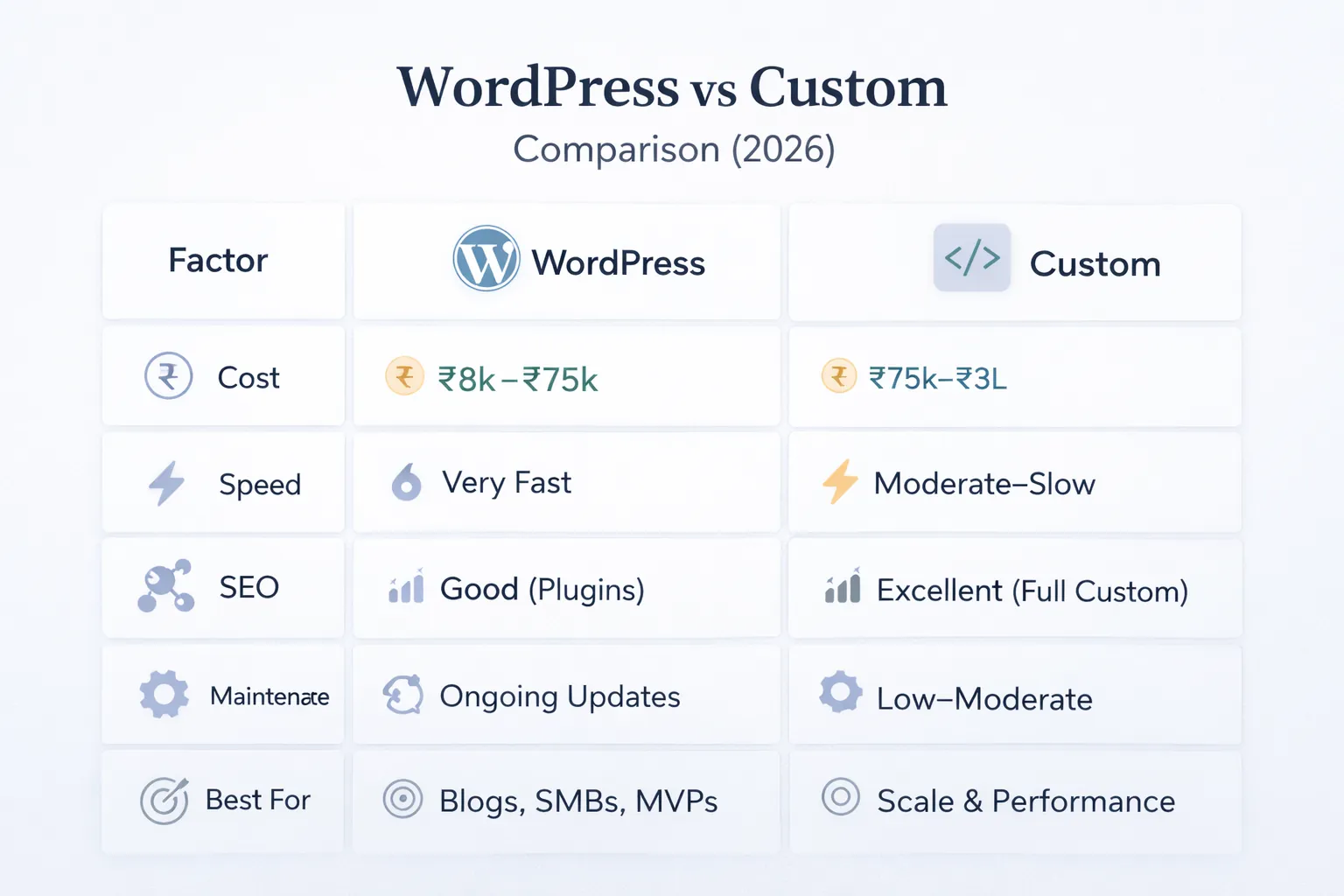
If the site mainly needs Home, About, Services, Blog, and Contact with regular content updates, WordPress can be a practical choice with a clear CMS advantage. In practice, businesses usually choose this direction because the workflow repeats often and has a clear value when handled better.
It works well when speed goals are reasonable and future software-like features are not part of the roadmap. That combination of speed, clarity, and control is why this use case tends to justify the build.
If the website has to feel high-trust, load fast, rank well, and support tighter conversion flows, custom development usually gives stronger control over layout, performance, and interaction quality. In practice, businesses usually choose this direction because the workflow repeats often and has a clear value when handled better.
That matters when brand presentation directly affects close rates and perceived value. That combination of speed, clarity, and control is why this use case tends to justify the build.
A company that publishes frequent blogs, landing pages, and campaign updates may still prefer WordPress because editorial speed is the priority. In practice, businesses usually choose this direction because the workflow repeats often and has a clear value when handled better.
The win here comes from workflow efficiency, provided the plugin stack is kept disciplined. That combination of speed, clarity, and control is why this use case tends to justify the build.
If you expect client logins, dashboards, approvals, or automation later, starting with a cleaner custom foundation is usually smarter than retrofitting those layers into a theme-led site. In practice, businesses usually choose this direction because the workflow repeats often and has a clear value when handled better.
It reduces migration risk and keeps future product work closer to the original build. That combination of speed, clarity, and control is why this use case tends to justify the build.
Create a two-column ownership worksheet before comparing price: content editing, hosting, backups, core updates, plugin or dependency updates, security response, speed monitoring, SEO changes, and future feature development.
VASUYASHII can scope a content-led website or a custom application, but the recommendation should follow the requirement rather than a platform preference. WordPress remains a valid choice when its editor ecosystem and standard publishing flow solve the job. A custom Next.js or application build becomes relevant when design control, performance ownership, structured integrations, or future product workflows justify dedicated engineering.
WordPress's own security guidance emphasises ongoing core, plugin, and theme maintenance. That maintenance should appear in the ownership comparison rather than being treated as zero cost.
The cheapest quote is not always the cheapest ownership model. Rebuilds, plugin renewals, and speed fixes can quickly change the economics. Total cost needs to include launch, support, edits, and likely future changes. Avoiding this one mistake often protects both budget and adoption quality.
WordPress is easy when the stack is clean. It becomes difficult when multiple plugins overlap, custom code is undocumented, or page builder output is bloated. Ease depends on implementation quality, not just on the platform name. Avoiding this one mistake often protects both budget and adoption quality.
A beautiful custom build still underperforms if pages, FAQs, offers, and proof sections are not planned properly. Content architecture has to support sales and SEO, otherwise premium design alone does not create results. Avoiding this one mistake often protects both budget and adoption quality.
Teams sometimes approve a build without checking how old content will move or how staff will edit pages later. That creates handoff friction and extra cost right after launch. Avoiding this one mistake often protects both budget and adoption quality.
Many projects treat speed as an optional polish step instead of a core part of the build choice. That usually leads to poor mobile experience and a bigger optimization bill later. Avoiding this one mistake often protects both budget and adoption quality.
Typical WordPress business website pricing in India can sit anywhere from roughly Rs 25,000 to Rs 1,50,000+, depending on custom design quality, content population, plugin needs, and whether speed and SEO setup are handled properly. Low quotes usually rely on existing themes and narrow revision windows.
Custom business website pricing often starts higher, commonly from around Rs 80,000 and going into several lakhs when the build includes premium UI, structured CMS, technical SEO setup, animation polish, or future-ready architecture. The cost is not only about pages; it is about how much control and longevity you want.
If you are already comparing both approaches, pair price with a decision horizon. For a simple marketing site needed quickly, WordPress may be the rational answer. For a premium lead-generation site or a base for future web products, custom development often gives stronger long-term value.
Upfront, usually yes. Over time, not always. The answer changes when plugin renewals, speed fixes, redesign requests, and future feature expansion become part of the real ownership cost.
It can be, because developers have tighter control over markup, assets, page structure, and performance. But it still needs good content, internal links, and technical SEO planning to deliver results.
Yes, if the design is handled carefully and the build stays disciplined. The main risk is not WordPress itself but a cluttered theme and plugin setup that slows the site down.
If the site needs product-like behavior, future portals, complex integrations, or a very custom brand experience, starting with a custom stack is usually the cleaner decision.
Match them against the same checklist: design scope, CMS workflow, page count, SEO setup, speed work, integrations, support, and revision rounds. Without that, you are not comparing the same product.
WordPress often feels more familiar for day-to-day publishing. A custom build can also be editor-friendly, but only if the CMS is deliberately planned instead of added as an afterthought.
Usually yes, because more of the interface and content model is being planned from scratch. The trade-off is that the final build is often cleaner and easier to extend later.
Send one shared requirement sheet and ask for assumptions, exclusions, recurring costs, update ownership, migration method, and acceptance tests for both options. The lower launch quote is useful only when it solves the same problem.
Related Articles
March 20, 2026
Compare WordPress and custom development by workflow, content ownership, integrations, security, performance, maintenance, cost, migration, and long-term fit.
Read article
March 15, 2026
Compare WordPress and custom websites by editing, performance, security, ownership, integrations, maintenance, cost, and long-term operating needs.
Read article
March 24, 2026
Learn what increases website cost in 2026, including pages, CMS, integrations, speed, SEO, copy, and design choices that move pricing up or down clearly.
Read article
June 12, 2026
Image optimization checklist for business websites with WebP, sizing, lazy loading, alt text, hero images, galleries, and speed checks.
Read article