
March 20, 2026
WordPress vs Custom Development: Buyer Guide
Compare WordPress and custom development by workflow, content ownership, integrations, security, performance, maintenance, cost, migration, and long-term fit.
Read articlePublished Updated
Compare WordPress and custom websites by editing, performance, security, ownership, integrations, maintenance, cost, and long-term operating needs.
If you’re confused between a custom website and a WordPress website, you’re asking the right question. In India, many businesses start with WordPress because it’s fast and budget-friendly. But as competition grows in 2026, businesses also want websites that are faster, more premium, more secure, and SEO-ready—and that’s where custom websites come in.
The truth is: WordPress is not “bad” and custom is not “always better.” The best choice depends on your goals:
This guide explains the difference in a practical way—so you can choose the right option without wasting money.
If you want a high-performance website or custom portal, see: Web Applications Services
WordPress is a CMS (Content Management System) where you build websites using:
It’s popular because it allows non-tech users to:
WordPress can be a great starting point—if built properly.
A custom website usually means:
Custom doesn’t mean “complicated.” It means:
Custom websites are best when you want:
In 2026, performance matters because:
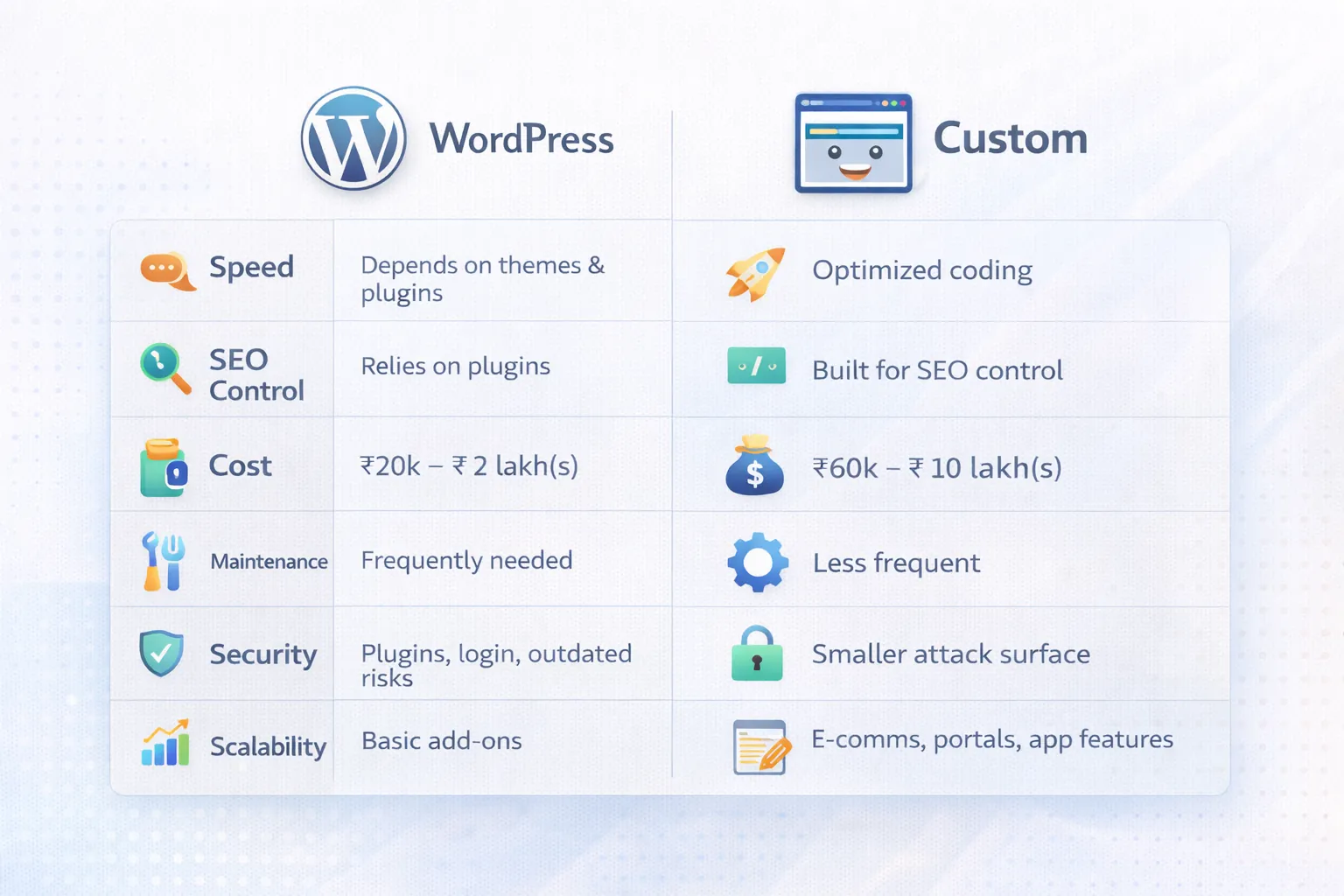
WordPress speed depends on:
Many WordPress sites become slow because:
Custom Next.js/React websites can be extremely fast because:
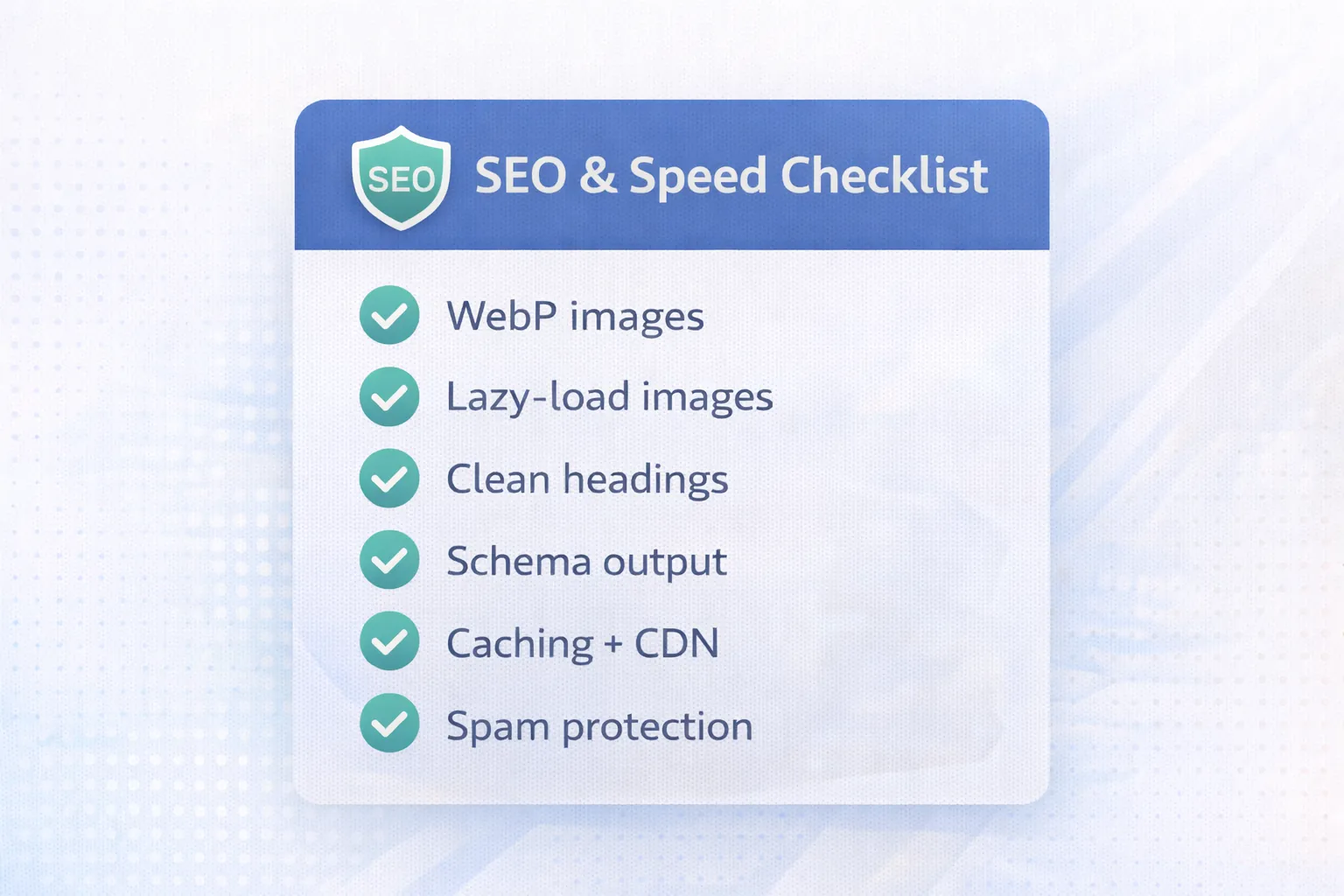
If you are targeting SEO + lead generation seriously, speed is a major advantage for custom websites.
Both WordPress and custom websites can rank—but the approach differs.
If your plan is 3–4 SEO blogs daily, both can work. WordPress is easier to manage content-wise, but custom is stronger on performance + structure.
This is where most business owners decide quickly.
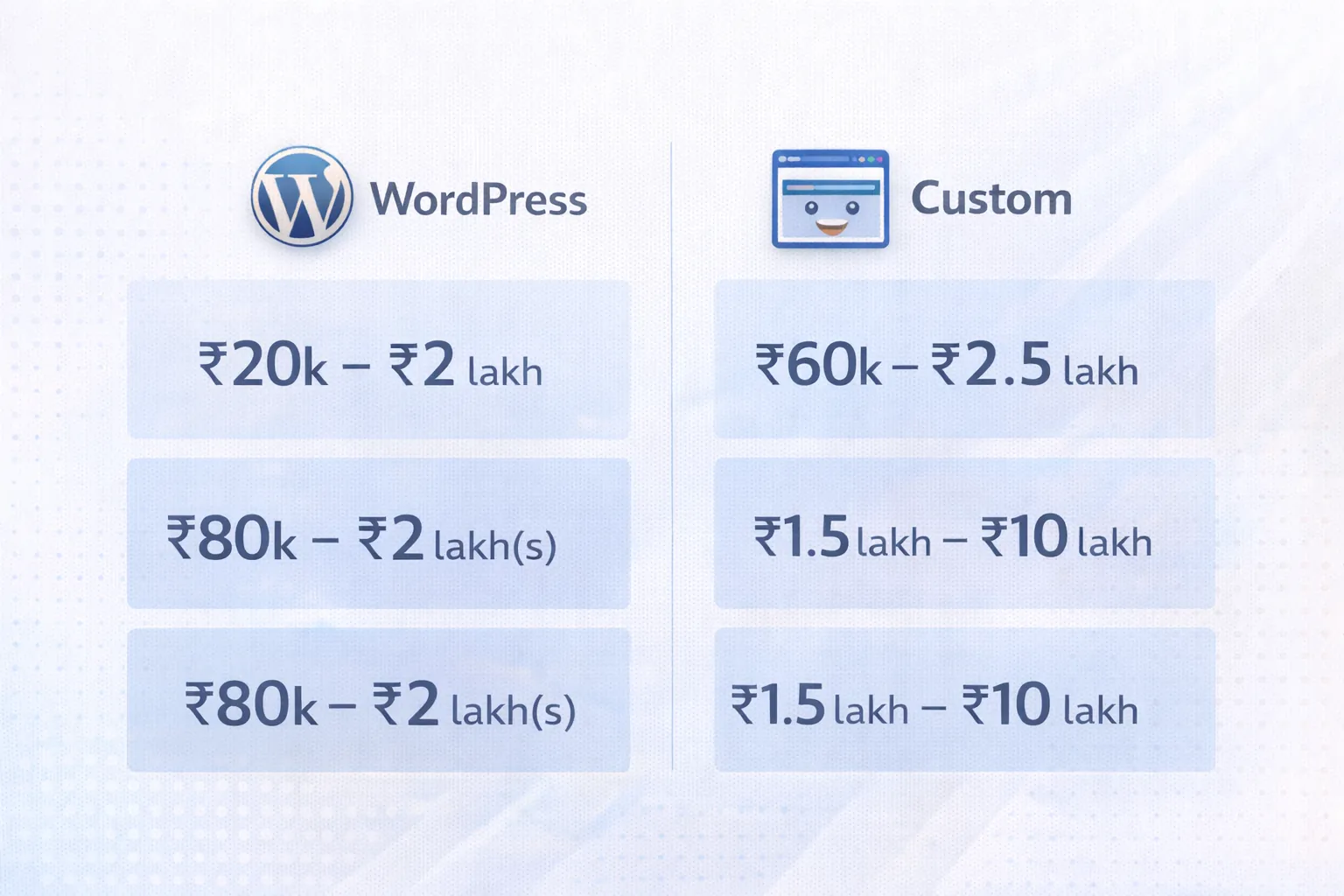
Reality: WordPress is usually cheaper to start, custom is usually better long-term for performance and scaling.
If you want detailed Indian pricing ranges, see our blog: Cost of Website Development in India (2026)
WordPress needs regular:
Many WordPress sites break because:
Custom websites usually need:
But the structure is stable because:
If you want “set it and forget it” stability, custom often wins—provided your codebase is clean.
Security matters more in 2026 because bots and spam are increasing.
WordPress can be secure, but it requires:
Custom websites have a smaller attack surface because:
If you collect leads on WhatsApp/forms and care about trust, security is a strong argument for custom.
Because it’s built for content editing.
If you want:
WordPress is easier.
Custom sites can also be easy—if you add a CMS like:
But without a CMS, edits often need a developer.
If you’re publishing daily blogs, either:
This is the biggest long-term decision factor.
You can add:
But building true portals (dashboards, roles, automation) becomes messy with plugins.
Custom websites can evolve into:
If your business plan is to build tools like:
Custom is the right foundation.
You can also show demos like:
VASUYASHII's current website is a custom Next.js implementation with static output, structured metadata, a content pipeline and purpose-built lead flows. The screenshot below is first-party evidence of that current implementation.
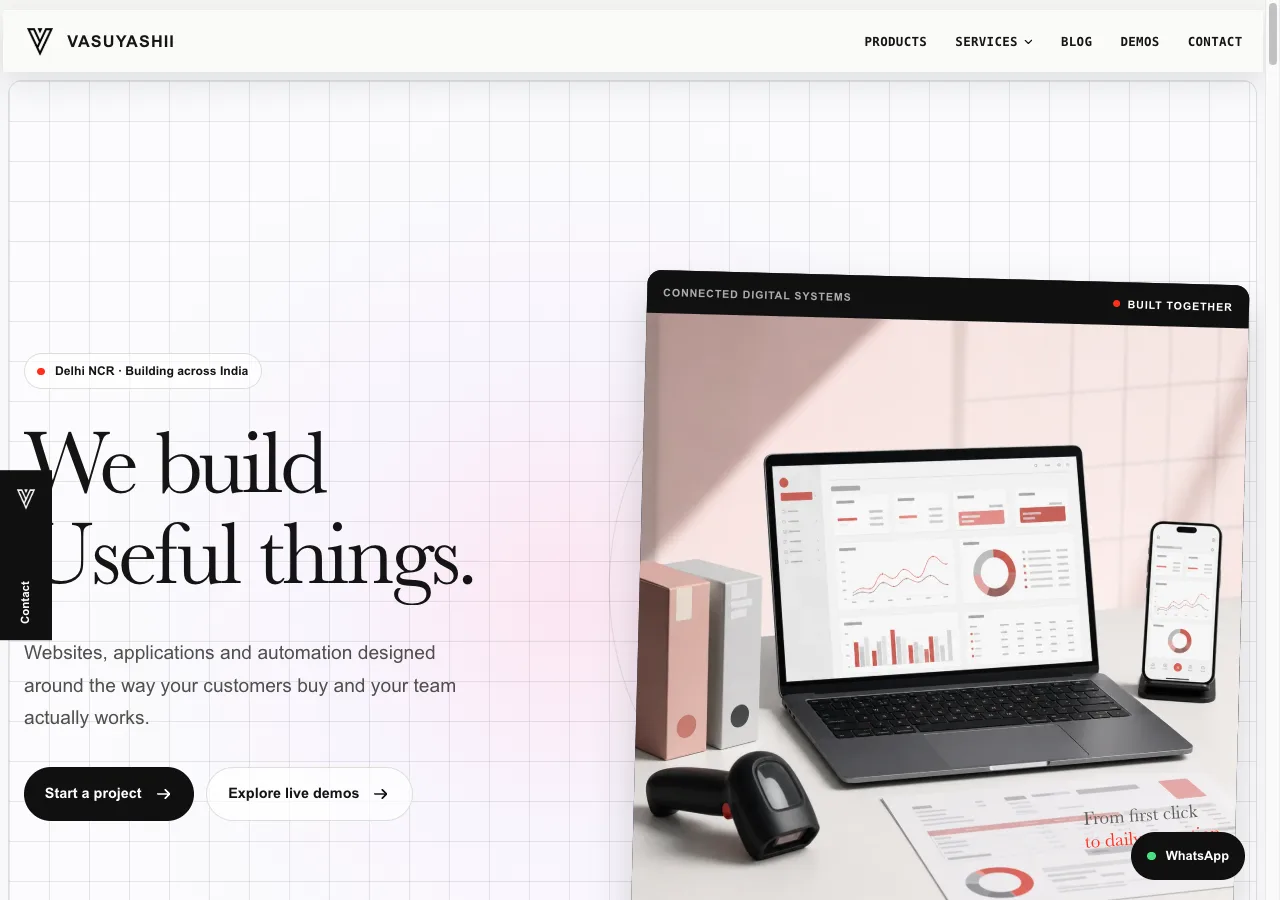
It does not prove that custom development is automatically faster, safer or better for every business. Those outcomes depend on architecture, code quality, hosting, content operations, testing and ongoing ownership. A well-maintained WordPress site can outperform a poorly built custom site, and a custom site without an editing workflow can become expensive to operate.
| Decision area | WordPress approach | Custom approach | Buyer question |
|---|---|---|---|
| Content editing | Usually built into the CMS | Requires CMS or developer workflow | Who publishes weekly? |
| Updates | Core, theme and plugin lifecycle | Framework and dependency lifecycle | Who owns monthly updates? |
| Design | Theme or builder constraints unless customised | Purpose-built components | How much visual control is valuable? |
| Integrations | Plugin first, custom code when needed | API and workflow implementation | Are standard connectors sufficient? |
| Security | Patch core, themes, plugins and hosting | Patch code, dependencies and infrastructure | Who monitors and responds? |
| Portability | Content/database plus theme/plugin dependencies | Repository, data and infrastructure dependencies | What must be handed over? |
| Cost | Lower start for standard scope | Higher start for tailored scope | Which differences create business value? |
WordPress publishes an official hardening guide covering operational security considerations. Custom projects should also document dependency updates, access controls, backups and incident ownership. Neither platform removes maintenance.
Before choosing either option, confirm ownership of the domain, hosting or cloud account, analytics, Search Console, source or theme customisation, media library, content export and deployment credentials. Ask for a tested backup and a written recovery path.
For WordPress, record premium plugin and theme licences and what happens when subscriptions end. For custom development, record repository access, build instructions, environment variables, content storage and deployment ownership. A lower quote is not lower risk if the business cannot move or restore the website.
Before treating the choice as only WordPress versus custom code, use the static versus dynamic website decision guide to define content ownership, update frequency, integrations, and failure responsibility.
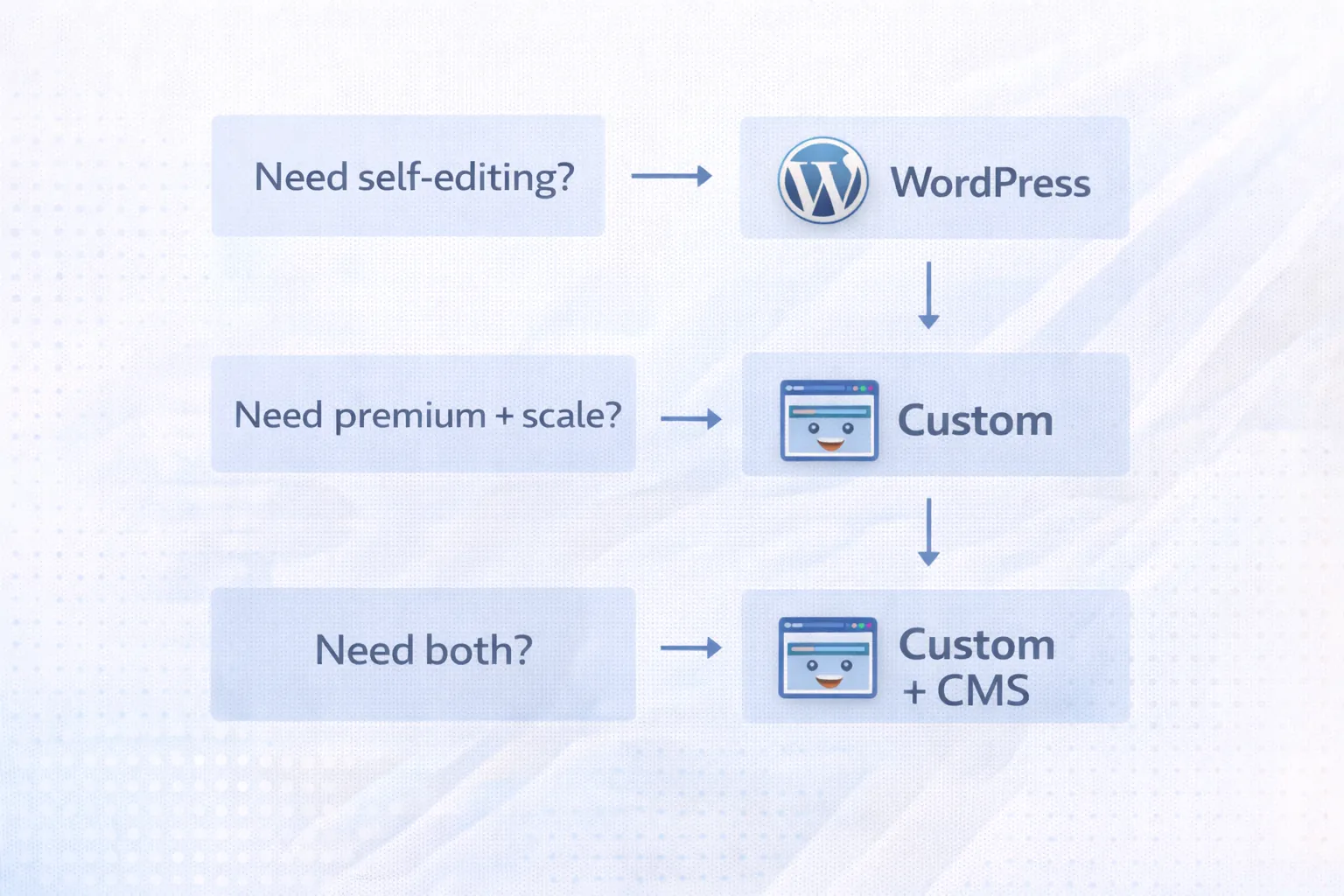
A hybrid or headless setup adds operational responsibilities beyond frontend flexibility. Review the headless website architecture checklist before committing to separate CMS, preview, deployment, cache, and monitoring systems.
In 2026, many businesses choose a hybrid approach:
✅ Custom website + CMS
This gives you the best of both worlds.
If you want this type of setup, explore: Web Applications Services
If you’re in Delhi NCR and want leads:
A purpose-built site can support a tailored lead flow, but conversion depends on offer clarity, proof, speed, usability and follow-up rather than platform label alone.
You can also showcase work:
If you tell us your business type and goals, we can recommend the best option (WordPress, custom, or hybrid) and give you a clear roadmap.
👉 WhatsApp: Chat on WhatsApp 👉 Services: Web Applications Services 👉 Services: View our services 👉 Contact: Contact page
Choose WordPress when content editing speed, standard pages, and budget matter most. Choose a custom website when performance, design control, security, app-like features, or long-term scalability matter more.
Before deciding, compare:
Useful next links: website development Delhi NCR hub, web application services, software development, services, and contact.
Before comparing only the launch quote, review the WordPress versus custom website cost model and the website cost drivers guide. These separate platform cost from content, integrations, ownership, and maintenance.
Yes, when content, crawlability, performance and maintenance are handled well. Custom websites do not receive an automatic ranking advantage.
WordPress is usually cheaper to start. Custom is usually more expensive initially but can be better long-term.
Yes, but it requires good hosting, a lightweight theme, minimal plugins, and optimized images.
Yes—if you add a CMS (Sanity/Strapi/Contentful). Without CMS, edits require a developer.
Both can work. Conversion depends on the offer, proof, mobile usability, page speed, CTA context and response process.
Related Articles
March 20, 2026
Compare WordPress and custom development by workflow, content ownership, integrations, security, performance, maintenance, cost, migration, and long-term fit.
Read article
March 24, 2026
Compare WordPress vs custom website cost in India, including design, CMS, speed, SEO, maintenance, integrations and three-year ownership trade-offs.
Read article
March 20, 2026
Compare the best CMS for business and SaaS websites by editing workflow, design speed, SEO control, security, integrations, ownership, and migration risk.
Read article
March 15, 2026
Learn when a business website adds trust, search visibility, lead qualification, measurement, and control beyond social media and marketplace profiles.
Read article