
April 8, 2026
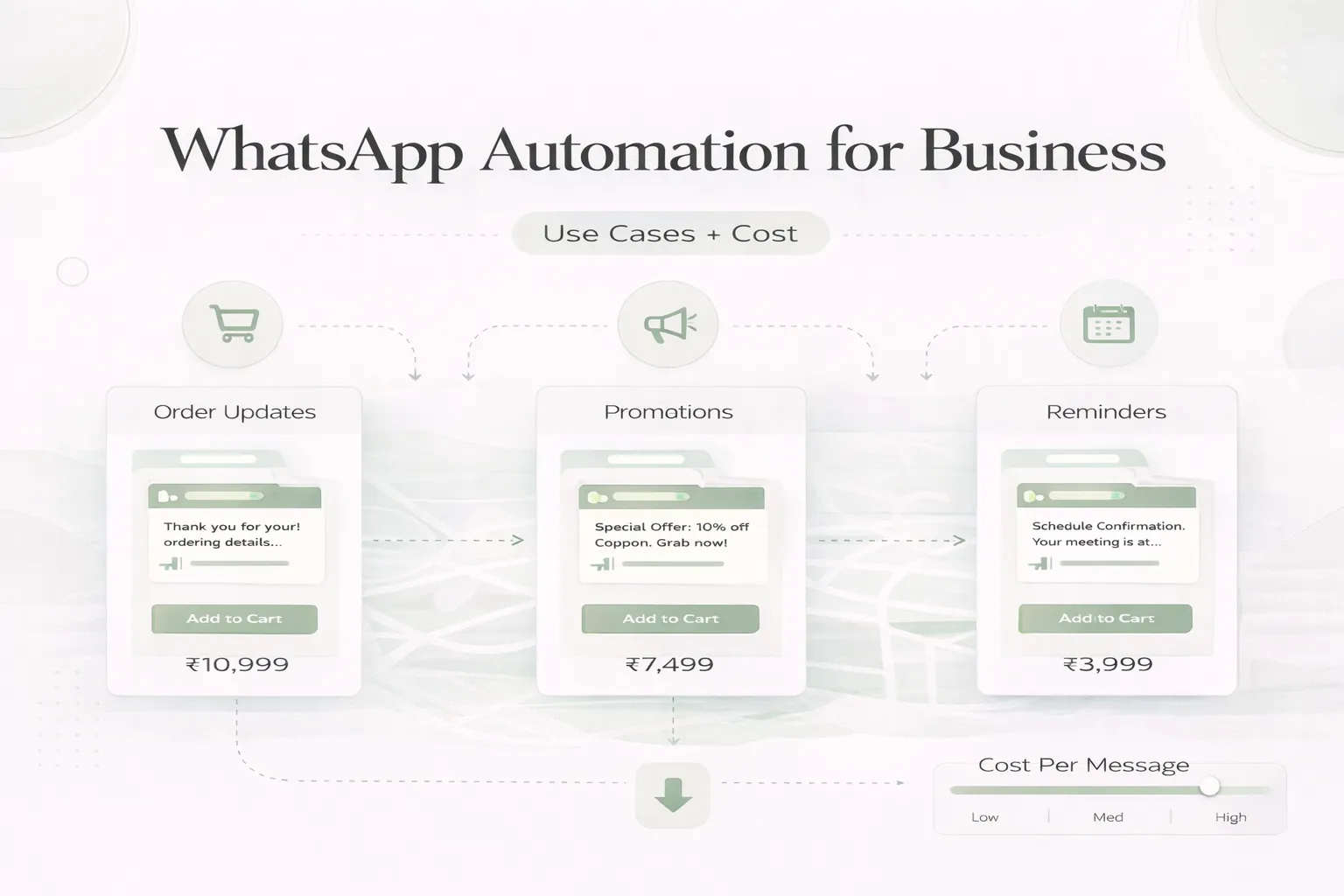
WhatsApp Automation for Business: Use Cases and Cost
Plan WhatsApp business automation with consent, event triggers, templates, human handoff, delivery logs, CRM updates, cost drivers and phased rollout.
Read articlePublished Updated
Estimate WhatsApp automation cost in India by API provider, templates, CRM workflow, integrations, consent, monitoring, support, and message volume.
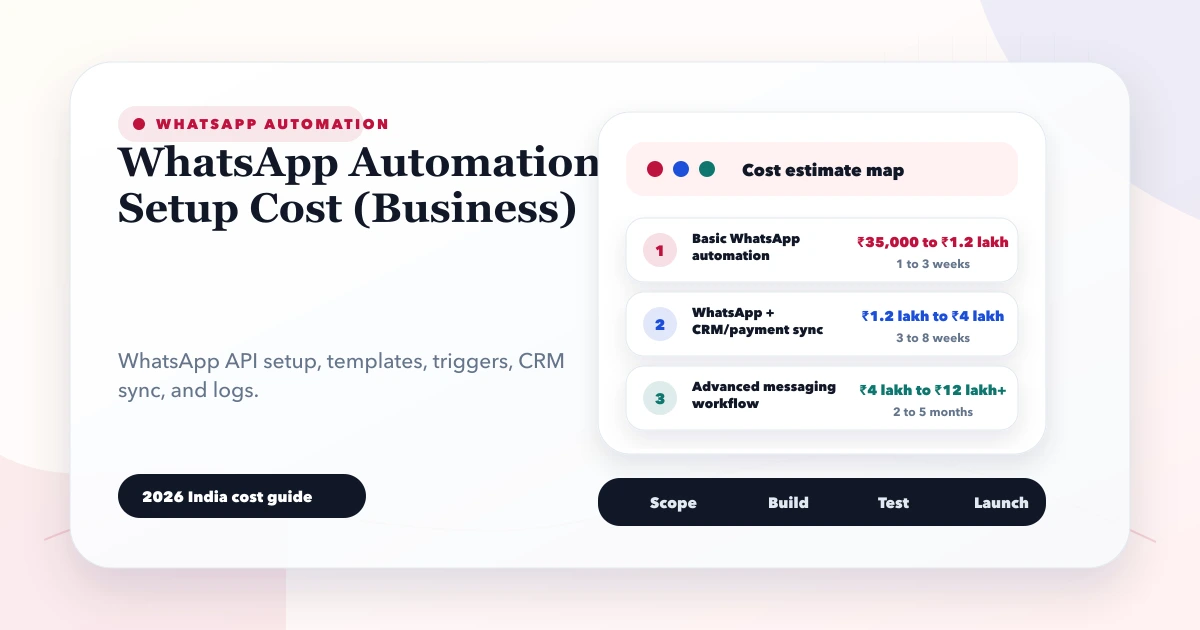
The cost of WhatsApp automation is the total of platform or provider charges, implementation work, the system that triggers messages, template and consent operations, monitoring, and ongoing support. A simple payment-confirmation flow connected to one system is very different from a multi-team sales and support operation with routing, CRM stages, campaigns, bot logic, and reporting.
This guide helps an Indian business prepare a comparable scope. It does not quote a permanent WhatsApp message rate because platform pricing, categories, country rules, and provider fees can change. Confirm current commercial terms through the official WhatsApp Business Platform documentation and the provider named in your proposal.
By Tushar C. (Founder, VASUYASHII). Reviewed by VASUYASHII Editorial for real-world custom software, CRM, ERP, admin dashboard, automation, booking, WhatsApp, SaaS, and payment implementation experience.
WhatsApp automation setup cost depends on message templates, WhatsApp Business API provider, trigger rules, CRM/payment integration, opt-in process, delivery logs, and retry handling. Simple setup can start from ₹35,000 to ₹1.2 lakh.
These ranges are planning ranges, not fixed quotations. Final pricing depends on the exact workflow, number of screens, user roles, integrations, reports, data migration, testing, and post-launch support.
In real projects, cost usually increases when the business process is unclear. If the team cannot explain what happens on success, failure, cancellation, edit, approval, retry, duplicate data, or report export, the developer has to discover that during development.
The cheapest useful version is usually a focused phase one. It should solve the main business workflow, give owners visibility, and create reliable data. Once that works, later phases can add automation, advanced reports, mobile views, integrations, and role depth.
Each item should be defined with input, output, user role, validation rule, and acceptance criteria. If one feature can be interpreted in many ways, the quote will either become vague or the project will face change requests later.
| Scope | Practical price range | Typical timeline |
|---|---|---|
| Basic WhatsApp automation | ₹35,000 to ₹1.2 lakh | 1 to 3 weeks |
| WhatsApp + CRM/payment sync | ₹1.2 lakh to ₹4 lakh | 3 to 8 weeks |
| Advanced messaging workflow | ₹4 lakh to ₹12 lakh+ | 2 to 5 months |
These ranges assume a professional build with planning, UI, backend, database, testing, deployment, and basic handover. A cheaper quote may still work for a very small scope, but it becomes risky if it skips authentication, validation, reports, backups, logs, or support.
The best way to compare two quotes is to compare module-by-module scope, not only final price. One quote may include reports, testing, deployment, and support. Another quote may only include screens.
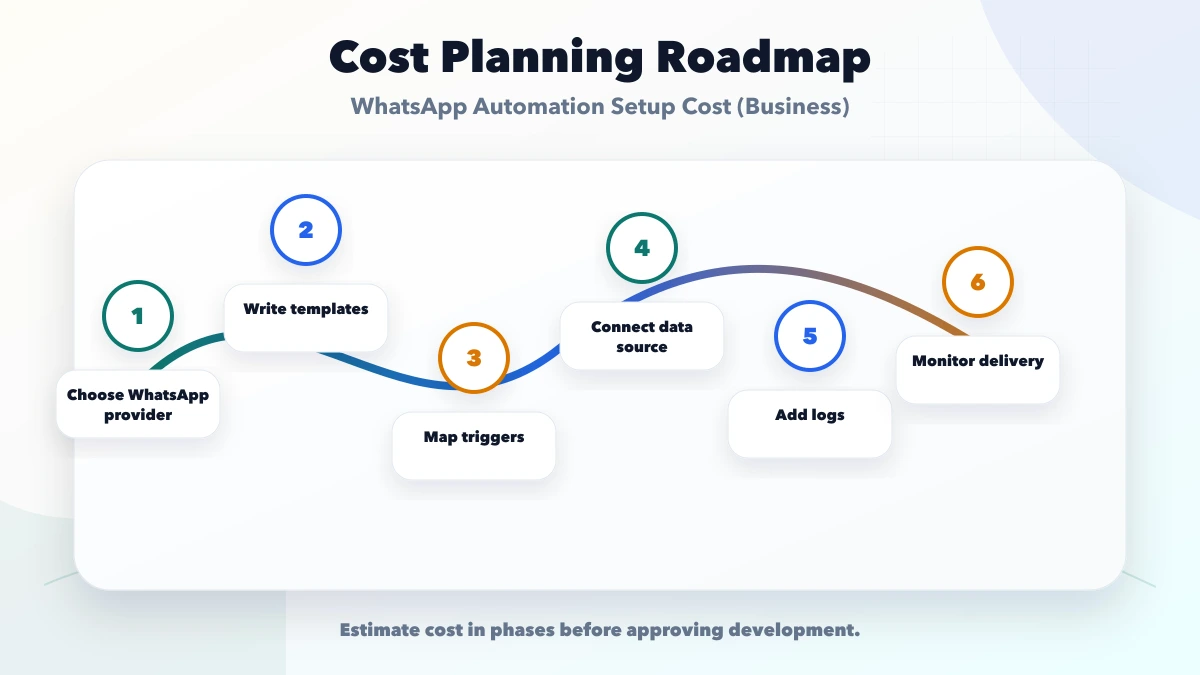
This roadmap keeps development practical. It avoids spending the full budget before the business has tested the main workflow with real users and real data.
The tech stack should match the workflow and support needs. A lightweight internal tool can use a managed backend. A data-heavy ERP or SaaS product may need a stronger backend, audit logs, queues, database indexing, backups, and monitoring.
The visible UI is only one part of cost. The hidden cost is usually in rules: who can edit, what happens when data is wrong, how reports are calculated, how duplicate records are handled, and how failures are tracked.
Before asking for a quote, prepare these details:
This turns the conversation from "how much will software cost" into a much clearer estimate based on scope.
Do not approve software only from screenshots. Ask how authentication, permissions, validation, database backups, logs, failed actions, deployment, and support will work. For payment, CRM, ERP, inventory, booking, WhatsApp, and SaaS systems, these details matter as much as the visible design.
Use separate test and production credentials where integrations are involved. Keep API keys out of frontend code. Define who can export data, delete records, change prices, approve actions, or retry failed automations.
VASUYASHII would start with module mapping, user roles, sample data, required reports, integration accounts, and phase-one priorities. Then we would turn the requirement into a practical build plan with estimated timeline and cost.
For most SMEs, we prefer a stable first release over a large fragile build. Once the team trusts the core workflow, the next phase can add automation, advanced analytics, customer portals, mobile flows, WhatsApp, payments, or ERP-style reporting.
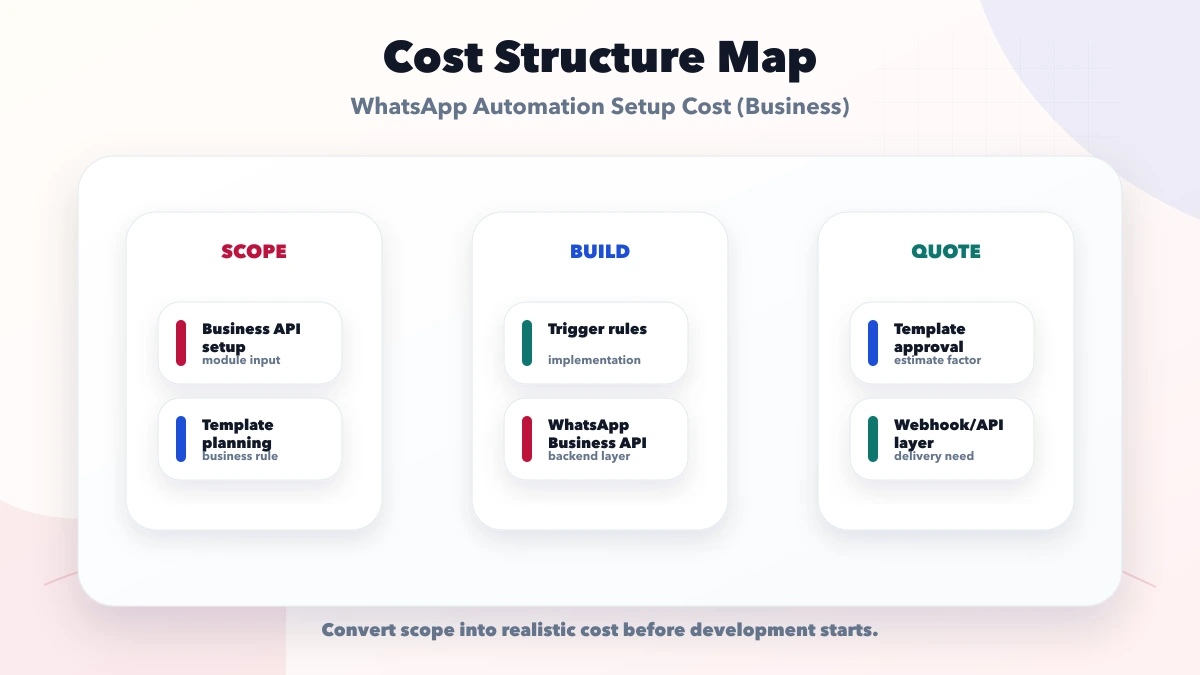
A useful quote separates these cost lines instead of hiding everything under “WhatsApp API setup”:
| Cost line | What it covers | Questions to ask |
|---|---|---|
| Platform and provider | WhatsApp platform usage and any BSP or inbox subscription | Which account owns it, what is recurring, and how can the provider be changed? |
| Workflow implementation | Triggers, templates, routing, retries, logs, and status handling | Which exact event starts each message and what happens on failure? |
| Business-system integration | CRM, billing, ecommerce, payment, booking, or custom API work | Is the source system ready and is two-way sync required? |
| Operations and compliance | Opt-in records, template approval, suppression, access, and SOPs | Who approves content and handles opt-out or complaints? |
| Ongoing maintenance | Provider changes, template updates, monitoring, and incident support | What response time and monthly boundary are included? |
The low-cost path is one approved notification use case with clean source data and a reliable API. Cost rises when the workflow must identify customers across systems, route replies to multiple teams, recover from duplicate events, support many languages, or generate campaign analytics.
One source system sends a small number of approved messages such as payment receipt, order confirmation, or appointment reminder. Scope should include account ownership, template submission, event mapping, consent evidence, safe test numbers, delivery status, error log, and handover. This is the right first phase when the business wants reliability rather than a chatbot.
Website or advertisement leads enter a shared inbox or CRM, receive an acknowledgement, and are assigned to an owner. Cost depends on agent seats, routing rules, CRM API quality, follow-up stages, working hours, escalation, and reporting. A WhatsApp click is not the same as an accepted lead; track assignment and next action.
Menus, bot answers, human handoff, ticket context, attachments, and service-level reporting require more design and ongoing content ownership. The business must decide which questions automation can answer safely and when a person takes control. Do not automate sensitive or high-risk decisions merely to reduce agent time.
The business should own its WhatsApp business assets, phone-number relationship, provider contract, approved templates, and recovery accounts. An agency can be invited with appropriate access. Avoid implementations tied permanently to one developer's personal account.
Record the source, wording, date, and purpose of customer opt-in. A phone number collected for an invoice does not automatically mean the customer agreed to unrelated promotions. Keep transactional and marketing purposes distinct, honour opt-out rules, and obtain qualified legal advice where required.
Template approval is an operating process, not a one-time technical step. Assign an owner for wording, language variants, variables, links, expiry-sensitive content, and rejected submissions. Never insert passwords, full payment details, or unnecessary personal information into messages.
Before launch, test more than a successful message:
Ask the implementer to demonstrate these cases. A screenshot of a single delivered message does not prove production readiness.
Review message volume by use case, template category, delivery failures, provider subscription, agent seats, and support hours. Remove unused templates and old campaigns. Investigate unusual spikes before they become a billing or customer-experience problem.
Measure business outcomes: payment confirmations reducing support queries, reminders producing completed appointments, or lead routing shortening response time. Do not justify the system only by total messages sent.
The current VASUYASHII integration process starts with one owned and measurable workflow. The payment and order webhook guide explains why idempotency and event verification matter when a financial event triggers WhatsApp.
If you are planning software and want a realistic estimate, prepare the module list, reports, roles, and sample data first. VASUYASHII can help convert that into a clear build plan before development starts.
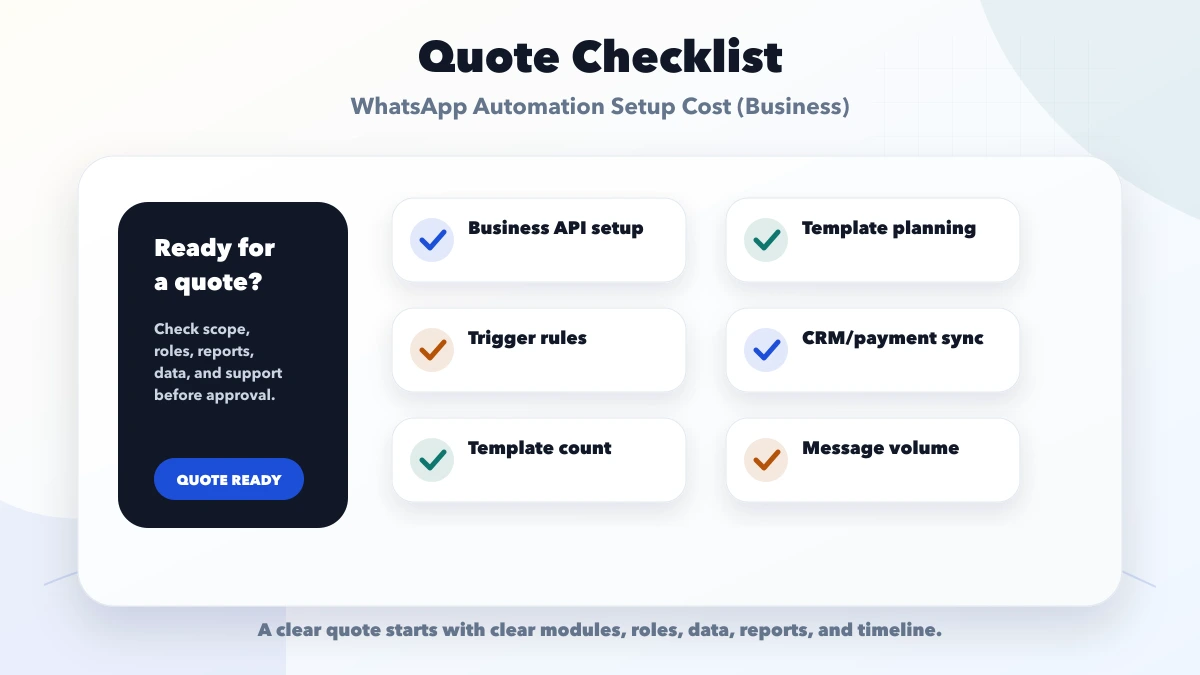
Avoid comparing quotations only by total amount. Compare what is included: modules, reports, user roles, integrations, testing, deployment, handover, support, and change-request policy.
Avoid starting development without a written scope. Even a short document with modules, roles, reports, and examples can prevent expensive confusion later.
It is for businesses planning WhatsApp automation for leads, follow-ups, payment confirmations, reminders, support, CRM, or order updates. The goal is to understand realistic 2026 India pricing before approving custom software development.
Quotes vary because two projects with the same title can have different modules, roles, reports, data migration, integrations, testing depth, security needs, and support expectations.
Start with choose whatsapp provider. This keeps the first phase grounded in the real business workflow instead of guessing screens.
Yes. Most businesses should build the smallest reliable version first, then add reports, automation, integrations, mobile views, and advanced controls after real usage is clear.
The biggest cost risk is no template approval plan. It creates unclear scope, rework, or wrong expectations after development begins.
Share module list, user roles, sample data, report examples, integrations, permissions, timeline, must-have features, and support expectations in writing.
Yes. VASUYASHII can help with project scoping, cost planning, UI planning, backend development, integrations, testing, launch, and support.
If you want a practical software estimate, VASUYASHII can help with scope, UI planning, backend development, integrations, testing, launch, and post-launch support.
Related Articles
April 8, 2026
Plan WhatsApp business automation with consent, event triggers, templates, human handoff, delivery logs, CRM updates, cost drivers and phased rollout.
Read article
May 22, 2026
Build a consent-aware email and WhatsApp follow-up workflow with lead stages, triggers, templates, ownership, stop rules, reporting, and SME examples.
Read article
May 23, 2026
notification system in web apps: practical 2026 guide with features, INR pricing, roadmap, tech stack, mistakes, FAQs, and Indian SME tips today safely.
Read article
May 22, 2026
Automate business reports with validated data, scheduled snapshots, WhatsApp or email delivery, failure alerts, access controls, and audit logs.
Read article