
May 23, 2026
CRM Admin Panel Screens and Modules Guide
Plan CRM admin screens around sales jobs, queues, permissions, approvals, audit history, reports, bulk actions, and operational exception handling.
Read articlePublished Updated
Automate business reports with validated data, scheduled snapshots, WhatsApp or email delivery, failure alerts, access controls, and audit logs.
Report automation should deliver a trusted snapshot to the right person at the right time and explain what happened when data or delivery fails. It is not just a scheduled spreadsheet export. A reliable system defines the source of truth, calculation cutoff, metric formulas, recipient permissions, file version, delivery status, and correction process.
For an Indian SME, the highest-value first report is usually one that already drives a daily decision: sales and collection, inventory exceptions, purchase pending, branch closing, appointments, or operational backlog.
Ask the recipient what action they take after reading the report. If there is no action, alert, reconciliation, or accountability attached, automation may only produce more files.
Examples:
Every automated report needs a short specification:
| Field | Example decision |
|---|---|
| Report name | Daily Sales and Collection Snapshot |
| Audience | Owner and accounts manager |
| Schedule | 8:00 a.m. Asia/Kolkata |
| Data window | Previous calendar day |
| Cutoff | Transactions posted by 7:45 a.m. |
| Source | Billing API and payment allocation table |
| Metrics | Gross sales, returns, net sales, receipts, overdue |
| Format | Email summary plus secured PDF/CSV link |
| Exception rule | Alert if source sync is incomplete |
| Owner | Finance operations lead |
The contract prevents silent changes. A developer should not redefine net sales or overdue logic inside a query without business approval.
A production flow may be:
Make the job idempotent. A retry should not send the same daily report three times unless explicitly requested and labelled as a resend.
Useful checks include:
If validation fails, send an internal failure alert rather than a polished report with wrong totals. The alert should show run ID, failing check, last successful run, and safe retry action.
WhatsApp is useful for a short summary and action link, but it is not a substitute for access control. Avoid sending detailed customer, employee, financial, or health data directly in message text.
Design decisions include:
The WhatsApp payment notification guide shows a related event-driven pattern. For provider APIs, use the integrations service.
Email handles longer summaries, tables, and attachments, but still needs authentication and delivery monitoring. Use a verified sending domain, controlled recipient groups, clear subject date/window, accessible HTML, plain-text fallback, and secure links for sensitive files.
Do not place all recipients in a visible To list. Avoid large permanent attachments when an expiring access-controlled link is safer. Record bounces and remove invalid addresses through an approved process.
A scheduled report is a point-in-time snapshot. A dashboard is a live or near-live query interface. State the distinction prominently.
| Need | Scheduled report | Dashboard |
|---|---|---|
| Fixed daily evidence | Strong | Requires snapshot/export |
| Immediate drill-down | Limited link | Strong |
| Push to owner | Strong | User must visit or receive alert |
| Large interactive filters | Weak | Strong |
| Audit of what was sent | Strong with stored run | Must version state |
Often the best design sends a concise snapshot with a link to the filtered dashboard. The admin dashboard cost guide explains report and permission scope.
Resolve recipients from current roles, branches, and report policy at send time. Do not maintain an unreviewed phone list in source code. Common boundaries:
Every run should record recipient, report version, data scope, delivery result, and access events where appropriate.
Daily reports should surface immediate exceptions: pending work, failed collection, negative stock, missed SLA, or reconciliation gap. Weekly reports can show trends, comparisons, ageing, conversion, and root-cause categories.
Do not create a weekly report by merging seven daily PDFs. Recalculate the weekly window under its own definitions so returns, corrections, late-posted transactions, and branch cutoffs are handled consistently.
Create the report manually for one week. Confirm formulas, recipients, timing, and actions before automating.
Build the data run, validation checks, snapshot storage, and email delivery. Keep owner approval during pilot.
Add WhatsApp if justified, secure links, delivery events, retries, failure alerts, and audit history.
Track whether recipients open the action link, resolve exceptions, and still need manual reconciliation. Retire unused reports.
For a custom pipeline or dashboard, review software development and web application development.
Complexity depends on source count, API quality, data volume, metric definitions, branches, report formats, recipients, permission scope, scheduling frequency, WhatsApp/email providers, secured document access, validation, historical backfill, and support.
A single validated email summary from one database is smaller than a multi-branch report combining billing, inventory, payments, and external APIs. Request estimates by discovery, data mapping, calculation, validation, format, delivery, permissions, QA, monitoring, and maintenance.
VASUYASHII would reproduce one report manually, reconcile it with the business owner, and automate that exact contract before adding channels or dashboards. This is our implementation approach, not a guaranteed time or cost saving. Contact us with a redacted report and source list for a focused scope.
The first automated run should remain under manual comparison until totals, recipients, timestamps, retries, and correction handling match the approved sample.
Use PDF for fixed reading, spreadsheet for authorised analysis, and dashboard for drill-down. A concise message plus secure dashboard link often balances speed and control.
Yes when provider setup, template policy, recipient eligibility, data validation, secure delivery, retries, and support are ready. Begin with a controlled pilot.
Fail or delay the run according to the report contract, alert the owner, and show the last successful snapshot. Do not silently label incomplete data as final.
Keep the original snapshot and issue a versioned correction or rerun labelled with reason and time. Never overwrite what recipients previously received without history.
No. Reports push a snapshot; dashboards support exploration. Use both when recipients need immediate exceptions and detailed investigation.
Choose a report already prepared manually, used consistently, based on trusted data, and tied to a daily decision. That gives the clearest acceptance test.
Use the sales dashboard KPI guide to define measures before scheduling delivery. If customers also need controlled access, compare a customer portal with an internal admin dashboard.
Write the contract for one daily report and reconcile a sample across three days. Contact VASUYASHII to design the scheduled pipeline and delivery controls.
Define the underlying metric dictionary, source grain, reconciliation, permissions, and exception states with the custom business reports dashboard guide before automating delivery.
Related Articles
May 23, 2026
Plan CRM admin screens around sales jobs, queues, permissions, approvals, audit history, reports, bulk actions, and operational exception handling.
Read article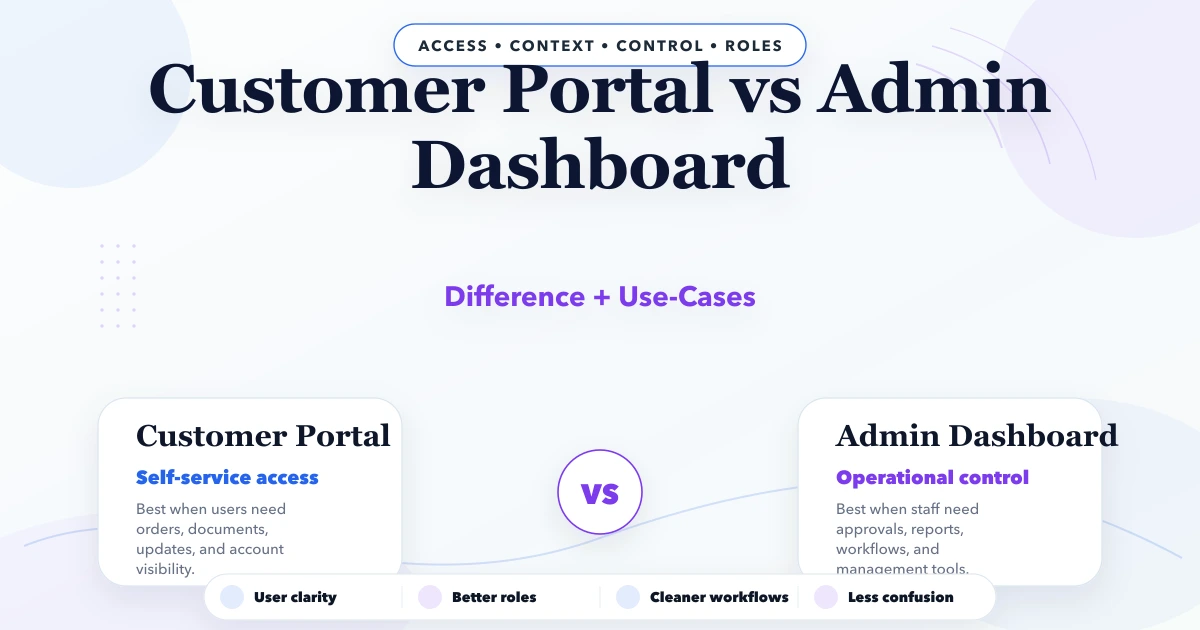
April 22, 2026
Compare customer portals and admin dashboards by users, data scope, workflows, permissions, documents, payments, support, security, cost, and implementation.
Read article
March 24, 2026
Estimate web application development cost in India using modules, roles, workflows, integrations, reports, migration, QA, support and phased delivery.
Read article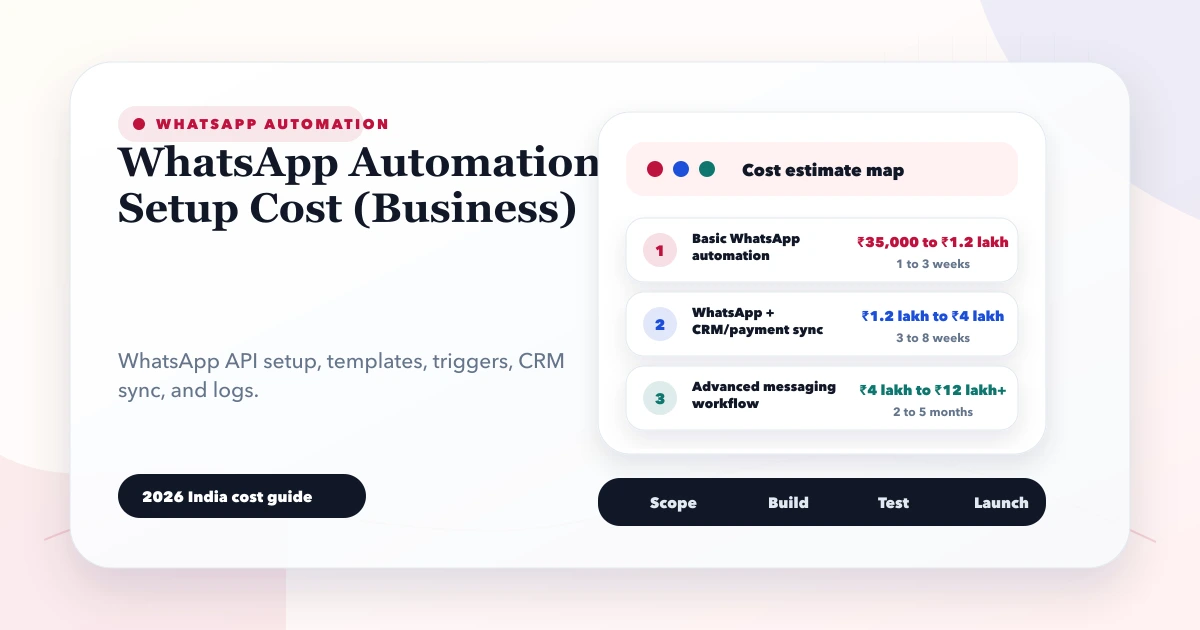
May 28, 2026
Estimate WhatsApp automation cost in India by API provider, templates, CRM workflow, integrations, consent, monitoring, support, and message volume.
Read article