
May 22, 2026
Email + WhatsApp Follow-up Automation (Complete Setup Guide)
Build a consent-aware email and WhatsApp follow-up workflow with lead stages, triggers, templates, ownership, stop rules, reporting, and SME examples.
Read articlePublished Updated
Plan reliable WhatsApp and email automation with clear triggers, consent, templates, retries, ownership, delivery tracking and practical business use cases.
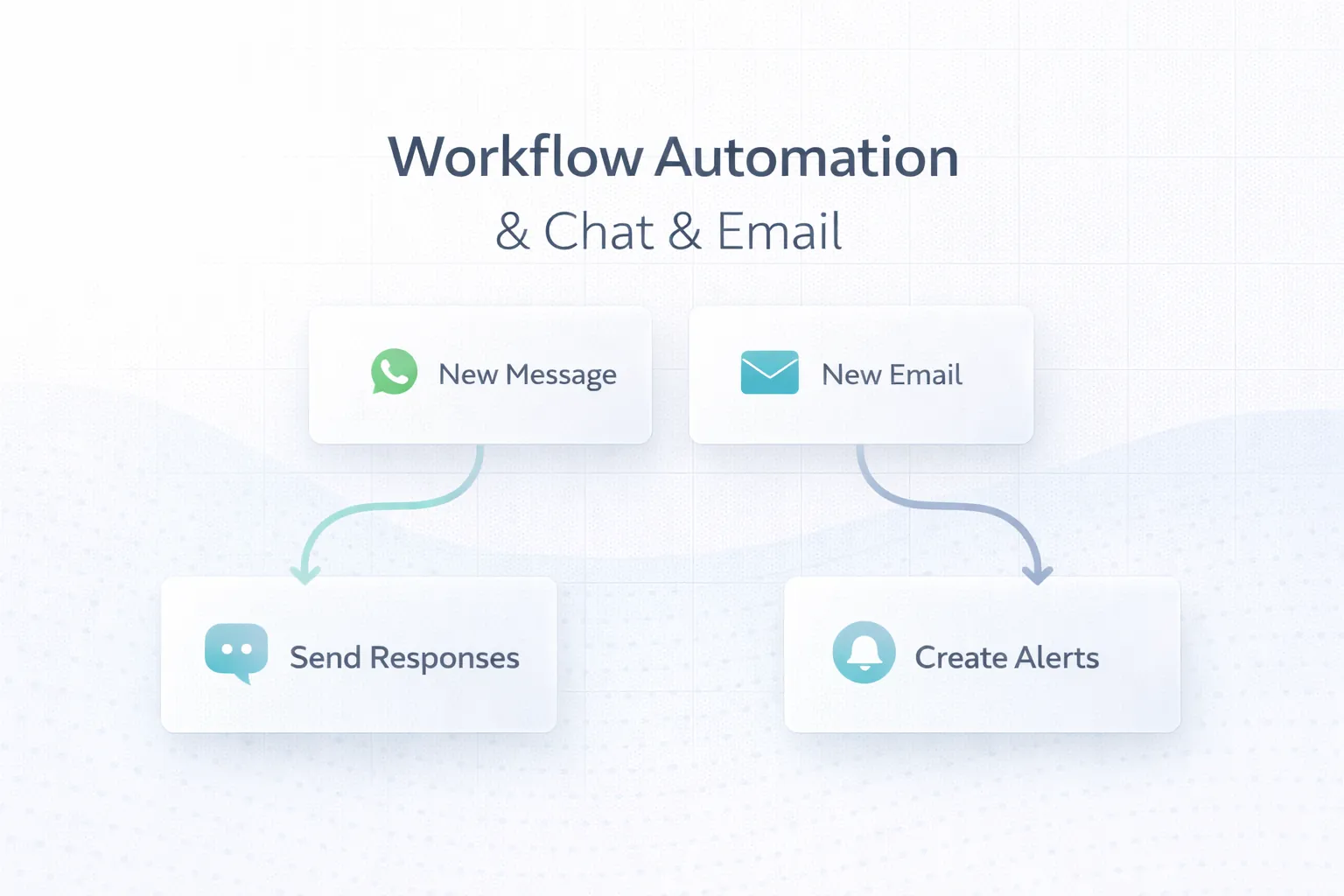
WhatsApp and email automation should move a real business process forward. It should not send the same promotional message to every contact or hide a broken operating process behind scheduled notifications.
A reliable workflow connects a business event, an eligible recipient, approved message content, delivery logic, an owner and a measurable outcome. It also defines what happens when data is missing, a provider rejects the message or a customer replies.
This guide explains six practical use cases for Indian small businesses and the engineering controls needed to operate them safely.
Use WhatsApp for timely, concise and expected customer communication. Use email when the message needs detail, attachments, a formal record or a less immediate delivery channel.
Build every workflow around:
A workflow can be represented as:
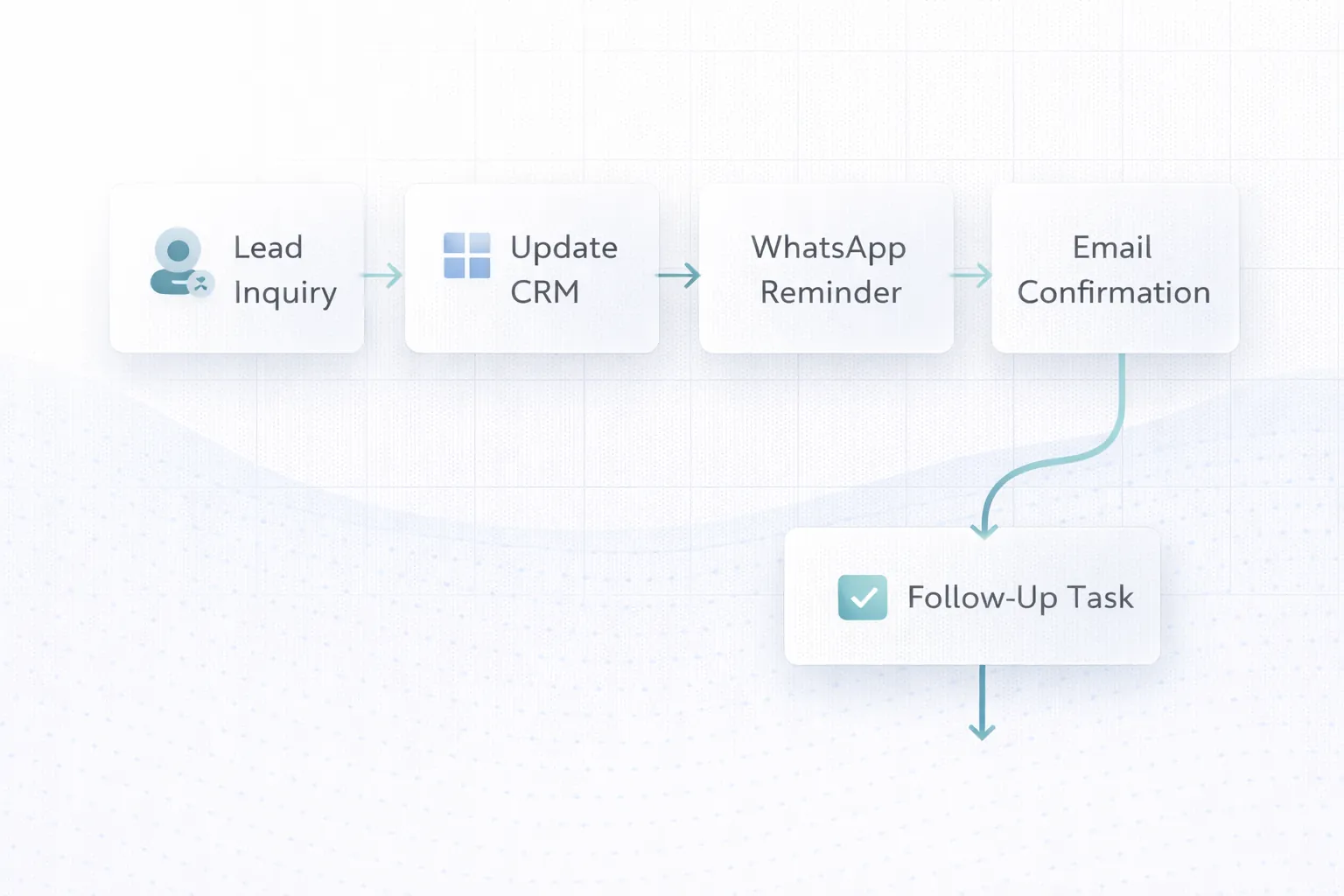
business event → eligibility check → message preparation → provider request → delivery state → reply or business action
Each part needs an owner. If an invoice becomes paid, the billing system should emit or expose that state. The automation service should determine whether a receipt message is appropriate. The messaging provider should return an accepted or failed state. The business system should store only the identifiers and status needed for operations.
| Job | WhatsApp fit | Email fit | Recommended approach |
|---|---|---|---|
| Appointment reminder | Strong | Useful backup | Short reminder with reschedule route |
| Quote or proposal | Useful alert | Strong | Email document, WhatsApp confirmation |
| Payment receipt | Strong | Strong | Customer preference or both when expected |
| Detailed onboarding | Limited | Strong | Email sequence with support contact |
| Urgent service update | Strong | Useful record | WhatsApp first, email summary if needed |
| Monthly report | Weak for long detail | Strong | Email report, WhatsApp availability notice |
| Marketing campaign | Consent-dependent | Consent-dependent | Preference-led campaign, not operational trigger |
The cheapest channel is not automatically the right channel. Consider customer expectation, message length, urgency, attachment handling, audit needs and provider policy.
Trigger: A valid website form reaches the server and is stored or delivered successfully.
Workflow:
Do not trigger the customer message from a submit-button click. A click does not prove that the lead reached the business. The contact-page conversion guide explains the confirmed-success event.
Trigger: A quotation is issued and no final decision exists after an agreed interval.
The reminder should reference the quotation number and a clear next action. It should stop after acceptance, rejection, expiry or manual pause.
A good sequence may include:
Review the quotation and invoice CRM guide before designing state changes.
Trigger: An appointment enters the reminder window.
The system should check:
If the customer replies, route the conversation to a person or supported bot flow. Do not leave replies in an unmonitored provider inbox.
Separate transactional messages from collection reminders.
Send only after the payment state is confirmed by the payment system or reconciled process. Include receipt or invoice reference, not sensitive payment details.
Calculate the amount and due date from the source system at send time. Stop reminders after payment, dispute, credit note or manual hold.
Explain the next safe action without asking the customer to share OTPs, passwords or complete card data.
For payment callbacks and idempotency, use the webhook integration guide.
Useful states include confirmed, packed, dispatched, delayed, delivered and action required. Do not send a message for every internal status change.
Map external messages only to states that help the customer. A warehouse scan may update ten internal fields but require one “dispatched” notification.
Email is often better for daily or weekly reports because it supports structured detail and attachments. WhatsApp can notify an owner that a report is ready or that a threshold was crossed.
Examples:
Operational alerts need severity, owner, acknowledgement and escalation. Without those controls, automation produces noise.
Avoid a chain of unrelated scheduled scripts. Define states and transitions:
| State | Meaning | Allowed next state |
|---|---|---|
| Pending | Event exists but eligibility not checked | Ready, skipped, blocked |
| Ready | Message can be prepared | Sending |
| Sending | Provider request in progress | Accepted, failed |
| Accepted | Provider accepted request | Delivered, failed, expired |
| Delivered | Delivery confirmed where supported | Replied, completed |
| Failed | Delivery failed | Retry, manual review, closed |
| Completed | Business outcome finished | None |
This model makes retries, reporting and support easier than a boolean sent field.
Create a stable key from the event, recipient and message purpose. If the same webhook arrives twice, the second request should not duplicate the message.
Retry only temporary failures. Use bounded attempts and increasing delays. Permanent validation or policy failures need correction, not repeated traffic.
Move exhausted failures to a review queue with enough context to diagnose the issue safely.
Store which approved template and language version was used. Changing a template should not silently change old audit records.
Store provider message IDs and status timestamps where useful. Avoid storing complete message payloads longer than the business needs.
Control bursts at the workflow level and respect provider limits. A sudden batch can damage deliverability or create unnecessary cost.
Operational and promotional communication have different purposes and policy requirements. Record:
Do not infer promotional consent from an invoice phone number. Verify current provider rules and applicable law before launch.
Allowed template variables should come from validated fields. Guard against:
Use secure public-share links with suitable verification when sharing a document. VASUYASHII Business Suite’s current product direction includes secure PDF sharing rather than exposing private backend document URLs.
List trigger, current owner, decision, channel, exceptions and completion condition.
Start with a high-volume, low-ambiguity use case such as a confirmed form acknowledgement or appointment reminder.
Name required IDs, timestamps, recipient fields, consent state and source-of-truth status.
Keep business rules outside provider-specific request code. This makes testing and provider changes safer.
Log event ID, workflow version, state, provider ID and error class. Do not log secrets or unnecessary personal content.
Test duplicates, missing fields, invalid numbers, provider timeouts, opt-outs and manual overrides.
Start with internal recipients or a small eligible group. Monitor delivery, replies and operational workload.
Measure the business process, not only message counts:
Do not claim revenue caused by a message unless attribution and comparison design support that conclusion.
VASUYASHII offers integration and automation services and builds supported workflows around APIs, webhooks and business systems. This article describes our current engineering approach; it is not a claim that every listed automation is already deployed for a client.
Requirements involving custom records, approvals or dashboards may belong under software development services. Review API integration services for system-boundary planning.
Only when both channels add value and the customer expects them. Duplicate messages can create noise.
It can support a controlled early workflow, but define row identity, permissions, validation and concurrency. A transactional system may be safer as volume grows.
Classify the failure, apply a bounded retry only when appropriate and route important exceptions to an owner. An email fallback should follow consent and business rules.
There is no universal number. Use the minimum sequence needed for the process and stop on completion, opt-out, dispute or manual pause.
No. It can reduce repetitive coordination, but exceptions, conversations and accountability still need people.
Choose one measurable workflow, document its states and exceptions, and test it with controlled data before expanding.
Prepare one workflow with its trigger, source system, message purpose, recipient eligibility, completion state and exception owner. Then contact VASUYASHII for a focused integration review.
Related Articles
May 22, 2026
Build a consent-aware email and WhatsApp follow-up workflow with lead stages, triggers, templates, ownership, stop rules, reporting, and SME examples.
Read article
May 30, 2026
Plan Delhi NCR business automation with workflow discovery, integrations, controls, pricing bands, vendor checks and measurable implementation stages.
Read article
March 25, 2026
Discover business automation services in 2026: workflow mapping, approvals, notifications, integrations, and practical use cases that save time daily.
Read article
May 22, 2026
Compare workflow automation with hiring staff using workload, exception rate, service risk, costs, controls, payback, and a practical Indian SME decision model.
Read article