
May 15, 2026
Distributor Billing Software: Features and Cost
Plan distributor billing software with GST invoices, schemes, credit, stock, returns, purchases, payments, reports, controls, costs, and phased implementation.
Read articlePublished Updated
Plan wholesale billing with party rates, stock, returns and customer dues. Compare product versus custom scope, costs and a worked payment-and-return example.
A wholesale billing system connects invoices with customer or dealer rates, product units, GST details, stock movement, payments, outstanding amounts, returns and owner reports. Wholesale and distribution businesses usually outgrow invoice-only tools because billing is not happening in isolation.
If invoices are being created but credit visibility is weak, price lists vary manually, and reports take too long, the business does not really have a billing system. It has invoice printing plus a lot of follow-up work.
This guide explains what a practical distributor or wholesale billing system should include, how to compare its costs, and which stock and payment checks to run before choosing it.
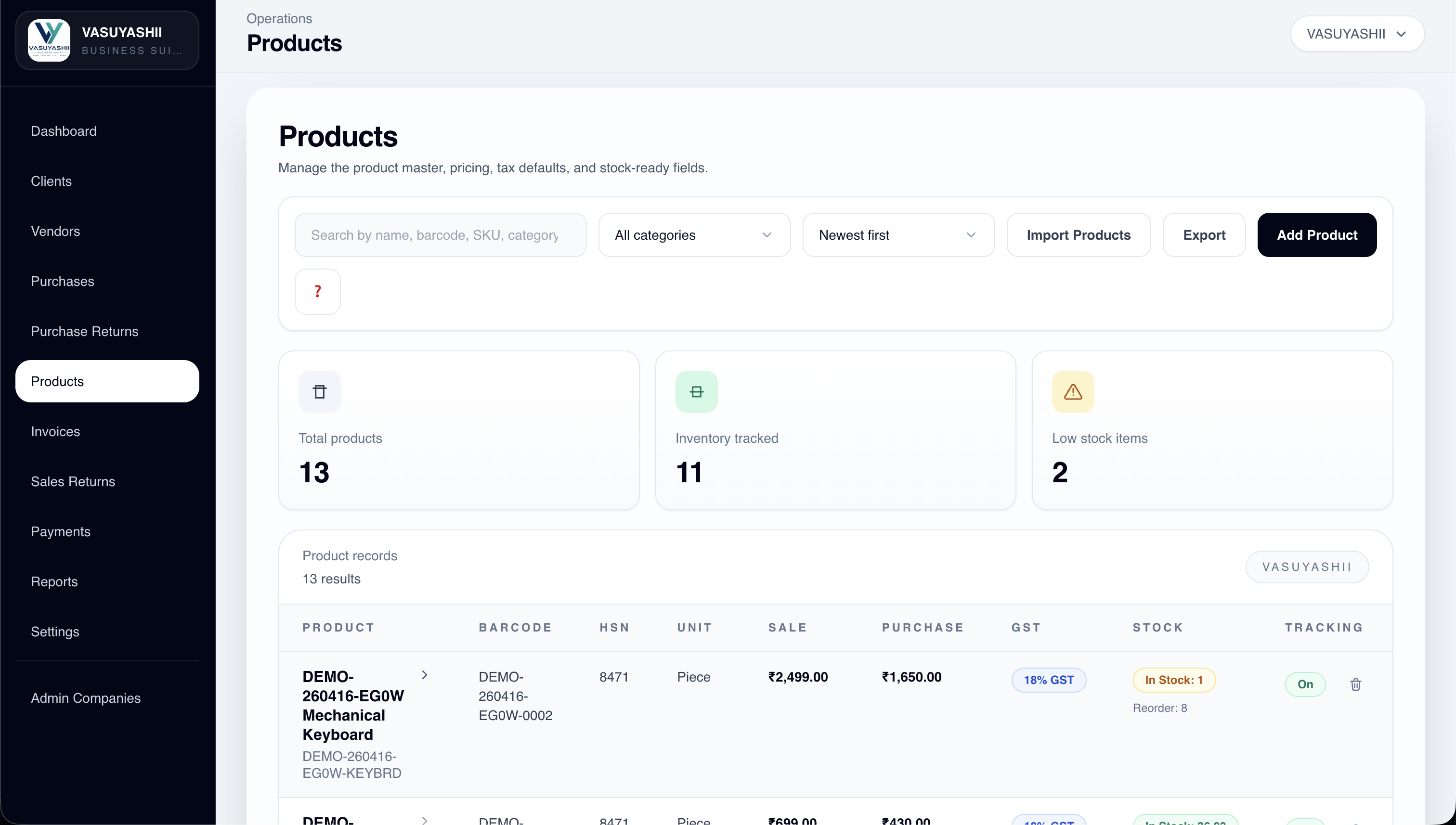
The cover shows the Business Suite product list with demonstration items. It illustrates product and stock fields, not a customer result or a promise that every custom workflow in this guide is included.
Wholesale billing is the process of recording repeated B2B sales where parties, product quantities, price lists, tax, credit, payment and stock must remain consistent. A wholesale billing platform should do more than print an invoice: it should preserve why a rate was used, how much stock moved, what the customer still owes, and how returns or later payments change those records.
The minimum useful workflow is:
purchase or opening stock → party and rate selection → invoice → stock movement → payment or due → return or adjustment → owner report
If staff must reconcile separate billing, stock and payment sheets after every day, the business still lacks one reliable wholesale billing workflow.
A useful distributor billing system should handle:
Custom development is quoted after the workflows, migration and integrations are reviewed. Compare a ready-product subscription with the total cost of a custom build, including setup, hosting, support and third-party services. Start by testing whether a ready product handles your purchase-to-sale-to-payment cycle.
The terms overlap, but the operational emphasis can differ.
| Requirement | Wholesale billing system | Distributor billing software |
|---|---|---|
| Core purpose | Repeated B2B invoicing, party rates, stock and dues | Brand or territory distribution with controlled downstream sales |
| Common complexity | Large item lists, units, price lists and credit customers | Pack conversions, schemes, sales reps, routes, returns and targets |
| Best starting page | This wholesale billing workflow and cost guide | Distributor billing software guide |
Use this page for the broader wholesale billing decision. Use the distributor guide when schemes, carton-to-piece conversion, territory work, sales reps, or distributor-specific credit rules drive the scope.
This kind of software is useful when:
Typical use cases:
Related reading:
This synthetic example is a test brief, not an actual customer transaction. It uses amounts before tax to isolate payment and return arithmetic; agree tax, discount and credit-note treatment separately for your business.
| Event | Document or movement | Expected customer due |
|---|---|---|
| Invoice 12 units at Rs. 100 each | Invoice value Rs. 1,200; stock reduces by 12 | Rs. 1,200 |
| Receive a partial payment | Rs. 500 allocated to that invoice | Rs. 700 |
| Accept a return of 2 units at the original rate | Rs. 200 credit allocated to the invoice | Rs. 500 |
| Receive the remaining balance | Rs. 500 allocated to the invoice | Rs. 0 |
The return should add 2 units to saleable stock only if they are accepted as saleable. Damaged returns need a separate agreed disposition. The original invoice, both payments and return record should remain traceable; deleting the original invoice to make the due disappear loses that history.
During acceptance, check that retrying a payment or return does not duplicate it, a cashier cannot make an unauthorized rate change, and party outstanding equals the sum of the underlying open documents. Test with separate companies if company isolation is in scope.
Consider an electrical distributor receiving 40 items from a vendor in the morning. The purchase should update stock and preserve vendor, rate, GST, and document details. During the day, three customers may receive different quantities and discounts, one may pay partially, and another may return an item. By evening, the owner should see current stock, customer dues, purchase history, sales, returns, and payment activity without reconciling several sheets.
Test these six questions during a product demo:
For a standard version of this workflow, review the live VASUYASHII Business Suite. Its current scope includes billing, inventory, parties, purchases, returns, payments, expenses, reports, PDFs, backup, and multi-company support. The product is ERP-lite, so advanced accounting, manufacturing, statutory integrations, WhatsApp API automation, and custom branch logic require separate confirmation.
Use custom software development when customer-specific rate contracts, sales-rep approvals, route dispatch, credit limits, warehouse bins, or external integrations cannot fit the ready product. Compare with the best billing software guide and inventory cost guide before approving scope.
Master-data preparation should be a named rollout task. Clean duplicate parties, standardize GSTIN and address fields, confirm units and tax rates, document opening stock, and assign who may change prices or delete records. During pilot week, use a limited product and customer set, compare reports with source documents, and record exceptions before migrating the full business.
| Option | Suitable when | Confirm before choosing |
|---|---|---|
| Configurable billing product | Billing, stock, purchases, payments, dues and reports follow a standard operating flow | Included modules, limits, data ownership, backup, support and export |
| Custom wholesale billing system | Rates, approvals, branches, dispatch, schemes or integrations are genuinely business-specific | Acceptance cases, phased scope, migration, permissions, maintenance and total cost |
| Existing accounting tool plus add-on | Accounts are stable and only a narrow operational gap exists | Sync ownership, duplicate-entry risk, failure recovery and reporting source |
Do not choose custom development only because a standard product uses unfamiliar labels. First test the full purchase-to-sale-to-payment cycle with representative data. Choose custom work when the verified workflow cannot be handled safely through configuration.
VASUYASHII provides a custom quotation after reviewing your scope. A published ready-product subscription and a bespoke development estimate cover different deliverables; neither should be used as the other's price.
| Quote component | Define before asking for a price |
|---|---|
| Billing and dues | Invoice types, party rates, discounts, payment allocation, returns and required reports |
| Inventory | Units, opening stock, purchases, saleable versus damaged returns, transfers and reservations |
| Users and controls | Roles, firms or branches, approval rules and permitted corrections |
| Migration | Item and party files, outstanding balances, historical records and reconciliation owner |
| Integrations | Accounting, ecommerce or messaging systems, sync direction, failure handling and provider fees |
| Ongoing operation | Hosting or subscription, backup and restore, support, exports and later change requests |
Ask for one-time implementation charges and first-year recurring charges separately, with taxes, exclusions and quote validity stated. For the ready product, check the current Business Suite billing scope and pricing. Confirm onboarding and migration charges for your data before purchase.
Agree dates after reviewing product-master quality, tax and rate configuration, stock rules, integrations and report expectations. Use these acceptance checkpoints:
The schedule should identify your team's data preparation and sign-off dependencies. A calendar promise without those dependencies does not tell you when the business can safely start using the system.
Decide how staff will access billing, which printers and scanners must work, whether internet interruptions require an agreed fallback, and who owns backups and exports. Test the agreed devices and simultaneous-user workload before acceptance. Offline operation, special hardware support and integrations need explicit scope confirmation.
The main cost drivers are:
A common mistake is ignoring master-data cleanup before build. Dirty item and party data weakens the software quickly.
If billing speed is fine but payment visibility and stock confidence are weak, the issue is usually not billing alone. It is the missing connection between invoice flow, outstanding, and inventory.
Yes. Wholesale billing usually needs stronger party control, rate handling, stock linkage, and outstanding reporting.
Invoice fields and tax calculations can be scoped for the business. Confirm required configuration with your accountant and test representative invoices. GST invoicing does not by itself mean e-invoicing, e-way bills, filing or other statutory integrations are included.
Yes. That is one of the most useful reports for distributors.
If billing affects stock daily, yes. That connection is usually worth including early.
Agree a schedule after scope and sample data are reviewed. Product setup, migration and a custom build have different dependencies. Require a reconciled trial import and a working billing, payment and return flow before cutover.
Yes. User roles and permissions can be included based on the workflow.
If your workflow is standard, SaaS may work. If rates, reports, or roles are specific, custom becomes more practical.
Record a baseline for invoice preparation time, payment-allocation errors and the effort needed to reconcile stock and dues. Compare the same tasks after rollout. A demo or a feature list alone does not establish a financial return.
If you want billing, stock, and outstanding data to work together properly, start by defining your party, item, rate, and reporting flow before choosing the final build scope.
Related Articles
May 15, 2026
Plan distributor billing software with GST invoices, schemes, credit, stock, returns, purchases, payments, reports, controls, costs, and phased implementation.
Read article
March 30, 2026
Plan a restaurant billing system with GST invoices, table and takeaway flows, cashier roles, KOT boundaries, payments, reports, testing, and cost.
Read article
April 23, 2026
Billing + inventory integration: best approach: practical features, cost, timeline, implementation checklist, and real-world guidance for Indian SMBs in 2026.
Read article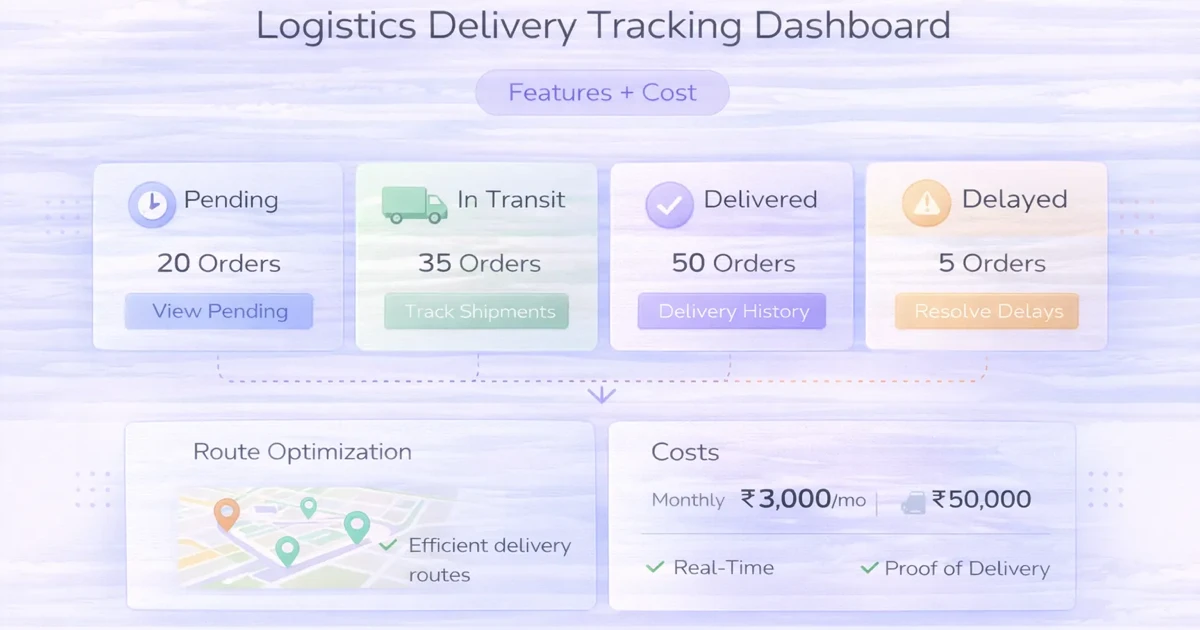
April 4, 2026
Plan a delivery tracking dashboard with status ownership, assignments, exceptions, proof, customer updates, reports, integrations, rollout phases and cost.
Read article