
March 26, 2026
Order Management System Development Guide
Order management system development guide with OMS features, pricing in India, tech stack, timeline, and cost drivers for growing SMB operations today.
Read articlePublished
Warehouse management system guide for small businesses with WMS features, pricing in India, tech stack, timeline, and cost drivers for lean operations.
Small businesses usually start warehouse operations with practical jugaad: one store keeper who knows where everything is, a register for inward, a rough sheet for dispatch, and a lot of phone calls when stock is needed urgently. That can work for a while, but once SKU count, order volume, or location complexity grows, warehouse errors start hurting service speed and customer trust.
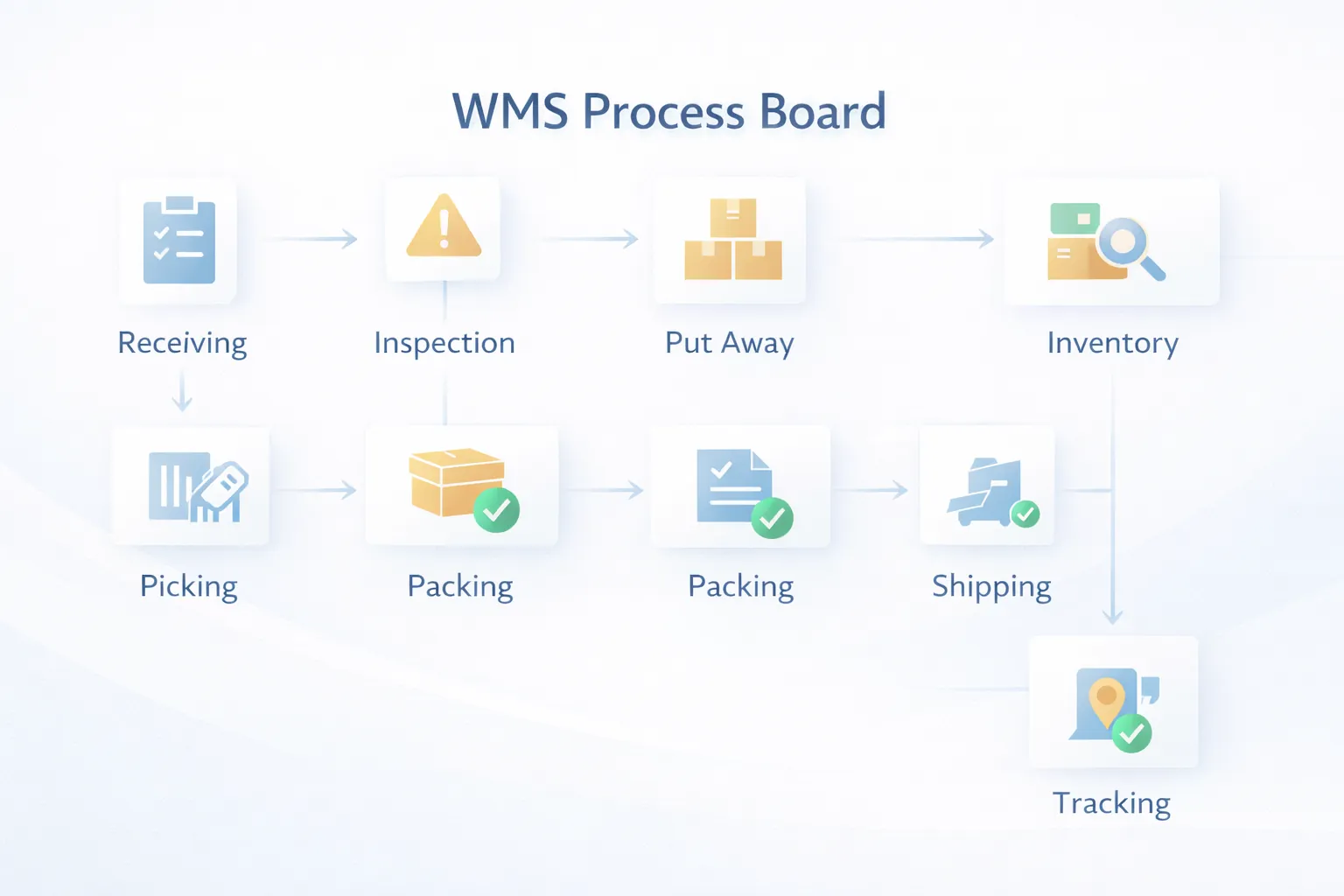
A warehouse management system for small businesses is not only about "stock in software." It is about warehouse flow: receiving, putaway, location mapping, picking, packing, dispatch, and reconciliation. That is what makes WMS different from a basic inventory tool.
This guide explains what a lean WMS should include, how much it typically costs in India, which tech stack works well, and how SMBs can roll it out without overcomplicating operations.
If your warehouse team struggles with item location, pick errors, dispatch delays, or mismatched inward and outward records, a WMS can create major operational clarity. For small businesses, the most useful WMS usually handles receiving, bin or rack locations, picking, packing, dispatch status, and stock audit support.
You probably need WMS if:
If your current need is broader stock visibility rather than detailed warehouse flow, inventory management software development may be the better first step.
WMS is usually the right fit for distributors, ecommerce-support operations, spare-parts warehouses, manufacturers with active stores, and businesses where the team spends too much time locating items or resolving dispatch mistakes. It becomes especially valuable when one warehouse serves multiple order sources or when stock is stored across racks, bins, or zones. If your business ships regularly and warehouse execution quality affects customer trust, WMS is often worth considering sooner than expected.
It is also a strong candidate when physical audits keep revealing mismatch, shrinkage, or undocumented movement. In those cases, better warehouse flow often improves service levels and internal control at the same time.
For businesses facing order spikes or staff turnover, location-driven workflow also reduces dependence on individual memory and experience. That makes onboarding new warehouse staff easier and gives supervisors clearer control over what is pending, packed, or blocked.
That operational clarity usually shows up quickly after launch.
Teams usually feel the difference within days.
Warehouse operations become costly when movement is not disciplined. The problem is not just stock count. It is the time lost finding items, checking locations, confirming what was packed, and resolving what went wrong after dispatch.
A good WMS should make movement visible. It should tell the team what came in, where it was stored, what needs to be picked, what has been packed, what has left the warehouse, and where exceptions are piling up.
This matters even more for businesses handling multiple orders daily, frequent inward, batch-sensitive stock, or warehouse staff shifts.
This distinction matters because many businesses ask for WMS when they actually need inventory software, and vice versa.
If the main business problem is inaccurate stock records, start with inventory software. If the main problem is warehouse execution and dispatch flow, start with WMS. Many growing SMBs eventually need both, but they should not scope both blindly in one phase.
For teams selling online or managing fast-moving dispatch, order management system development often becomes the next connected module.
These features usually make a WMS useful for small businesses.
Phase two can include route-wise dispatch boards, handheld scanning, order priority logic, vehicle loading stages, or stronger integration with inventory, billing, and OMS layers.
If your warehouse team is still depending on local memory and manual checking for daily movement, the process is already ready for a better system.
WMS pricing is shaped by warehouse complexity more than by screen count. Location structure, scan needs, and dispatch flow matter a lot.
₹2.2 lakh to ₹3.8 lakhIncludes receiving, putaway, location view, pick list, packing, and basic reports.
₹4 lakh to ₹6.25 lakhIncludes barcode support, cycle count, staff task visibility, and richer dashboards.
₹6.5 lakh to ₹10 lakhIncludes multi-warehouse support, deeper dispatch flow, batch tracking, integrations, and advanced exception handling.
If your business has active inward and daily dispatch, the ₹4 lakh to ₹6.25 lakh range often gives the best balance of value and practicality.
They become high when WMS is expected to also behave like ERP, accounting, fleet management, and ecommerce OMS at the same time. Keep phase one focused on warehouse execution.
WMS needs strong real-time behavior, fast screens, and careful movement validation.
Next.js or responsive web interface for warehouse dashboards, receiving, picking, and packing screens.Node.js for movement validation, task generation, dispatch logic, and warehouse reporting.PostgreSQL for stock by location, movement logs, tasks, order linkage, and audit history.WMS projects usually take 6 to 10 weeks because warehouse logic needs real operational testing.
Physical process realities matter here. If the actual warehouse flow is inconsistent, software will expose that quickly. That is useful, but it should be expected.
These are the biggest budget variables in WMS projects:
The right WMS reduces search time and dispatch errors. If those two things do not improve, the design likely missed the actual workflow.
To keep rollout practical:
This gives the team operational clarity first. Once the base is working, you can extend into transport planning, order-priority automation, or deeper ERP integration.
If the software assumes perfect rack discipline but the warehouse layout and staff habits are different, adoption breaks quickly. The design must reflect the physical setup.
Warehouse flow is about movement execution, not only stock balances. If picking, packing, and dispatch are weak, calling it WMS does not make it one.
Scanning is powerful, but only after location rules and movement steps are stable. Otherwise, it becomes an extra step without fixing the core issue.
Returns, damage, short picks, and dispatch mismatch are normal operational events. The system should make them visible, not hide them.
Warehouse teams need real-time action visibility. If supervisors cannot see pending picks, receiving backlog, or exception counts, the software becomes too passive.
It is warehouse software that manages receiving, putaway, stock locations, picking, packing, dispatch, and related reporting for daily operations.
For SMB use cases, custom WMS usually starts around ₹2.2 lakh and commonly falls in the ₹4 lakh to ₹6.25 lakh range for a practical, operations-ready system.
No. Inventory software focuses on stock control. WMS goes deeper into warehouse movement and execution.
Not always. Many businesses first stabilize receiving, location logic, and picking workflow, then add scanning in phase two.
Most SMB-ready WMS projects take around 6 to 10 weeks because real warehouse testing is important.
Yes. This is common, especially for businesses with active dispatch and customer fulfilment workflows.
Distributors, wholesalers, manufacturers with warehouse operations, and ecommerce-support businesses usually benefit most.
Designing software without enough time spent observing actual warehouse flow. Physical workflow matters as much as screens.
If your team is still searching for stock manually or correcting dispatch issues after they happen, there is real operational value in building a focused WMS.
Related Articles
March 26, 2026
Order management system development guide with OMS features, pricing in India, tech stack, timeline, and cost drivers for growing SMB operations today.
Read article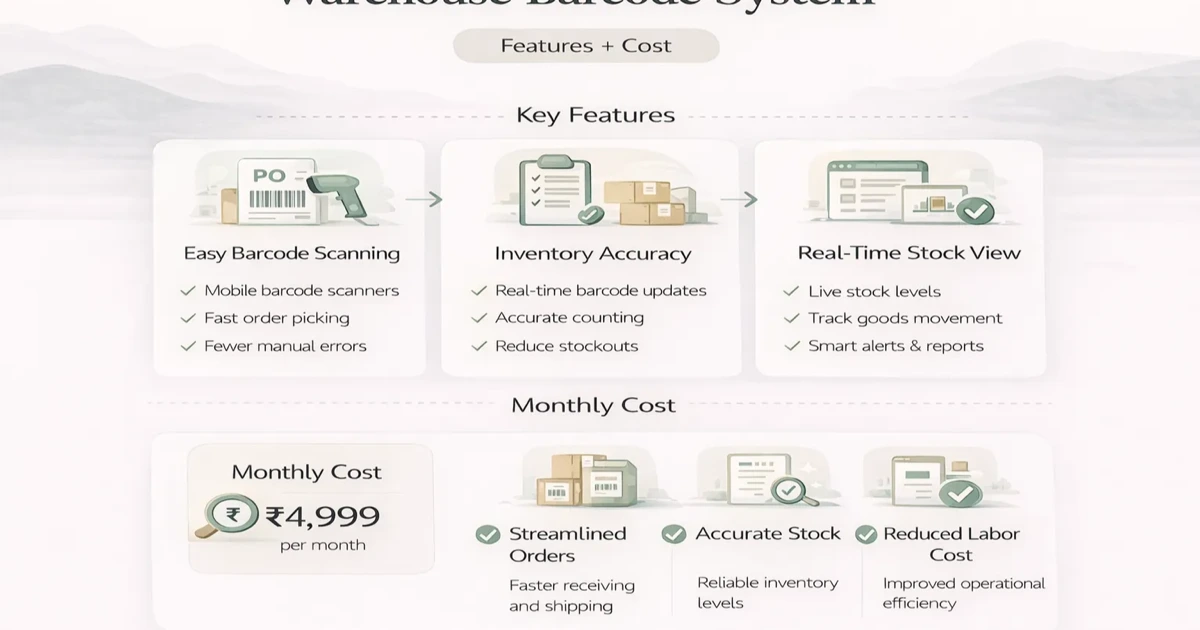
April 6, 2026
Plan a warehouse barcode system with item identity, labels, receiving, putaway, picking, dispatch, counts, exceptions, hardware and phased rollout costs.
Read article
May 26, 2026
transport logistics booking tracking portal: practical 2026 guide with features, INR pricing, roadmap, tech stack, mistakes, FAQs, and Indian SMB tips.
Read article
May 8, 2026
Migrate Excel data to business software with a controlled plan for cleanup, field mapping, pilot imports, reconciliation, cutover, and rollback.
Read article