
April 17, 2026
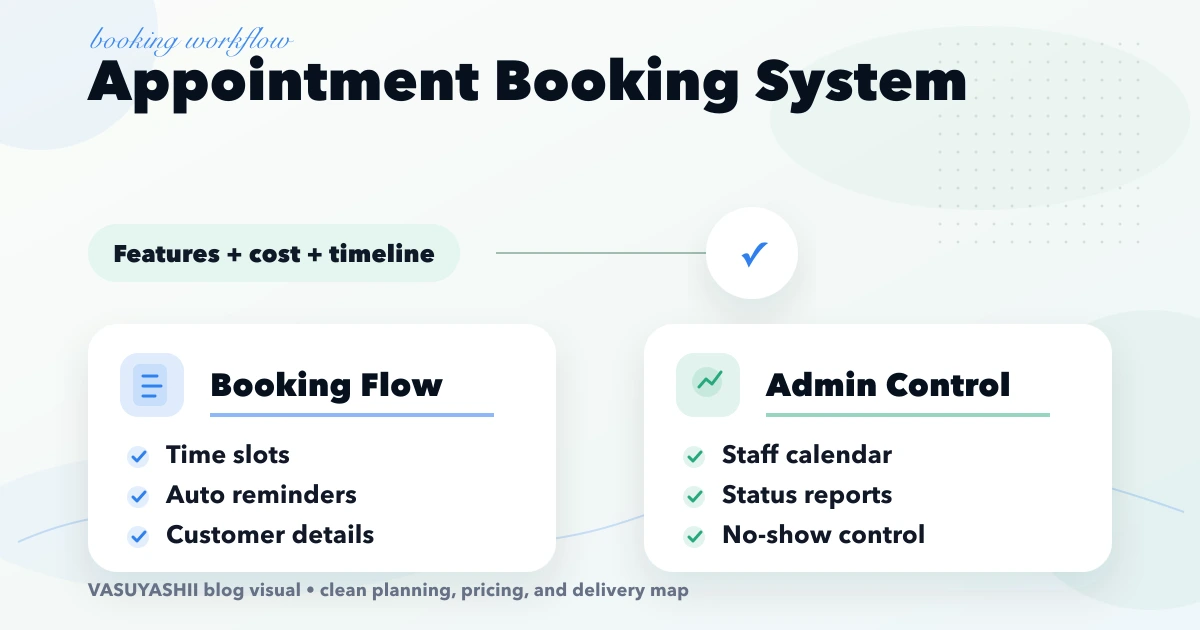
Appointment Booking System: Features, Cost and Timeline
Plan an appointment booking system with slot rules, reminders, payments, admin controls, cost ranges, and rollout steps for Indian businesses.
Read articlePublished Updated
Estimate booking system cost from appointment rules, staff calendars, payments, reminders, cancellations, refunds, reports and integrations.
A booking system can be a simple request form or a real-time scheduling platform that controls staff, rooms, services, capacity, advance payments, reminders, cancellations, refunds, and reports. Those products may look similar to a customer, but their implementation cost is very different.
The most reliable way to estimate booking system cost is to map the complete appointment lifecycle and price each rule-bearing module. Start with how a slot becomes available, then follow it through hold, payment, confirmation, reschedule, cancellation, completion, no-show, and reconciliation.
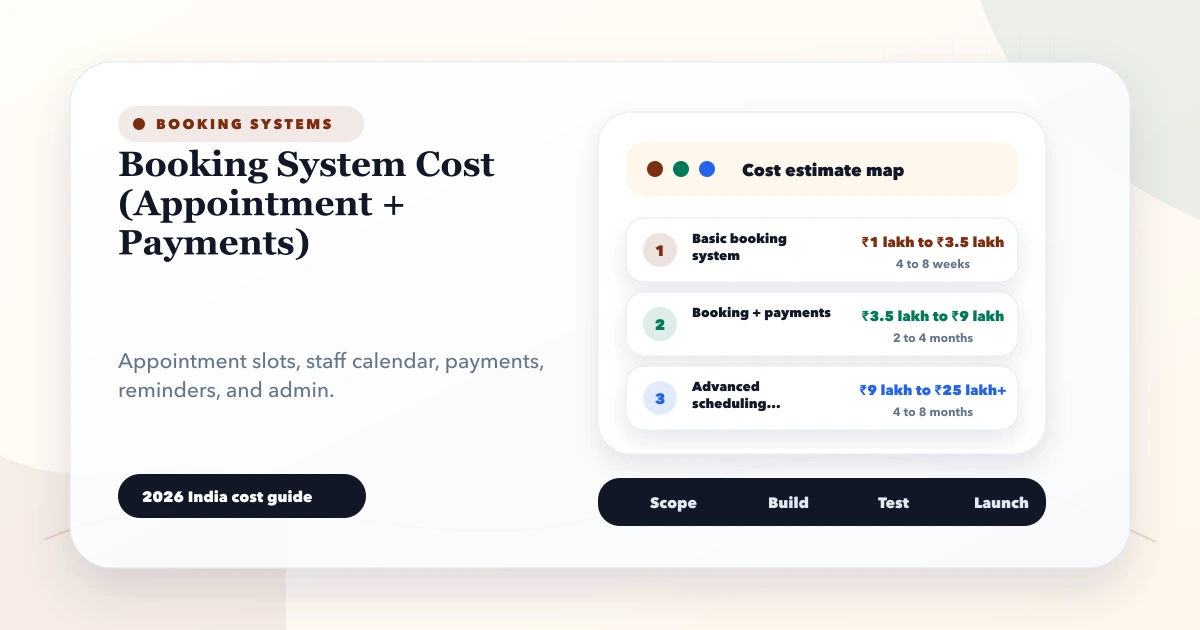
These are indicative custom-development planning bands for Indian SMB projects, not quotations:
| Scope | Typical characteristics | Illustrative build range |
|---|---|---|
| Booking request workflow | Service list, preferred date, enquiry, admin confirmation, basic notifications | ₹60,000-₹1,20,000 |
| Operational appointment system | Real availability, staff calendars, customer login or OTP, reminders, rescheduling, reports | ₹1,20,000-₹3,50,000 |
| Booking plus payments | Slot hold, payment gateway, webhooks, receipts, cancellation/refund rules, reconciliation | ₹2,00,000-₹5,50,000+ |
| Multi-location or marketplace | Location/resource capacity, commissions, provider accounts, settlement, advanced reporting | Custom discovery required |
The lower end assumes one business, a small number of services, standard rules, clean content, and limited integrations. Multi-location capacity, memberships, packages, deposits, variable pricing, telephony, legacy migration, mobile apps, or marketplace settlement can move the project outside these bands.
Third-party gateway, messaging, hosting, maps, email, app-store, and support charges are normally separate. Confirm current provider pricing directly before approval.
The scheduling model controls most of the complexity.
A salon, clinic, consultancy, or coaching service may need a qualified employee, working hours, breaks, leave, service duration, cleanup buffer, and simultaneous-booking limit.
A room, machine, vehicle, court, or equipment unit has availability and maintenance constraints. Staff may be assigned after the resource is reserved.
A class, workshop, event, or group consultation allows several seats in one time window. The system must track capacity, waitlist, and participant status.
Some services require a manual review before confirmation. The customer requests a slot, staff checks eligibility or location, and the business approves or proposes another time.
Do not buy an instant-booking experience if the operation still needs manual qualification. The appointment booking system guide helps separate request, confirmation, and calendar models.
A status should represent an operational fact, not merely a colour on a dashboard.
Possible states include:
For every transition, define who can perform it, the time limit, required reason, payment effect, notification, and audit record. A staff member should not be able to mark a booking refunded merely by changing a dropdown if the payment provider has not processed the refund.
Define service name, duration, price, tax treatment if applicable, buffer, eligible staff, location, online/offline mode, deposit, cancellation window, and active dates.
Variable duration, add-ons, packages, subscriptions, coupons, peak pricing, or location-specific prices increase rule and testing work.
The engine combines business hours, staff shifts, resource calendars, breaks, leave, holidays, service duration, buffers, existing bookings, capacity, and minimum notice.
This is often the hardest module. A visually polished calendar is not proof that double-booking and time-zone edge cases are safe.
A basic flow asks for name, phone, service, date, and time. A stronger flow can include OTP, returning-customer history, consent, intake questions, attachment, address, coupon, invoice details, and saved preferences.
Collect only data needed to fulfil the appointment. Health, identity, or financial information needs tighter access and retention rules.
The operating team may need:
The clinic appointment admin-panel guide shows why the operating workspace matters as much as the public form.
Confirm the trigger, channel, template, recipient, retry rule, and opt-out behaviour for every message. Typical events are request received, payment success, booking confirmed, reminder, rescheduled, cancelled, and refund initiated.
WhatsApp automation requires approved templates and provider setup where applicable. Do not design the booking workflow around the assumption that every message will always be delivered.
A payment button alone is not a complete integration. The system needs to handle:
The payment gateway integration guide covers the difference between checkout UI and reliable payment processing.
Useful reports answer operational decisions:
Define whether a report uses booking date, appointment date, payment date, or completion date. Mixing those dates creates misleading totals.
A salon with six staff members offers services of different duration. Some services can be performed by only two specialists. The business closes one chair for maintenance, allows a ten-minute cleanup buffer, takes a fixed deposit, and permits one reschedule up to twelve hours before the appointment.
The system must prevent overlapping staff assignments, show only eligible staff, expire unpaid holds, retain the original payment reference after rescheduling, and route late cancellations for manager review. Those rules explain cost more accurately than the phrase "salon booking app."
For a deeper operational flow, see the salon booking and staff scheduling guide.
Build catalogue, availability, customer details, admin calendar, confirmation, rescheduling, cancellation, and basic reporting. Pilot internally before exposing every slot publicly.
Add server-side order creation, verified webhook handling, hold expiry, receipts, refund states, and reconciliation. Test duplicate and delayed events, not only successful payments.
Add WhatsApp or SMS reminders, waitlists, packages, coupons, source attribution, advanced reports, or a mobile app only after the core records remain accurate.
The software cost module method can convert these phases into a comparable estimate.
Ask each vendor to identify:
A lower quote may be correct for a request form and wrong for a real-time paid appointment platform.
Our implementation worksheet tests slot ownership, hold expiry, payment events, cancellation states, and reconciliation before optional automation is estimated.
VASUYASHII starts with the appointment state machine and calendar constraints, then separates the first useful release from packages, memberships, advanced automation, or mobile applications. The booking interface can be built as a web application, while payment and messaging use scoped integration services.
Use the appointment booking features, cost and timeline guide to define the complete customer, staff and admin flow before approving this payment layer.
Share your services, staff/resource count, locations, current booking process, payment policy, and reminder needs through the contact page for a module-level scope discussion.
A custom request workflow may begin around the lower planning band shown above, while real-time scheduling with payments, multiple resources, automation, and reconciliation can require several lakhs. A quote should follow a rule and module review.
It can be enough for standard schedules and simple operations. Custom development becomes more relevant when availability, permissions, payments, reports, integrations, or multi-location rules exceed the plugin's model.
That depends on no-show risk and business policy. Full payment, deposit, pay-later, and manual approval are all valid models, but the booking state and customer message must match the selected rule.
The server should validate availability when the booking is committed, not only when slots are displayed. Temporary holds need an expiry, and concurrent requests must not reserve the same constrained staff or resource.
Usually not. Gateway transaction fees, messaging charges, hosting, and other provider costs should be listed separately and confirmed from the provider's current terms.
Yes, if the booking rules and APIs are designed cleanly. Validate the web and operations workflow first unless native mobile capability is essential to the first release.
Related Articles
April 17, 2026
Plan an appointment booking system with slot rules, reminders, payments, admin controls, cost ranges, and rollout steps for Indian businesses.
Read article
May 22, 2026
Plan an appointment booking system with slot rules, staff calendars, reminders, payments, cancellations, admin controls, costs, and launch checks.
Read article
March 30, 2026
Compare clinic appointment software with hospital management software: booking rules, module scope, cost drivers, sample-data demo checks and pilot readiness.
Read article
May 26, 2026
Plan salon booking and staff scheduling with service duration, skills, resources, rosters, buffers, deposits, reminders, no-show controls, reports, and costs.
Read article