
April 17, 2026
Appointment Booking System: Features, Cost and Timeline
Plan an appointment booking system with slot rules, reminders, payments, admin controls, cost ranges, and rollout steps for Indian businesses.
Read articlePublished Updated
Plan salon booking and staff scheduling with service duration, skills, resources, rosters, buffers, deposits, reminders, no-show controls, reports, and costs.
A salon booking system must reserve more than a clock slot. It may need a stylist with the right skill, a treatment room or chair, enough service and cleanup time, branch availability, working hours, leave, buffers, and a rule for deposits, cancellation, or walk-ins. If any required resource is unavailable, the appointment is not truly available.
This guide is for salons, spas, beauty studios, grooming businesses, nail bars, and multi-branch service teams planning booking and staff scheduling software in India. It covers service setup, calendars, rosters, staff skills, resources, reminders, deposits, no-shows, commission inputs, reports, cost factors, and phased implementation.
By Tushar C. (Founder, VASUYASHII). Editorial review covers resource-based availability, appointment states, roster ownership, customer communication, operational reporting, and buyer-side scope clarity.
A practical salon scheduler should manage services, durations, prices, eligible staff, branches, chairs or rooms where needed, rosters, breaks, leave, buffers, customer records, appointment states, reminders, cancellations, deposits, walk-ins, and daily reports.
Start with one branch and a limited service set. Test overlapping services, staff leave, late arrival, walk-in insertion, rescheduling, cancellation, and two customers trying to book the last slot. A calendar that only stores start and end time is not enough.
A customer wants hair colour and styling on Saturday. Colour requires a senior stylist for consultation and application, processing time during which the stylist may perform limited other work, a wash station, and final styling. A simple 90-minute block may waste capacity or create clashes.
Another customer requests a facial requiring a specific room and trained therapist. One staff member is on leave; another works only at the second branch after 2 PM. A walk-in is waiting, and an online booking arrives at the same time.
The system needs to know which person, skill, location, resource, duration, and transition time are required. It also needs one final source of truth so reception, staff, online customers, and owners see consistent availability.
| Record | Important fields |
|---|---|
| Service | Name, category, duration, price, tax, buffer, required skill, resource, active status |
| Staff | Branch, skills, working hours, leave, breaks, service eligibility, status |
| Resource | Chair, room, bed, station or equipment, branch, capacity, status |
| Customer | Name, contact, consent, notes with restricted access, visit history |
| Appointment | Service, staff, resource, branch, start, end, status, source, deposit, notes |
| Roster | Date range, shift, break, branch and exception |
| Payment | Deposit or settlement amount, method, reference, status and refund |
Avoid storing every rule as free-text notes. Availability should be calculated from structured service, roster, leave, resource, and appointment data.
Each service needs a realistic duration. Add preparation, cleanup, room reset, or consultation as explicit components or buffers. If actual duration varies by hair length, package, or customer requirement, use variants or require staff confirmation rather than pretending one duration fits all.
Examples:
Do not reduce displayed duration solely to create more slots. Compare planned and actual completion times, then adjust the service rule.
Not every staff member should appear for every service. Maintain approved skill-to-service mapping. A staff profile may include branch, role, skill level, service list, schedule, leave, and whether customers can choose them.
When a skill changes, update eligibility through an authorised process. Do not let reception assign a restricted service merely to fit the calendar.
Customer preference can be handled as:
The availability engine should apply this choice without exposing private roster or performance details.
A service can require both a person and a resource. If two therapists are free but only one facial room is available, only one booking should be offered.
Define reusable resources such as:
Some resources have capacity greater than one; others need downtime. Track maintenance or blocked status so the system does not offer unavailable equipment.
Use states that reflect the real journey:
Do not delete cancelled appointments. They are needed for capacity, no-show, campaign, and staff-planning reports.
Customers see calculated availability and confirm a slot. This requires accurate rosters, resources, concurrency control, and immediate exception handling.
Customers submit preferences and reception confirms. This is safer when service duration or staff allocation needs discussion.
Staff enters phone, walk-in, and WhatsApp appointments in one calendar. It can still reduce clashes even without public booking.
A salon may use a hybrid: standard services book live, while colour correction, bridal packages, or specialist treatments require consultation.
For broader architecture, review the appointment booking system guide.
Availability displayed at 10:00 AM may be taken before the customer confirms. The system should revalidate staff, resource, and slot at final submission. Use a short hold only when the checkout or confirmation flow genuinely needs it, and expire abandoned holds.
Test:
Conflict rules must run on the backend. Hiding a slot in the browser is not sufficient protection.
Reception needs a fast way to add walk-ins without bypassing all rules. Capture arrival time, requested service, eligible staff, estimated wait, and final outcome.
Set a late-arrival policy: continue with reduced service, shift to next availability, reassign, or reschedule. The system can show options, but staff should follow the business's published policy.
A waitlist can notify suitable customers when a slot opens. It needs consent, an expiry window, and a first-confirmed rule; sending the same slot to many people without control creates conflict.
Deposits can reduce no-shows for long or high-demand services. Define:
Keep payment and appointment states separate. A successful payment does not prove the appointment was reserved unless the booking transaction also completed. A confirmed appointment with failed payment may need a temporary pending state.
Use payment integration services for verified gateway and webhook implementation; do not mark bookings paid from the browser redirect alone.
Useful messages include request received, booking confirmed, reminder, reschedule, cancellation, waitlist offer, and post-visit feedback. Each message should use the appointment source of truth.
Define consent, approved templates where required, timing, quiet hours, branch identity, stop rule, and human handoff. Do not send repeated promotional messages because someone booked once.
Reminder success should be measured using confirmations, cancellations before the slot, attendance, and no-show rate, not only delivery status. Review WhatsApp automation services for controlled implementation.
Create recurring shifts with date-specific exceptions. Roster ownership matters: who publishes next month's schedule, who approves leave, and how existing appointments are handled when availability changes?
Useful views include:
Do not calculate payroll or commission from planned appointments alone. Completed services, discounts, refunds, product sales, assisting staff, and business rules may affect the calculation.
If the salon tracks commission, define whether it is based on service revenue, collected amount, pre- or post-discount value, product sale, package redemption, or team split. Record the rule version and effective date.
A scheduling module can provide completed-service inputs, but payroll, tax, attendance, advances, deductions, and statutory calculations are a separate scope. Do not label a simple commission report as complete payroll.
| Decision | Useful measure |
|---|---|
| When should staffing increase? | Demand and utilisation by day, hour and skill |
| Which services create delays? | Planned versus actual duration |
| Are reminders working? | Confirmation, early cancellation and no-show rate |
| Which channel brings attended visits? | Completed appointments by source |
| Where is capacity lost? | Gaps, cancellations, no-shows and blocked resources |
| Which branch needs support? | Demand, utilisation and unserved requests by branch |
| Are deposits reconciled? | Paid, refunded, credited and unmatched amounts |
Count completed appointments and collected value separately from bookings created. A busy calendar can include cancellations and no-shows.
Reception may need booking and customer contact access. Staff may need only their schedule and limited service notes. Managers may control rosters, prices, refunds, reports, and branch settings. Owners may review cross-branch performance.
Restrict sensitive customer notes. Avoid storing unnecessary health or personal information. Use named accounts, audit important changes, and enforce branch or company access on the backend.
Salon booking software cost depends on:
Begin with scheduling and attendance outcomes. Adding loyalty, ecommerce, payroll, CRM, inventory, and marketing automation in the first release increases risk unless those processes are already defined.
Verify services, durations, buffers, prices, eligible staff, resources, working hours, leave and appointment states.
Use one calendar for calls, WhatsApp and walk-ins. Test clashes, rescheduling, cancellation, late arrival and daily close.
Expose safe availability for selected services, add consent-based reminders, and measure valid confirmations and attendance.
Add payment, waitlist, utilisation, commission inputs or multi-branch controls after the core calendar is reliable.
VASUYASHII can build a booking website, reception calendar, staff and resource availability, customer appointment flow, reminders, deposits, reports, and approved integrations. Payroll, clinical records, advanced POS, loyalty, inventory, or complex commission require separate verified scope.
Explore web application services, software development services, or contact VASUYASHII with the service menu, duration sheet, staff roster, branches, resources, cancellation policy, and current booking channels.
Yes. The system should offer only staff eligible for the service and available with required resources. It can also allow "any available" for faster booking.
They should. One source of truth prevents reception from offering a slot already booked online and helps owners measure actual demand.
No. Use them for long, high-value, or high-demand services when the business policy supports it. State cancellation, reschedule, and refund conditions clearly.
They can help, but measure confirmation, early cancellation, rescheduling, and attendance. Message delivery alone does not prove an operational result.
Not automatically. Rosters and completed services can provide inputs, but salary, attendance, commission, tax, deductions, and statutory rules require separate scope.
Pilot one branch, stabilise service duration and calendar ownership, then add branch-specific rosters, resources, transfers, permissions, and reporting.
Choose a scheduler that protects staff, resource, branch, duration, and appointment-state consistency. More available slots are not useful if they create clashes or cannot be delivered by the right team.
Related Articles
April 17, 2026
Plan an appointment booking system with slot rules, reminders, payments, admin controls, cost ranges, and rollout steps for Indian businesses.
Read article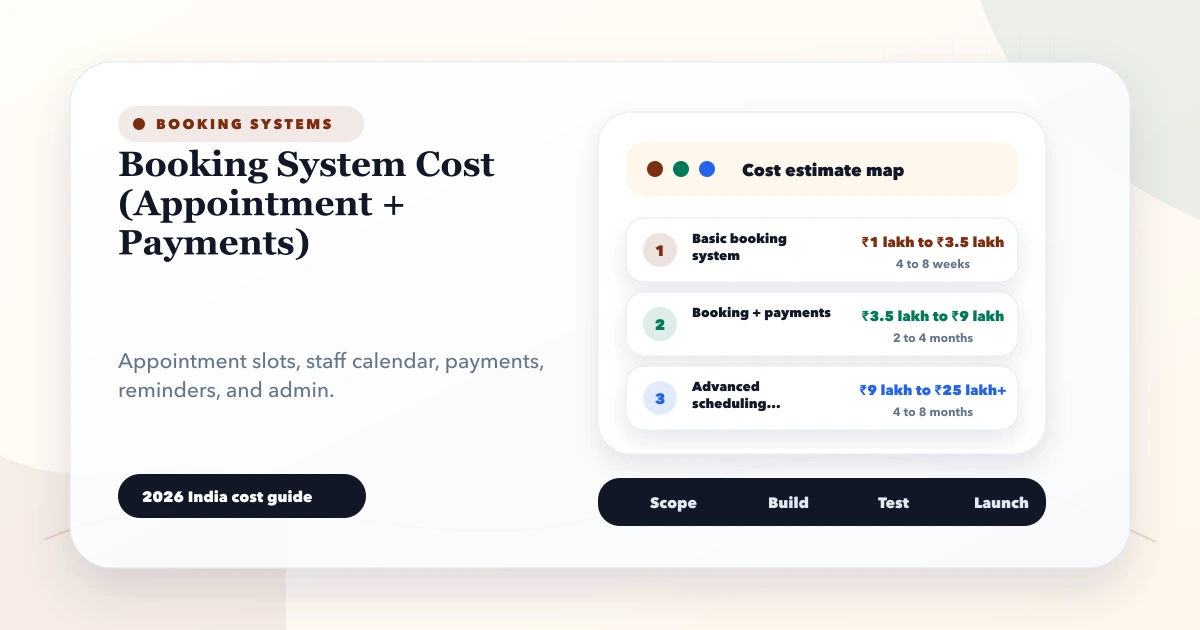
May 28, 2026
Estimate booking system cost from appointment rules, staff calendars, payments, reminders, cancellations, refunds, reports and integrations.
Read article
April 22, 2026
Plan a Kaushambi professional website with appointment requests, office directions, visitor routing, service qualification, accessibility, and analytics.
Read article
May 26, 2026
Plan a service job card system with intake, assignment, status, schedules, materials, approvals, customer updates, proof, billing, permissions, and reports.
Read article