
May 22, 2026
WhatsApp Automation for Business Leads
WhatsApp automation for businesses: practical 2026 guide with examples, INR cost, workflow setup, timeline, mistakes, FAQs, and Indian SME tips today.
Read articlePublished Updated
Plan a WhatsApp CRM for small businesses with consent, shared ownership, lead stages, follow-ups, approved automation, secure integrations, and useful reports.
A WhatsApp inbox helps people exchange messages. A WhatsApp CRM helps a business decide who owns an enquiry, what the customer needs, what should happen next, and whether the conversation became a qualified opportunity, order, appointment, or closed case.
Small businesses often begin with one phone. As volume grows, the owner forwards screenshots, staff reply from personal numbers, follow-ups remain in memory, and nobody can reliably answer how many enquiries were handled or lost. Adding a chatbot does not solve that operating problem. The business needs shared records, permissions, consent, assignments, and a controlled communication workflow.
This guide explains how to plan shared ownership, lead stages, follow-up reminders, approved automation, and reporting without treating bulk messaging or AI replies as shortcuts.
A practical WhatsApp CRM should connect:
Start with one clear use case, such as new sales enquiries or appointment follow-ups. Do not combine marketing broadcasts, support, collections, and sales automation into the first release.
These records answer different questions.
| Record | Purpose | Example fields |
|---|---|---|
| Contact | Who the person or company is | Name, phone, language, consent, customer ID |
| Conversation | A communication thread | Channel, status, assigned team, last message |
| Opportunity or case | The business outcome being pursued | Stage, value, product/service, owner, next action |
| Message | A communication event | Direction, type, provider ID, status, timestamp |
| Task | Work that must happen | Due date, owner, type, outcome |
| Consent event | Evidence of permission or preference | Source, purpose, timestamp, notice version |
One contact may have several conversations and opportunities over time. A support question should not overwrite an open sales opportunity. A repeat buyer should not be counted as a brand-new person merely because a new chat started.
Choose the trigger, decision, owner, and completion condition.
For a service enquiry:
Website/advertisement/referral -> WhatsApp entry -> consent and context capture -> assignment -> qualification -> estimate/demo -> follow-up -> won/lost
For an appointment:
Booking request -> slot confirmation -> reminder -> attendance/no-show -> follow-up
For an invoice reminder:
Valid due record -> owner review -> approved reminder -> customer response -> payment/dispute/promise -> next action
Each flow needs exception paths. What happens when the contact is unknown, the message fails, the customer opts out, no agent accepts the assignment, a payment is disputed, or the provider sends the same webhook twice?
The business should be able to explain why it is messaging a person, what type of messages they agreed to receive, and how they can stop. Store the consent source, purpose, date, and notice version where appropriate. An existing phone number in an invoice or contact list is not automatically evidence for every future campaign.
Separate service communications from promotional outreach. Respect opt-outs across manual and automated tools, prevent re-import from silently re-subscribing a person, and maintain a suppression list with restricted access.
Messaging platform policies, template categories, pricing, and eligibility can change. Verify the current official WhatsApp Business Platform documentation and the chosen provider's terms before launch. Build configuration around current approved capabilities instead of hard-coding an assumed policy window.
Every active conversation needs one accountable owner or team. Assignment rules may use branch, service, language, source, workload, business hours, or existing customer owner.
The interface should show:
Prevent two agents from sending contradictory replies. A conversation lock, active-agent indicator, or controlled claim/release workflow can help. Managers need reassignment and workload visibility, but changes should be audited.
Normalize phone numbers with country code and retain the original input. Match cautiously because shared family, reception, and business numbers can represent more than one person.
Possible duplicate logic may consider verified phone, customer ID, email, and recent context. Let an authorised user review uncertain matches. Merging should preserve messages, opportunities, consent events, source data, and audit history.
If website forms, calls, ads, and WhatsApp all create leads, define which system creates the master contact and how external IDs are mapped. The lead tracking guide explains the broader attribution chain.
Keep stages small and meaningful:
New -> Assigned -> Contacted -> Qualified -> Proposal/demo -> Decision -> Won/Lost
The CRM should require a next action for active opportunities. A conversation can be closed while the opportunity stays active, or vice versa; do not use chat status as the sales stage.
Useful structured outcomes include qualified, wrong requirement, outside service area, budget mismatch, no response after approved attempts, duplicate, spam, postponed, and won. Notes add detail, but controlled reasons make reporting possible.
Automation should recognize its limits. Route to a person when:
The agent should see the collected context and automation history. Asking the customer to repeat everything creates friction and hides whether the automation helped.
Use templates for controlled, repeatable messages such as appointment confirmation, approved reminders, document availability, or lead acknowledgement. Keep variables validated so blank names, wrong amounts, internal codes, or private URLs are not sent.
Good automation performs a narrow task and records its result. Risky automation tries to negotiate, promise delivery, determine legal or financial outcomes, or continue messaging after uncertainty.
Define:
For implementation help, review WhatsApp and API integration services rather than relying on browser automation or unofficial account access.
The provider may send events for received, queued, sent, delivered, read, failed, or other supported states. Treat these as operational events, not proof that the customer understood or agreed.
Webhook handling should verify authenticity, acknowledge promptly, process asynchronously where appropriate, and be idempotent. Store the provider event ID and message ID so retries do not create duplicate messages, contacts, or tasks.
Failure handling needs a visible queue. Capture error category, attempt count, last attempt, next retry, and final action. Permanent failures should not retry forever. If message delivery is business-critical, provide a reviewed fallback channel rather than silently marking the workflow complete.
Invoices, quotations, reports, and identity documents require access controls. Do not share a private authenticated backend URL or a permanent public file path. Use a controlled share mechanism with expiry or verification when the sensitivity warrants it.
Validate file type and size, scan uploads where supported, restrict access by role, avoid exposing internal storage names, and define retention. Message previews should not reveal sensitive data to users without permission.
Businesses needing invoices, inventory, payments, purchases, expenses, and secure PDF sharing can review VASUYASHII Business Suite. A WhatsApp CRM should integrate with the operational source of truth rather than duplicate balances manually.
Choose a system of record for each entity:
Integrations should exchange stable IDs and timestamps. Avoid copying an invoice due amount into a message table and treating it as current forever. Fetch or synchronize controlled data and record the snapshot used when the message was generated.
Our implementation review follows one test lead through capture, consent, assignment, agent reply, next action, business-system update, and final report. That end-to-end evidence reveals gaps that isolated screen testing misses.
Useful owner reports include:
Do not treat delivered messages as leads or read receipts as conversions. Every summary should open the underlying contact, conversation, and opportunity records.
Typical permissions distinguish agents, team managers, campaign users, billing/support users, and administrators.
Control who can:
Enforce access in APIs, not only by hiding buttons. Audit exports, reassignment, template changes, bulk sends, consent updates, and integration configuration.
| Phase | Deliverable | Exit condition |
|---|---|---|
| Discovery | Use case, consent, roles, volumes, exceptions | One signed workflow with stop conditions |
| CRM foundation | Contacts, conversations, opportunities, tasks | Test enquiries have one owner and next action |
| Provider integration | Messages, templates, webhooks, retries | Duplicate and failed events are handled safely |
| Human workflow | Assignment, handoff, escalation, notes | Agents complete scenarios without duplicate replies |
| Business integration | Billing, booking, support, or order sync | Status comes from the correct source of truth |
| Reporting | Response, qualification, outcomes, opt-outs | Counts reconcile to detailed records |
| Rollout | Pilot, training, monitoring, retention | A limited team handles live volume safely |
A custom workflow can be built through software development services. If staff need a browser-based shared workspace, see web application development.
Cost depends on channels, user count, conversation volume, provider fees, template workflow, role depth, automation, AI assistance, attachments, CRM migration, reporting, business-system integrations, support hours, and compliance controls.
A shared inbox with manual assignment is smaller than a multi-branch CRM with campaigns, bot flows, billing data, quality review, and advanced reporting. Provider and messaging charges should be budgeted separately from implementation and support.
Start with a pilot queue and real acceptance scenarios. Request a tailored scope through contact after documenting message types, volumes, current tools, consent sources, roles, and required integrations.
Yes, through an authorised shared setup with user accounts, assignment, permissions, and audit history. Avoid sharing one password or relying on personal devices as the control model.
No. Many businesses gain more from assignment, customer history, next-action reminders, and reporting. Add automation only for a stable, repetitive workflow.
Do not assume that. Review consent, audience, current platform policy, template approval, opt-out, and applicable legal requirements before any campaign.
Require a next action for active opportunities, show overdue tasks, escalate based on business rules, and report completion by owner. More messages do not compensate for weak task ownership.
No. Define a retention policy based on operational and legal need. Limit access to sensitive content and support deletion or anonymisation processes where applicable.
Yes, through secure APIs and webhooks. Keep invoice, stock, and payment data in the relevant source system and pass controlled status or documents to the CRM.
Use a WhatsApp CRM when conversation volume exceeds what one inbox and personal memory can manage. Build the operating model first: consent, identity, ownership, stages, next actions, handoff, failure handling, and reporting. Automation should support those controls, not replace them.
Related Articles
May 22, 2026
WhatsApp automation for businesses: practical 2026 guide with examples, INR cost, workflow setup, timeline, mistakes, FAQs, and Indian SME tips today.
Read article
May 25, 2026
Design a lead management system for service businesses across capture, deduplication, assignment, follow-up, pipeline control, WhatsApp, reporting and privacy.
Read article
May 9, 2026
Compare a custom CRM developer with SaaS CRM using workflow fit, ownership, integrations, migration, permissions, adoption, support, and total cost.
Read article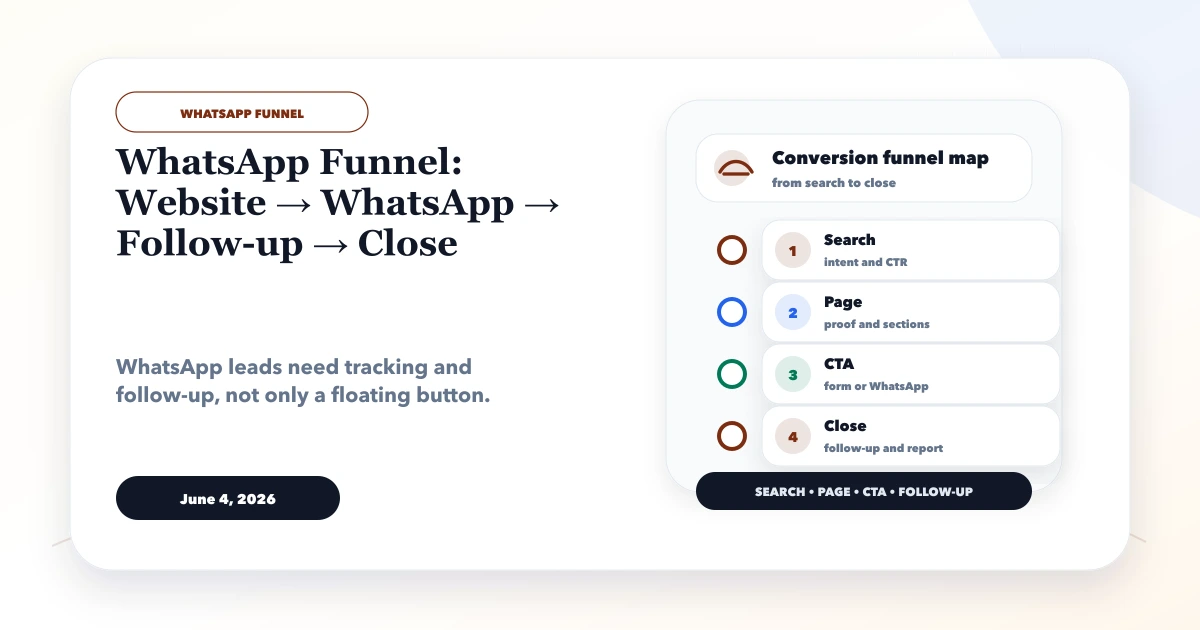
June 4, 2026
WhatsApp funnel guide from website to WhatsApp to follow-up to close, with CTA placement, tracking, CRM handoff, and templates.
Read article