
April 15, 2026
Raj Nagar Extension Website for Society-Area Services
Plan a Raj Nagar Extension service website with society-area coverage, visit eligibility, quote inputs, proof controls, lead routing, and ownership.
Read articlePublished Updated
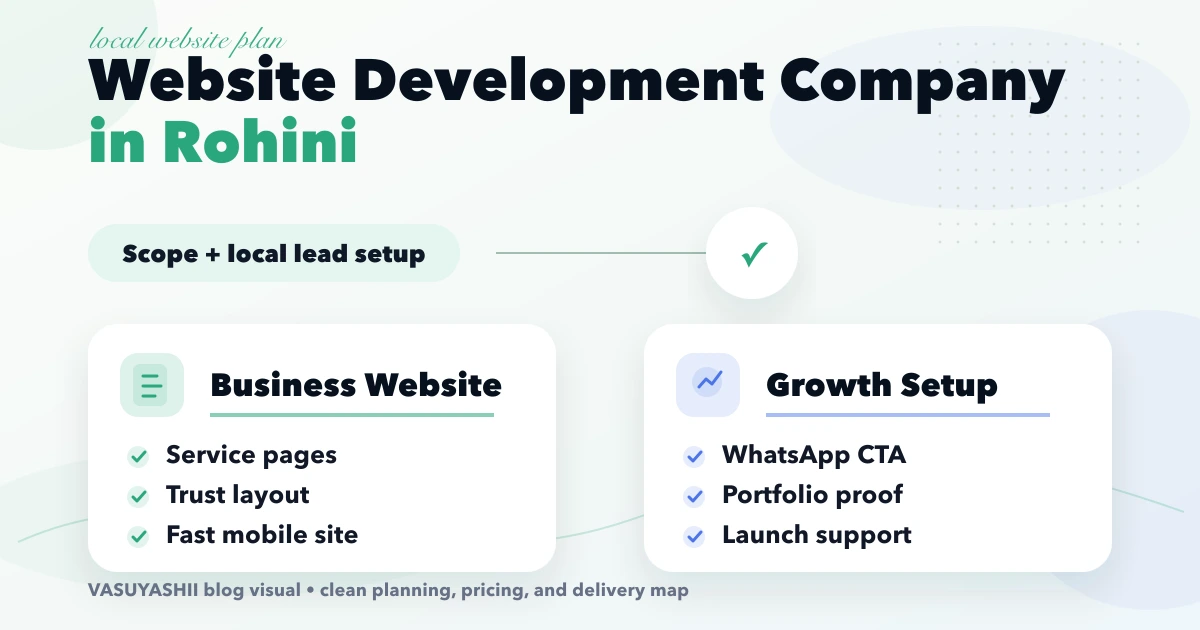
Plan a Rohini website for clinics, institutes, and service teams with clear service routes, enquiry triage, proof governance, tracking, and ownership.
Service-area note: VASUYASHII is based in Delhi NCR and supports businesses remotely across India. A city-focused guide describes service and planning context; it does not claim a physical office in every location mentioned.
Explore the parent topic: Website Development Delhi NCR Hub →A business comparing a website development company in Rohini may offer several services, departments, courses, or practitioners through one brand. The hard part is not placing every offer on a homepage. It is helping a visitor identify the correct route, see relevant evidence, and contact the responsible team without repeated internal forwarding.
This guide is for clinics, institutes, consultants, maintenance providers, professional firms, and other multi-service teams. It explains service architecture, enquiry triage, proof governance, local accuracy, measurement, and handover. It does not claim a VASUYASHII office, customer, or ranking in Rohini.
Written by Tushar C. (Founder, VASUYASHII) using the current VASUYASHII content and lead-flow planning process. Examples are operating models, not claimed local results.
A useful multi-service website needs:
Do not create separate pages only to increase page count. Create them when the visitor problem, delivery process, proof, or next action is genuinely different.
Before writing navigation, create one row per service.
| Service field | Decision |
|---|---|
| Intended customer | Who should use this service? |
| Problem | What situation brings the visitor here? |
| Scope | What is included and excluded? |
| Owner | Which person or team maintains accuracy? |
| Evidence | What can the business substantiate? |
| Primary action | Call, appointment request, quote, or consultation? |
| Routing | Who receives the enquiry and covers absence? |
| Review trigger | What change requires a page update? |
This prevents a marketing page from promising a service that operations no longer provides.
Group offers in language customers understand. Internal department names may not match how people search or decide.
Use broad, stable routes. A service index can then introduce focused pages.
The page should explain suitability, process, inputs, outputs, evidence, cost method, and next step.
Existing customers should not enter the same queue as first-time prospects. Add a labelled support destination when needed.
A single strong service page can explain broad coverage. Add a location page only when availability, team, visit process, or evidence creates unique value.
The service-area page strategy provides a useful evidence gate.
The first contact should collect enough context to route, not enough to deliver the entire service.
| Enquiry type | First-step context | Avoid collecting publicly |
|---|---|---|
| Appointment | Service, preferred day, contact method | Detailed health or identity records |
| Course counselling | Programme, learner level, schedule | Unnecessary personal documents |
| Site visit | Service, area, preferred date | Payment details |
| Professional consultation | Service category, short situation | Confidential files before verification |
| Project quote | Requirement, scale, timeline | Passwords or production access |
Use conditional fields when one form serves several routes. Display a clear success state and expected response process.
A floating button can make contact easy while creating a poor staff workflow. Define:
Do not place names, phone numbers, or message text inside analytics events. Track only safe page and action context. The GA4 lead tracking guide explains the boundary.
One general testimonial is weak evidence for several unrelated services. Match proof to the claim.
| Claim | Better evidence | Unsafe shortcut |
|---|---|---|
| Experienced team | Named role, verifiable profile, process | Generic expert label |
| Successful delivery | Permitted work example with context | Invented client logo |
| Customer satisfaction | Attributable review and source | Rewritten anonymous quote |
| Fast response | Published process the team can meet | Unmeasured “instant” promise |
| Local availability | Genuine service or visit policy | Fictional local office |
Store the permission or source for every review, image, credential, and result. Remove proof when it can no longer be supported.
If the business has a customer-facing Rohini location, maintain its approved name, address, phone, hours, and appointment policy consistently. If it serves Rohini from another base, explain the real service model.
Do not place a borrowed address inside footer or schema. Location text must help the customer decide whether and how the service is available.
Multi-service websites drift quickly. Assign update ownership.
Review after a staff departure, service change, fee change, location update, or integration change. Keep a dated content record.
Booking calendars, customer login, case status, documents, payments, and dashboards require a web application scope with roles, data, security, and support.
List every current service, customer group, enquiry channel, owner, and repeated question.
Choose the services that drive the most important conversations. Defer unapproved or rarely delivered offers.
Test one high-value service route on mobile, including form success and staff receipt.
Create responsive pages, accessible forms, safe validation, metadata, final URLs, and analytics.
Verify content, proof, routes, event tracking, ownership, and documentation.
Use enquiry relevance and search data to refine weak pages. Do not publish new pages solely because a keyword variation exists.
VASUYASHII can build Delhi NCR business websites, custom software, and integrations. We first separate public content, lead routing, and protected operational workflows.
No website can guarantee leads, rankings, or sales. Use contact for a written scope with page, content, routing, ownership, acceptance, and support boundaries.
Only when it has a distinct buyer problem, scope, proof, or conversion route. Consolidate overlapping offers that cannot support unique content.
Yes, if a responsible team can route messages and prefilled context identifies the service. At higher volume, separate queues or CRM integration may help.
Publish only approved, current information relevant to trust and delivery. Establish a removal process for role changes and departures.
No. A locality page must not imply an office. State the genuine location or service-area model and keep public details consistent.
When availability, duration, capacity, confirmation, cancellation, reminders, and ownership are defined. Otherwise use an honest appointment-request flow.
Forms, contact routes, critical service details, hours, access, analytics, backups, and any time-sensitive offer or schedule.
The first month should establish a reliable operating rhythm rather than publish every possible page. In week one, approve the service hierarchy, enquiry owners, evidence register, and one primary conversion path. In week two, complete the homepage and the two services that create the most qualified conversations. Week three should cover proof, FAQs, service-area boundaries, and the contact route. Use week four for mobile checks, form routing, analytics, redirect review, and owner training.
Treat the launch checklist as a business-control document. Record who can update service availability, pricing language, staff profiles, and location claims. Keep a dated copy of approved testimonials and project evidence. If the team changes an offer after launch, update the related page, form options, confirmation message, and follow-up owner together. This prevents a polished site from sending prospects into an outdated sales process.
Build the Rohini website as a service-routing system with verifiable evidence and accountable owners. Clear routes reduce buyer confusion and staff forwarding while preserving a manageable foundation for later software.
Related Articles
April 15, 2026
Plan a Raj Nagar Extension service website with society-area coverage, visit eligibility, quote inputs, proof controls, lead routing, and ownership.
Read article
April 21, 2026
Plan a Connaught Place business website for office visitors, multiple teams, appointments, enquiries, location guidance, analytics, and secure ownership.
Read article
April 21, 2026
Build a Laxmi Nagar website for coaching, professional, and service enquiries with course or service pages, qualification, tracking, and handover.
Read article
April 3, 2026
Plan a Roorkee contractor website with project scope, site-inspection requests, service areas, capability proof, quote forms, and handover checks.
Read article