
May 17, 2026
Audit Logs for Admin Panels: Security Guide
audit logs for admin panels: practical 2026 guide with checklist, cost, roadmap, tools, mistakes, FAQs, and next steps for Indian SMBs today safely today.
Read articlePublished Updated
Secure admin access with MFA, role-based permissions, protected sessions, recovery controls, audit logs, re-authentication and employee offboarding.
An admin login protects the controls that can expose customer data, change prices, issue refunds, alter permissions, export reports, or disrupt an entire business. It therefore needs stronger protection than a normal contact form or customer account.
This guide turns secure admin login best practices into a practical operating model for CRMs, ERPs, SaaS products, ecommerce back offices, and internal dashboards. The goal is not to add a decorative OTP screen. It is to control the complete identity lifecycle: invitation, authentication, authorisation, session use, recovery, monitoring, and offboarding.
A secure admin system should:
Login is only the first gate. Every protected request must also verify session, tenant or company, role, and resource permission.
List what a compromised admin could do:
Then classify actions by impact. A staff user viewing today's orders and an owner changing bank details should not pass through identical controls.
Shared usernames such as admin@company.com create three problems:
Give each team member a named account. Associate it with one or more companies through explicit memberships. Record who invited, approved, suspended, and changed each membership.
For multi-company software, access should be derived from both user identity and active company context. A valid login must not automatically grant access to every tenant.
When passwords are supported:
OWASP's Authentication Cheat Sheet gives current implementation guidance for password handling, authentication responses, automated-attack controls, and re-authentication.
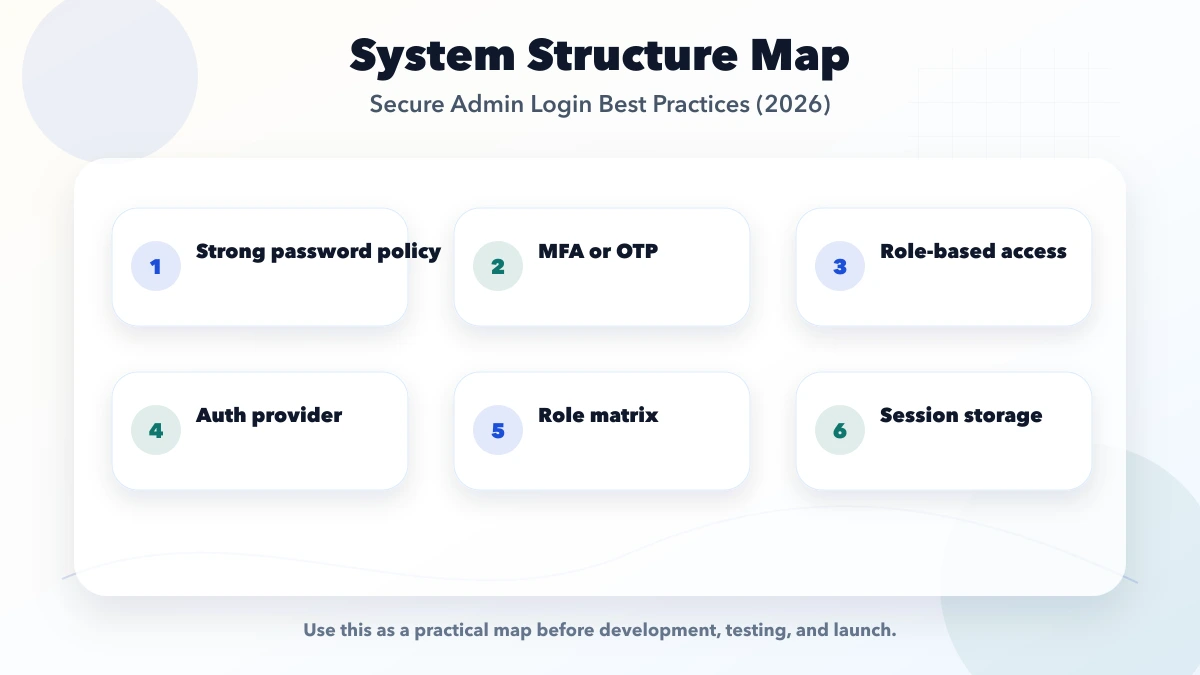
Require MFA for owners, super admins, finance roles, support roles with impersonation, and anyone able to change permissions or security settings.
Prefer phishing-resistant methods such as passkeys/security keys where the users and platform can support them. Authenticator apps are another practical option. SMS OTP may be useful as a limited factor or recovery channel but carries telecom and SIM-swap risk.
Store recovery codes securely and show them only at enrolment. Notify the user when MFA is added, removed, or reset.
For larger clients, an identity provider can centralise employee access and offboarding. SSO does not replace application permissions; it confirms identity, while the app still controls company membership and roles.
Start from no access, then grant named capabilities. Avoid checks such as:
if logged_in:
  allow everything
A useful permission matrix might include:
| Capability | Staff | Manager | Finance | Owner |
|---|---|---|---|---|
| View assigned customers | Yes | Yes | As needed | Yes |
| Edit products | Limited | Yes | No | Yes |
| Record payment | Limited | Yes | Yes | Yes |
| Approve refund | No | Limited | Yes | Yes |
| Export all data | No | Limited | Limited | Yes |
| Manage team | No | No | No | Yes |
| Change bank/security settings | No | No | No | Yes + re-auth |
Enforce permissions in the backend/API. Hiding a button is not authorisation. For detailed design, see role-based access control explained.
After authentication, the session becomes the target. Protect it with:
SameSite policy;OWASP's Session Management Cheat Sheet explains session-ID properties, cookie attributes, expiration, and renewal.
Do not store long-lived administrative tokens in browser storage merely because it is easy. Choose the session design with the application's architecture and threat model.
A valid session may be hours old or used on an unattended device. Require recent authentication or a fresh MFA challenge before:
The action should be authorised again after re-authentication. Do not assume the previous page's check protects the API request.
Password reset and MFA reset are frequently weaker than normal login. Build them as security-sensitive workflows.
Controls can include:
Support should never ask for the current password or OTP. Avoid recovery based only on public information such as company name, GSTIN, or date of birth.
Do not create a shared default password. A safer team invitation flow is:
Expired or withdrawn invitations must stop working. An invitation to one company must not grant access to another.
Employee access should not survive employment.
Create an offboarding action that:
Review privileged membership regularly. Stale accounts, contractors, and old test users are common risk sources.
Record events such as:
Include actor, company, action, target, timestamp, request ID, and result. Protect audit logs from ordinary editing. Do not record passwords, OTPs, session tokens, or full secrets.
See the implementation-focused audit logs for admin panels.
A wholesale business has an owner, accountant, sales staff, and warehouse operator.
This model reduces accidental changes while keeping daily work practical. A custom application can implement the matrix through software development services.
The current VASUYASHII Business Suite scope includes multi-company data separation, company switching, team/member access, and platform usage visibility for the super-admin role. These product boundaries make individual identity and company-scoped permission checks operational requirements, not theoretical additions. Advanced role permissions remain a roadmap area, so this guide is a hardening target rather than a claim that every listed control is already shipped.
Alert only on events that justify attention:
An alert should include a safe investigation link and request ID, not a password, token, or unnecessary customer data.
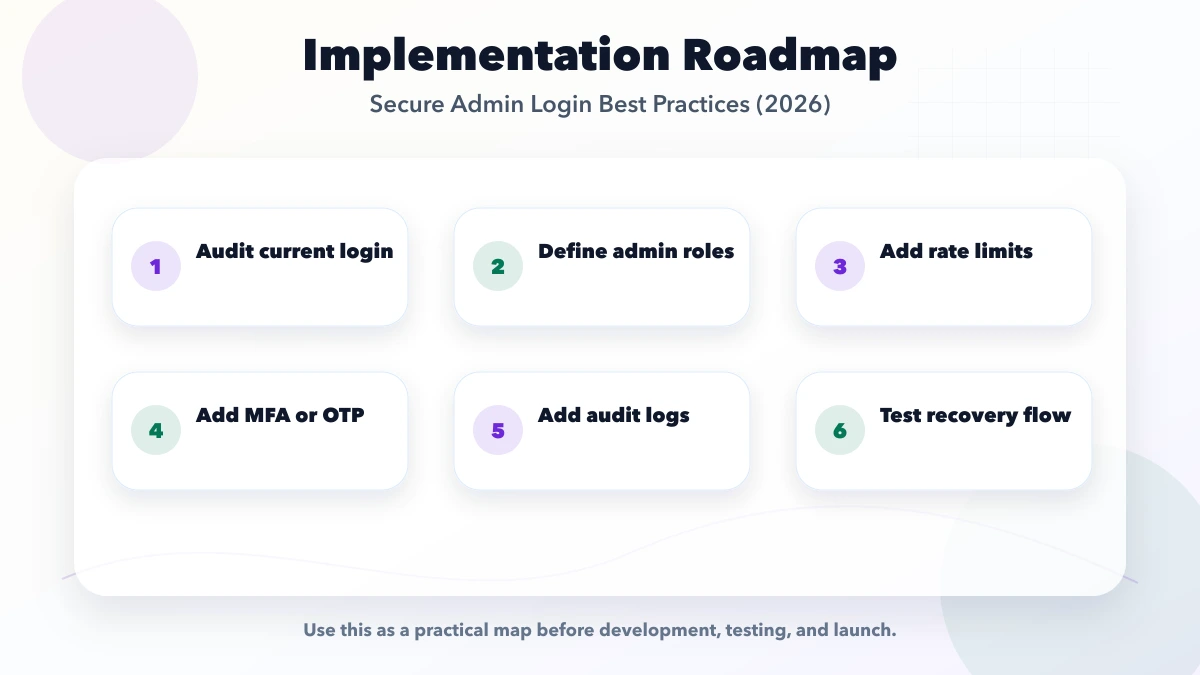
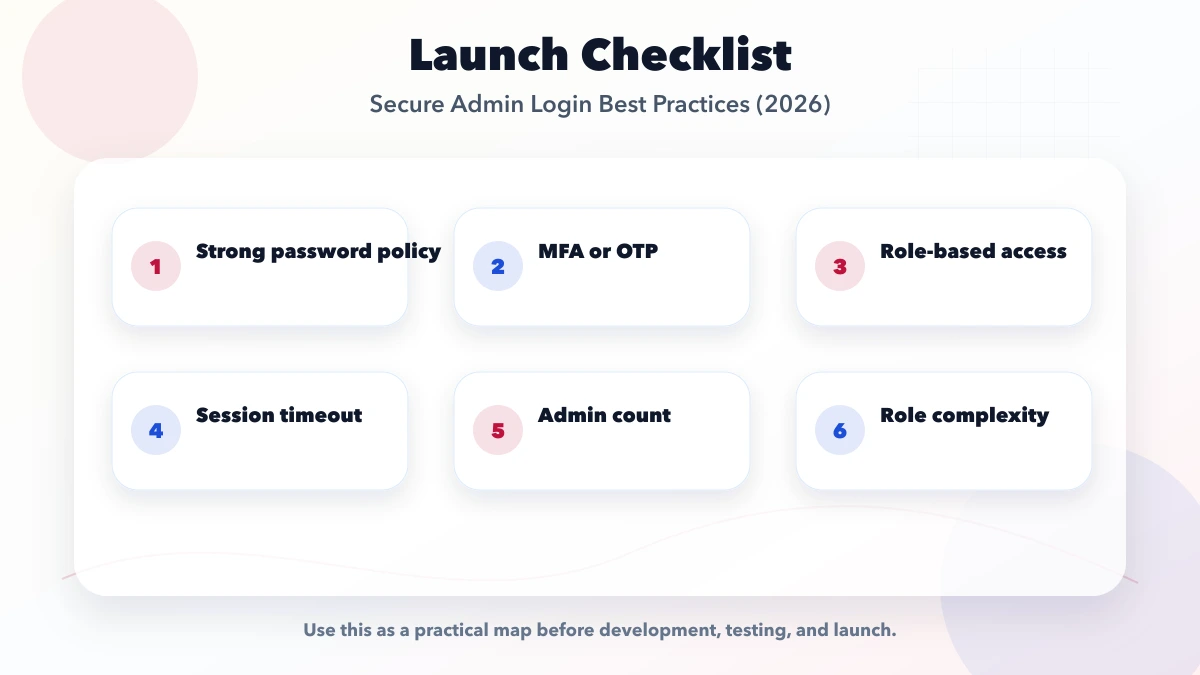
List roles, companies, protected actions, current users, login methods, and recovery channels.
Implement individual accounts, password/passkey policy, MFA, neutral errors, and rate limits.
Create company memberships, backend permission checks, and deny-by-default APIs.
Add rotation, expiry, revocation, re-authentication, reset, and offboarding.
Add audit logs, alerts, security review, and recurring privileged-access review.
This gives daily users unnecessary access and increases the impact of mistakes or compromise.
Users can call the API directly. Every sensitive endpoint must enforce access.
If support can remove MFA without strong verification, MFA protection is largely bypassed.
Old browsers and departed employees remain active. Add visibility, expiry, and revocation.
Deleting can damage ownership and audit history. Suspend memberships and preserve records.
No. Privileged accounts benefit from MFA, rate limits, session controls, re-authentication, permissions, monitoring, and safe recovery.
SMS OTP alone is generally not the strongest choice for privileged access. Use stronger authentication or MFA based on the risk and user environment.
Set idle and absolute expiry according to business risk. Finance and super-admin sessions should normally be stricter than low-risk customer sessions.
Authentication establishes who is signed in. Authorisation decides what that identity may do in the current company and record context.
They can support security investigation, but collect and retain only what is justified, protect access, and document the privacy purpose.
The owner may have broad business authority, but destructive and security-sensitive actions should still require re-authentication, confirmation, and audit logging.
Secure admin access is a lifecycle, not a login component. Individual identity, MFA, least privilege, session controls, re-authentication, recovery, audit evidence, and offboarding must work together.
Begin with the actions that could cause the most business harm, protect them first, and then extend the same model across the admin application. For a scoped security and access review, contact VASUYASHII.
Related Articles
May 17, 2026
audit logs for admin panels: practical 2026 guide with checklist, cost, roadmap, tools, mistakes, FAQs, and next steps for Indian SMBs today safely today.
Read article
May 23, 2026
Design audit logs for business software with actor, action, object, before-and-after values, request IDs, retention, access, export, and privacy controls.
Read article
May 17, 2026
Protect business forms with server validation, abuse controls, rate limits, safe uploads, CSRF defenses, privacy rules, monitoring, and recovery workflows.
Read article
March 23, 2026
See indicative monthly website maintenance costs in India by site type, plus scope, backups, security, support hours, SLA, exclusions and ownership.
Read article