
May 20, 2026
Google Business Profile Optimization for Web Services
Optimize an eligible web-service Google Business Profile with accurate categories, service areas, reviews, photos, landing pages, tracking, and monthly upkeep.
Read articlePublished Updated
Operate a compliant Google Business Profile in Delhi NCR with eligibility checks, accurate details, reviews, website alignment and measurable maintenance.
Service-area note: VASUYASHII is based in Delhi NCR and supports businesses remotely across India. A city-focused guide describes service and planning context; it does not claim a physical office in every location mentioned.
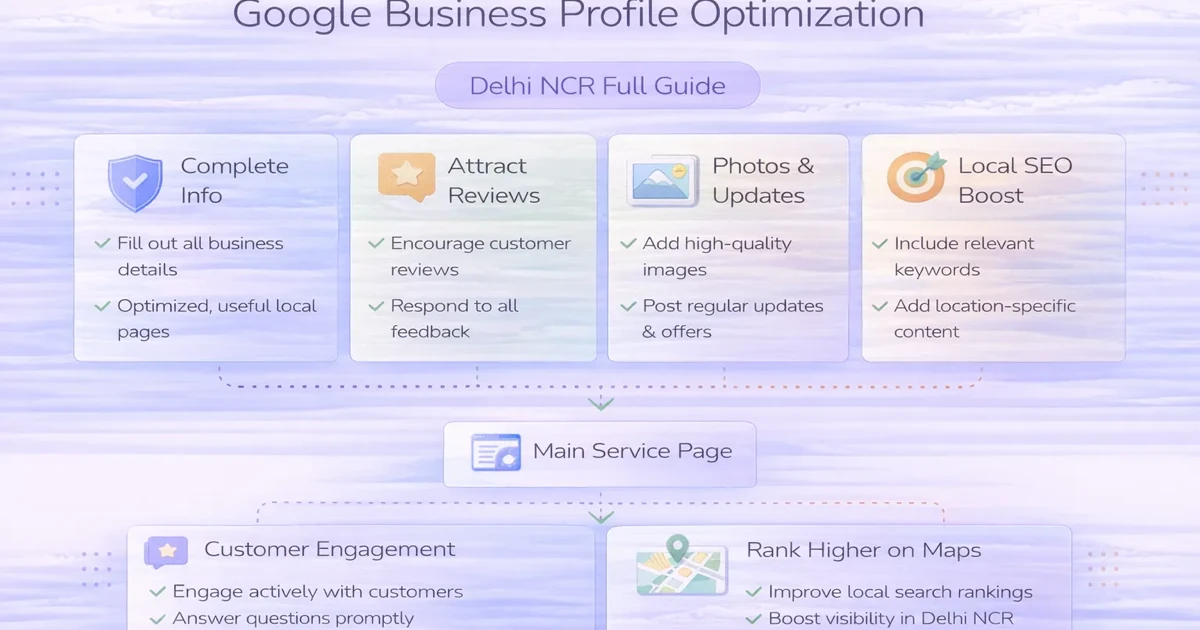
Explore the parent topic: Local SEO for Web Development Companies →Google Business Profile optimization starts with eligibility and accurate business identity. It does not start with adding keywords to every field.
For an eligible Delhi NCR business, the profile can help potential customers check services, hours, contact details, photos and reviews before they call or visit. But the profile remains trustworthy only when its details match the real business and its website.
This guide treats the profile as an operating asset. It covers ownership, eligibility, categories, service areas, reviews, landing pages, measurement and maintenance. It does not promise a ranking position or recommend fake offices, review manipulation or name stuffing.
Use this order:
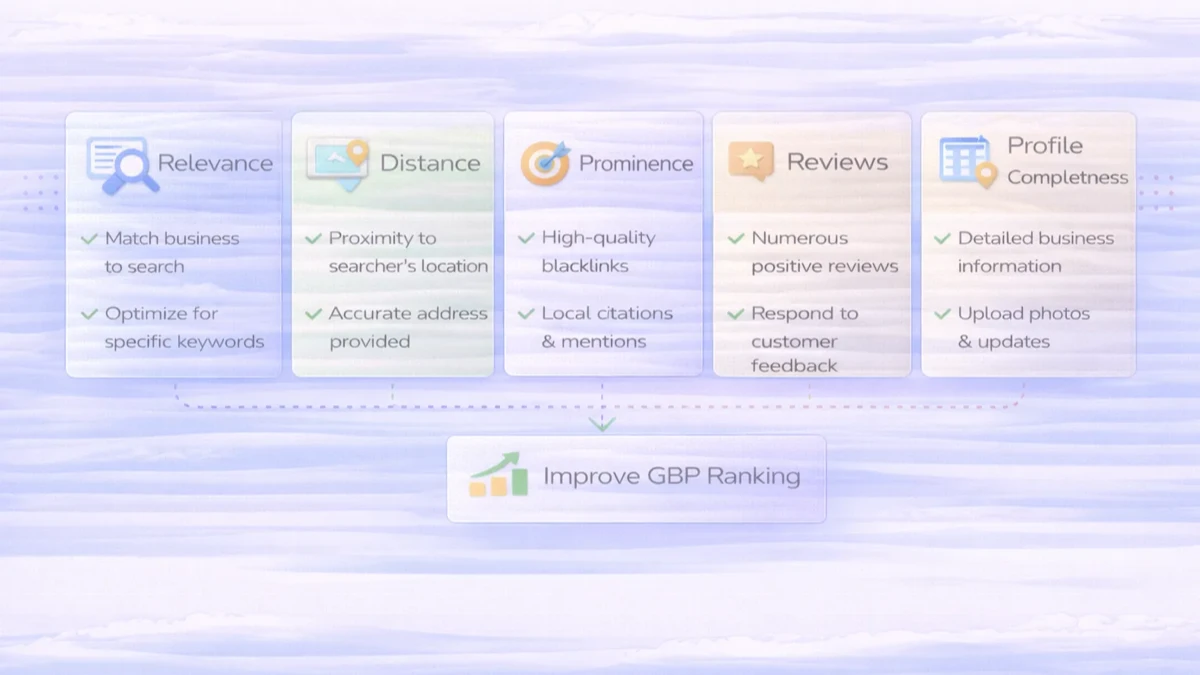
Google explains local results through relevance, distance and prominence in its local ranking guidance. A business can improve accuracy and usefulness, but it cannot guarantee distance or a particular position.
Google's Business Profile eligibility guidance should be the first checkpoint.
An eligible business generally makes in-person contact with customers during stated hours. Common operating models include:
An online-only brand without in-person customer contact may not qualify. A virtual office, mailbox or location without real operating presence should not be used to manufacture local eligibility.
Document:
If eligibility is uncertain, resolve it before publishing citations or location pages that repeat questionable data.
The profile should be owned by the business, not permanently controlled by an employee, freelancer or agency.
Use:
Avoid shared passwords. Access problems can block edits and make recovery harder during an urgent update or suspension.
Create a master record before editing the profile.
| Field | Master-record rule | Typical conflict |
|---|---|---|
| Business name | real-world customer-facing name | added keywords or city names |
| Address | exact operational address, if shown | old suite, virtual office or formatting drift |
| Phone | stable number answered by the business | tracking number replaces the core record everywhere |
| Website | final canonical HTTPS URL | old domain, redirect or generic homepage |
| Hours | actual customer-facing hours | outdated regular or holiday hours |
| Categories | closest available business description | broad categories added only for reach |
| Service area | places genuinely served | unrealistic city or state coverage |
Google's business representation guidelines require the profile to represent the business as it exists in the real world.
Use the NAP consistency guide to control the same identity across the website and important citations.
The primary category should describe the main business, not every service it could offer.
Use this selection process:
Do not change categories weekly to chase fluctuations. Record the change date and reason so later performance can be interpreted.
The operating model determines the setup.
Use a real staffed location where customers can visit during stated hours. Keep signage, website and profile details aligned.
Use the service-area configuration when the business travels to customers and does not receive them at its address. Do not show a residential or administrative address merely to appear local.
Use a hybrid setup only when customers can genuinely visit the staffed location and the business also travels to customers.
Adding many Delhi NCR areas does not create proximity. Use realistic coverage that the team can actually service.
The website should explain this boundary clearly. The Delhi NCR service-area page strategy shows how to represent coverage without creating fake offices or copied pages.
The profile's website link should send users to the most useful valid page.
For a single-location business, the homepage may be suitable. For a genuine location with a dedicated page, that page may be better if it includes:
Avoid a redirecting, unrelated or thin destination. Add UTM parameters only when they do not interfere with canonical handling.
Example:
?utm_source=google&utm_medium=organic&utm_campaign=gbpUse a stable naming convention across analytics reports.
Profile text should help a customer understand the business.
Review:
Avoid unsupported superlatives and repetitive city keywords. Write for the customer deciding whether the business fits.
Use photos that reduce uncertainty:
Do not upload stock photos as proof of a location or completed work. Keep customer data, screens and documents private.
Google's review guidance allows businesses to share a review request link or QR code, but reviews should reflect genuine experiences.
A practical process:
Use the safe Google review guide for request wording and process controls.
Review responses should acknowledge the experience without exposing order details, personal data or confidential project information.
Major edits can affect verification or trust. Use a change log:
Update the profile promptly after:
Then update the master record, website and high-priority citations. The Delhi NCR citation guide explains how to prioritize those sources instead of submitting everywhere.
Profile visibility is not the final business result.
Track:
Keep analytics privacy-safe. Do not send names, phone numbers or message content into GA4 event parameters.
Compare periods after accounting for seasonality, profile changes and website changes. A ranking screenshot from one location and one device is not a complete measurement system.
| Frequency | Tasks |
|---|---|
| Weekly | check urgent edits, new reviews, messages and customer-facing accuracy |
| Monthly | verify hours, services, links, photos, UTM reporting and enquiry quality |
| Quarterly | audit categories, ownership, citations, landing pages and service-area boundaries |
| Event-driven | update immediately after relocation, rebrand, phone, hours or operating-model change |
Assign an owner. A profile without operational ownership becomes inaccurate even when its initial setup was correct.
Common risks include:
If a profile is restricted, preserve evidence, review the official notice and follow Google's appeal process. Do not create replacement profiles as a shortcut.
Current VASUYASHII website work includes service pages, a canonical domain, local SEO guides, event tracking and content architecture. These are relevant supporting systems for a Business Profile landing page.
However, this article does not claim that VASUYASHII currently has:
Current VASUYASHII guidance is therefore process-led: verify eligibility, use accurate business data, align the website and measure enquiries without manufacturing proof.
Eligibility depends on real in-person contact with customers under Google's current rules. Review the official eligibility guidance before creating a profile.
It does not overcome distance and should not be treated as a ranking control. Add only areas the business genuinely serves.
Use the real-world business name. Adding services or cities that are not part of the name can violate representation rules.
Do not use a virtual office to imply a staffed location. A listed address must meet Google's applicable requirements.
Ask real customers for honest feedback using a neutral request. Do not incentivize reviews, require positive wording or selectively suppress negative experiences.
Use the page that best represents the real business or location and resolves directly to a final canonical URL. It should match profile details and offer a clear contact path.
Check customer-facing activity weekly, core information monthly and ownership, categories, citations and landing pages quarterly. Update operational changes immediately.
Start with eligibility and a master business record. Once those are correct, update the profile, align the website and citations, and test the enquiry path. For website or tracking implementation, review VASUYASHII integration services or contact VASUYASHII.
Related Articles
May 20, 2026
Optimize an eligible web-service Google Business Profile with accurate categories, service areas, reviews, photos, landing pages, tracking, and monthly upkeep.
Read article
March 28, 2026
Local SEO for service businesses in Delhi NCR: step-by-step process, pricing, tools, and how to rank for city-based searches in 2026.
Read article
May 12, 2026
Plan Delhi NCR service-area pages with evidence gates, parent hubs, consolidation rules, internal links and measurement without creating doorway pages.
Read article
May 9, 2026
website development company near me Delhi NCR: pricing, checklist, FAQs, trust signals, and practical SEO steps for Indian SMB owners.
Read article