
May 27, 2026
API Integration Services: CRM, ERP, WhatsApp, Payments
Plan CRM, ERP, WhatsApp and payment API integrations with clear data ownership, webhooks, retries, security, monitoring, cost and rollout guidance.
Read articlePublished Updated
Design customer database software with clean identities, useful segments, consent controls, campaign records, exports, and measurable follow-up workflows.
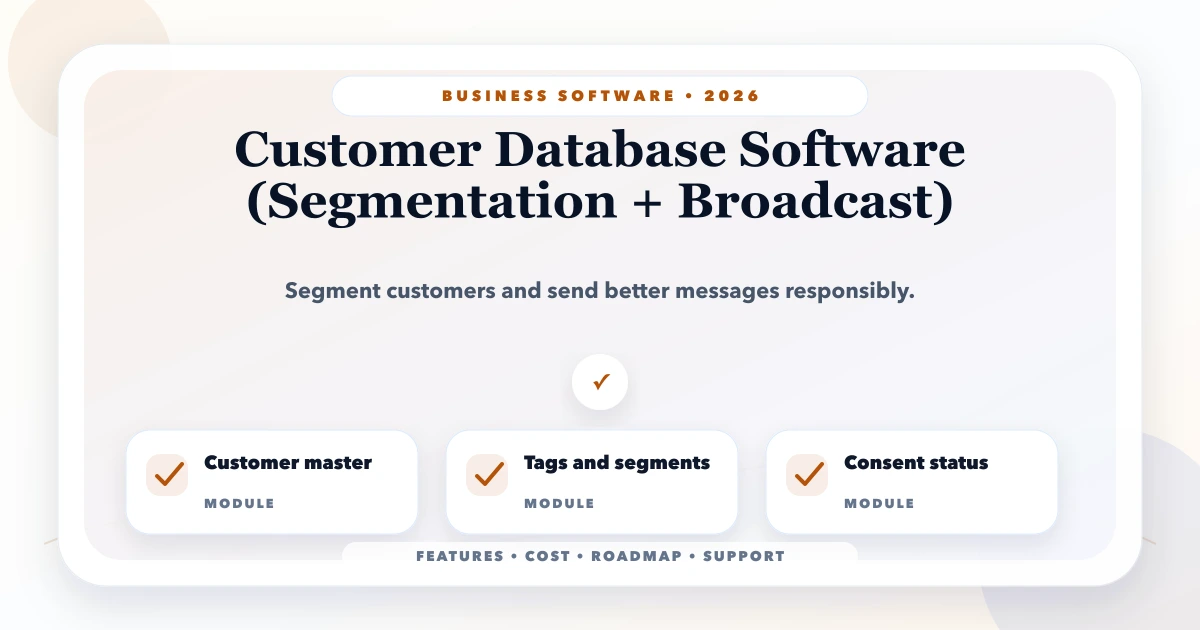
Customer database software should create one dependable view of a person or business and make that record useful for service, sales, and permitted communication. It should not become a dumping ground for every phone number collected from invoices, forms, exhibitions, and spreadsheets.
Segmentation and broadcast features are valuable only after identity, source, consent, ownership, and data quality are controlled. Otherwise the business sends duplicate or irrelevant messages, cannot explain where contacts came from, and measures delivery instead of commercial outcomes.
The system is easier to reason about when it separates:
A contact can belong to several useful segments while still being ineligible for a promotional broadcast. Do not treat segment membership as permission.
Indian SMEs often receive the same customer through a website form, an invoice, an exhibition list, and an employee's phone. Exact phone matching helps but is not enough. Country code formatting, shared family numbers, company switchboards, spelling variations, and changed emails create ambiguity.
Use an internal customer ID and a reviewable matching process:
| Signal | Suggested treatment | Risk |
|---|---|---|
| Exact verified email | Strong match candidate | Shared business inbox |
| Normalised phone | Strong match candidate | Family or team-shared number |
| GSTIN | Strong organisation match | Multiple contacts per business |
| Name + city | Weak match candidate | Common names and spelling variants |
| Import source ID | Preserve as external reference | Source may contain duplicates |
Potential duplicates should enter a merge queue. A merge must preserve source references, activity history, communication preferences, and an audit event. It should not simply delete the less complete row.
Keep the master compact and purposeful. Useful groups include:
Avoid asking staff to complete 40 fields during every enquiry. Define the minimum for creation, then enrich at meaningful workflow steps. A field with no decision, filter, or report attached becomes maintenance debt.
Static lists are manually curated for a specific purpose, such as attendees from an approved event. They are easy to understand but become stale. Record creator, purpose, creation date, and expiry or review date.
Dynamic segments recalculate from rules: active wholesalers in Delhi NCR, customers who bought a category in the last 90 days, or leads assigned to a team with no follow-up this week. Show the rule visibly so users understand why a record is included.
Event-based audiences react to behaviour, such as payment received, trial ending, quote not answered, or service due. These require reliable source events and idempotent processing so one event does not trigger duplicate communication.
Use exclusions as carefully as inclusions. A campaign may target active customers but exclude open complaints, recent purchasers, unsubscribed contacts, test records, or accounts owned by another branch.
A professional broadcast is an approval workflow, not one large send button.
Never expose provider credentials in the browser. Validate webhooks, handle retries, and make send operations idempotent. The webhook integration guide explains why duplicate and out-of-order events must be expected.
The software should support the communication policy approved by the business and its advisers. Store channel, purpose, status, source, time, and evidence reference where applicable. A customer who wants invoice updates may not want promotional campaigns. An opt-out should suppress future sends for the relevant purpose without deleting the customer record.
Do not infer permission merely from a purchase or phone number. Review applicable Indian privacy, telecom, messaging-platform, and industry obligations with qualified professionals. Product controls help implement policy; they do not replace legal assessment.
Every import should support field mapping, validation preview, duplicate strategy, error download, dry run, batch ID, and rollback or controlled correction. Record the source file, uploader, and timestamp. Reject rows with ambiguous required fields instead of silently shifting columns.
For a distributor importing 30,000 contacts from billing and enquiry files, test a 100-row representative sample first. Include Unicode names, missing state, duplicate GSTIN, invalid phone formats, and multiple contacts for one company. The safe data migration guide provides a broader migration sequence.
| Role | Useful access | Restriction |
|---|---|---|
| Sales user | Assigned contacts and follow-ups | No bulk export |
| Marketing operator | Approved fields and segments | No financial details |
| Branch manager | Branch audience and results | No other branch by default |
| Compliance/admin | Preference and audit review | Separate campaign approval |
| Owner | Aggregate performance | Sensitive downloads logged |
Backend APIs must enforce company and branch filters. Mask fields where full values are not needed. Exports need the same access checks as screens and should record user, filters, row count, and time.
Delivery and open data are operational signals, not final business results. Track:
Document attribution rules. If a customer receives two campaigns and later calls, the system should not quietly credit both.
Create customer IDs, sources, duplicate review, ownership, branch scope, fast search, and basic history. Import only clean, authorised data.
Add saved rules, exclusions, lifecycle stages, follow-up queues, and permission-controlled exports. Users should validate sample segment membership.
Integrate one channel, approved templates, test sends, queueing, delivery status, opt-out handling, and campaign audit. Use the integrations and automation service when provider APIs are part of scope.
Connect responses to CRM actions or orders, add comparison reports, and retire segments that do not support a real decision.
An established CRM may be enough when contact fields, segmentation, and campaign integrations are standard. Custom web application development becomes relevant when the business needs unusual source reconciliation, branch restrictions, approval rules, product-specific events, or a focused operator interface.
Do not build a custom database only to recreate generic email marketing. Map the differentiating workflow first.
Project cost depends on record volume, number and cleanliness of sources, duplicate resolution, branch/company scope, roles, segmentation logic, provider integrations, messaging volume, reporting, migration, and support. Recurring costs may include hosting, message providers, monitoring, backups, and data enrichment.
Ask for separate estimates for discovery, import tooling, core database, permissions, communication integration, QA, deployment, and operations. Confirm who owns templates, sender accounts, domains, and provider access after handover.
VASUYASHII would start with a source inventory and a redacted sample from each system, then prove identity and segment rules before connecting a broadcast provider. This describes our implementation approach, not a claim about a particular campaign result. Review the CRM and custom software service or contact us for a focused scope.
The database manages identity, attributes, permissions, and history. CRM adds lead, opportunity, task, and relationship workflows. Many products combine both, but the boundaries should remain understandable.
It depends on the decision. A payment reminder audience may need event-driven updates; a quarterly product-interest list may refresh daily. Show the last calculation time.
Yes. Model the organisation and people separately when B2B accounts have owners, buyers, accounts staff, and delivery contacts. Do not force all details into one row.
Not automatically. Define retention, legal, contractual, and suppression needs with advisers. Archive or restrict records according to approved policy and retain necessary audit evidence.
It can be integrated when the business has the appropriate provider setup, templates, recipient policy, webhook handling, and support process. Provider approval and delivery are not guaranteed by the software vendor.
Data quality, eligible audience, delivery failures, replies, assigned actions, and one agreed conversion event. These expose whether the workflow works before advanced attribution is added.
Choose one permitted communication use case and trace ten sample contacts from source to segment, send eligibility, delivery, response, and final business action. That test reveals most data and workflow gaps before development begins. Contact VASUYASHII to review the flow.
Related Articles
May 27, 2026
Plan CRM, ERP, WhatsApp and payment API integrations with clear data ownership, webhooks, retries, security, monitoring, cost and rollout guidance.
Read article
May 25, 2026
Design an automated follow-up reminder system with clear triggers, ownership, outcomes, escalation, WhatsApp controls, metrics, and audit history.
Read article
May 24, 2026
Plan client management software for credit limits, payment history, follow-ups, statements, permissions, and collection control in Indian SMEs.
Read article
May 20, 2026
Design website CTAs for Indian businesses using buyer intent, action clarity, WhatsApp, calls, forms, placement, proof, mobile UX, tracking, and lead routing.
Read article