
May 22, 2026
SME Business Process Automation: Examples and Cost
Plan SME process automation with sales, purchase, inventory, support, reporting, and payment examples, cost drivers, controls, and rollout steps.
Read articlePublished Updated
Estimate automation system cost for workflows and integrations using triggers, APIs, webhooks, retries, approvals, logs, fallbacks, and phased rollout.
By Tushar C., Founder of VASUYASHII Published: May 28, 2026 | Reviewed: August 3, 2026
Automation system cost is driven by exception handling, not only the happy path. Moving one form submission into a sheet can be simple. Coordinating a CRM, payment gateway, WhatsApp notification, order system, approvals, retries, audit history, and manual fallback is a production workflow that needs ownership and monitoring.
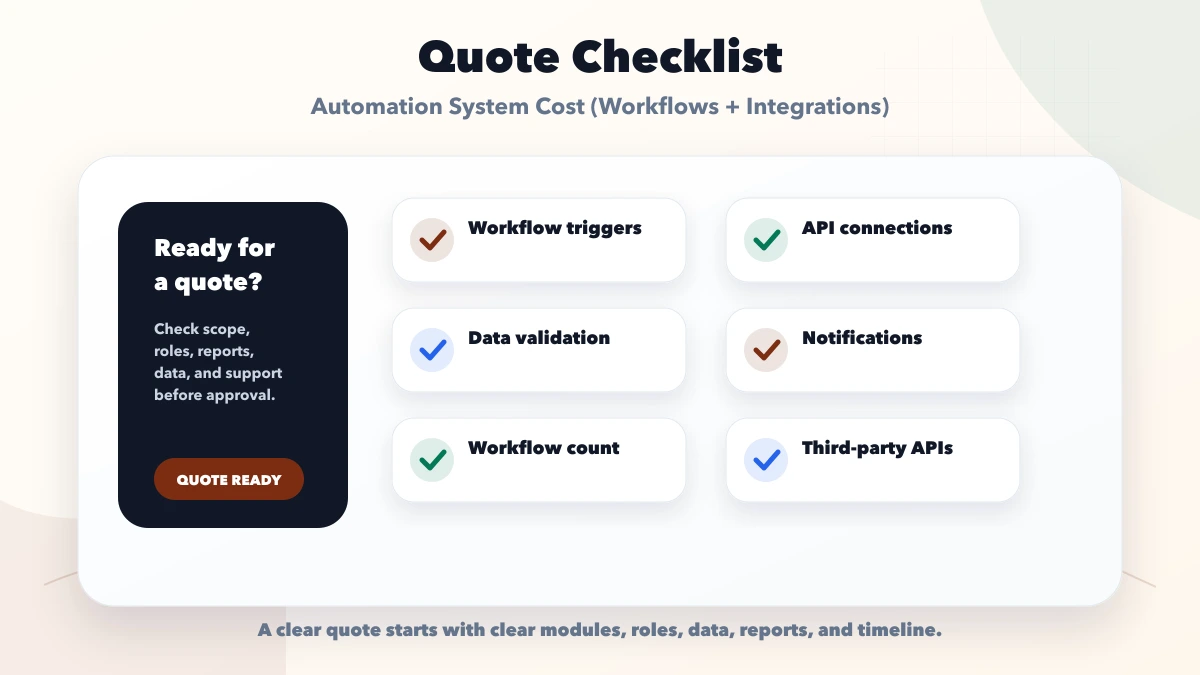
Estimate an automation by counting triggers, systems, actions, decision rules, failure modes, volumes, and support requirements. Do not estimate only the number of screens.
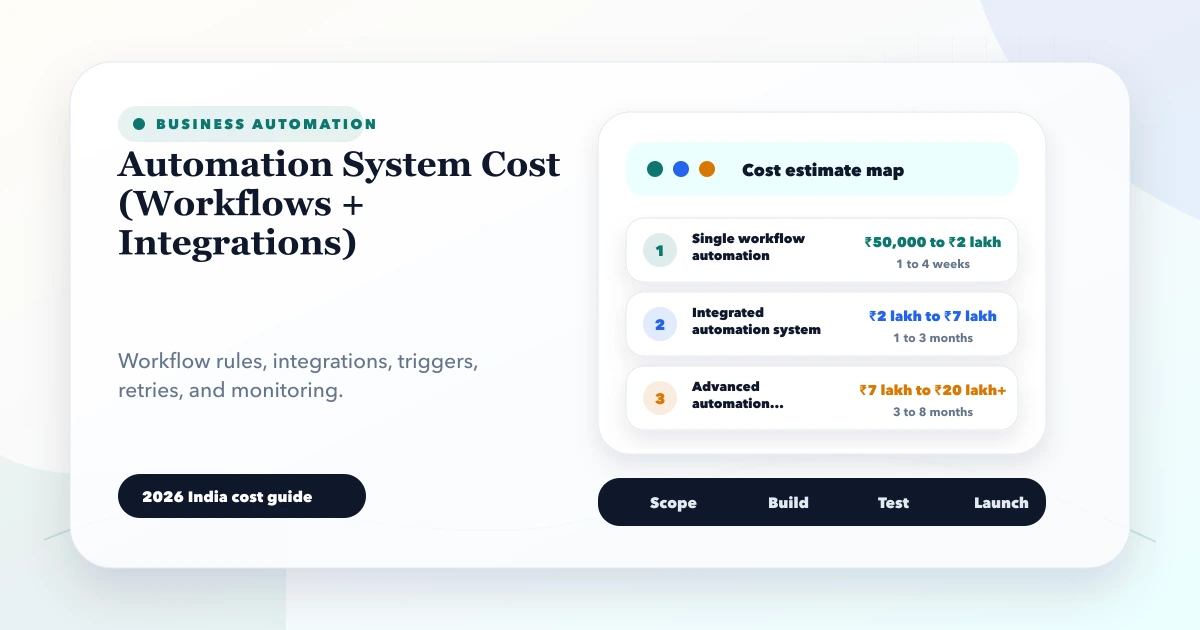
These are 2026 India planning ranges for scoped implementation, not fixed quotations. Provider subscriptions, message fees, payment charges, cloud usage, taxes, and ongoing support may be separate.
| Scope | Typical planning range | Example |
|---|---|---|
| Single low-risk workflow | ₹25,000-₹75,000 | Form to sheet plus confirmation and alert |
| Multi-step business workflow | ₹75,000-₹2 lakh | Lead routing, owner task, reminder, status update |
| Multi-system integration | ₹1.5-₹4 lakh | CRM, payment, order, messaging, reports |
| Operations automation platform | ₹4-₹10 lakh+ | Many workflows, approvals, queues, audit, admin and monitoring |
The lowest quote may automate only the visible success path. Ask what happens when the API is unavailable, the same event arrives twice, data is invalid, credentials expire, a quota is reached, or a user needs to correct the transaction.
Write each automation in this form:
Trigger -> validate -> identify -> decide -> act -> confirm -> record -> notify -> recover
Example payment-to-order workflow:
Razorpay explains that webhooks are asynchronous server notifications and recommends API verification for critical user-facing confirmation when needed. Review the current Razorpay webhook guidance instead of relying on a browser success screen.
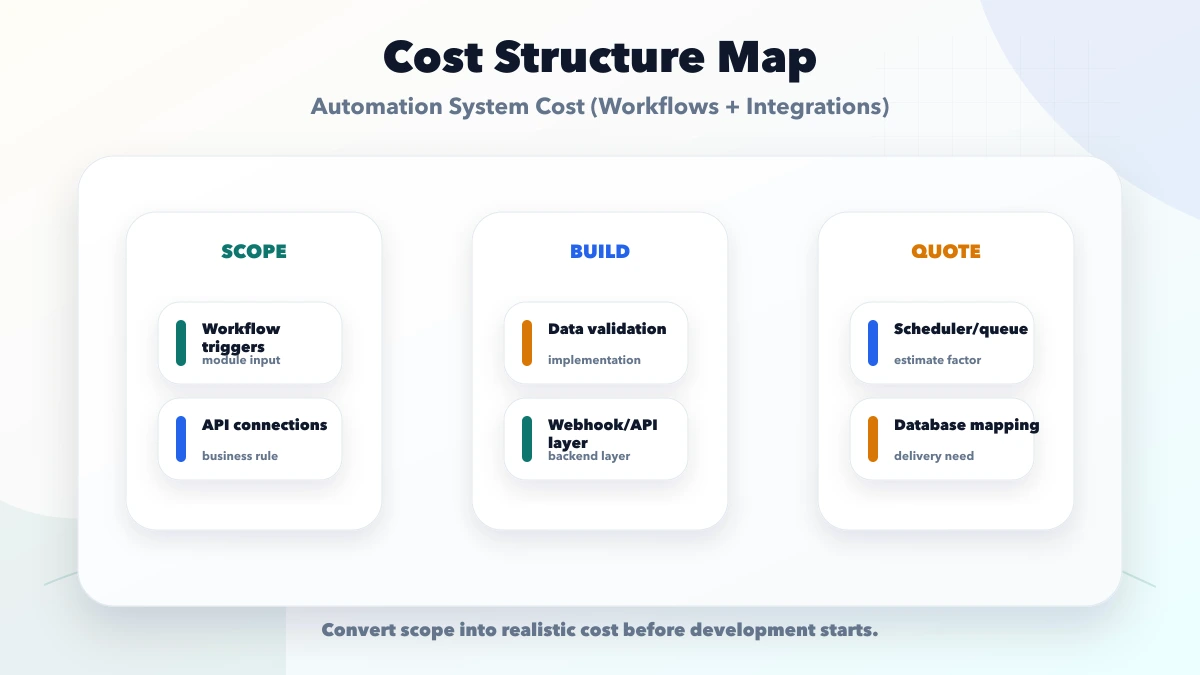
An official documented API with stable authentication is cheaper to integrate than a manual portal or changing spreadsheet. For every system, record:
Avoid screen-scraping business-critical portals unless the provider authorises and supports it. An integration built against an undocumented interface can fail without notice.
Scheduled daily reporting, near-real-time payment confirmation, and bulk migration have different designs.
| Trigger type | Design question |
|---|---|
| User action | Can the user safely retry? |
| Webhook | How are signatures, duplicates, ordering, and retries handled? |
| Scheduled job | What prevents overlap and how is a missed run recovered? |
| Data change | Is the event complete and is recursion possible? |
| File upload | How are invalid rows, partial success, and reprocessing shown? |
| Manual approval | Who can approve and what expires? |
Volume affects queueing, quotas, cost, database writes, and monitoring. Measure peak events per minute, average daily volume, payload size, and acceptable delay.
Google Apps Script can be appropriate for a small workflow, but its services have quotas and execution limits that can stop a script when exceeded. Check the current official Apps Script quotas before choosing it for a critical or high-volume process.
Automations fail when systems disagree about identity. Decide whether records match by internal ID, payment/order ID, email, phone, GSTIN, SKU, or another stable key.
Do not use a person's name as a unique identifier. Do not rely on phone formatting without normalisation. Store external IDs beside internal IDs and make the matching decision visible for correction.
For an unmatched event, route it to review. Automatically creating a new customer, order, or product can produce duplicates and financial errors.
Providers may retry events. Networks may deliver events late or out of order. The system must recognise the same logical request.
Use:
An order.paid event processed twice should not create two invoices or two dispatches. A refund event should not be applied before the corresponding payment exists without entering a recoverable pending state.
Some decisions should remain human: unusually large refunds, discount exceptions, supplier changes, ambiguous record matches, or failed compliance checks.
Define:
Automation should reduce repetitive work without hiding material decisions.
Separate operational events from messages. The system may complete an order even if a WhatsApp notification fails. Store message status separately and provide a resend path.
For each channel, define consent, template ownership, recipient, language, quiet hours, provider fee, delivery status, and fallback. Do not include unnecessary personal or financial data in notifications.
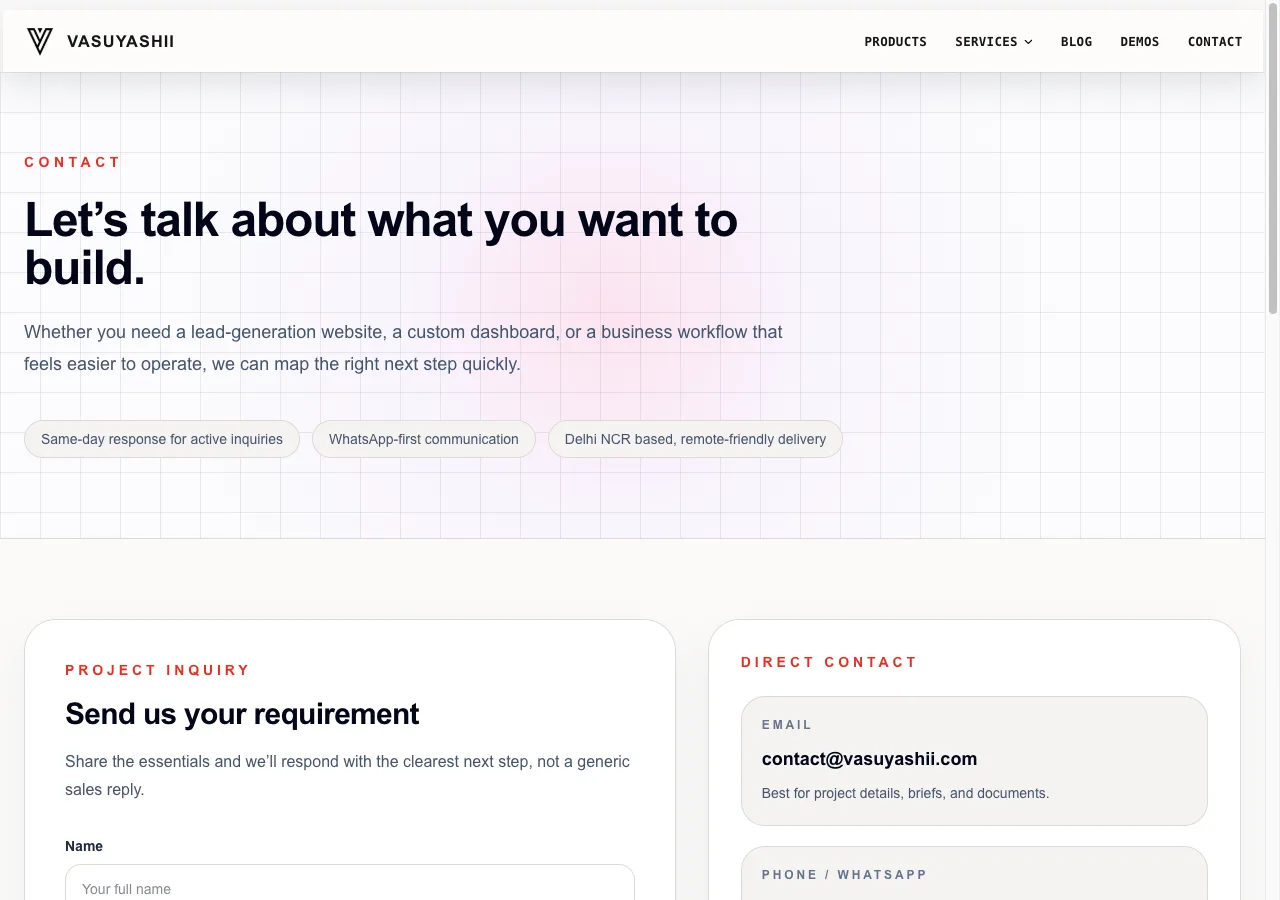
VASUYASHII's current website enquiry form sends a structured service context into the lead flow and only shows success after a readable confirmed response. The screenshot below is first-party evidence of the visible contact workflow. It does not prove a general-purpose automation platform or a customer performance result.
For broader implementation capabilities, review integration and automation services and API integration services.
A production automation usually needs:
The exact stack can be lightweight, but the responsibilities remain. A spreadsheet alone is not a queue when concurrent edits, retries, and partial failures matter.
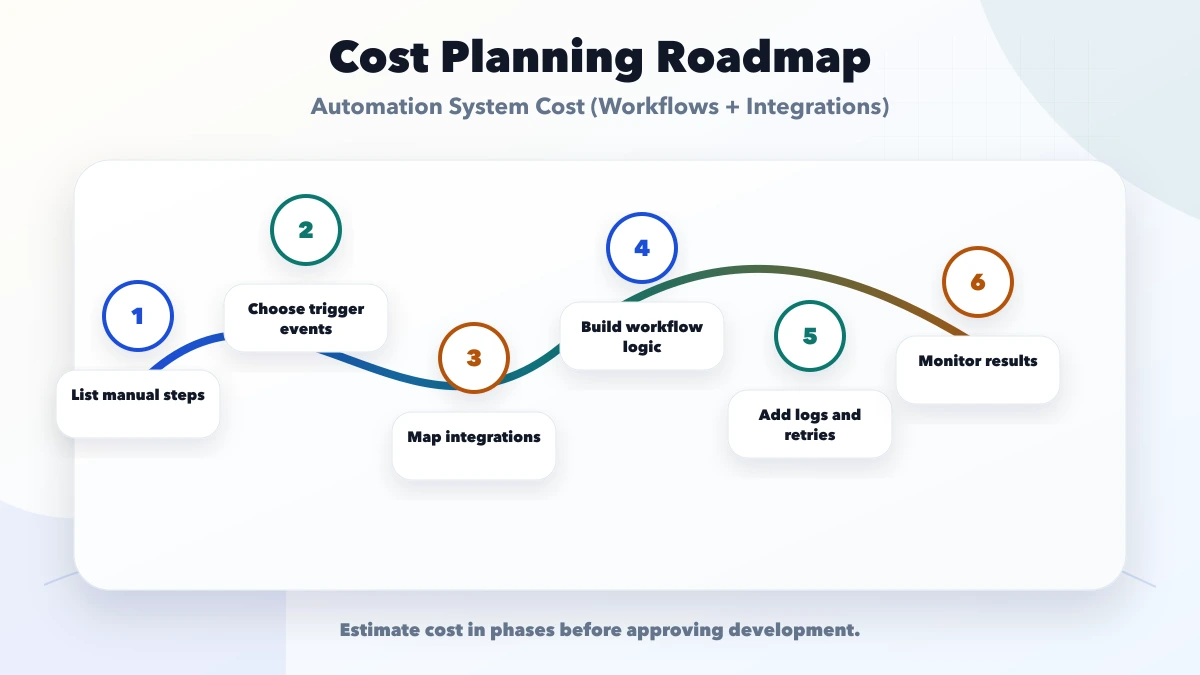
Choose a repetitive process with a clear owner and low-risk fallback. Record baseline volume, time, error, and handoff delay before automation.
Add validation, idempotency, retries, review queue, logs, alerts, and reconciliation. Test provider outages and bad input.
Add more systems only after ownership and source-of-truth rules are stable.
Use measured bottlenecks to improve batching, routing, approvals, and reporting. Remove automations that no longer serve a business outcome.
Use a conservative calculation:
Monthly value = time saved + avoidable error cost + faster cash/response value - recurring tool and support cost
Document assumptions:
Do not claim savings before measuring the baseline. A workflow that saves five minutes but creates frequent review work may not produce net value.
Automating an undefined process: The automation makes inconsistent decisions faster.
No event ID: Retries create duplicate invoices, messages, or orders.
Treating a message as transaction proof: Delivery notification and business state are different records.
Ignoring provider limits: A workflow stops at peak volume or after a daily quota.
No manual queue: Staff cannot correct unmatched or rejected events.
No owner after launch: Credentials expire and alerts remain unread.
These ranges do not include every provider licence, message, payment, map, hosting, tax, data migration, or support cost. Financial, healthcare, government, or regulated workflows may need specialist security, compliance, and audit controls. Confirm current provider documentation and professional obligations for the real use case.
A single, measurable, low-risk workflow using reliable APIs or a controlled script can be inexpensive. It still needs validation, duplicate prevention, error visibility, and an owner.
It can be, when volume, security, retries, observability, provider limits, and support match the risk. The tool category does not remove operational responsibility.
Webhooks notify a system when an event occurs and can reduce repeated API calls. They still need signature validation, idempotency, retries, and reconciliation.
No. Temporary provider errors may retry. Invalid business data, rejected approvals, or ambiguous matches usually require correction or review.
Start with one or two connected workflows that have clear owners, measurable volume, and recoverable failure paths. Scale after monitoring real operation.
Keep material judgement, unusual exceptions, sensitive approvals, and ambiguous matches human until rules and evidence support safe automation.
Write one workflow as trigger, inputs, decisions, actions, exceptions, owner, and success metric. Use the requirement template, then request a focused automation scope review.
Related Articles
May 22, 2026
Plan SME process automation with sales, purchase, inventory, support, reporting, and payment examples, cost drivers, controls, and rollout steps.
Read article
May 30, 2026
Plan Delhi NCR business automation with workflow discovery, integrations, controls, pricing bands, vendor checks and measurable implementation stages.
Read article
April 1, 2026
Lead management system for SMEs: features, cost, timeline, and what a practical LMS should include for sales teams in 2026.
Read article
March 25, 2026
Discover business automation services in 2026: workflow mapping, approvals, notifications, integrations, and practical use cases that save time daily.
Read article