
March 23, 2026
Meerut Website Development for Dealer Enquiries
Plan a Meerut manufacturer or distributor website with product families, dealer qualification, RFQs, service coverage, evidence, tracking, and ownership.
Read articlePublished Updated
A Meerut website migration guide for established businesses: audit old URLs, protect search value, improve lead flow, and plan a safer rebuild.
Service-area note: VASUYASHII is based in Delhi NCR and supports businesses remotely across India. A city-focused guide describes service and planning context; it does not claim a physical office in every location mentioned.
Explore the parent topic: Website Development Delhi NCR Hub →A business searching for a website development company in Meerut may already have a website that is outdated but still valuable. Old service pages may receive search impressions, brochures may point to specific URLs, and customers may recognise the domain. Replacing everything without an inventory can destroy useful signals.
This guide is specifically for established Meerut businesses planning a website migration or structured rebuild. It does not repeat a generic package list. It explains how to decide what to keep, what to rewrite, what to redirect, and how to launch without losing the enquiry paths that already work.
Before discussing colours or templates, collect:
This inventory separates migration from simple redesign. If no useful content or search signal exists, a cleaner rebuild may be appropriate. If the old site has value, every URL needs a deliberate decision.
Use four labels for each old page.
| Decision | When to use it | Launch action |
|---|---|---|
| Keep | URL and purpose are still correct | Improve content without changing the address |
| Improve | Topic is useful but page is weak | Rewrite around current buyer questions |
| Merge | Several pages answer the same intent | Consolidate into one stronger destination |
| Redirect | Page is obsolete but has signals | Send it once to the closest relevant page |
Do not redirect every deleted page to the homepage. A service page should redirect to its replacement service page. A discontinued product may redirect to a relevant category only when the relationship is clear.
Imagine an equipment dealer with a seven-year-old website. Product pages use inconsistent URLs, some brochures link directly to PDFs, and the enquiry form sends messages to an inactive email account. The homepage still appears for branded searches, so deleting the domain and starting again would be unnecessary.
A practical migration could include:
For dealer and RFQ-specific planning, use the newer Meerut dealer website guide. Keeping that page focused on catalogue and quote workflows allows this page to remain focused on migration, preventing both URLs from competing for exactly the same intent.
Group content by what buyers need to compare: services, industries, product families, applications, or delivery areas. Do not let internal department names control the navigation.
Give visitors a suitable next step. A high-consideration buyer may need a requirements form or catalogue request, while a local service customer may prefer a call or WhatsApp message. The form should ask only for information the team will actually use.
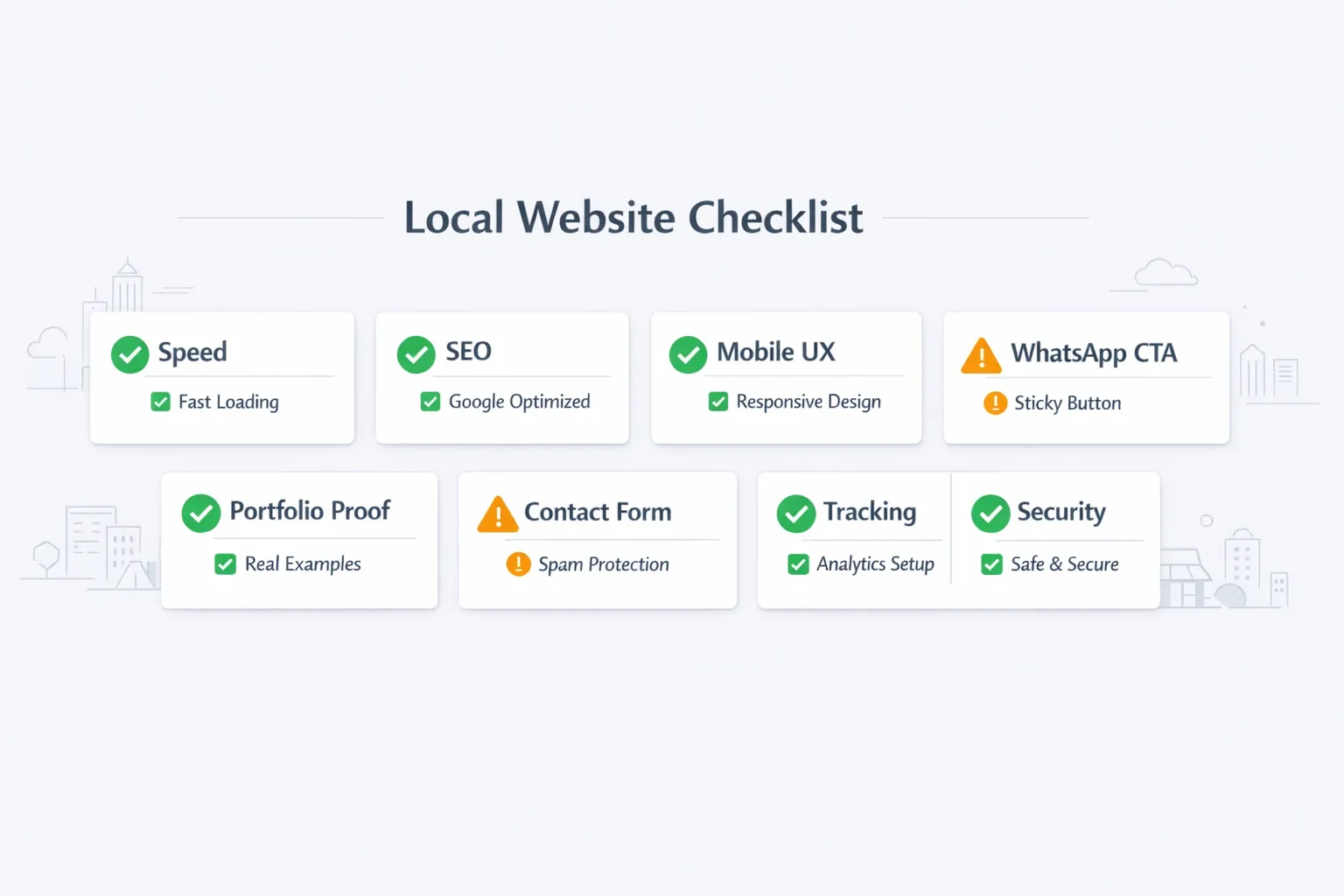
Check tap targets, readable text, sticky elements, form keyboards, image weight, and the route from service page to contact. Mobile quality is not achieved by shrinking a desktop layout.
Use verifiable business information: process, deliverables, team roles, certifications where genuine, service boundaries, and real project material approved for publication. Avoid invented client counts, rankings, or local-office claims.
Define successful form submission, phone click, WhatsApp click, file request, and other meaningful actions. Confirm events in analytics after deployment rather than assuming the tag works.
A migration sheet can be simple:
| Old URL | Current value | New URL | Action | Checked after launch |
|---|---|---|---|---|
/old-service | Search impressions | /services/service-name | 301 redirect | Yes/No |
/product-a | Useful and current | Same URL | Keep and improve | Yes/No |
/blog/post-1 | Duplicate topic | /blog/main-guide | Merge and redirect | Yes/No |
/contact-us.html | Printed references | /contact | 301 redirect | Yes/No |
Test redirects without chains. The old address should reach the final canonical URL in one hop wherever infrastructure allows. Ensure the sitemap lists only final URLs.
Old content often contains:
Retain facts that are still accurate, but rewrite the page around a defined search and buyer intent. The business website planning checklist can help establish the new structure before design begins.
Ask the developer to explain:
A company that only shows a new homepage mock-up has not yet shown a migration plan. For a conventional new website without legacy risk, the wider website development service may be enough. For logged-in workflows or dealer operations, compare it with web application development.
Inventory URLs, analytics, forms, content, files, and account access. Approve the keep/merge/redirect decisions.
Approve navigation, page purpose, content ownership, and conversion actions. Prepare redirect and metadata sheets.
Build approved templates, migrate selected content, connect forms, and configure analytics.
Crawl the staging site, test redirects, verify forms, review mobile screens, confirm metadata, and launch during a monitored window.
The exact timeline changes with page count and approval speed. A large catalogue or custom integration needs a separate plan.
Monitor:
Keep the redirect map. Do not remove redirects after a few days merely because the new pages are live.
Before changing DNS or deployment settings, keep a dated recovery pack containing:
Define the rollback trigger before launch. Examples include widespread form failure, broken checkout or login, unresolved redirect errors on priority URLs, or a deployment that cannot be corrected inside the agreed launch window. A small visual defect may not justify rolling back the entire site, while lost enquiries may.
Recovery planning also tests ownership. If the business cannot access its domain, backups, or form destination without the previous vendor, migration readiness is incomplete. Resolve those dependencies during discovery rather than on launch day.
Migration cost is driven by the number and condition of assets, not just new-page count. Ask for separate lines for:
The website cost guide for Ghaziabad explains how to compare first-year ownership cost, which applies equally when a Meerut business is evaluating a rebuild.
Current VASUYASHII service scope begins with the current URL, account access status, business priorities, and known lead routes. The output of the first review should be a page inventory and phased scope. The about page provides company context, while contact is the appropriate place to request an actual review. This describes the process; it does not claim a physical office or completed client work in Meerut.
Design alone does not determine rankings, but changing URLs, deleting content, weakening internal links, or hiding useful text can hurt visibility. Preserve useful signals and test the migration.
Usually not unless there is a strong business reason. A domain change adds another migration layer. If required, map every valuable old URL and monitor both properties.
Yes, after checking whether they have traffic, links, or a replacement. Merge overlapping pages into a stronger page and use a relevant redirect.
Secure domain, DNS, analytics, content, database, media, and backup access before migration. Account ownership should not depend on one supplier.
Keep permanent redirects for the long term, especially when old URLs appear in links, bookmarks, PDFs, or search history.
Not automatically. Choose the simplest maintainable system that supports content, lead capture, performance, ownership, and future requirements.
Create the URL inventory before requesting visual concepts. If you need help reviewing an existing Meerut website, share the URL and the most important enquiry path through contact. A safe migration plan should come before the new design.
Related Articles
March 23, 2026
Plan a Meerut manufacturer or distributor website with product families, dealer qualification, RFQs, service coverage, evidence, tracking, and ownership.
Read article
March 22, 2026
Website development in Ghaziabad: compare design, catalogue and enquiry scope, quotation items, launch checks and ownership. Plan your business website.
Read article
March 22, 2026
Plan a Hapur service website for inspections, repair bookings, maintenance enquiries, service areas, WhatsApp updates, and measurable lead routing.
Read article
March 22, 2026
Compare SaaS and traditional software across cost, ownership, updates, security, offline use, data control, customisation, and exit planning.
Read article