
March 22, 2026
Business Benefits and Trade-Offs of SaaS Software
Evaluate SaaS benefits and trade-offs across cost, deployment, access, updates, security, integration, data ownership, vendor risk and business fit.
Read articlePublished Updated
Compare SaaS and traditional software across cost, ownership, updates, security, offline use, data control, customisation, and exit planning.
Reviewed by the VASUYASHII editorial team Published: March 22, 2026 | Reviewed: August 3, 2026
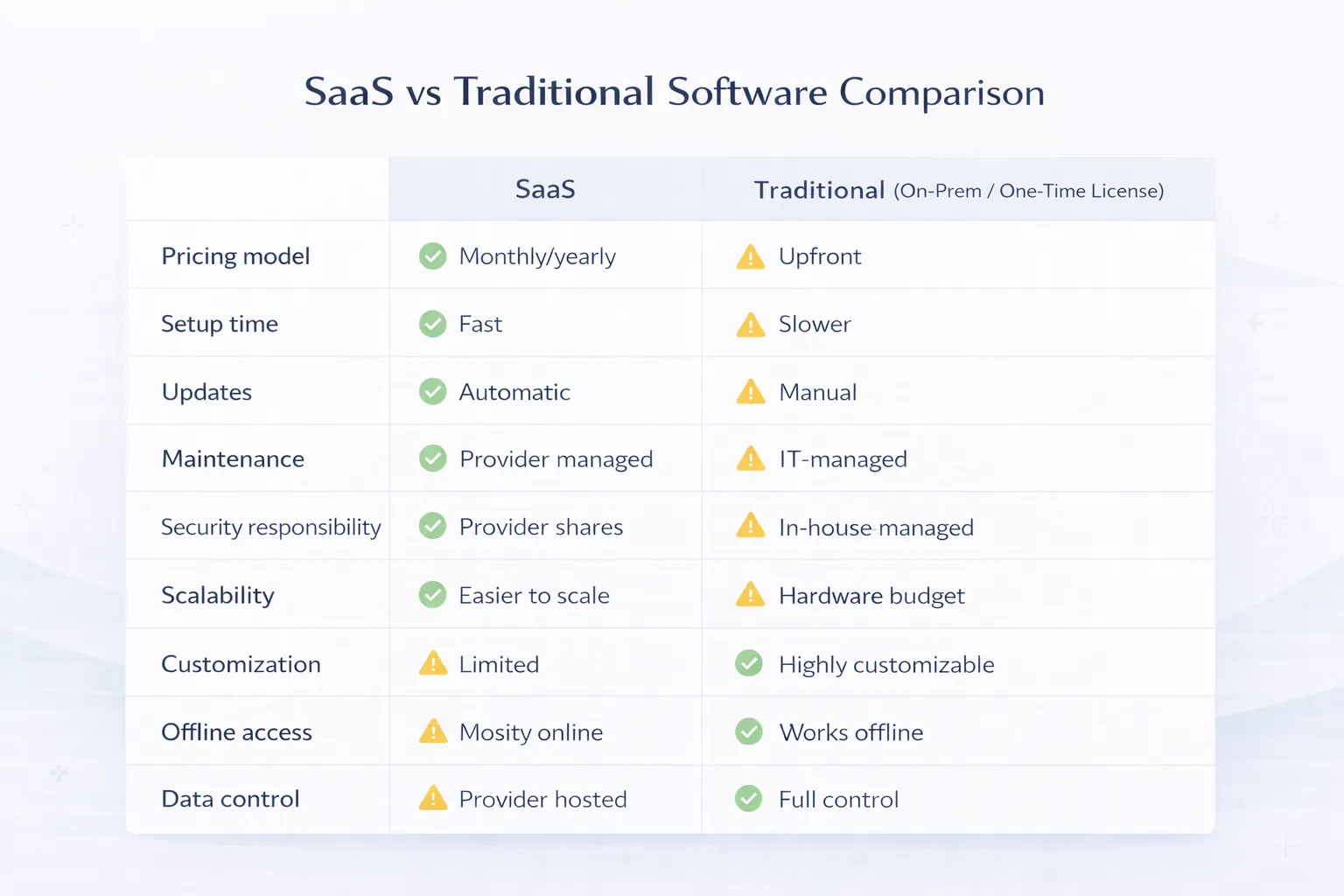
SaaS is usually accessed through a browser or app and operated by a provider under a recurring agreement. Traditional software is usually installed or deployed for a specific organisation, which carries more responsibility for infrastructure, upgrades, support, and continuity. Neither model is automatically cheaper, safer, or more customisable.
The right decision depends on the complete operating model: three-year cost, deployment speed, internet dependence, data and export rights, update control, security responsibilities, customisation, support, and the effort required to leave the system.
| Decision area | SaaS | Traditional or customer-managed software |
|---|---|---|
| Commercial model | Recurring subscription or usage fee | Licence, implementation, maintenance, and infrastructure |
| Hosting | Commonly operated by provider | Commonly operated by customer or chosen partner |
| Updates | Provider schedules shared releases | Customer controls or commissions upgrades |
| Setup | Usually faster for standard workflows | Usually longer due to deployment and configuration |
| Customisation | Configuration, APIs, and plan limits | Potentially deeper code and infrastructure control |
| Offline operation | Product-dependent | Can be designed for local or restricted networks |
| Internal IT load | Lower for routine platform operation | Higher for hosting, backup, monitoring, and support |
| Exit work | Export, contract, and migration planning | Data plus application, infrastructure, licence, and skills planning |
The term is often used loosely. A genuine SaaS operating model normally includes provider-managed infrastructure, network access, shared product releases, account or tenant isolation, subscription or usage billing, and a defined service relationship.
NIST's cloud computing definition describes essential characteristics such as on-demand self-service, broad network access, resource pooling, rapid elasticity, and measured service. Not every web-hosted application satisfies every characteristic in the same way, but the official NIST SP 800-145 provides a useful neutral reference.
A custom application hosted on one server for one customer may be web software without being a scalable multi-tenant SaaS product. That distinction affects billing, support, release management, isolation, and cost.
Traditional software can mean a desktop licence, an application installed on company servers, a private cloud deployment, or a custom system operated for one organisation. These are different architectures. The common characteristic is that the customer controls or bears more responsibility for the environment and release cycle.
Traditional deployment may be appropriate when:
Subscription price is only one SaaS cost. A traditional licence is only one ownership cost.
Build three scenarios: expected, high growth, and exit. Include user count, branches, transactions, storage, support, migration, and downtime assumptions. A low subscription can become expensive at scale; a high initial build can become poor value if the workflow changes before adoption.
Security and reliability depend on clearly divided responsibilities.
| Responsibility | SaaS buyer should confirm | Traditional buyer should assign |
|---|---|---|
| Infrastructure patching | Provider scope and evidence | Internal team or hosting partner |
| Application updates | Release process and notice | Upgrade owner and validation plan |
| User access | Customer role design and offboarding | Customer role design and offboarding |
| Backup | Provider frequency, retention, restore terms | Backup owner, storage, restore tests |
| Incident response | Notification and support process | Detection, escalation, recovery owners |
| Data export | Format, frequency, fees, and access after cancellation | Export tools, documentation, and skills |
| Device security | Customer responsibility | Customer responsibility |
"Cloud" does not transfer every security duty to the provider. "Installed locally" does not make a system safe. Ask for the actual responsibility boundary.
SaaS buyers usually receive shared updates without running an upgrade project. That reduces maintenance, but it can also change interfaces or integrations on the provider's schedule. Review release notes, API versioning, deprecation notice, sandbox availability, and critical-change communication.
Traditional software gives the customer more timing control, but delayed upgrades can create unsupported dependencies and security debt. Budget for test environments, rollback, database migration, and user training.
Do not treat offline support as a yes/no marketing field. Test the exact workflow.
A browser-based SaaS may offer a progressive web or mobile offline queue. A traditional desktop application may still require a licence server, central database, or cloud API. Verify rather than assume.
Ownership language is not enough. Operational control depends on usable export and documented exit steps.
Before selecting SaaS, ask:
Before selecting traditional software, ask whether the company owns the source code, build process, deployment documentation, database schema, licences, credentials, and third-party dependencies. A database copy without a runnable application may not provide continuity.
Choose SaaS when the business can adopt a proven workflow with configuration. Choose custom or customer-managed software when a distinctive process creates material value and cannot be represented safely by standard tools.
Do not customise only to preserve every spreadsheet habit. First identify the business rule, risk, volume, and measurable consequence. Customisation increases testing, documentation, support, and upgrade effort.
The small-business CRM build-versus-buy guide and custom software use cases and cost guide provide more specific decision frameworks.
VASUYASHII Business Suite is presented as a web-based GST billing, inventory, purchase, payment, expense, and business-management product for Indian SMEs. The current dashboard below demonstrates the browser-based operating model and multi-module workspace. It does not prove that SaaS is universally better, and it should not be read as evidence of offline, enterprise accounting, or every feature discussed in this comparison.
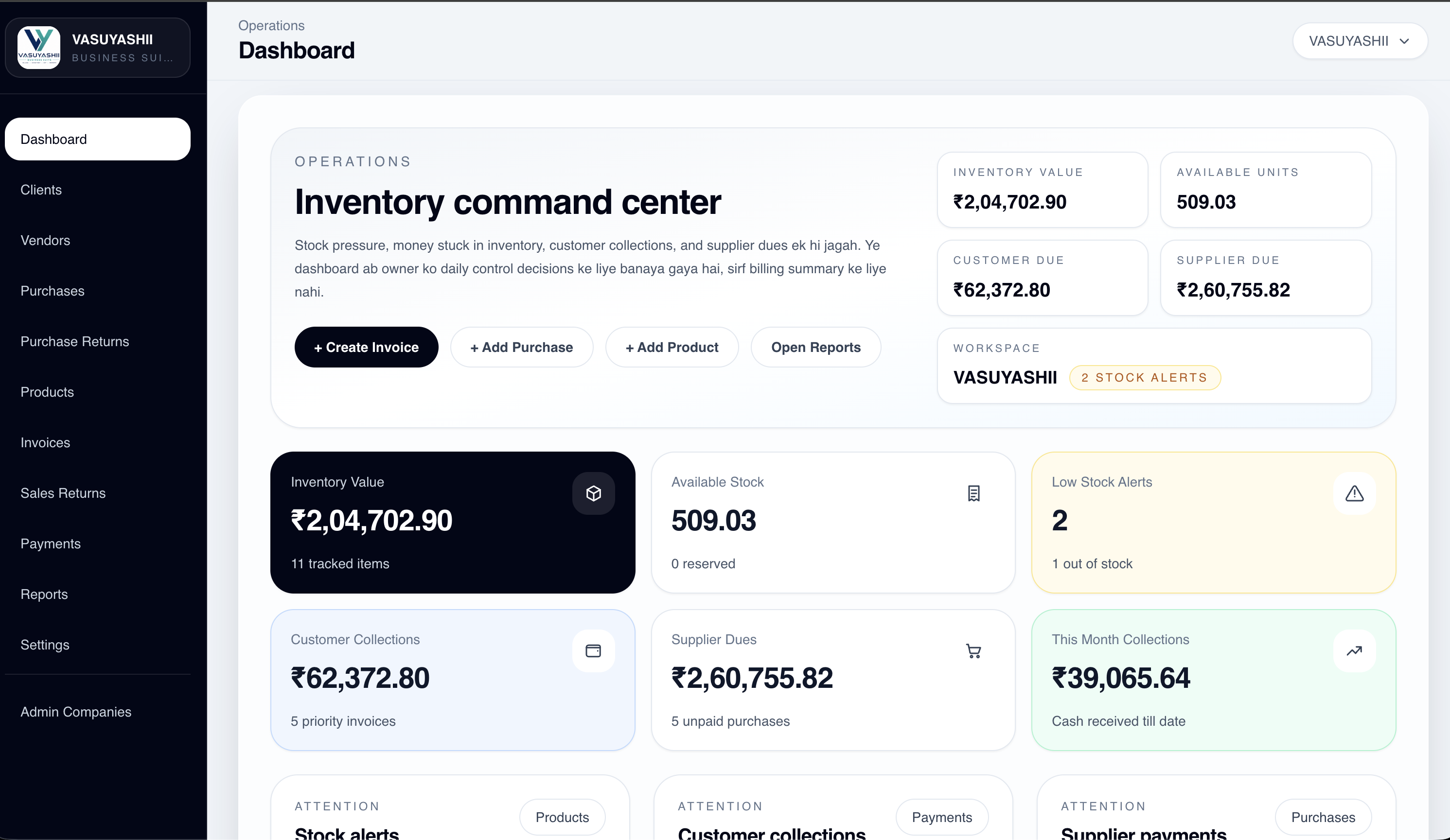
Buyers can inspect the current scope and live-demo route on the Business Suite product page. The product page also states current boundaries so that roadmap items are not confused with shipped functionality.
Score each criterion from 1 to 5 and assign a business weight.
| Criterion | Questions to answer |
|---|---|
| Time to value | How soon must the workflow operate? |
| Process uniqueness | Is the difference strategically valuable or merely familiar? |
| Internal capability | Who can operate, secure, support, and upgrade the system? |
| Connectivity | What must continue during an outage? |
| Integration | Which systems, devices, and data contracts are required? |
| Control | Which releases, data locations, or configurations need approval? |
| Scale | How do users, branches, storage, and transactions affect cost? |
| Exit | Can the business leave with usable data and continuity? |
The result should identify trade-offs, not generate an automatic procurement answer. Run a pilot with real users and sample data before a long commitment.
A business can combine provider-managed SaaS with local or custom components. Examples include a SaaS CRM connected to a private ERP, a cloud admin portal with an offline mobile queue, or a custom integration layer between several standard products.
Hybrid architecture adds interface ownership. Define API versions, authentication, rate limits, failure handling, retries, audit logs, and which system is the source of truth. See integration services and the API integration guide.
This comparison is not legal, accounting, security-certification, or procurement advice. SaaS and traditional products vary widely, and contract terms can change the responsibility model. Validate the actual vendor, deployment, data classification, regulatory obligations, and continuity needs.
The article also avoids a universal price comparison because user counts, infrastructure, implementation, customisation, support, and migration differ. Use written assumptions and test scenarios for a defensible estimate.
No. SaaS may reduce initial infrastructure and maintenance, but recurring charges, scale, integrations, premium support, and exit work affect total cost. Traditional software has higher ownership responsibilities that also need pricing.
No. It may run on company servers, private cloud infrastructure, or dedicated hosted environments. Define the deployment and responsibility model rather than relying on the label.
Control depends on contracts, access, export, architecture, skills, and operations. A self-hosted database without documentation may provide less practical control than a SaaS product with complete export and clear exit terms.
Some products support cached data or offline queues, while others require continuous connectivity. Test the exact read, create, sync, and conflict behaviour needed by the business.
It is justified when a distinctive, stable workflow creates enough value to support discovery, development, testing, maintenance, security, and documentation costs.
Ask what happens when the relationship ends: data format, export timing, fees, access window, deletion, assistance, and continuity. Exit planning exposes hidden dependency.
Create a weighted comparison using your users, locations, transactions, integrations, connectivity, support, security, and exit needs. If neither standard model fits, discuss a phased custom software scope instead of forcing a premature platform choice.
Related Articles
March 22, 2026
Evaluate SaaS benefits and trade-offs across cost, deployment, access, updates, security, integration, data ownership, vendor risk and business fit.
Read article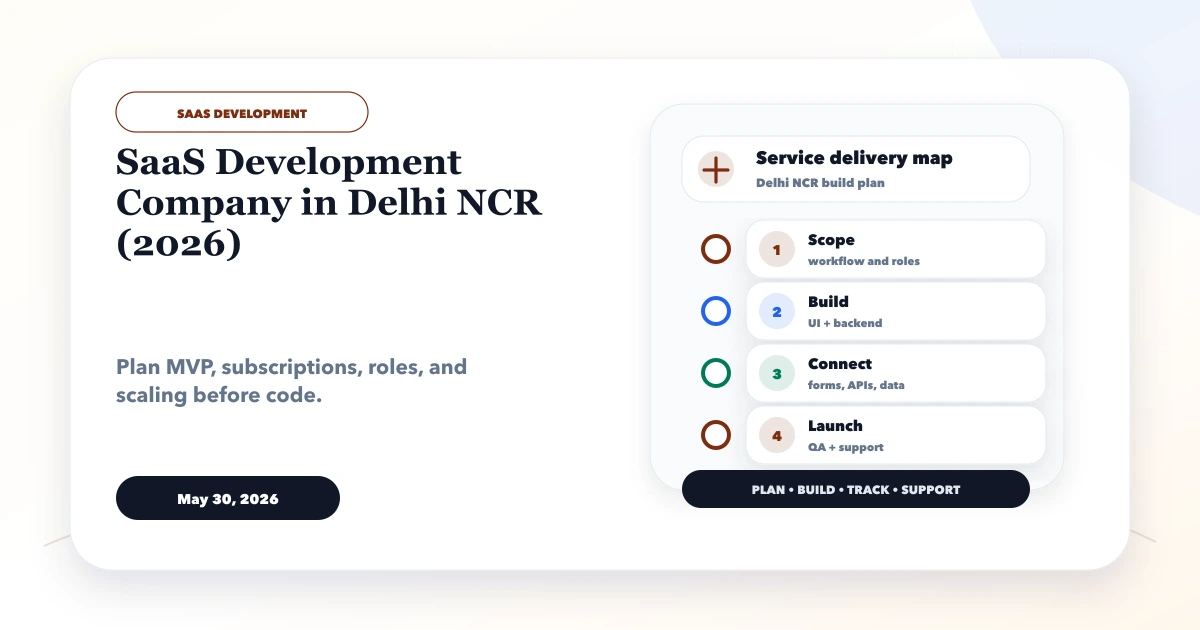
May 30, 2026
Evaluate a Delhi NCR SaaS development company through product discovery, tenancy, billing, security, ownership, launch operations and support evidence.
Read article
March 25, 2026
Cloud-based software for SMEs in 2026: why it is better for access, updates, reporting, integrations, and growth than older offline business software setups.
Read article
March 22, 2026
A Meerut website migration guide for established businesses: audit old URLs, protect search value, improve lead flow, and plan a safer rebuild.
Read article