
March 23, 2026
Meerut Website Development for Dealer Enquiries
Plan a Meerut manufacturer or distributor website with product families, dealer qualification, RFQs, service coverage, evidence, tracking, and ownership.
Read articlePublished Updated
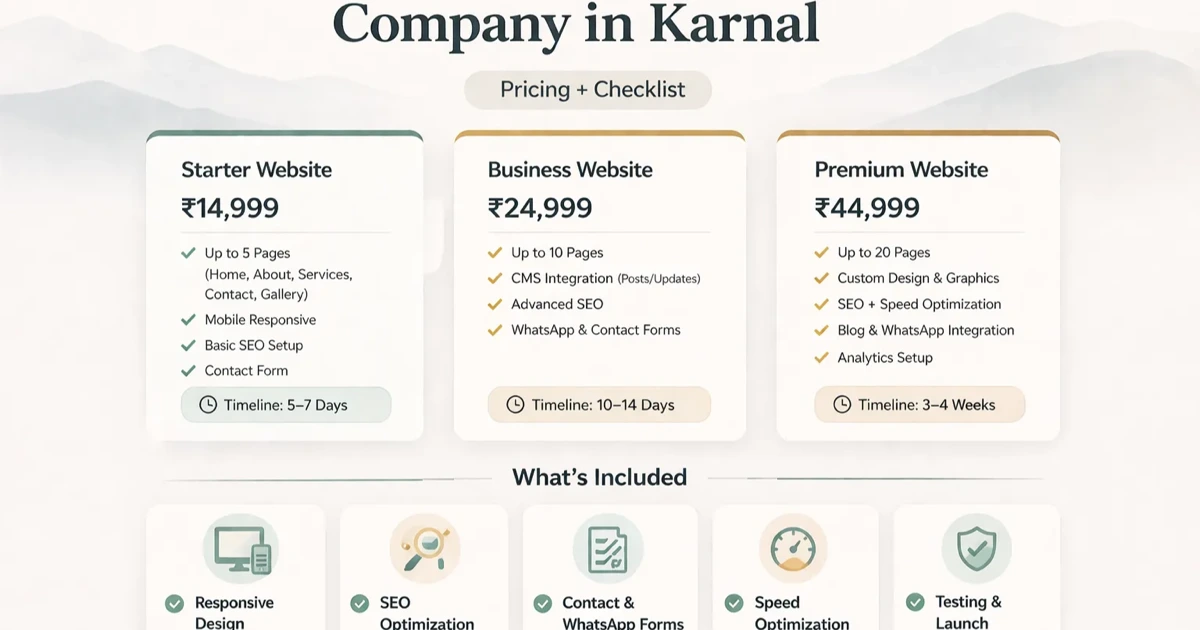
Plan a Karnal agri or dealer website with product categories, seasonal enquiry routes, RFQ inputs, documents, coverage, ownership, and acceptance checks.
Service-area note: VASUYASHII is based in Delhi NCR and supports businesses remotely across India. A city-focused guide describes service and planning context; it does not claim a physical office in every location mentioned.
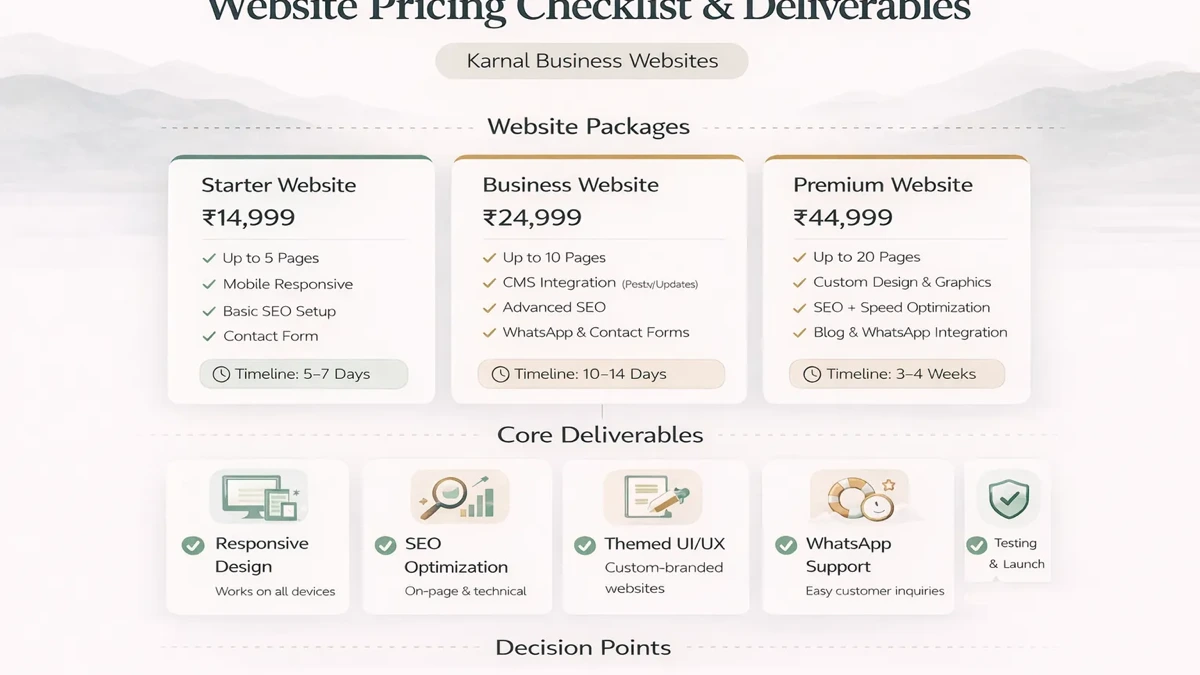
Explore the parent topic: Website Development Delhi NCR Hub →A business evaluating a website development company in Karnal may sell agricultural inputs, equipment, components, packaging, food-processing supplies, or related services through dealers and direct enquiries. The website should help buyers find the right category, understand the commercial boundary, and submit enough information for an accountable response.
This guide focuses on catalogue and dealer-enquiry operations. It does not claim a VASUYASHII office, customer, project, ranking, dealership, or guaranteed outcome in Karnal.
Written by Tushar C. (Founder, VASUYASHII) using the current VASUYASHII website and workflow-planning process. Product performance, approvals, stock, prices, coverage, crop suitability, certifications, testimonials, and delivery claims must be verified by the business. Examples are generic planning scenarios.
An agri or dealer website can serve different audiences:
Do not send every audience to the same form. Decide which enquiries the business can accept directly and which must be routed through an authorised channel.
Start with the way buyers make decisions, not the internal inventory code.
| Catalogue layer | Useful content |
|---|---|
| Category | buyer problem, product types, selection boundary |
| Product family | models, applications, important differences |
| Product detail | approved specifications, unit, pack, documents |
| Commercial route | RFQ, dealer contact, availability confirmation |
| Support route | installation, service, document, warranty process |
Use consistent units, names, HSN or technical data only when approved. If performance depends on environment, crop, material, operator, or installation, state the conditions and avoid absolute claims.
Seasonality can change demand, availability, promotions, and delivery expectations. Maintain a calendar with:
Do not leave expired offers or availability language live. A seasonal landing page should return to a useful category or guide after the campaign rather than becoming an abandoned duplicate.
A first RFQ can collect:
Tax records, financial documents, identity proofs, and detailed contracts should follow an approved post-qualification process. A public form should not become an uncontrolled document repository.
After submission:
If this workflow needs company pricing, approvals, stock, or order history, evaluate a dealer or business web app instead of exposing private data on public pages.
The website should explain whether the business sells directly, through dealers, by territory, or after availability checks. Do not publish dealer locations without a current owner and verification date. Define how a buyer reports an outdated listing.
Useful wording includes:
Avoid “available everywhere,” “best price,” “authorised” or “guaranteed yield” unless the business can support and maintain the claim.
Buyers may need catalogues, specification sheets, certificates, manuals, safety documents, or warranty terms. Each downloadable file should have:
Do not expose confidential pricing, customer details, signatures, or internal documents. For repeated document requests, consider a controlled document portal through software development services.
A practical first release may include:
Add ecommerce only when pricing, tax, stock, freight, cancellation, returns, payment, and fulfilment rules are operationally ready. A catalogue plus qualified RFQ is often safer than an incomplete checkout.
Website cost changes with:
Ask each provider to quote the same scope. Separate content, catalogue data, development, integrations, migration, testing, third-party services, handover, and maintenance. Use the accurate software quote checklist to expose assumptions.
Track category views, product-detail engagement, document downloads, RFQ success, selected buyer type, and qualified outcome. Do not send names, phone numbers, email addresses, or free-form message content to analytics.
Review:
These findings can improve navigation, content, and qualification without publishing more duplicate location pages.
Check:
The product catalogue web-app guide helps separate public catalogue needs from controlled operational features.
At launch, record owners for products, documents, availability language, dealer listings, RFQs, analytics, accounts, renewals, and releases. The business should control domain, hosting, source, deployment, content, forms, analytics, and integration credentials.
Test sample RFQs for:
Each should produce a defined, accountable next action.
Not always. A structured catalogue and RFQ may be better when price, stock, freight, or dealer terms require confirmation.
Only when the data source and update process are reliable. Otherwise use confirmation-based language.
Create pages for products or families with useful, maintainable decision content. Avoid thin pages generated only from item codes.
Collect territory and business-fit information, assign an owner, verify documents through an approved route, and record the decision.
Only approved current documents. Keep confidential pricing, contracts, personal data, and internal files behind controlled access.
Product data, documents, coverage, seasonal content, RFQ quality, failed routes, accounts, integrations, and renewals.
Before a high-demand period, run a drill with the commercial, catalogue, dispatch, and support owners.
The drill should produce a dated exception list. Fix high-risk issues before campaign traffic is sent to the website. If stock, dealer status, or freight cannot be updated reliably, keep those promises confirmation-based.
After the season, compare RFQ categories, destinations, rejection reasons, response ownership, and product questions. Archive expired campaign content, keep useful evergreen guidance, and redirect removed URLs to the closest valid category. This prevents seasonal pages from becoming a duplicate and outdated search cluster.
The catalogue owner should also reconcile the public product list with the approved internal master. Differences may be intentional, but each excluded, renamed, or grouped item needs a reason. Review broken document links, unsupported units, duplicate model names, and contact routes that bypass the assigned commercial owner. Store the completed reconciliation with the seasonal release record.
Build the Karnal website around reliable product discovery and qualified dealer or institutional enquiries. Keep seasonal and technical content owned, separate public catalogue from private operations, and make every RFQ route accountable. For a scoped implementation, contact VASUYASHII.
Related Articles
March 23, 2026
Plan a Meerut manufacturer or distributor website with product families, dealer qualification, RFQs, service coverage, evidence, tracking, and ownership.
Read article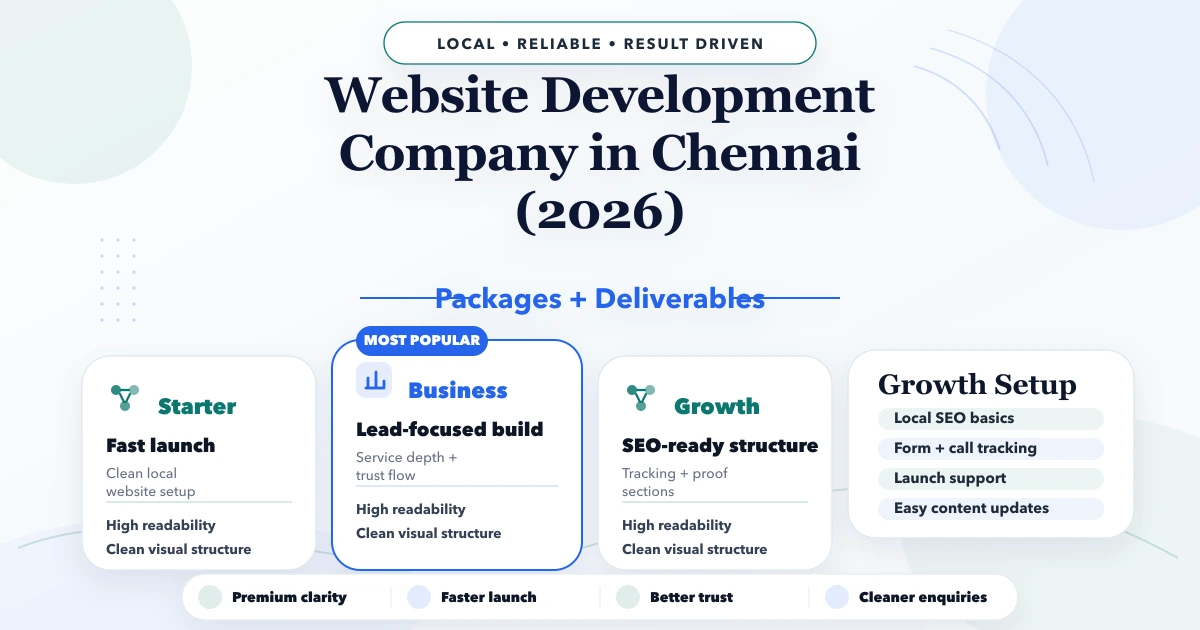
April 27, 2026
Plan a Chennai B2B technical website with capability pages, specifications, RFQ routing, evidence controls, multilingual needs, integrations, and ownership.
Read article
March 23, 2026
Plan a Hapur supplier website with product categories, trade enquiries, dispatch coverage, quotation inputs, verified documents, tracking, and ownership.
Read article
April 21, 2026
Plan a Karol Bagh retail website with a manageable product catalogue, store enquiries, WhatsApp qualification, stock boundaries, analytics, and ownership.
Read article