
May 17, 2026
Web Application Maintenance Plan: Complete Guide
Build a web application maintenance plan covering monitoring, incidents, backups, security, dependencies, integrations, releases, and reporting.
Read articlePublished Updated
Compare SaaS maintenance plan pricing, support scope, severity levels, monitoring, security, backups, SLAs, exclusions, and vendor handover in India.
SaaS maintenance is not a monthly payment for keeping a server switched on. It is an operating agreement for detecting incidents, restoring service, fixing defects, applying security updates, protecting data, and keeping the product deployable after launch. A useful plan says exactly what is watched, who responds, how urgency is decided, and which work needs a separate estimate.
This guide helps Indian SaaS founders and software owners compare maintenance proposals without confusing routine support with product development. It covers plan scope, severity definitions, support hours, monitoring, backups, pricing models, ownership, and the evidence to request before renewal.
By Tushar C. (Founder, VASUYASHII). Editorial review covers practical SaaS operations, support boundaries, release control, security maintenance, and buyer-side proposal clarity.
A small, stable SaaS product usually needs a defined monthly capacity for monitoring, backups, security updates, production defects, and minor operational changes. Pricing depends less on the number of screens and more on service criticality, infrastructure complexity, integrations, data risk, traffic, release frequency, support hours, and the quality of the existing codebase.
Do not buy a plan using only labels such as Basic, Growth, or Premium. Compare the service inventory, response targets, included engineering capacity, exclusions, escalation path, and monthly evidence. Product features, redesigns, migrations, and major performance work should normally sit in a separate roadmap.
Consider a B2B subscription portal used by 40 companies. It has a Next.js frontend, authenticated API, PostgreSQL database, payment gateway, email notifications, and scheduled reports. One morning invoices are created correctly, but payment webhooks stop updating subscription status.
The important questions are operational:
A maintenance plan is valuable when these answers are agreed before the incident. A vague promise of "unlimited support" does not establish any of them.
| Workstream | Typical included work | Evidence you should receive |
|---|---|---|
| Availability | Uptime and endpoint monitoring, alert routing | Uptime report and incident timeline |
| Defects | Reproducible production bugs within agreed scope | Ticket, root cause, fix and verification note |
| Security | Dependency review, critical patches, access review | Patch log and unresolved-risk list |
| Data safety | Automated backups and periodic restore checks | Backup status and restore-test record |
| Infrastructure | Certificate, domain, storage and resource checks | Capacity or expiry warnings |
| Release control | Build, smoke checks, deployment and rollback readiness | Release note and deployment record |
| Integrations | Health checks for payment, email, WhatsApp or external APIs | Failure counts and reconciliation status |
| Support | Triage, prioritisation and owner assignment | Open-ticket ageing and SLA summary |
The exact list must match the product. A content website may not need queue monitoring. A multi-tenant billing platform may require tenant-isolation checks, PDF generation monitoring, payment reconciliation, storage review, and recovery procedures.
Response targets only make sense after severity is defined.
Examples include the application being unavailable for most users, confirmed cross-company data exposure, inability to complete the primary paid workflow, or active data corruption. The immediate objective is containment and service restoration. A permanent fix and incident review may follow after the system is stable.
Examples include one payment method failing, invoices not generating, scheduled jobs not running, or a major role unable to work while a limited workaround exists. These issues need prompt ownership but are not necessarily full-platform outages.
Examples include incorrect validation, a report mismatch affecting limited records, a browser-specific issue, or a broken secondary action. The ticket should include reproduction steps, expected behaviour, impact, and acceptance evidence.
Copy changes, layout preferences, new export fields, workflow refinements, and feature ideas are not incidents. They should be estimated against maintenance capacity or placed in the roadmap.
Write these definitions into the agreement. Otherwise every request becomes urgent and genuine incidents compete with cosmetic changes.
Monitoring should answer a specific operational question. Useful checks can include public availability, authenticated API health, queue failures, scheduled-job completion, database resource pressure, error rate, certificate expiry, storage usage, and critical third-party callbacks.
An alert without an owner is noise. Each alert needs a destination, threshold, severity, first action, and escalation rule. Repeated false alarms should be corrected because they train people to ignore the channel.
Backups also need a recovery objective. Record:
A green backup status proves that a job ran; it does not prove that the product can be restored. Schedule a controlled restore test using non-production infrastructure and document the result.
Maintenance protects current behaviour. Roadmap work changes capability. The boundary prevents both budgeting disputes and unstable releases.
Usually maintenance includes small defect fixes, critical dependency updates, operational configuration, monitoring improvements, and limited low-risk changes. A new role model, redesigned checkout, accounting module, mobile application, database migration, major API integration, or multi-region architecture is development work.
Keep two queues:
The same vendor may handle both, but capacity, approval, acceptance, and release timing should remain visible. For larger improvements, use a scoped software development process instead of hiding them inside support.
Best when the product has predictable support needs and the included service inventory is stable. The agreement should state capacity, support window, rollover policy, exclusions, and rates for excess work.
Useful for a stable product with irregular demand. It is flexible but does not automatically provide proactive monitoring or an emergency response commitment. Confirm whether unused hours expire.
Suitable when maintenance and roadmap work are continuous. You reserve part or all of an engineer or team. This gives context continuity but needs strong prioritisation and product ownership.
This appears inexpensive until an outage occurs. Onboarding, code discovery, access recovery, and environment setup happen during the incident, which increases restoration time. Use it only for genuinely low-risk systems with good documentation.
Important cost drivers include:
Ask for a baseline audit before accepting a tight SLA on an inherited product. A vendor cannot responsibly promise restoration times without understanding deployment, logs, backups, dependencies, and access.
Inventory repositories, environments, domains, cloud accounts, databases, storage, queues, integrations, analytics, error tracking, backup jobs, and privileged access. Rotate unknown credentials and establish an access owner.
Verify important logs, create practical alerts, inspect backup status, and run a controlled restore exercise. Document the current release and rollback process.
Prioritise critical security updates, expiring certificates, failing scheduled jobs, resource pressure, and recurring production errors. Do not combine every dependency upgrade into one risky release.
Agree ticket intake, severity, review cadence, capacity allocation, release windows, and monthly reporting. Produce a 60- or 90-day reliability backlog separate from product features.
For ongoing release and uptime planning, see the SaaS scope checklist and SaaS architecture guide.
A useful report is short enough to read and specific enough to act on. Include:
Do not report activity as value. "Twenty tickets touched" says less than "payment retry failures fell after the idempotency fix, with two legacy exceptions awaiting reconciliation."
The company should control source repositories, domains, cloud billing, analytics, app-store accounts, payment accounts, and production data. The maintenance partner can receive least-privilege access without owning the business assets.
Maintain a runbook containing architecture, environments, deployment, rollback, backups, integrations, scheduled jobs, known risks, and emergency contacts. On exit, require current code, deployment instructions, open-ticket status, recent release notes, access handover, and a recorded technical walkthrough.
VASUYASHII can assess a web application's current architecture, establish a practical maintenance inventory, and support monitoring, defect fixes, releases, integrations, and planned improvements. Response targets and pricing depend on the verified product, current codebase, support window, and risk.
Start with web application services for product engineering, integration services for payment and messaging dependencies, or contact VASUYASHII with the stack, active users, critical workflows, current hosting, and known incidents. No maintenance plan should promise zero downtime or zero defects.
Not automatically. Hosting charges are normally billed by the cloud provider. A maintenance plan may include infrastructure monitoring and administration, but the proposal should separate vendor engineering fees from cloud, email, storage, payment, and monitoring subscriptions.
Estimate from incident history, release frequency, integrations, security work, and roadmap demand. Begin with a baseline audit and a transparent monthly capacity. Review actual consumption after two or three months rather than choosing hours from package names.
Only if the agreement reserves capacity for them. Keep feature requests in a separate improvement queue with scope and acceptance criteria so reliability work remains protected.
Response time is how quickly the issue is acknowledged and owned. Restoration or resolution time is how quickly service is recovered or the defect is fixed. A responsible agreement distinguishes them because complex incidents cannot always have a guaranteed final resolution time.
Only when necessary, with least privilege, named accounts, logging, and an approved operating procedure. Routine debugging should use logs and safe tools before direct production changes.
Review it quarterly and after a serious incident, architecture change, new compliance requirement, major traffic increase, or important integration launch. Adjust scope using evidence from tickets, releases, risks, and capacity.
Choose the plan that makes ownership, incident handling, recovery, security, capacity, exclusions, and handover measurable. The cheapest monthly number is not cheaper if it discovers failures through customers or cannot restore data.
Related Articles
May 17, 2026
Build a web application maintenance plan covering monitoring, incidents, backups, security, dependencies, integrations, releases, and reporting.
Read article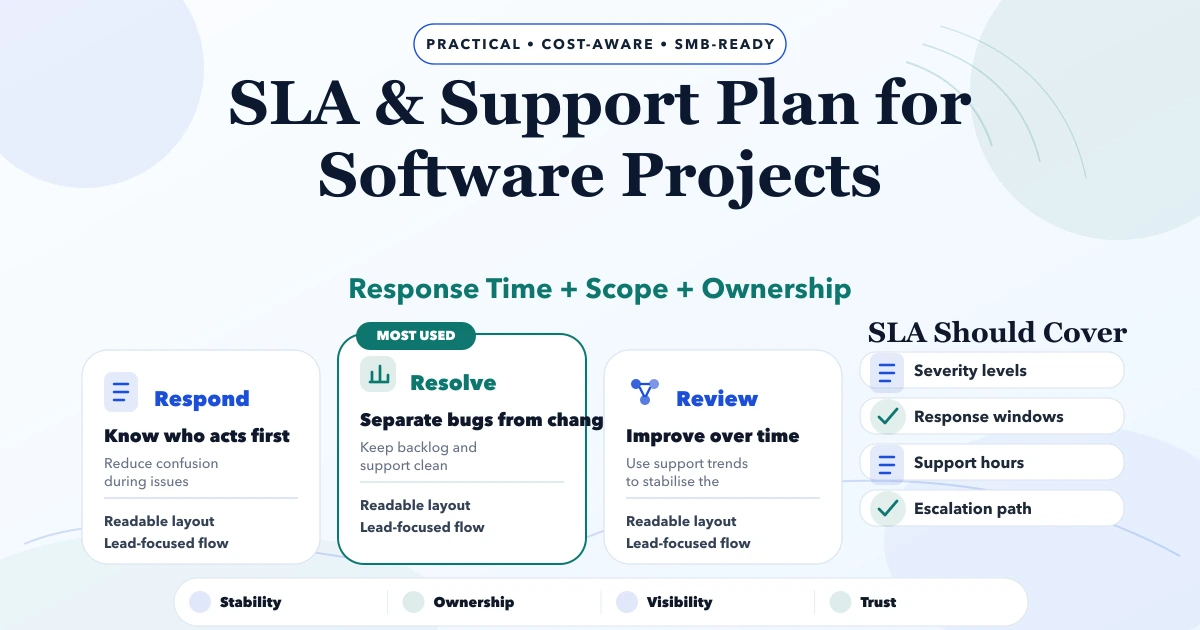
May 6, 2026
Define a practical software SLA with severity levels, response targets, support hours, escalation, backups, exclusions, maintenance, and acceptance rules.
Read article
May 19, 2026
post-launch monitoring checklist: practical 2026 guide with phases, INR pricing, checklist, roadmap, mistakes, FAQs, and SME implementation tips today.
Read article
May 16, 2026
Set up SaaS customer support with account identity, ticket states, priority rules, SLAs, routing, secure access, bug escalation, knowledge base, and reporting.
Read article