
May 3, 2026
Mobile App Development Company in Ghaziabad (2026)
Mobile App Development Company in Ghaziabad (2026) guide with pricing, process, timeline, deliverables, proof links, and practical planning for businesses.
Read articlePublished Updated
Compare app development quotations using a practical checklist for scope, platforms, backend, ownership, testing, releases, maintenance, and acceptance.
An app quotation is useful only when it describes the same product you believe you are buying. A one-line price for “Android and iOS app” does not explain user roles, screens, backend, data, integrations, store release, testing, ownership, maintenance or acceptance. Two quotes can look similar while covering very different responsibilities.
Use this checklist before comparing vendors. It is written for Indian SMEs and founders commissioning a mobile app, companion app or field-work application. Prices and timelines remain project-specific; the purpose is to make scope comparable.
Editorial review: Reviewed on 3 August 2026 against VASUYASHII's current web, backend and mobile-product planning workflow. The product screenshot below is first-party implementation evidence, not proof of delivery for a client mobile app.
Send every vendor the same brief. It should state:
If these inputs differ between vendors, the quotations are not comparable. Use the software project requirement template when the workflow needs more structure.
| Scope area | Question the quotation must answer | Acceptance evidence |
|---|---|---|
| Platforms | Android, iOS, web admin, tablet? | Supported OS/device matrix |
| Users | Which roles and permissions? | Role-based test accounts |
| Screens | Named screens and states? | Approved flow or wireframes |
| Backend | API, database, admin and hosting? | Endpoint and admin checklist |
| Data | Fields, imports, exports and retention? | Sample import/export |
| Integrations | Payment, maps, WhatsApp, ERP? | Sandbox and failure tests |
| Offline | What works without network? | Sync/conflict scenarios |
| Notifications | Trigger, template and opt-out? | Device test evidence |
| Analytics | Which events and parameters? | Debug or event report |
| Release | Store listing and submission included? | Published/test-track build |
| Ownership | Source, accounts and credentials? | Handover register |
| Support | SLA, warranty and maintenance? | Written support scope |
The quote should say whether the app is native Android, native iOS, Flutter, React Native, a progressive web app, or another approach. “Cross-platform” is not an acceptance criterion.
Ask for:
Platform choice should follow product needs. Flutter can reduce duplicate interface work, but platform-specific SDKs, background behaviour, payments or hardware may still require native work. The quotation should explain the choice rather than selling a framework label.
List every role and what it can view, create, update, approve, export or delete. For a distributor app, roles might include owner, sales staff, warehouse operator and customer. For a clinic booking app, they could be patient, front desk, doctor and administrator.
Ask whether permissions are enforced in the backend as well as hidden in the interface. UI-only restrictions are not sufficient. Include company or branch separation when multiple firms use the same system.
A quotation should identify screens and their important states. A list containing “login, home, profile” omits most of the work.
For each workflow, include:
Attach wireframes or an approved flow. Clarify whether UI/UX design, design revisions, icons, illustrations and responsive tablet layouts are included.
Many app quotes exclude the backend or assume one already exists. Ask whether the quotation includes:
This current VASUYASHII Business Suite dashboard shows the kind of backend and operational surface that can sit behind an app. A quotation must explicitly say whether equivalent administration, reporting and company controls are included.
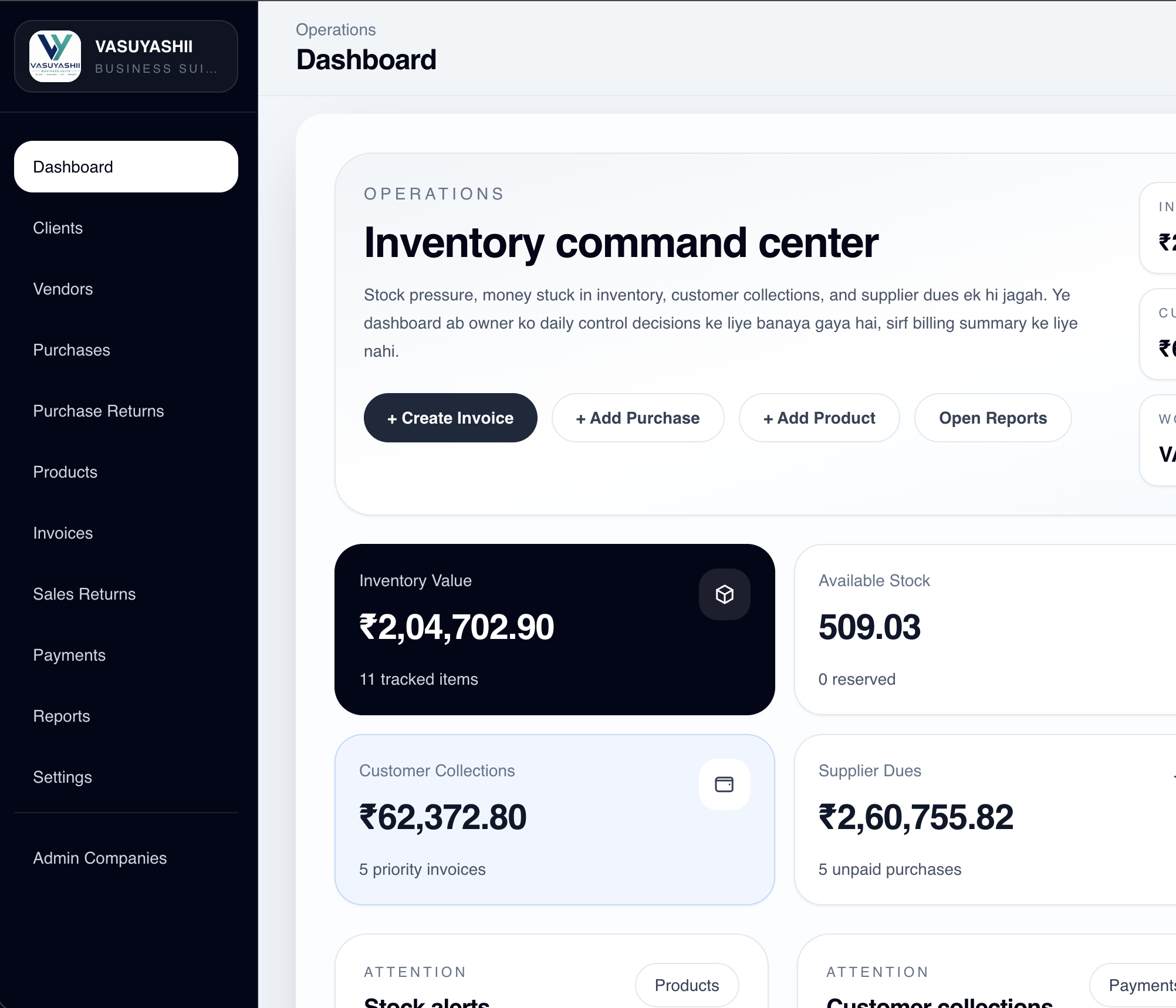
The screenshot is not a promise that every app needs these modules. It demonstrates why “mobile screens only” and “complete operating system” are different scopes.
Define the data model at a useful level: customers, products, appointments, orders, invoices, documents or other records. Ask who cleans existing Excel data, maps columns, resolves duplicates and validates opening balances.
The quote should state:
Migration should include a dry run and sign-off. “Data import included” is too vague.
For every integration, name the provider, account owner, environment and expected event flow. Common examples include payment gateways, WhatsApp, SMS, maps, GST services, CRM or an existing ERP.
Clarify who pays provider fees and who obtains credentials. Acceptance should cover failure cases: delayed payment webhook, duplicate callback, expired token, invalid phone number, API rate limit and provider downtime. Integration services should be scoped as workflows, not only API connections.
“Works offline” can multiply complexity. Define exactly which actions work without a network, what is stored locally, when synchronisation starts, and how conflicts are resolved.
For a field-sales app, offline customer viewing may be enough. Offline order creation with stock reservation and price changes requires more rules. The quote should include encryption, local data clearing on logout, retry states and conflict testing where applicable.
List each notification trigger, recipient, channel and template owner. Separate transactional updates from promotional messages. Clarify whether push credentials, WhatsApp templates, SMS provider setup and opt-out handling are included.
Do not accept “notifications included” without a trigger table. Also define what happens when a device token expires or a provider rejects a message.
The quote should cover authentication, password reset or OTP rules, token storage, transport encryption, backend authorisation, input validation, secrets management, logging and dependency updates. Sensitive apps may need threat modelling, penetration testing or legal review as separate deliverables.
The OWASP Mobile Application Security Verification Standard is a useful technical reference. It does not certify a project automatically; the quotation must name which controls and tests are included.
Ask for a test plan linked to requirements. At minimum, cover happy paths, validation, permissions, integrations, device compatibility, network changes, installation/update and production smoke tests.
Convert subjective requirements into observable checks:
| Weak wording | Better acceptance criterion |
|---|---|
| Fast app | Named workflow completes within an agreed target on test devices |
| Secure login | Rate limit, token expiry, logout and role tests pass |
| Offline support | Listed actions work offline and sync under defined conflict rules |
| Payment works | Success, failure, cancellation and duplicate webhook tests pass |
| User-friendly | Approved usability tasks can be completed by target users |
The vendor should state who prepares test data, who performs user acceptance testing, how defects are prioritised and what blocks release.
Confirm whether Apple and Google developer accounts are owned by your business. The quotation should separate build delivery from store approval because the stores control their review decisions.
Ask who handles:
Google publishes core app quality guidelines, and Apple maintains App Review Guidelines. A quotation should account for current requirements but must not guarantee approval.
Write ownership into the quotation. Identify the repository owner, cloud account, domain, database, analytics property, store accounts, design source, signing keys and third-party credentials.
Required handover can include:
Review the related software project agreement guide and delivery checklist before final payment.
Separate defect warranty from new development. Define the warranty duration, supported versions, severity levels, response windows and communication channel. Maintenance should state whether it includes OS compatibility, dependency updates, store submissions, monitoring, analytics review and a monthly change allowance.
Use the app maintenance cost guide to compare monthly scope. A low monthly fee may cover monitoring and critical fixes only; it should not be assumed to include unlimited features.
Compare quotations by included outcome, not total price alone.
| Commercial item | Vendor A | Vendor B | Decision note |
|---|---|---|---|
| Fixed scope and exclusions | |||
| Design revisions | |||
| Backend/admin | |||
| Integration fees | |||
| Migration | |||
| Store release | |||
| Warranty | |||
| Monthly maintenance | |||
| Source/account ownership | |||
| Payment milestones |
Use milestones linked to evidence: approved UX, working staging workflow, accepted integrations, UAT completion and handover. Avoid paying the final amount only against a video or local build that your team cannot access.
Send the user roles, main workflows, platform needs, integrations, existing data, first-release goal, deadline reason and acceptance owner. Give every vendor the same brief.
No. It can share interface and business logic across platforms, but native integrations, platform-specific behaviour, testing and release work still affect scope.
Yes. Name its users, modules, permissions, reports and exports. Otherwise, one vendor may include a complete web console while another includes only basic database access.
There is no universal percentage. Use a signed scope and milestone plan, keep later payments tied to accessible evidence, and retain a final handover milestone.
No. A vendor can follow current guidance, test the app and respond to review feedback, but Apple and Google control their review and policy decisions.
Clear scope with acceptance criteria. Ownership, payment, support and change control are also essential, but none compensate for an undefined product.
Confirm that the quote names the users, workflows, platforms, backend, data, integrations, tests, release work, ownership, support, exclusions and acceptance process. Then compare vendors on delivery responsibility and evidence, not merely the lowest number.
For a scoped review, contact VASUYASHII with your existing brief. The review can identify missing assumptions; it is not a substitute for legal review of the final contract.
Related Articles
May 3, 2026
Mobile App Development Company in Ghaziabad (2026) guide with pricing, process, timeline, deliverables, proof links, and practical planning for businesses.
Read article
May 3, 2026
Plan a Delhi NCR customer self-service app with account data, requests, documents, notifications, permissions, backend ownership, security, and rollout.
Read article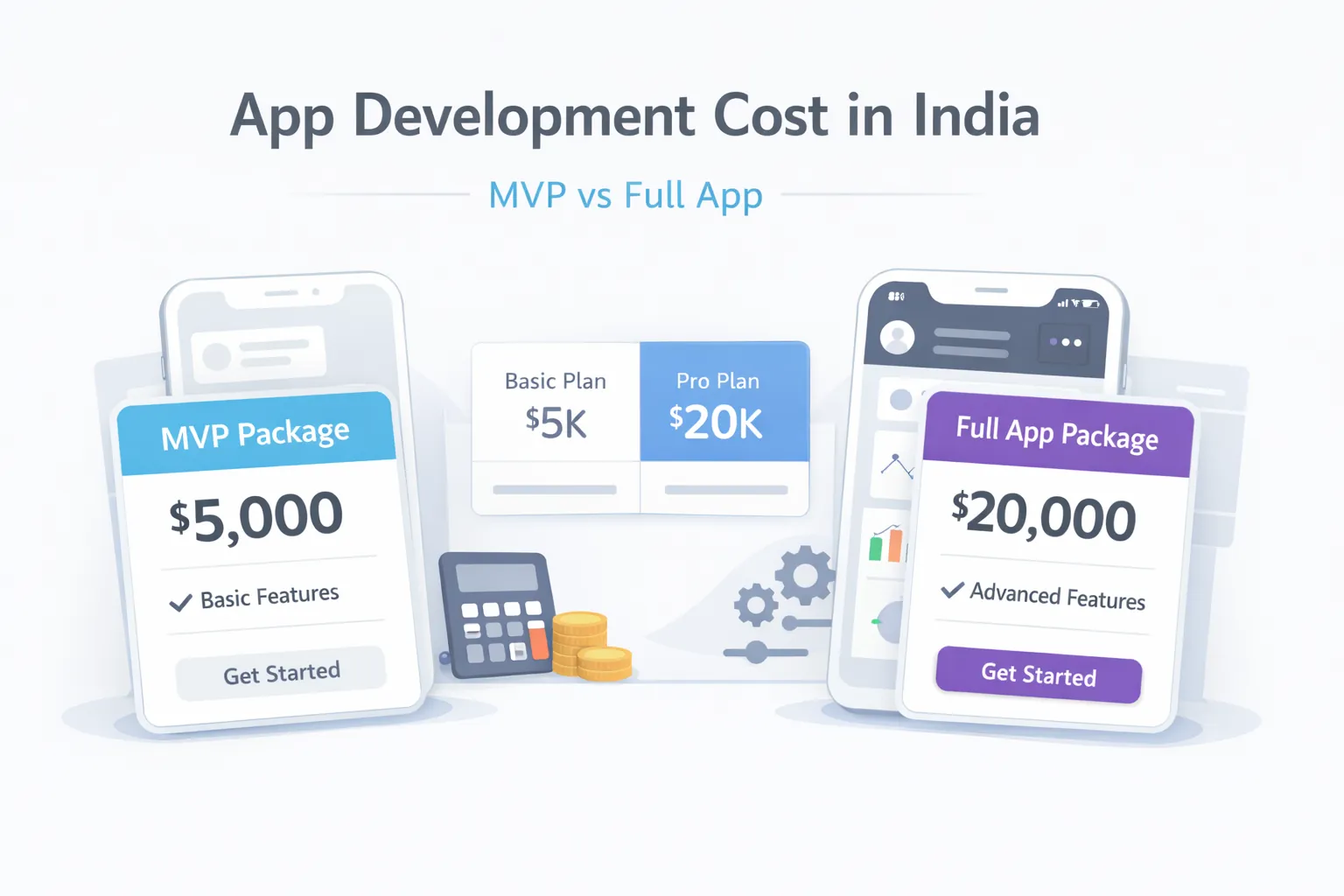
March 29, 2026
Estimate app development cost in India by comparing prototype, focused MVP, and full product scope across platforms, backend, integrations, QA, and support.
Read article
May 10, 2026
Use this web app quotation checklist to compare scope, modules, user roles, integrations, milestones, pricing, ownership, support, and acceptance terms.
Read article