
May 26, 2026
Transport/Logistics Booking + Tracking Portal
transport logistics booking tracking portal: practical 2026 guide with features, INR pricing, roadmap, tech stack, mistakes, FAQs, and Indian SMB tips.
Read articlePublished Updated
Design an ecommerce order tracking page with clear states, verified access, delivery events, exceptions, support actions, privacy controls, and analytics.
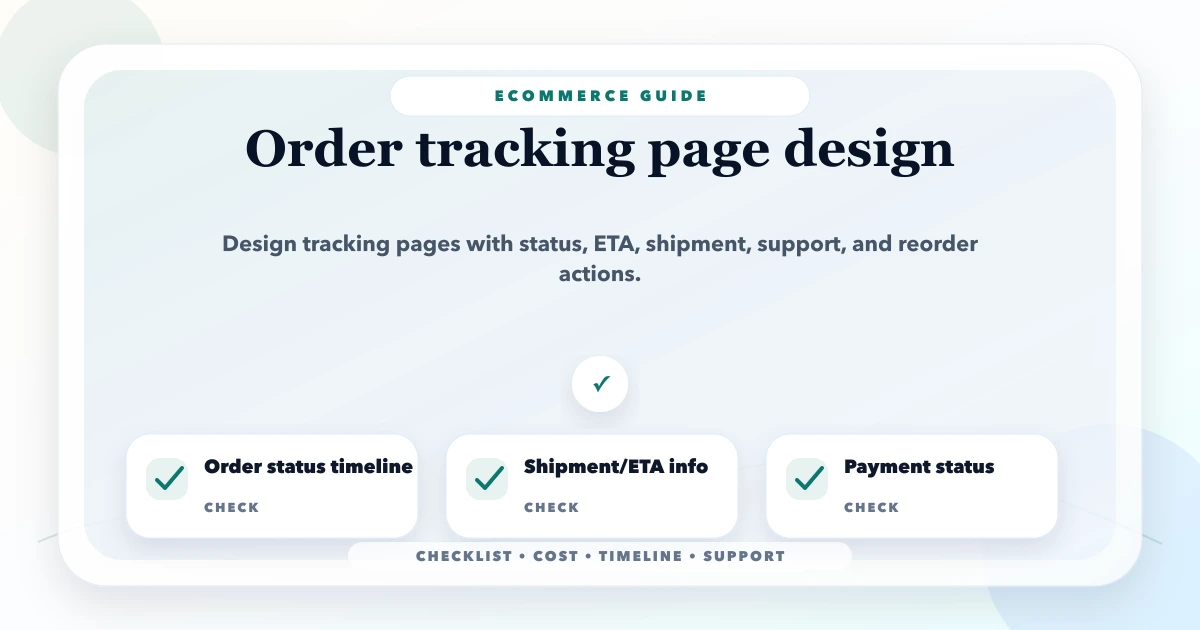
An order tracking page should explain what the customer can expect next, not display every raw courier code. It connects payment, fulfilment, shipment, delivery, cancellation, return, and support states into one understandable timeline while protecting customer information.
The page must be honest about data freshness. If the carrier has not sent a scan for 18 hours, show the last confirmed event and support path instead of inventing a live vehicle location.
One order may contain several fulfilments or shipments. Payment may be paid, part-paid, cash on delivery, refunded, or failed independently from delivery.
| Entity | Example states |
|---|---|
| Order | placed, confirmed, cancelled, completed |
| Payment | pending, authorised, paid, failed, refunded |
| Fulfilment | allocated, picking, packed, backordered |
| Shipment | label created, picked up, in transit, out for delivery, delivered, exception |
| Return | requested, approved, pickup, received, inspected, settled |
Avoid one status field that jumps from paid to shipped and loses split shipment, backorder, cancellation, or refund detail.
Translate provider events into a small controlled set:
Keep the original provider code and payload in restricted operational records for diagnosis. Customer text should explain the next action and responsible party.
Show order number or masked reference, current status, expected/estimated delivery wording, last update time, primary next action, and help path.
Show items in this shipment, carrier, tracking reference where appropriate, timeline, destination area in masked form, and split-shipment explanation.
Show items, quantities, payment state, totals under approved policy, invoice link if authorised, and remaining fulfilment.
Allow address/help request only when operationally possible. Provide cancellation, return, delivery issue, or contact actions according to current state.
Do not expose a customer's order because someone guessed a sequential ID. Options include authenticated account access or an opaque signed tracking token with appropriate expiry and scope. For guest orders, request a second matching value only under a carefully reviewed design.
Controls:
A carrier integration can deliver duplicates, delays, retries, and events out of order. Build a normalization layer:
The webhook integration guide covers idempotency and reconciliation.
Use a date or range only when the business or carrier provides a defensible estimate. Label it estimated, not guaranteed. When exceptions occur, replace stale promises with the last confirmed event, updated range if available, and a clear support action.
Do not update estimates by simply adding one day every night. That hides the operational issue.
Common exceptions include failed attempt, address issue, customer unavailable, weather/network disruption, damaged parcel, lost shipment, pickup missed, or return to origin.
For each exception define:
A generic delayed status with no action increases support calls.
Email, SMS, or WhatsApp should link to the canonical secure tracking page rather than repeat all personal/order data. Trigger from internal normalized events, not directly from every provider callback.
Use frequency caps, template versions, provider delivery status, opt-out/transactional policy, and stop rules. A duplicate webhook should not send duplicate Out for delivery messages.
The WhatsApp payment notification guide explains related event controls.
Tracking should continue after delivery when return/refund workflow exists. Keep physical and financial states separate:
return requested -> approved -> pickup scheduled -> in return transit -> received -> inspected -> refund/replacement pending -> settled
Do not show Refund complete merely because a return parcel arrived. Link to the returns and refunds policy guide and ensure visible policy matches the operational system.
Test slow connections and older devices. The tracking page is often opened from a message while the customer is travelling.
Do not send order IDs, addresses, phone numbers, or product-sensitive data into analytics unless specifically justified and governed.
Model order, fulfilment, shipment, payment, and return states. Build a staff view and test exceptions.
Add verified access, masked details, status timeline, item/shipment mapping, and support actions.
Normalize one carrier integration, add webhook monitoring, reconciliation, and controlled messaging.
Add eligible cancellation, address action, returns, refunds, and exception analytics only after operations can fulfil them.
For custom ecommerce flows, review web application services and integrations.
Cost depends on ecommerce platform, order/fulfilment model, carrier count, split shipments, guest access, payment/refund data, notification channels, returns, self-service, historical migration, support tooling, and provider reliability.
A simple link to one carrier is smaller than a unified multi-carrier tracking and exception platform. Estimate discovery, state model, customer UI, security, carrier integrations, notifications, support workflows, QA, monitoring, and maintenance separately.
VASUYASHII would first model one order with split shipment, failed attempt, return, and refund before designing the public timeline. Our implementation worksheet maps every provider event to an internal state, customer-safe label, next action, owner, notification rule, and stale-event threshold. Unknown or contradictory events go to an operations queue instead of being translated into a confident but incorrect promise. The web app development hub connects this workflow to portal, dashboard, permission and integration planning.
We also test guest access with a second customer's order, expired tokens, repeated webhooks, events arriving out of order, and a carrier outage. These checks cover the failure paths that a visual timeline mock-up cannot prove. This is a scoping method, not a claim about a named ecommerce result. Contact us with redacted carrier events and current order states for a focused scope.
Account login is appropriate for registered customers. Guest tracking can use a secure opaque token and controlled verification without exposing predictable order IDs.
Only when the carrier provides reliable, permitted location data and the privacy/security model supports it. A truthful event timeline is often more dependable.
Update when a verified provider or internal event arrives and show the last update time. Use reconciliation for stale shipments rather than artificial refreshes.
Group items by fulfilment/shipment, give each timeline, and show overall order completion separately. Explain remaining unshipped items.
Private or customer-specific tracking pages should not be search results. Use appropriate access controls and index directives under the application's architecture.
It depends on state. Before dispatch it may be cancellation/address help; during exception it may be reschedule or contact; after delivery it may be return or issue reporting.
Order tracking starts with a reliable order and payment state. Review the checkout drop-off and failure guide before designing post-purchase status communication.
Collect real event codes from one carrier and map them to customer wording, next action, owner, and retry rule. Contact VASUYASHII to design the secure tracking flow.
Related Articles
May 26, 2026
transport logistics booking tracking portal: practical 2026 guide with features, INR pricing, roadmap, tech stack, mistakes, FAQs, and Indian SMB tips.
Read article
March 26, 2026
Purchase and sales management system guide for SMEs with features, pricing in India, timeline, tech stack, and rollout advice for daily operations teams.
Read article
May 22, 2026
Plan a customer support ticketing system with channels, SLA rules, assignment, escalation, reports, costs, rollout steps, and Indian SME examples.
Read article
May 18, 2026
WhatsApp automation for ecommerce: practical 2026 guide with checklist, cost, roadmap, tools, mistakes, FAQs, and next steps for Indian SMBs today safely.
Read article