
May 15, 2026
Garment Shop Inventory: Variants, Barcode and Cost
Plan garment shop inventory software for style-colour-size variants, barcode billing, purchases, transfers, returns, stocktakes, reports, costs, and rollout.
Read articlePublished Updated
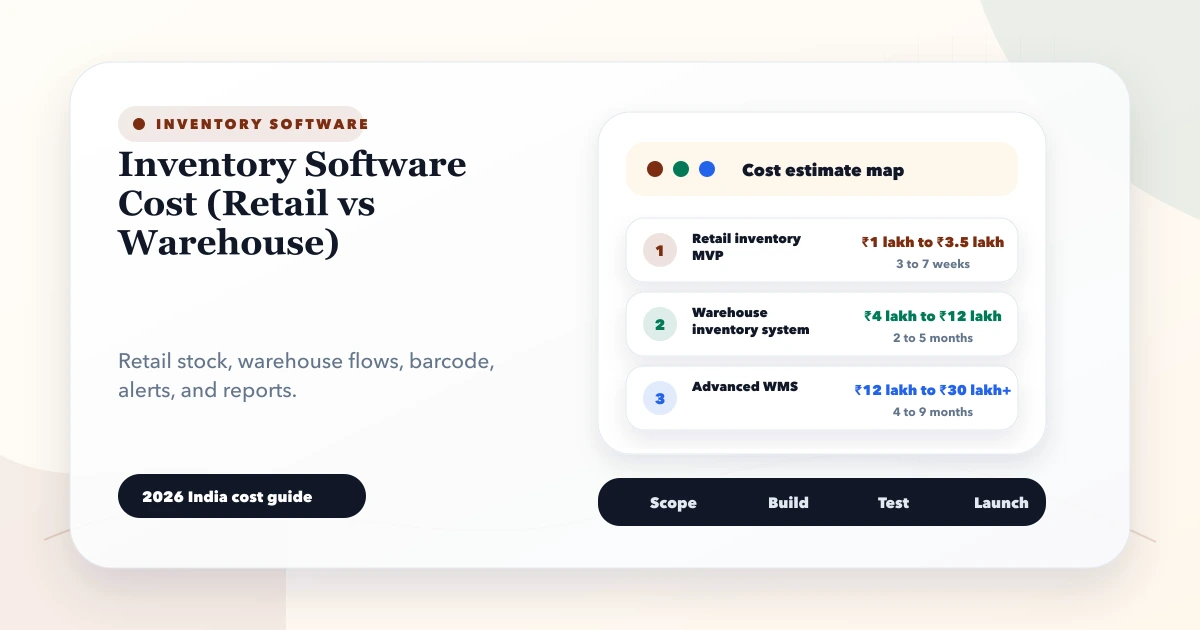
Compare inventory software cost for retail and warehouse operations, including modules, barcode workflows, locations, integrations, rollout, and hidden effort.
By Tushar C., Founder of VASUYASHII Published: May 28, 2026 | Reviewed: August 3, 2026
Inventory software cost depends on the movements the system must control, not only the number of products. A retail shop may need fast billing, purchase receipt, returns, basic stock, and low-stock visibility. A warehouse may need receiving bays, bins, putaway, pick lists, transfers, batch or serial tracking, cycle counts, approvals, devices, and shipment handoffs.
Those are different operating systems. A quote that says only "inventory module" cannot show whether the proposed scope is suitable.
The ranges below are planning estimates for custom or heavily configured software in India, not fixed quotations. Taxes, licences, devices, cloud services, data migration, and ongoing support may be separate.
| Scope | Typical planning range | Suitable starting point |
|---|---|---|
| Retail inventory setup | ₹60,000-₹1.5 lakh | One location, product master, purchases, sales, returns, basic stock |
| Multi-store retail | ₹1.5-₹3.5 lakh | Branch stock, transfers, roles, central reports, barcode workflows |
| Starter warehouse system | ₹2.5-₹5 lakh | Locations/bins, receiving, putaway, picking, dispatch, counts |
| Advanced warehouse platform | ₹5-₹12 lakh+ | Multiple warehouses, batches/serials, devices, integrations, audit and planning |
A standard SaaS product can cost less to start. A custom build may be justified when the movement, approval, integration, or reporting process is materially different. Compare three-year subscription, implementation, data cleanup, hardware, support, and exit costs.
| Requirement | Retail operation | Warehouse operation |
|---|---|---|
| Primary speed | Checkout and counter lookup | Receiving, putaway, picking, dispatch |
| Location model | Shop, back room, branch | Warehouse, zone, aisle, rack, bin, staging |
| Barcode use | Price/product lookup, receipt, count | Custody and movement validation |
| Replenishment | Low stock and branch reorder | Bin replenishment, demand, open orders |
| Exceptions | Returns, damaged item, negative stock | Short receipt, wrong bin, partial pick, variance |
| Devices | Desktop, tablet, phone, simple scanner | Rugged handheld, printer, shared stations |
| Reporting | Sales, margin, stock, ageing | Accuracy, throughput, ageing, fill rate, task backlog |
If a retail shop only needs billing and stock, warehouse terminology adds cost without value. If a warehouse uses one quantity per product without locations and movements, the software may show a total but cannot explain where stock is or who handled it.
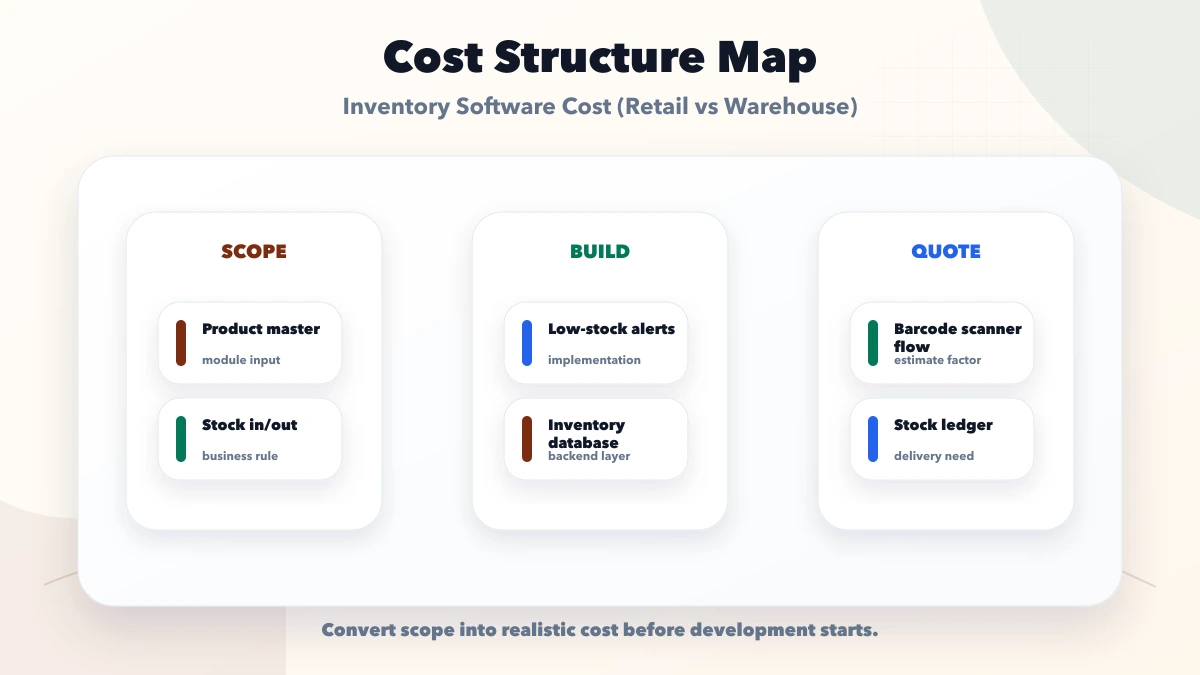
A clean product with one unit and one code is inexpensive to manage. Complexity rises with variants, cartons, pieces, batch, expiry, serial numbers, dimensions, bundles, and alternate barcodes.
Document:
When external supply-chain identifiers are needed, follow appropriate standards rather than inventing codes casually. The official GS1 India user manual explains common identification concepts.
One shop can use a location called "Main Store." A warehouse may need a hierarchy and controlled transitions.
Example:
Company -> Warehouse -> Zone -> Rack -> Bin
Movements may pass through receiving, quality check, putaway, available, reserved, picking, packed, dispatched, in transit, returned, quarantine, or damaged states. Each additional state needs validation, permissions, reports, and exception handling.
Do not pay for a detailed bin model if staff will not label and scan bins. Do not omit it when the operation loses time searching for stock.
Every quantity change should have a reason and reference.
| Movement | Acceptance question |
|---|---|
| Purchase receipt | Can partial and excess receipt be controlled? |
| Sale or issue | Can stock be reserved and released correctly? |
| Transfer | Is in-transit stock visible and matched at receipt? |
| Return | Is stock classified as sellable, damaged, or quarantine? |
| Adjustment | Are material variances approved and traceable? |
| Stock count | Can counts be frozen, reviewed, and reconciled? |
| Assembly or bundle | Are component and finished quantities consistent? |
The barcode inventory guide explains mobile and scanner event design. Barcode hardware does not remove the need for clear movement rules.
Inventory rarely operates alone. Define which transaction creates, reserves, reduces, receives, or reverses stock.
VASUYASHII Business Suite currently connects product, purchase, invoice, return, payment, and report contexts in one business platform. The screenshot below is first-party product evidence of the current product-list interface. It is not evidence that every advanced warehouse feature in this guide is shipped.
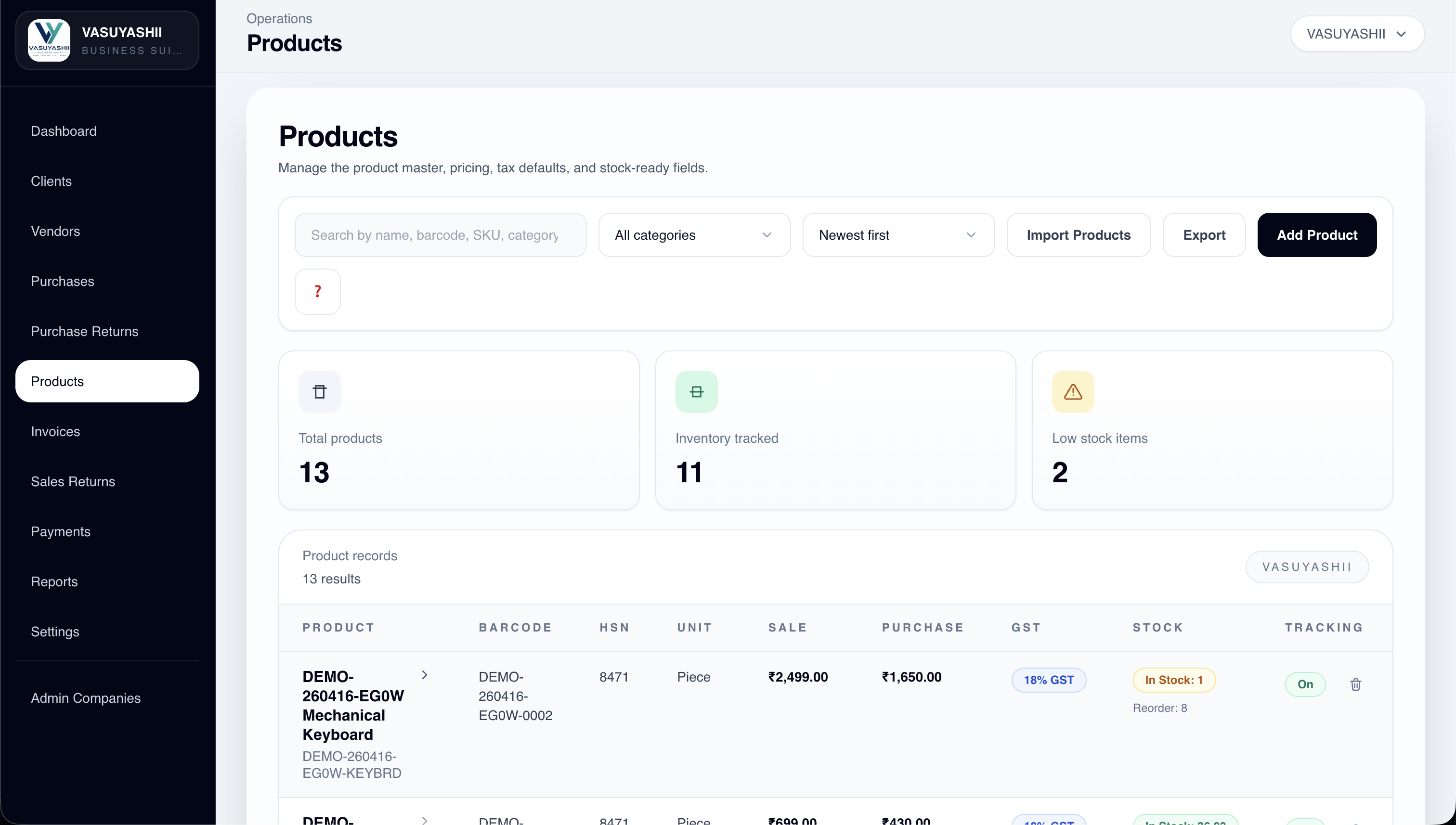
Review the Business Suite product scope to compare a practical ERP-lite product with a custom warehouse requirement.
Migration includes more than importing a product CSV. A usable opening position may require products, units, barcodes, locations, opening quantities, batches, serials, suppliers, purchase prices, pending orders, and valuation assumptions.
Safe migration uses:
Do not migrate years of movement history unless there is a defined reporting or compliance need. An approved opening position plus archived history can be safer.
Include the total operating setup:
Run actual scans in the physical environment. A camera may work for a retail pilot and fail under warehouse lighting or high volume.
Reports require definitions. "Stock report" can mean current quantity, available quantity, reserved quantity, stock value, ageing, movement history, reorder, variance, or expiry.
Agree on:
Software implementation does not replace accounting or tax advice. Confirm valuation and statutory treatment with an appropriate professional.
Product master, users, one location model, purchases/receipts, sales/issues, returns, opening stock, and movement history.
Transfers, barcode scanning, approvals, stock counts, low-stock rules, and role-based reports.
Bins, putaway, picking, staging, batches/serials, devices, and offline workflows.
Ecommerce, ERP, transport, supplier/customer portals, demand signals, advanced reports, and monitored automations.
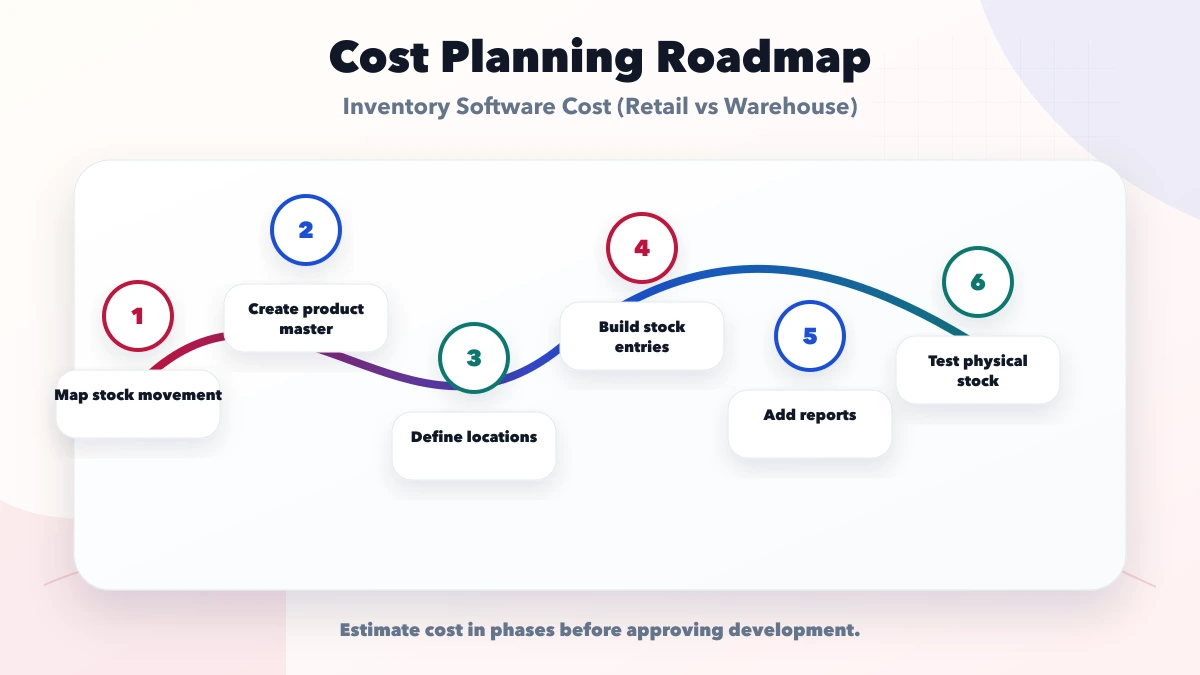
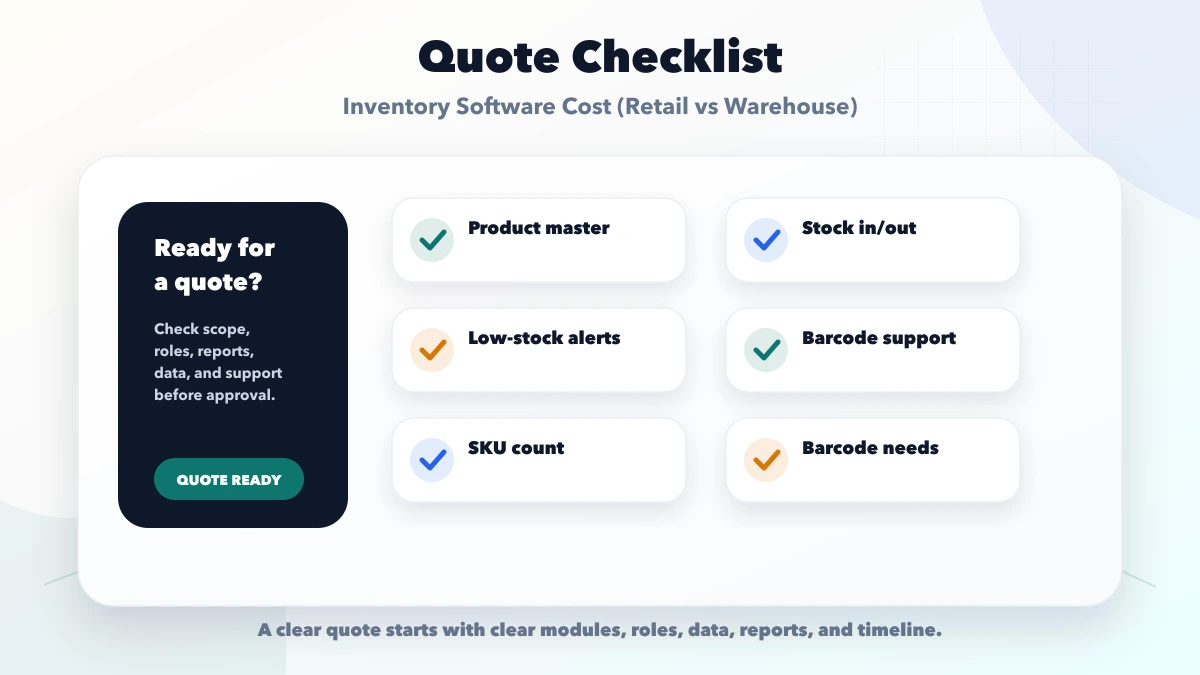
Product cleanup omitted from the quote: The software launches with duplicate and ambiguous items.
Hardware budget ignored: Devices and labels arrive after development and change the workflow.
No opening-stock acceptance: Teams argue about whether the old or new balance is correct.
Reports not defined: A screen exists, but its numbers cannot be reconciled.
Every feature included in Phase 1: Staff cannot absorb the process change and errors spread across locations.
No support ownership: Printer, device, network, app, and data issues are passed between vendors.
These ranges are for planning and do not constitute a quotation. Regulated products, cold chain, manufacturing, hazardous goods, high-scale automation, advanced accounting, or statutory traceability can require specialist systems and controls. Confirm current tax, accounting, barcode, and industry requirements independently.
Warehouse systems usually require location hierarchy, receiving, putaway, picking, staging, transfers, devices, counts, exceptions, and custody records. A retail system can often begin with a simpler movement model.
Yes, when item volume and movement are manageable. Design stable product and location IDs first so barcodes can be added without rebuilding the data model.
No. Start with standard software when the workflow fits. Choose custom development only when a valuable, stable process cannot be handled safely through configuration.
Clean the product master, define a cutoff, perform or approve a physical count, import the opening position, and reconcile totals by location before live transactions begin.
They may, but they do not have to. Define which system owns quantities, valuation, invoices, taxes, and ledger entries, then test reconciliation between them.
Exclude low-value reports, predictive planning, complex automation, and rare exceptions until core receipts, issues, transfers, returns, and counts are reliable.
Prepare one movement map and one sample product sheet before requesting quotes. Use the requirement template, then discuss the correct retail, warehouse, or phased scope through contact.
Related Articles
May 15, 2026
Plan garment shop inventory software for style-colour-size variants, barcode billing, purchases, transfers, returns, stocktakes, reports, costs, and rollout.
Read article
March 28, 2026
Inventory software for retail shops: features, real use cases, pricing, rollout plan, and what retailers should digitize first in 2026.
Read article
May 24, 2026
Plan retail inventory software around products, barcodes, stock movements, purchases, sales, returns, transfers, counts and reorder controls.
Read article
May 19, 2026
Estimate custom software cost by module across workflows, roles, data, integrations, migration, testing, support and acceptance before comparing quotes.
Read article