
March 25, 2026
Custom Business Software: Use Cases and Cost
Learn custom business software development in 2026: practical use cases, cost drivers, delivery process, and when custom software is worth the investment.
Read articlePublished Updated
Internal tools development guide for companies in 2026: use cases, workflow benefits, cost logic, and how custom systems improve control and team speed.
Many companies already pay for SaaS tools but still rely on spreadsheets, group chats, and manual status checks for critical operations. That usually happens because the real internal workflow is too specific, too fragmented, or too fast-moving for a generic product to fit cleanly.
In 2026, internal tools are increasingly common because teams want browser-based systems that reflect their actual processes without the cost and rigidity of enterprise software. This is especially true for SMEs that need something practical, not bloated.
This guide covers:
Internal tools are custom systems built for staff, managers, or branch teams to handle operational work faster than spreadsheets, email threads, or generic apps allow. Their value comes from fit, speed, and control.
Scope the first release around one repeated workflow, its users, required decisions, exception states, and the report management needs. That makes internal-tool value testable without trying to digitize the entire company.
The point of internal tools is not to build software for the sake of it. The point is to reduce repeated admin work, improve control, and give teams one reliable operating layer instead of several partial workarounds.
The more often a task repeats, the more value a custom internal tool can create by reducing manual copying, status chasing, or decision bottlenecks. This changes the outcome because repetition is a strong signal for where software can save the most time.
Managers, staff, admins, and branch operators usually need different workflows and visibility. Internal tools should respect those differences instead of flattening them into one experience. This changes the outcome because role-aware design improves both usability and operational control.
When updates live across sheets, email, and chats, it becomes hard to trust what is current. Internal tools create one source of truth for process state and action history. This changes the outcome because centralized data reduces confusion and makes reporting more reliable.
Processes like discounts, purchases, leave, stock adjustments, or reimbursements usually need clear rules for who can approve what and when. This changes the outcome because approval logic is often where manual systems waste the most time.
Internal tools may need to read from CRM, update inventory, sync messaging, or trigger reports elsewhere. These connections influence architecture significantly. This changes the outcome because integration depth determines whether the tool becomes central or just another isolated layer.
Staff need a tool that feels fast and obvious. Leaders need a system that can evolve without constant friction whenever the workflow changes slightly. This changes the outcome because maintenance quality affects whether the tool stays useful or slowly gets bypassed.
Internal-tool quality appears in daily operation: staff can complete common actions quickly, managers can inspect exceptions, permissions prevent unsafe changes, and support can diagnose failures without guessing.
The best internal tools come from observing how work is actually done, including shortcuts, bottlenecks, and approval workarounds that may never appear in formal SOPs.
This makes the tool more realistic and easier for teams to adopt. When this layer is done properly, the product becomes easier to onboard, easier to support, and easier to improve later.
Internal tools should favor clarity, quick actions, and strong table or form workflows over flashy presentation.
Speed of use matters more than visual novelty for daily staff operations. When this layer is done properly, the product becomes easier to onboard, easier to support, and easier to improve later.
Statuses, transitions, ownership, and escalation rules should be built into the product so work moves visibly and predictably.
That reduces dependence on memory and manual follow-up. When this layer is done properly, the product becomes easier to onboard, easier to support, and easier to improve later.
Leaders usually need a cleaner summary layer than staff do, so reports and overview dashboards should be designed intentionally.
Reporting is what converts daily activity into managerial control. When this layer is done properly, the product becomes easier to onboard, easier to support, and easier to improve later.
Operational tools should make it easy to review who changed something, who approved it, and what exceptions were handled.
This improves trust and makes issues easier to investigate. When this layer is done properly, the product becomes easier to onboard, easier to support, and easier to improve later.
Internal tools nearly always improve after real usage reveals missing shortcuts, field adjustments, and status edge cases.
A refinement phase helps the tool settle into the company's daily rhythm. When this layer is done properly, the product becomes easier to onboard, easier to support, and easier to improve later.
| Workflow control | Definition needed | Acceptance evidence |
|---|---|---|
| Role | Who can view, create, approve, edit, export, or delete? | Permission test for every high-risk action |
| State | Which statuses exist and which transitions are valid? | Test cases for normal and rejected transitions |
| Ownership | Who is responsible now and who receives escalation? | Visible assignee, due state, and escalation rule |
| Audit | Which changes need actor, time, old value, and new value? | Reviewable history for sensitive actions |
| Reporting | Which totals and exceptions drive a decision? | Report reconciles with a known sample dataset |
| Recovery | How are import errors, failed jobs, and accidental changes handled? | Backup, retry, correction, and support procedure |
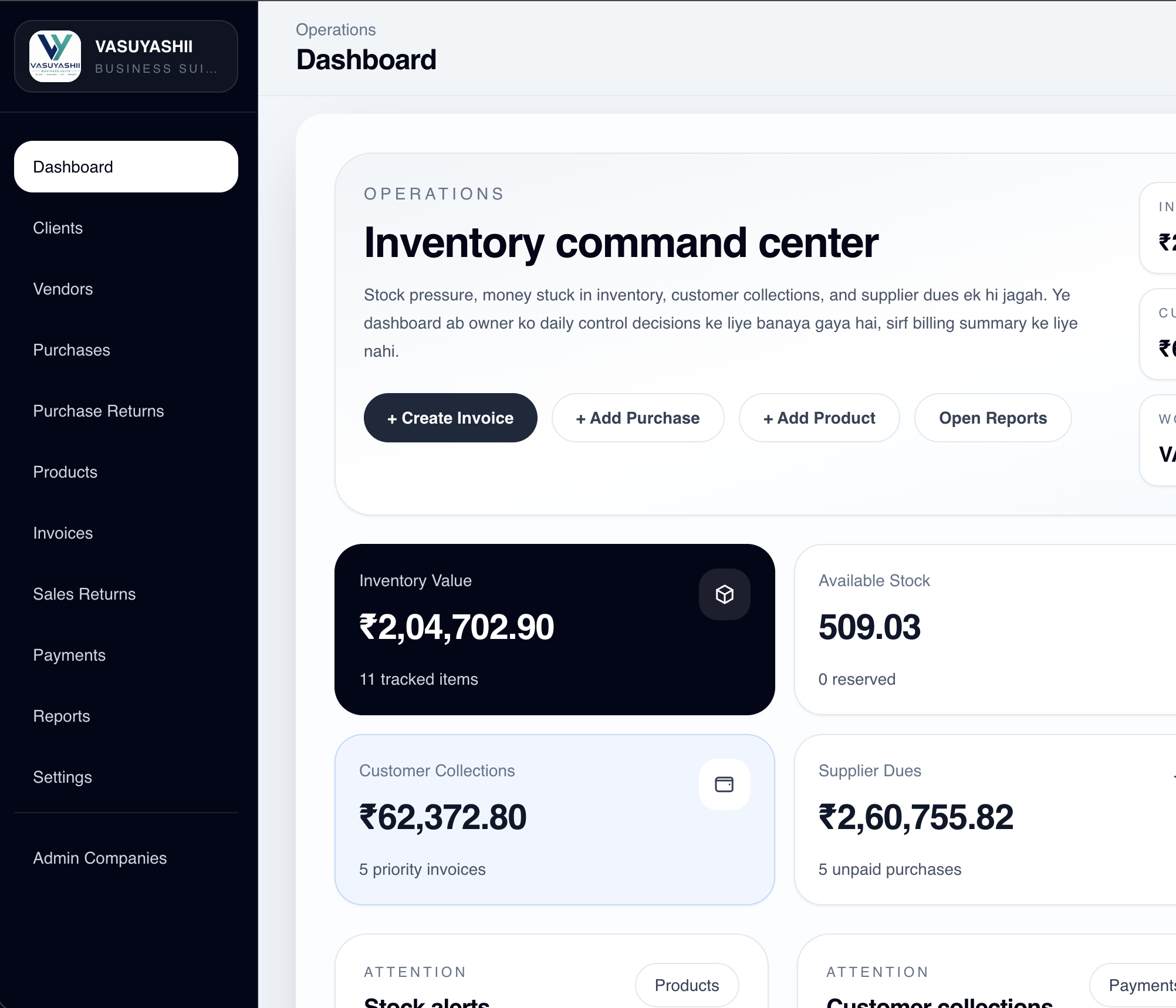
This first-party screenshot demonstrates an implemented operational dashboard with company-scoped business states and actions. It is not evidence of a customer deployment, measured productivity improvement, HR workflow, enterprise-wide ERP replacement, or a specific return on investment.
For secure delivery governance, use NIST's Secure Software Development Framework as a primary reference and adapt controls to the tool's actual risk, users, and deployment environment.
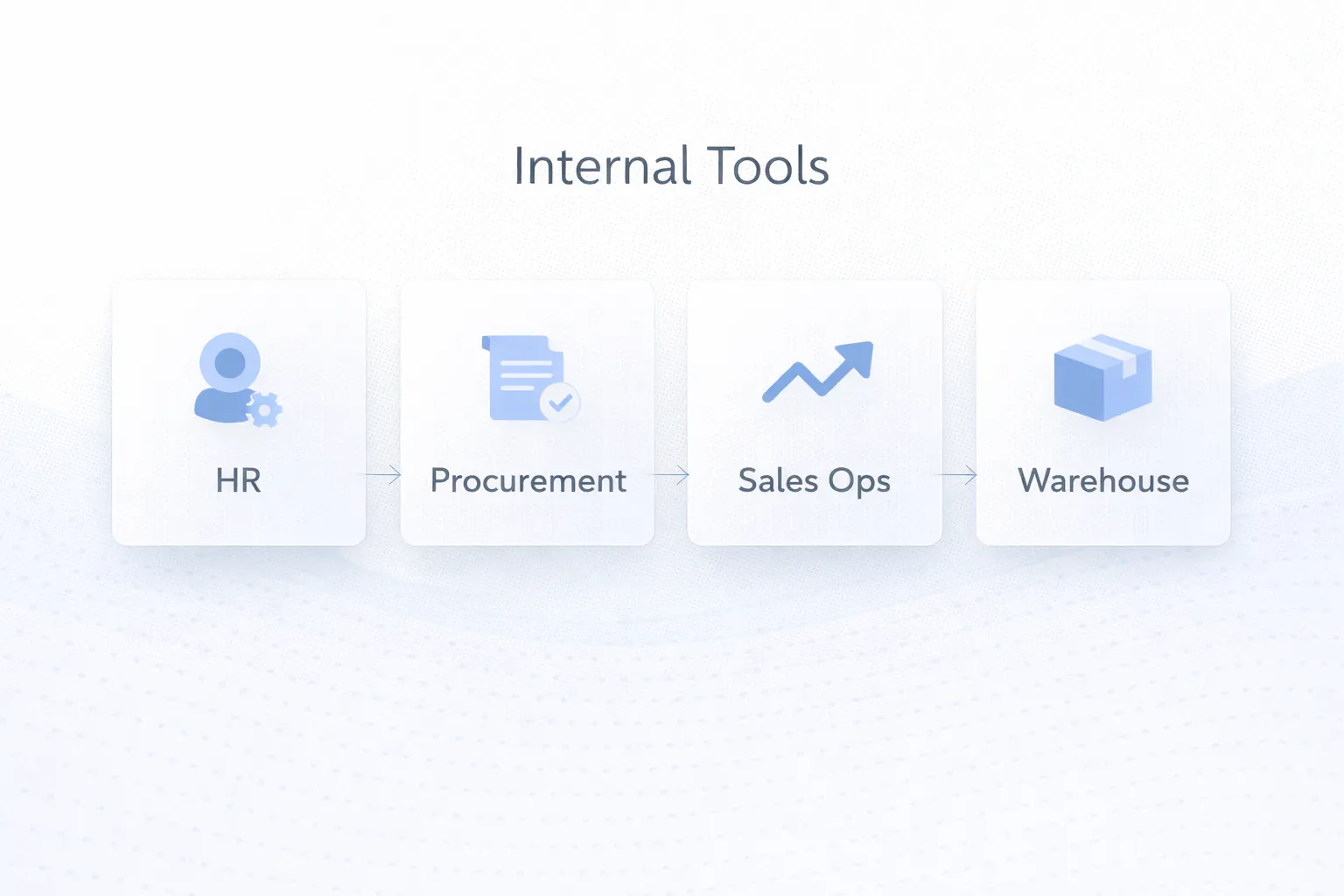
Requests, approvals, histories, and supporting documents can move through one internal interface instead of messages and spreadsheet trackers.
Start only after leave, reimbursement, retention, and reviewer permissions are agreed with the responsible team.
Internal tools can coordinate lead assignment, follow-up reminders, manager approvals, and branch visibility when a packaged CRM cannot represent the required workflow.
Measure assignment latency, overdue follow-ups, and ownership gaps before claiming improvement.
Purchase requests, approval steps, vendor updates, and stock-linked status changes can be managed through one workflow system.
Approval thresholds, vendor changes, cancellation, partial receipt, and price variance need explicit rules.
Internal tools can handle movement logs, dispatch checks, exception flags, and branch-level reporting more consistently than an uncontrolled spreadsheet process.
Reconcile a sample of opening stock, movements, reservations, returns, and closing stock before launch.
Bring the current sheet or form, user roles, approval examples, exception cases, and the management report. Those artifacts are enough to map a focused internal-tool phase.
Spreadsheets become risky when multiple users, approvals, histories, and branch coordination need controlled behavior. Migrate only after data ownership and cleanup rules are defined.
Internal users often need faster, simpler flows than customer-facing products provide. Design should follow observed tasks and error patterns.
If the tool only collects input and cannot expose decisions or exceptions, managers will continue parallel trackers. Validate reports against a known sample.
Even simple tools need onboarding around ownership, statuses, and changed responsibilities. Name a process owner before rollout.
Internal tools become operational dependencies. Define support priority, backup responsibility, incident contact, and change approval before staff rely on them.
A custom internal tool is not automatically cheaper or better than a spreadsheet, packaged SaaS, or process change. It introduces ownership for security, backups, data quality, support, and future changes. Build only where a stable, repeated workflow creates enough value to justify that responsibility.
VASUYASHII does not claim a fixed productivity gain from the dashboard shown above. A valid outcome needs a pre-launch baseline and post-stabilization comparison using the same workflow, users, and measurement definition.
Internal tool cost depends on workflow depth, number of departments, approvals, and whether the system needs dashboards, integrations, or branch-level reporting. A focused tool can be quite efficient to build; a cross-functional operating system is a larger commitment.
The strongest first project is often one that replaces a painful recurring process rather than trying to digitize the whole company at once. That creates measurable operational improvement with lower rollout risk.
If you want technical planning context, Web Application Development Cost in India (2026) and Web Application Development Guide map well to internal tool projects because the core principles are very similar.
They are custom software systems built for staff or managers to handle operational work, approvals, tracking, reporting, or coordination more efficiently.
Spreadsheets are flexible, but they become risky when multiple users, approvals, histories, and reporting accuracy matter. Internal tools add structure and visibility.
Usually the one with the most repeated manual work or the greatest reporting and coordination pain, such as operations, sales ops, procurement, or HR approvals.
Often yes. Staff may need workflow screens, while managers need summary views and reports to monitor performance and exceptions.
Internal tools are built for staff operations and management control. Portals are external-facing and focused on secure self-service for customers or partners.
Yes. Many internal tools pull or push data to CRM, messaging systems, spreadsheets, inventory systems, or finance tools to avoid duplicate work.
Fast workflows, clear ownership, management support, proper onboarding, and steady refinement based on real staff usage are the biggest success factors.
Use the workflow automation versus hiring ROI guide when the main question is staffing capacity. For employee-facing records and approvals, review the HR internal-tool guide.
Teams considering a React and Firebase stack should also review the Next.js and Firebase internal-tools architecture guide before choosing data, permission, and deployment boundaries.
Share one current workflow, sample records, role list, exception log, and required report. We can then define the smallest internal-tool release that can be tested safely.
Related Articles
March 25, 2026
Learn custom business software development in 2026: practical use cases, cost drivers, delivery process, and when custom software is worth the investment.
Read article
April 29, 2026
Order management automation workflows with status control, billing, stock sync, routing, pricing, and rollout guidance for SMB operations.
Read article
March 22, 2026
Evaluate SaaS benefits and trade-offs across cost, deployment, access, updates, security, integration, data ownership, vendor risk and business fit.
Read article
May 23, 2026
Build a fast, secure data entry panel with validation, drafts, bulk import, approvals, audit logs, permissions, and measurable operator productivity.
Read article