
June 2, 2026
Small Business CRM: Build vs Buy
Small business CRM build vs buy guide with custom CRM, SaaS CRM, Zoho-style tools, cost, workflows, reports, and decision checklist.
Read articlePublished Updated
Compare Zoho CRM subscription cost with custom CRM build, migration, integrations, administration, ownership and five-year total cost.
CRM pricing should be compared as a business operating cost, not as one subscription number versus one development quote. Zoho CRM and other SaaS products charge mainly by edition and user. A custom CRM requires discovery, design, development, migration, hosting, maintenance, security, and an internal owner.
The right choice depends on workflow fit, number of users, change frequency, integration depth, reporting needs, data ownership, and the cost of adapting the team to the software.
The official Zoho CRM feature and pricing page showed these India rates when checked in July 2026 for annual billing:
| Edition | Annual-billing rate shown | Typical step-up |
|---|---|---|
| Standard | ₹800 per user/month | Core sales automation and standard CRM controls |
| Professional | ₹1,400 per user/month | More process, inventory, and automation capability |
| Enterprise | ₹2,400 per user/month | Advanced customisation, process, AI, and controls |
| Ultimate | ₹2,600 per user/month | Higher limits and broader analytics capability |
Monthly billing was higher on the same page. Taxes, limits, feature availability, promotions, and pricing can change, so verify the official Zoho CRM comparison before purchasing. Also check whether required functionality belongs to CRM itself or another Zoho product.
The subscription is only one part of SaaS cost. Add setup, configuration, migration, training, administration, integration tools, message providers, storage, support, and process change.
| Decision area | SaaS CRM such as Zoho | Custom CRM |
|---|---|---|
| Time to start | Usually faster when the standard model fits | Slower because workflow and software must be designed |
| Upfront cost | Lower | Higher |
| Recurring model | Per user, edition, add-on, and provider terms | Hosting, monitoring, maintenance, enhancement, support |
| Workflow fit | Configure within product boundaries | Can model business-specific rules |
| Product upgrades | Managed by vendor | Planned and funded by owner |
| Integration | Marketplace, API, and edition dependent | Purpose-built, but still depends on external APIs |
| Data and exit | Export and API options subject to product capabilities | Greater implementation control; portability must still be designed |
| Security operations | Shared with SaaS vendor | Custom owner carries more responsibility |
| Best fit | Standard sales process and rapid adoption | Distinct workflow with measurable value and stable ownership |
Neither option is automatically cheaper. A poorly adopted SaaS subscription wastes recurring fees; an under-maintained custom CRM becomes operational risk.
Use a three- or five-year worksheet.
Multiply the edition rate by paid users and months. Model growth: sales representatives, managers, support users, operations, and administrators. Confirm whether occasional users need full licences.
Example: fifteen paid users at ₹1,400 per user/month would produce ₹2,52,000 per year before tax if that rate and user count remained unchanged. This is only arithmetic using the July 2026 reference, not a quotation.
Include process discovery, field design, pipelines, roles, profiles, automation, templates, dashboards, testing, migration, training, and launch support. A standard CRM can still fail when configured without clear ownership.
Marketing automation, telephony, WhatsApp, advanced analytics, document signing, customer portals, support desk, backup, and middleware may involve separate products or provider charges.
Someone must manage users, permissions, data quality, fields, automations, reports, integrations, and release changes. Count that employee or partner effort.
Test how contacts, companies, deals, activities, notes, attachments, custom records, audit data, and relationships can be exported. A CSV of contacts is not a complete exit plan.
Map lead sources, duplicate rules, assignment, pipeline transitions, follow-ups, quotes, approvals, roles, reports, integrations, and acceptance. The lead management system guide gives a workflow-level starting point.
Estimate modules across UX, frontend, backend, permissions, APIs, data, reports, migration, QA, deployment, and documentation. Use the module estimation method instead of pricing a vague feature list.
Budget for hosting, database, storage, email or messaging, monitoring, backups, domain and certificates, incident handling, and vendor accounts.
Custom software needs framework and dependency updates, security review, browser/device compatibility, backup tests, performance work, bug fixes, and support. Maintenance is not only new features.
Business rules will change. Keep a controlled backlog and annual improvement budget instead of assuming the first release will remain final.
Assign a product owner for priorities, data definitions, access approval, adoption, and acceptance. Custom software without a business owner accumulates inconsistent requests.
Choose a mature SaaS CRM first when:
Do not reject SaaS because some fields or labels are unfamiliar. Process change can be cheaper than software development when the standard workflow is sound.
A custom build becomes more credible when several conditions are true:
"We want our own CRM" is not enough. Write the cost of missed follow-ups, duplicate work, reporting delay, licence growth, and integration failure.
The small-business CRM build-versus-buy guide provides an intent-level comparison, while this article focuses on cost structure.
Many businesses should keep Zoho or another CRM as the sales system of record and build a smaller custom portal, calculator, approval flow, report, or integration around it.
Examples:
Hybrid architecture avoids rebuilding mature CRM functions while solving a specific operational gap. It also requires clear ownership of which system controls each field.
Use the small-business CRM build-versus-buy framework to map capture, ownership, follow-up, reporting, data exit, and pilot acceptance before comparing subscription and custom-development totals.
Run five representative scenarios in each shortlisted product:
Check data entry time, permitted transitions, visibility, mobile use, reporting, automation, and audit trail. A long feature list cannot replace this exercise.
Excel and old CRM records may contain inconsistent phone numbers, duplicate companies, invalid owners, outdated stages, missing consent, mixed dates, and free-text notes.
Budget for source inventory, profiling, cleaning rules, field mapping, trial imports, relationship preservation, reconciliation, cutover, and post-launch correction. Follow the Excel-to-CRM migration checklist before committing to a launch date.
Both approaches need user lifecycle, least privilege, role and record scope, audit visibility, data export controls, and incident ownership. SaaS reduces some platform burden but does not decide who inside your company should access which customer.
For a custom system, specify object, action, and scope permissions using the role-based access guide.
| Cost line | SaaS CRM | Custom CRM |
|---|---|---|
| Initial discovery/setup | Configuration and partner effort | Product discovery and specification |
| Licence/build | Users × edition × term | Design and implementation by module |
| Integrations | Add-ons, middleware, API work | API work and external provider fees |
| Migration | Cleanup, mapping, import | Cleanup, mapping, scripts, validation |
| Operation | Included platform plus add-ons | Hosting, monitoring, backups, support |
| Change | Configuration, edition limits, partner work | Enhancement backlog and engineering |
| Administration | CRM admin and data owner | Product owner, support, technical owner |
| Exit | Export and transition effort | Documentation, export, transition effort |
Use conservative assumptions and show high, expected, and low user growth. A break-even year based only on licence versus build cost is misleading.
Our project assessment compares real user scenarios, current data, integrations, recurring costs, and ownership before custom development is recommended.
VASUYASHII can help evaluate a standard CRM, configure an integration-led architecture, or scope custom software development. We do not treat custom development as the default. The first step is identifying which workflow is genuinely specific and what business result would justify owning software.
If your shortlisted architecture needs CRM, payment, WhatsApp, ERP, or web-form connections, review the integration service and share user count, workflow, current tools, sample data, required reports, and budget boundary through contact.
Usually at the start, especially for a standard process and a small team. Over several years, compare licences, setup, add-ons, administration, migration, integrations, and change against custom build, operation, maintenance, and ownership.
Only when standard products fail an important, measurable workflow and the business can maintain the product. Most small teams should test configuration or a hybrid solution first.
The developer may not charge per user, but infrastructure, providers, support, compliance, and performance requirements can grow with usage. There is still a recurring operating cost.
Migration is possible, but completeness depends on the data, relationships, attachments, history, exports, and APIs available. Test a representative export before relying on an exit assumption.
The lowest edition that supports the confirmed workflow, control, reporting, and integration requirements. Do not buy a higher edition only for speculative future features.
Review annually and before a major user increase, integration, business-model change, or renewal. Update actual adoption, support effort, add-on spend, and opportunity cost.
Related Articles
June 2, 2026
Small business CRM build vs buy guide with custom CRM, SaaS CRM, Zoho-style tools, cost, workflows, reports, and decision checklist.
Read article
March 26, 2026
Compare custom CRM vs Zoho CRM for Indian SMEs by workflow fit, verified Zoho pricing, custom scope, integrations, ownership, timeline, and risk.
Read article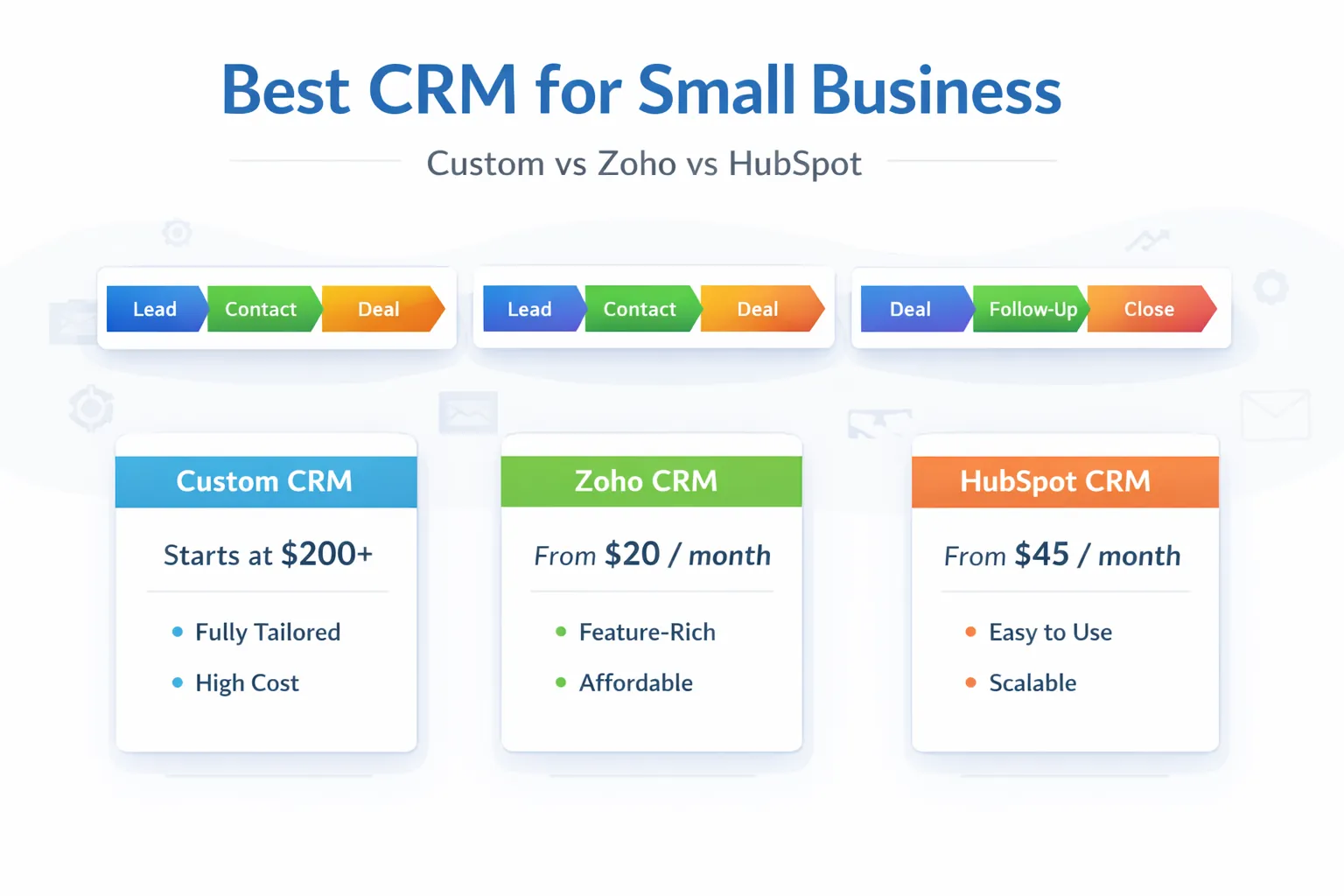
March 29, 2026
Best CRM for small business in India: custom CRM vs Zoho vs HubSpot, pricing snapshot, fit by business type, and how to choose in 2026.
Read article
March 28, 2026
Compare CRM pricing in India for small businesses, including SaaS plans, setup costs, custom build ranges, modules, integrations, and buy-vs-build checks.
Read article