
March 26, 2026
CRM Software for Small Businesses: Build vs SaaS
CRM software development for small businesses: compare custom CRM vs SaaS, features, pricing in India, timeline, tech stack, and rollout tips for lead tracking.
Read articlePublished Updated
Compare custom CRM vs Zoho CRM for Indian SMEs by workflow fit, verified Zoho pricing, custom scope, integrations, ownership, timeline, and risk.
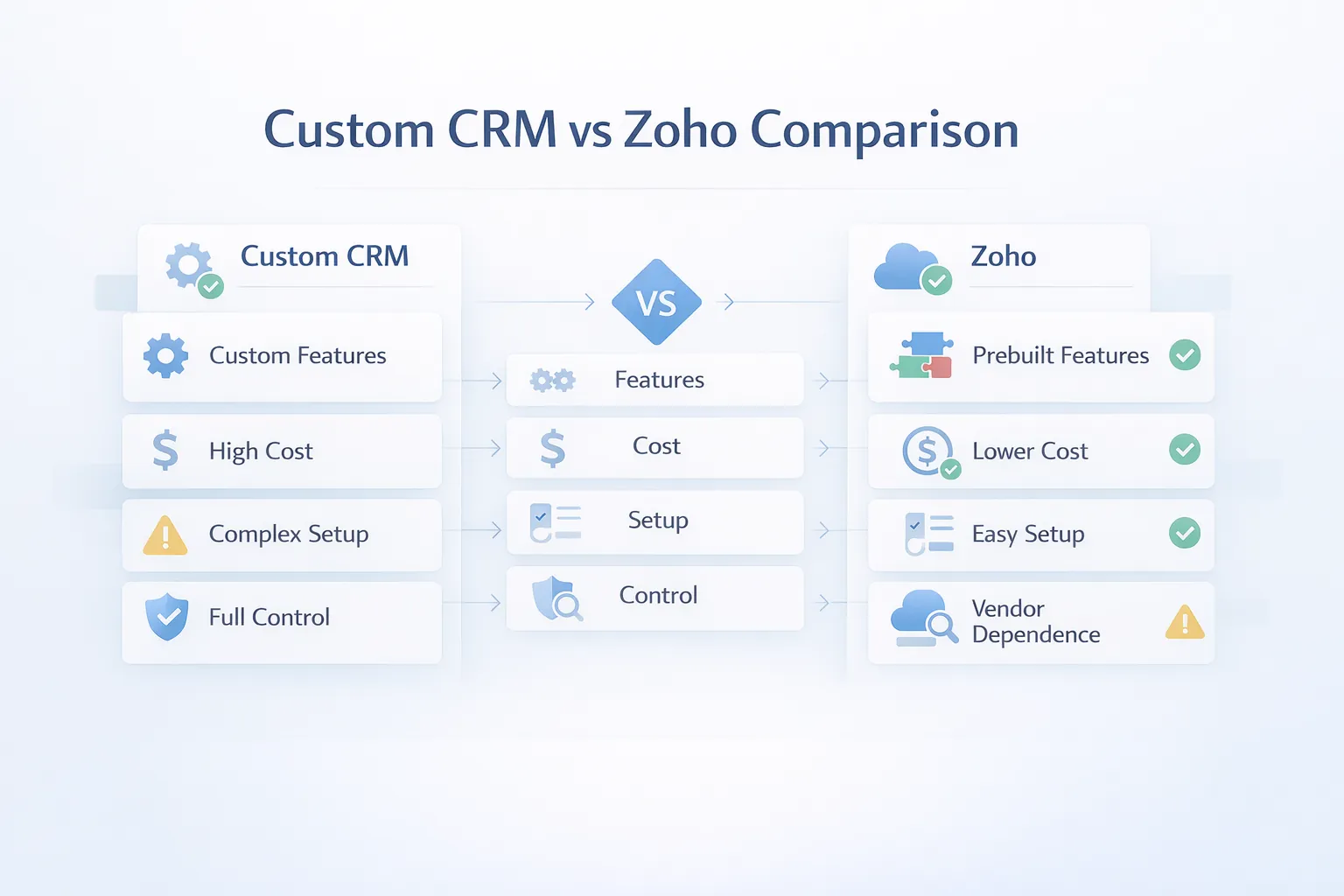
The practical custom CRM vs Zoho decision is a build-versus-buy choice. Zoho CRM provides a ready-made sales platform, faster setup and subscription pricing. A custom CRM takes longer and needs a larger upfront scope, but it can match company-specific lead routing, quotations, approvals, reporting and integrations.
Neither option is universally better. The correct choice depends on how standard the sales process is, how quickly the team must launch, which systems must connect, who will maintain the setup, and whether the business can document a custom workflow clearly enough to build it safely.
Zoho CRM is usually the stronger starting point when the team wants to go live quickly, can adapt to a standard CRM structure and accepts recurring per-user costs. A custom CRM becomes relevant when business-specific stages, quotation logic, territory rules, after-sales steps or cross-module reporting keep pushing critical work into side systems.
| Decision factor | Zoho CRM is usually stronger when | Custom CRM is usually stronger when |
|---|---|---|
| Launch speed | The team needs to start in days or weeks | The business can fund discovery, build, testing and rollout |
| Workflow | Stages and follow-ups are close to a standard sales process | Assignment, approvals, quotations or handover rules are business-specific |
| Cost model | Lower upfront cost and recurring seats are acceptable | Upfront investment is acceptable for a tailored scope |
| Integrations | Available connectors or APIs cover the requirement | Several systems need one controlled source of truth |
| Reporting | Standard CRM dashboards answer management questions | Reports combine CRM with billing, stock, service or branch rules |
| Ownership | Vendor-managed product evolution is preferred | The business requires a client-controlled roadmap and handover |
| Adoption | The team can adapt to the product | The interface must be simplified around role-specific tasks |
If the comparison also includes HubSpot or other products, use the broader CRM options for Indian small businesses. This page stays focused on Zoho versus a custom build.
Choose Zoho CRM first when the sales process is broadly standard, the team can adapt to available modules, implementation speed matters, and the business wants a predictable subscription instead of funding product development. Confirm the exact edition, user count, storage, automation, integration, and support costs before comparing it with a custom quote.
Consider a custom CRM when the workflow itself creates operational advantage or when ready-made tools repeatedly require spreadsheets, duplicate entry, manual approvals, unusual quoting, company-specific permissions, or separate systems for core reporting. Custom development is strongest when the business can describe its stages, ownership rules, documents, reports, integrations, and acceptance criteria clearly.
Use a hybrid approach when Zoho can manage standard leads and communication while a focused custom portal handles quotations, inventory, service delivery, customer access, or another specialized workflow. Integration ownership and source-of-truth rules must be explicit so the two systems do not create conflicting customer or status data.
Before deciding, test both options against one anonymized but realistic lead from enquiry to closure. Include assignment, follow-up, quotation, approval, document sharing, payment, reporting and post-sale handover. Review the small-business CRM build-versus-buy guide, CRM pricing guide, and custom software service.
This comparison is for an SME that already needs structured lead management but is unsure whether configuration will be enough. It is especially relevant when quotations, territories, approvals, after-sales activity or owner reports must stay linked to the customer record.
VASUYASHII Business Suite is useful evidence for the business-software side of this decision, but it should not be misrepresented as an advanced CRM. Its current scope includes clients, vendors, products, inventory, GST invoices, purchases, payments, expenses, reports, secure PDF sharing, backup and restore, and multi-company separation. It does not currently claim advanced sales forecasting, campaign automation, enterprise lead scoring, or the full CRM depth available in a mature CRM product.
That boundary gives an important decision rule. If the main problem is billing, stock, purchases, dues, and daily operations, inspect the Business Suite product page before commissioning a CRM. If the main problem is sales pipeline discipline, standard follow-ups, and rapid setup, Zoho may be the better starting point. If the business needs a unique lead-to-quotation-to-delivery workflow, a focused custom software discovery may be justified.
Do not combine all three requirements under the label "CRM." Write down the records and actions required at each stage. For example, an electrical distributor may need lead source, assigned salesperson, site requirement, quotation version, approved price, invoice status, customer due, and stock availability. Some of those belong in CRM; others belong in billing or inventory. The source of truth for every field should be decided before selecting or building software.
Zoho CRM is a good option when the business wants a reliable ready-made system and does not need highly custom logic in phase one.
The lower upfront investment matters. For a small team, starting on SaaS can be practical because the business gets contact management, pipeline structure, automation, and dashboards without waiting for a custom build. That is often the right move for early-stage sales discipline.
It becomes harder when the business wants very custom screens, deep quotation logic, unusual approval flow, stronger cross-module control, or a user experience tailored tightly to a specific business model.
Custom CRM is the better choice when the business process is specific enough that software fit affects daily productivity or conversion directly.
The value of custom CRM is not "we built our own." The value is that the team uses one tool that matches how the business really works. When that happens, adoption improves, reporting becomes cleaner, and the company stops paying in manual workaround time.
These are the features and decision points SMBs should compare before choosing.
Zoho is often the safer short-term choice. Custom CRM is often the better medium-term choice when the business already knows what it needs and wants a tool built around that process.
Compare both routes against the same written evidence:
For implementation context, review software development, integrations, and the contact route.
If you are stuck between a SaaS CRM and a custom build, the right next step is not a random trial. It is a workflow review with real user roles, reports, and commercial steps on the table.
This is where the comparison gets real.
The official Zoho CRM pricing page displayed these INR prices for annual billing when this article was updated:
₹800 per user per month₹1,400 per user per month₹2,400 per user per month₹2,600 per user per monthThe official page states that local taxes are additional. Editions, limits, discounts, add-ons and onboarding terms can change, so verify the live page and obtain a written quotation before purchase.
₹48,000 per year before taxes₹84,000 per year before taxes₹1.68 lakh per year before taxes₹2.88 lakh per year before taxesThose numbers are simple annualized calculations from the official per-user rates. Real spend can be higher once add-ons, setup, data migration, or training are included.
These are VASUYASHII planning bands for discussing scope, not market averages, guarantees or fixed quotations:
₹1.35 lakh–₹2.4 lakh₹2.5 lakh–₹4.5 lakh₹4.75 lakh–₹8 lakhAn actual estimate requires modules, roles, reports, integrations, migration, acceptance criteria, infrastructure and support to be written down.
Zoho is usually cheaper in year one for small teams. Custom CRM can become financially reasonable when team size grows, add-ons multiply, or the business keeps paying recurring cost while still doing important work outside the CRM.
The right comparison is not only year-one price. It is three-year fit plus workflow efficiency. If Zoho fits well, it is a solid choice. If it keeps forcing workarounds, that "cheap" option becomes expensive in practice.
Zoho CRM is vendor-managed, so the architecture question mainly applies to the custom route. These are possible components, not a required stack for every project:
Next.js for role-based dashboards, clean lead views, quotation screens, and responsive usage.Node.js for workflow logic, assignment rules, reminders, reporting, and integrations.PostgreSQL for contacts, deals, tasks, documents, quotations, and audit history.If your main requirement is a lighter relationship tool rather than a full CRM, vendor and client management software may be a better fit than either extreme.
Zoho CRM setup can often happen in days or a couple of weeks depending on data migration and onboarding depth. Custom CRM usually takes longer, but it gives more process fit.
Speed matters, but so does rework. A faster go-live is only better if the team can actually operate inside the tool without constant side processes.
These are the practical factors that decide whether Zoho or custom is the better deal:
The right answer depends on whether the business benefits more from faster product adoption or deeper process fit.
To choose well:
This removes a lot of guesswork. Many businesses do fine on Zoho for a while. Others should skip the detour and build something tailored from the start.
It may be cheaper upfront, but if add-ons, user growth, and workflow mismatch pile up, the real cost picture changes.
Custom is only better when the business is clear about what it needs and can actually adopt the process it is building around.
The best CRM is the one your team updates daily. If the tool feels too rigid or too complex, the data quality drops quickly.
Feature lists can be misleading. Two tools may both say "workflow" or "reports" while offering very different usefulness for your actual process.
If CRM must later connect to billing, collections, or service workflows, include that in the decision today rather than treating it as a surprise later.
It can be a practical starting point when the sales process is broadly standard and the selected edition covers the required roles, automation, reports and integrations. Verify the current edition limits before purchase.
Choose custom when your sales and customer workflow is specific enough that SaaS adaptation creates ongoing friction or incomplete visibility.
Usually yes upfront. But long-term value depends on team size, SaaS add-ons, and how much workflow mismatch the business is tolerating.
Yes. Many businesses do this once their process becomes clearer and they want stronger fit or broader integration.
When checked on 28 July 2026, Zoho's official page displayed Standard at ₹800 per user per month with annual billing, with higher editions above that and local taxes additional. Recheck the live page because pricing and terms can change.
Most SMB-focused builds take around 4 to 10 weeks depending on feature depth and integrations.
Zoho reporting is strong for standard CRM use. Custom CRM is better when management wants very specific operational or commercial dashboards.
Choosing based only on brand familiarity or price headline instead of actual workflow fit and team adoption likelihood.
For a useful comparison, share the sales stages, team roles, sample quotation flow, required reports, integrations and current spreadsheet or CRM problems. The same evidence can then be tested against Zoho configuration and a custom scope.
Related Articles
March 26, 2026
CRM software development for small businesses: compare custom CRM vs SaaS, features, pricing in India, timeline, tech stack, and rollout tips for lead tracking.
Read article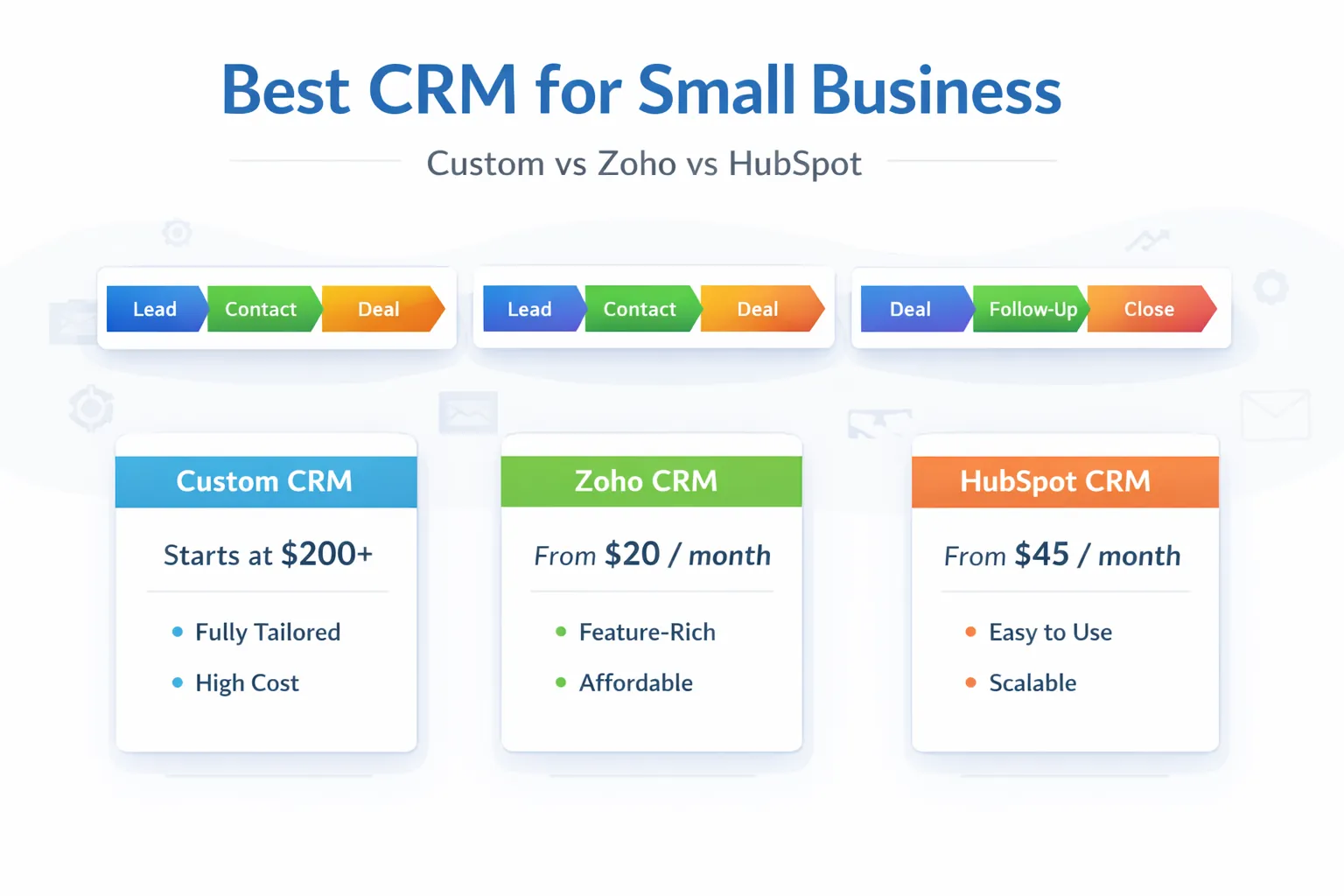
March 29, 2026
Best CRM for small business in India: custom CRM vs Zoho vs HubSpot, pricing snapshot, fit by business type, and how to choose in 2026.
Read article
June 2, 2026
Small business CRM build vs buy guide with custom CRM, SaaS CRM, Zoho-style tools, cost, workflows, reports, and decision checklist.
Read article
May 25, 2026
Compare Zoho CRM subscription cost with custom CRM build, migration, integrations, administration, ownership and five-year total cost.
Read article