
May 27, 2026
Firebase vs MongoDB for Business Apps (2026)
Compare Firebase and MongoDB for business apps across data models, queries, auth, offline use, reporting, cost, security and long-term backend control.
Read articlePublished Updated
Compare PostgreSQL vs Firestore vs MongoDB for business apps by transactions, real-time sync, reporting, document models, cost, migration, ownership, and scale.
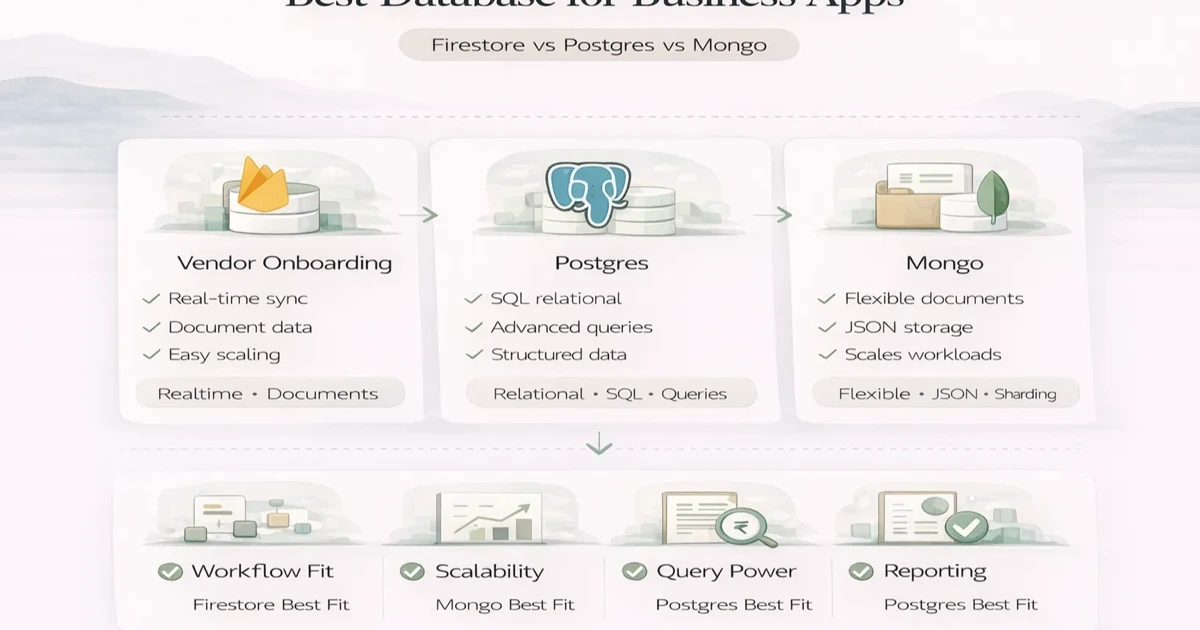
For an admin-heavy business app with invoices, payments, inventory, approvals, and cross-module reports, PostgreSQL is usually the safer default. Choose Firestore when managed real-time/offline client synchronization and known access patterns dominate. Choose MongoDB when flexible document-shaped records are a genuine fit. The decision should follow transactions and queries, not database popularity.
Firestore, Postgres, and MongoDB are all useful in the right context, but they solve different problems well. If you choose mainly on popularity or speed of first development, you can end up with reporting pain, data-shape issues, or avoidable migration work later.
This guide compares PostgreSQL, Firestore, and MongoDB in practical business-app terms: transactions, reporting, real-time behavior, tenant ownership, cost drivers, migration, and the proof test to run before production data accumulates.
Short version:
Postgres when your app has structured relational data, reporting, approvals, finance flow, or strong transactional integrity needsFirestore when you want fast real-time app development with simpler hierarchical data and managed scalingMongoDB when document-shaped data is a natural fit and schema flexibility matters more than strict relational modelingFor many serious business apps, Postgres is the safest default because:
That does not make Firestore or Mongo wrong. It just means you should choose them for the right reasons.
| Requirement | PostgreSQL signal | Firestore signal |
|---|---|---|
| Invoice, payment, stock, and purchase relationships | Strong fit for constraints, joins, and multi-record transactions | Possible, but denormalization and cross-document rules need careful design |
| Real-time mobile updates and offline client cache | Requires application/API implementation | Built-in client SDK patterns can reduce early implementation work |
| Complex owner and finance reports | SQL, joins, grouping, and mature reporting fit naturally | Read models or exported analytics may be needed as reporting grows |
| Usage cost model | Instance/server and operational sizing | Reads, writes, storage, listeners, and egress shape cost |
| Security boundary | Enforce through API, database roles/policies, and tenant filters | Security Rules and data paths must match every client query |
| Vendor/service ownership | Open-source database available across many providers | Managed Google Firebase service with Firebase-specific SDKs and rules |
If the same transaction must update an invoice, payment, stock movement, and audit history consistently, PostgreSQL is the stronger starting signal. If the main requirement is a field or collaboration app that synchronizes small document views across clients, Firestore may shorten the route to a usable first version. Test the hardest requirement rather than the easiest screen.
Firestore is a fully managed NoSQL database from Firebase. It is especially attractive when teams want:
It works well for:
Watchouts:
Postgres is usually the strongest fit when your business app depends on:
It works especially well for:
Postgres tends to age well because it handles structured complexity without forcing strange workarounds later.
MongoDB works well when:
It can be a strong choice for:
Watchouts:
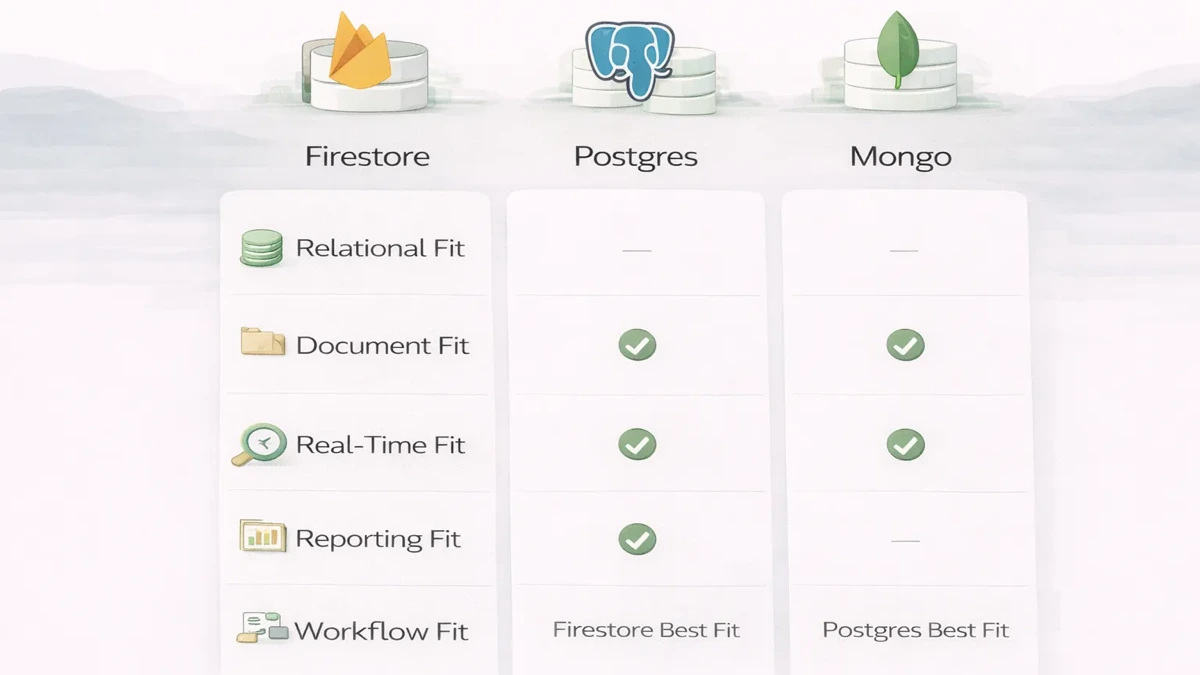
Choose PostgreSQL when the application has connected records, financial or inventory transactions, complex permissions, approval flows, and reporting across many entities. Relational constraints and transactions help preserve consistency for invoices, stock, purchases, payments, and operational dashboards.
Choose Firestore when real-time client updates, offline-friendly mobile behavior, rapid Firebase integration, and a document-oriented access pattern are more important than complex joins. It can work well for chat, activity feeds, field updates, lightweight collaboration, or a focused MVP. Model read patterns and security rules before launch because query shape and usage-based costs influence architecture.
Choose MongoDB when records naturally contain flexible nested structures, schema evolution is frequent, and the team understands document modeling. It can support content, catalogs, event data, and applications where related information is commonly read together. Flexibility should not become an excuse to avoid validation or ownership rules.
Use more than one database only when each system has a clear responsibility. Adding Firestore for real-time updates beside PostgreSQL can be valid, but it also introduces synchronization, failure recovery, and debugging work. Start with one source of truth unless measured requirements justify additional infrastructure.
Before choosing, write down the five hardest queries, the transaction boundaries, expected record volume, retention needs, reporting model, backup/restore expectations, and team experience. Review the SaaS architecture guide, web app security guide, and custom software service for the surrounding decisions.
Postgres is usually the strongest fit because relationships and reporting matter.
Firestore can be a strong fit if the data model is simple enough and you want managed speed.
MongoDB can be a good fit when document flexibility is genuinely useful.
Again, Postgres is usually the safer long-term choice.
The database choice affects:
Practical build impact:
For many business apps, spending a little more time choosing the right data model saves far more time later than picking the fastest-looking option now.
The current VASUYASHII Business Suite is positioned around GST invoices, products and stock, clients, vendors, purchases, payments, expenses, reports, multi-company access, and company-scoped permissions. Its documented architecture uses PostgreSQL behind a Django API.
That choice matches the data relationships. An invoice belongs to a company and customer, contains product lines, affects due amounts, and may connect to payments and returns. A purchase belongs to a vendor and updates stock. The same user may access multiple companies, but each company's operational history must remain isolated. Relational constraints and transactions are useful because these records cannot safely drift apart.
This does not mean every dashboard should use PostgreSQL. A lightweight real-time field app or content workflow may still fit Firestore or MongoDB. The evidence shows why billing, stock, purchases, payments, and cross-module reports push the decision toward a relational source of truth.
Use a requirement-to-model table before choosing:
| Requirement | Design question | Database signal |
|---|---|---|
| Invoice and payment reconciliation | Must several records update consistently? | Strong PostgreSQL fit |
| Live status board | Are updates independent and read in a simple shape? | Firestore may fit |
| Flexible product attributes | Are nested attributes read together and frequently changed? | MongoDB may fit |
| Company-scoped access | Can every query enforce tenant ownership? | Possible in all three, but must be designed |
| Finance and stock reports | Do users need joins, grouping, and historical consistency? | Strong PostgreSQL fit |
Before committing, model a representative customer, product, order or invoice, payment, permission, and report. Then implement the five hardest queries and one transaction that can fail halfway. Include realistic volume, not only ten demo records.
The proof-of-choice test should answer:
If the test exposes awkward workarounds, reconsider before production data accumulates. Database migration is possible later, but moving data, rewriting queries, reconciling IDs, and validating reports is a business project, not a configuration switch.
Before approval, document:
Do not describe an export file as a migration plan. A usable exit requires schema mapping, relationship reconstruction, index design, query rewrites, permission verification, dual-run or cutover rules, and business-owner sign-off on critical totals.
If your app will carry approvals, billing, stock, reports, and role-based workflows, do not choose the database casually. The data model decision shapes reporting quality, maintenance cost, and future complexity more than many teams expect.
For many ERP and CRM workflows, Postgres is usually the strongest fit because structured relationships and reporting matter.
Yes, if the app benefits from managed real-time development and the data model is not heavily relational.
Not generally. It is better only when the document model fits the use case better.
No. You should also think about reporting, permissions, future modules, and maintenance.
Postgres is often the safest default.
Yes, but database migrations become expensive once data volume and app logic grow.
No. Even flexible databases still need disciplined data design.
Data model fit, query patterns, reporting needs, and workflow complexity matter more.
If you want help choosing a database around reporting, roles, transactions, and long-term architecture, define your data model and workflow complexity first, then choose the database that fits that reality.
Related Articles
May 27, 2026
Compare Firebase and MongoDB for business apps across data models, queries, auth, offline use, reporting, cost, security and long-term backend control.
Read article
May 17, 2026
Learn database indexing through CRM, billing, inventory, and reporting queries, with composite-index order, trade-offs, EXPLAIN checks, and rollout steps.
Read article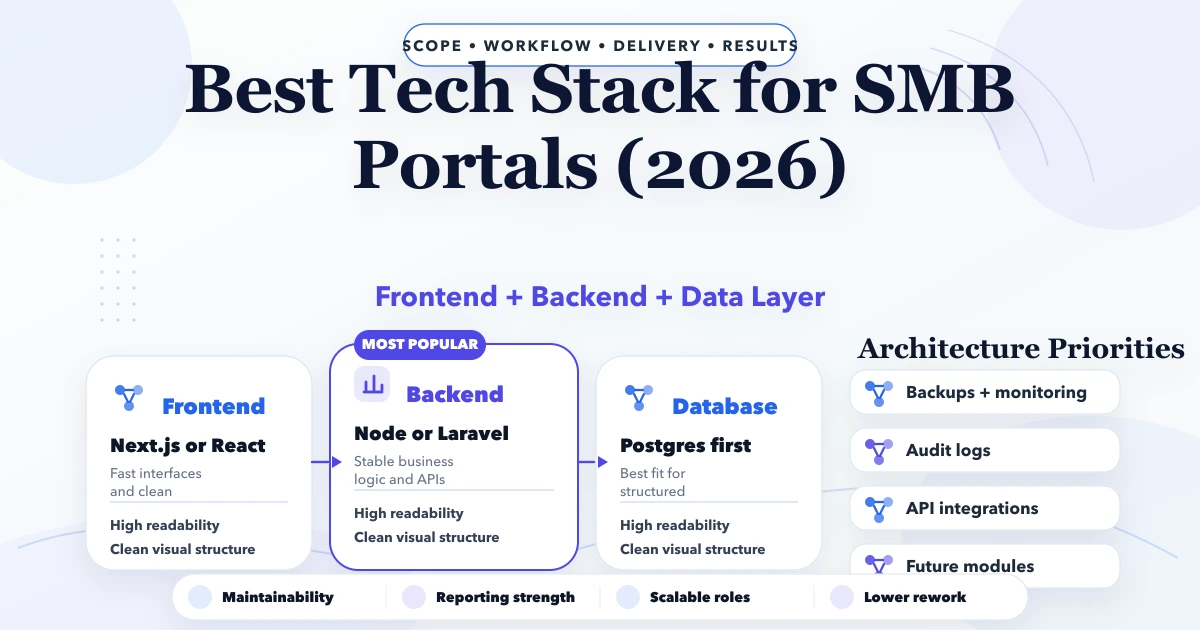
April 26, 2026
Best tech stack for SMB portals in 2026: frontend, backend, database, auth, reporting, and rollout decisions for business web portals.
Read article
May 17, 2026
Design API rate limits using identities, scopes, algorithms, quotas, retries, distributed counters, monitoring, exceptions, and abuse-resistant testing.
Read article