

March 19, 2026
Web Application Development Guide for Businesses (2026)
Plan a business web app with roles, modules, data models, security, testing, deployment, Indian costs, implementation guidance, and a practical checklist.
Read articlePublished
Explore web application development services in 2026: modules, workflows, real examples, process, timelines, integrations, and the main business cost drivers.
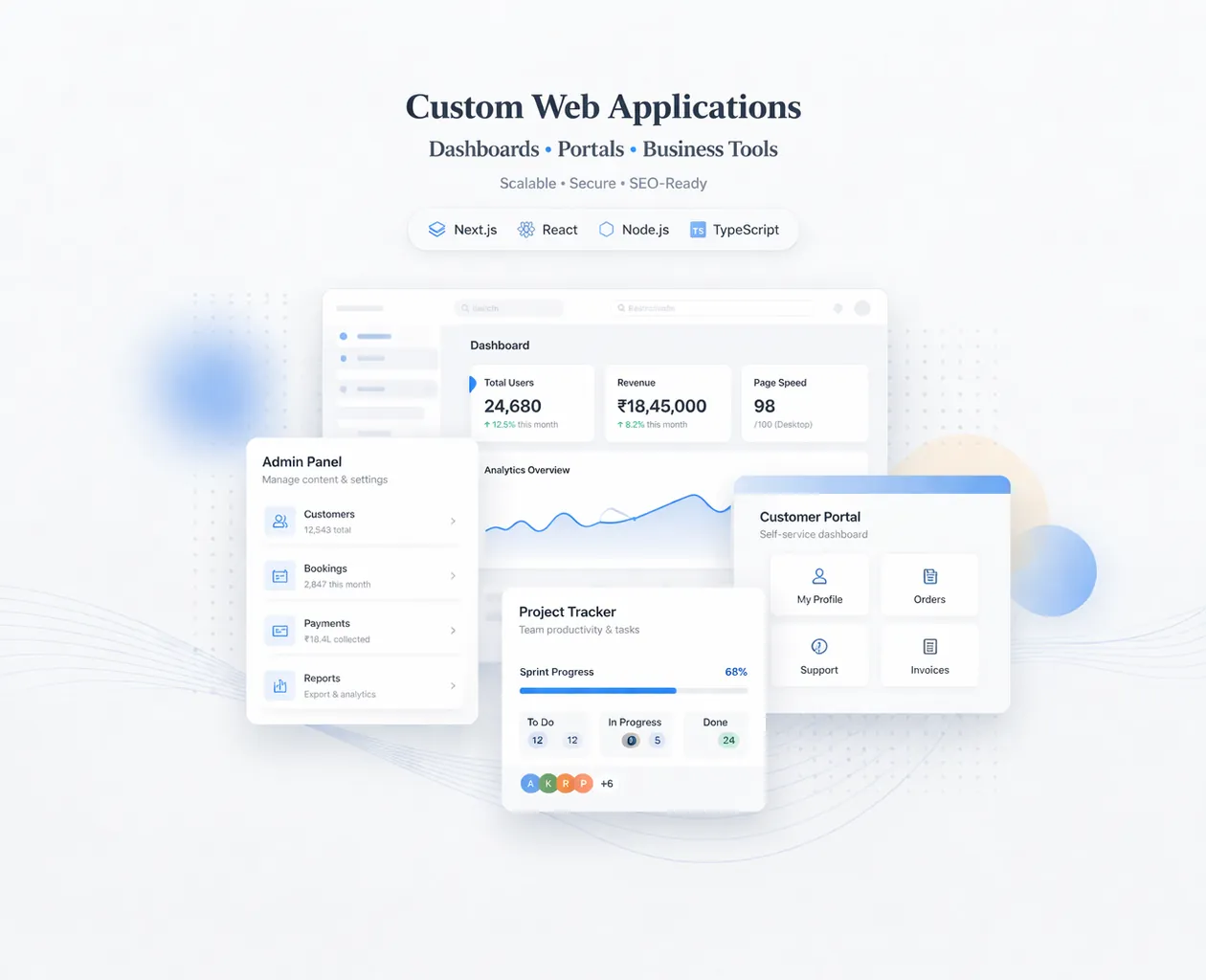
Many businesses say they need software, but what they actually need is a web application built around a few repetitive workflows: lead handling, order processing, approvals, reporting, or customer self-service. Clarifying that difference saves time and keeps the project grounded in practical business needs.
In 2026, web apps are no longer reserved for large enterprises. Smaller companies now expect admin dashboards, branch visibility, faster reporting, and cleaner coordination between teams. Browser-based systems are often the most accessible way to deliver that without heavy local IT setup.
This guide covers:
Web application development services cover systems like dashboards, portals, CRMs, approval flows, and custom operational tools. The right service is not just code delivery; it is a mix of workflow planning, data modeling, UI design, backend logic, and launch support.
If you already know your business needs a stronger technical foundation, web application services are usually the best place to start the discussion because the scope can be mapped around workflows instead of guesswork.
The right scope starts by matching the business goal, the users involved, and the decisions the system needs to support every day. That keeps the project practical, measurable, and easier to phase.
The service model matters because web apps fail when development starts with code before workflow clarity. Discovery, role mapping, and success criteria should come first. That is what turns a custom build into a business system people can actually rely on.
The strongest projects begin with a clear understanding of what the app is replacing or improving: spreadsheets, manual approvals, scattered WhatsApp updates, or disconnected tools. This changes the outcome because the clearer the workflow, the easier it is to define modules, cut waste, and avoid building the wrong screens.
Owners, managers, staff, vendors, and customers usually need different levels of visibility and control. Role design changes navigation, actions, and data access across the system. This changes the outcome because permission planning affects architecture, testing depth, and how safe the app feels in daily use.
A useful web app does not just collect data; it organizes it in ways that make reporting, filtering, search, and exports practical. This changes the outcome because better data structure leads to cleaner dashboards and reduces future rebuild pressure.
Email, WhatsApp, CRM, payments, ERP, maps, or file storage can all become part of the workflow. Each integration changes how the backend, logs, and exception handling are designed. This changes the outcome because integration planning influences both delivery complexity and long-term operational reliability.
When a system stores business data, approvals, customer information, or financial events, access control and activity visibility become essential. This changes the outcome because security is not a final checkbox; it shapes the build from the first schema and route decision.
Some apps need a focused MVP, while others need architecture ready for more branches, more users, or more modules shortly after launch. This changes the outcome because phase planning prevents overbuilding while still protecting the system from obvious technical dead ends.
A strong project is not only about getting features live. It is about making sure the system can be operated, edited, trusted, and improved after launch. That is where implementation quality becomes visible.
The first stage should map users, actions, edge cases, approval rules, and the business outcome each module is supposed to improve.
This reduces guesswork and gives the development team a realistic roadmap instead of a loose feature wish list. When this layer is done properly, the product becomes easier to onboard, easier to support, and easier to improve later.
Dashboards, tables, detail views, forms, and notifications should be designed around speed and clarity for the people using them daily.
Practical UX saves more time than decorative interfaces because staff can complete work with fewer clicks and fewer errors. When this layer is done properly, the product becomes easier to onboard, easier to support, and easier to improve later.
The app needs a stable data model, secure actions, and APIs that support the UI without turning every future enhancement into a rewrite.
Good backend foundations keep the product maintainable as workflows expand. When this layer is done properly, the product becomes easier to onboard, easier to support, and easier to improve later.
Admins should know who changed what, when it changed, and what actions were performed. This is crucial for accountability and support.
Audit visibility makes the system safer and easier to debug after launch. When this layer is done properly, the product becomes easier to onboard, easier to support, and easier to improve later.
A professional service includes environment setup, versioned releases, bug monitoring, and a way to ship improvements without breaking live operations.
That is what separates a coded prototype from a reliable operational product. When this layer is done properly, the product becomes easier to onboard, easier to support, and easier to improve later.
Even a good app needs onboarding help, usage feedback, and small improvements after real users start working with it.
Support closes the gap between launch and adoption, which is where many custom systems succeed or fail. When this layer is done properly, the product becomes easier to onboard, easier to support, and easier to improve later.
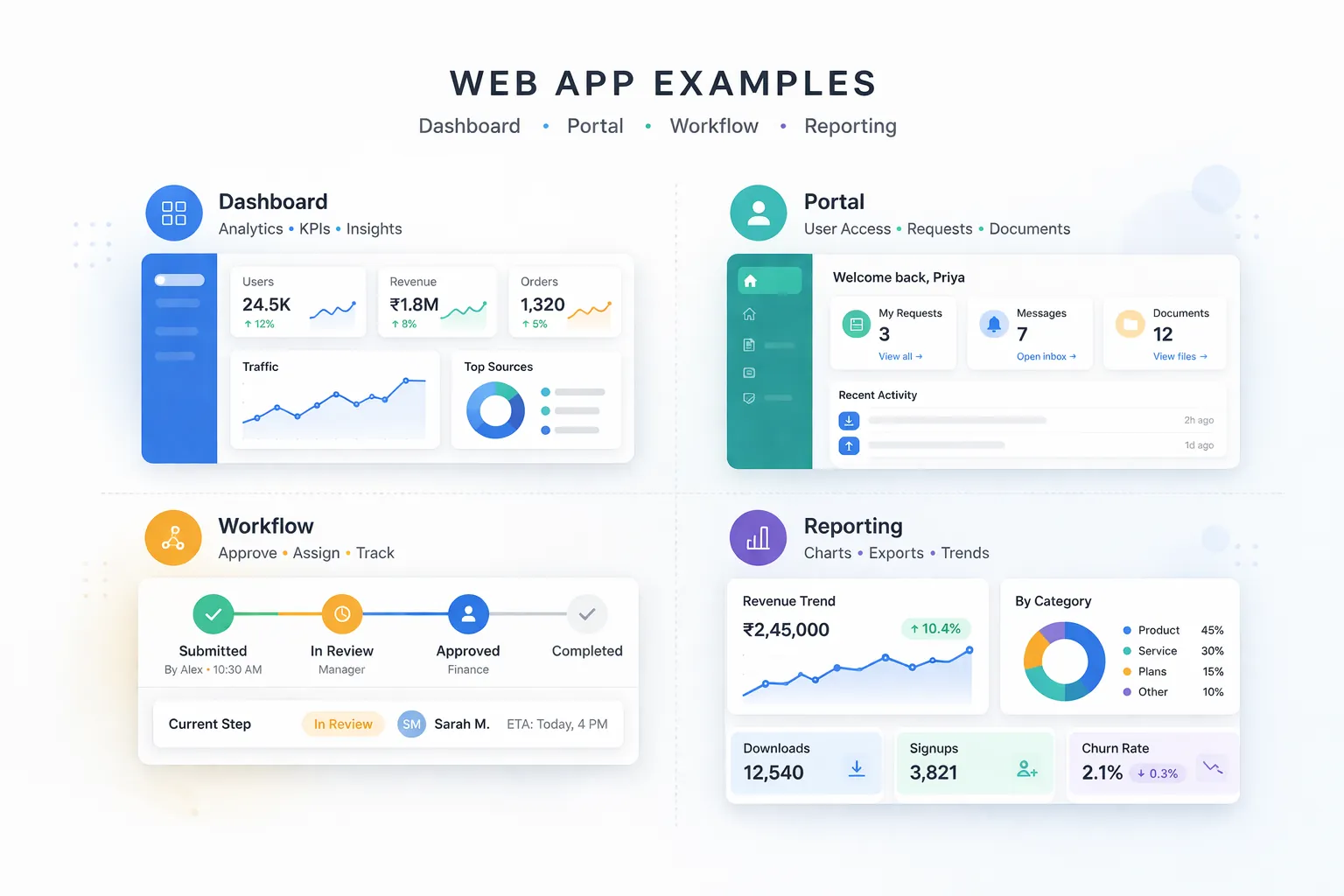
Businesses often need one screen that shows leads, orders, team activity, pending approvals, and branch performance in near real time. In practice, businesses usually choose this direction because the workflow repeats often and has a clear value when handled better.
A tailored dashboard gives faster decision-making than juggling five disconnected tools. That combination of speed, clarity, and control is why this use case tends to justify the build.
Portals give external users secure access to documents, order status, tickets, or account-level information without manual back-and-forth. In practice, businesses usually choose this direction because the workflow repeats often and has a clear value when handled better.
That reduces support load while improving service visibility for customers and partners. That combination of speed, clarity, and control is why this use case tends to justify the build.
Leave requests, purchase approvals, reimbursements, discount approvals, or dispatch clearances can all be handled through structured flows. In practice, businesses usually choose this direction because the workflow repeats often and has a clear value when handled better.
This replaces message chaos with accountability, history, and cleaner turnaround times. That combination of speed, clarity, and control is why this use case tends to justify the build.
Many companies need a focused system where staff enter data daily and management gets filtered reports without spreadsheet cleanup. In practice, businesses usually choose this direction because the workflow repeats often and has a clear value when handled better.
These tools often create immediate time savings because reporting becomes automatic instead of manual. That combination of speed, clarity, and control is why this use case tends to justify the build.
If you want to translate this topic into a practical scope for your own business, the fastest next step is to review the real workflow, the must-have first phase, and the integrations that matter most.
A feature list sounds useful, but without the actual business process behind it, teams build screens that look complete and still miss the real need. Workflows should lead the scope, not the other way around. Avoiding this one mistake often protects both budget and adoption quality.
Not every business app needs the same navigation, dashboard metrics, or onboarding logic as a large SaaS product. The product should match your process, not an unrelated template. Avoiding this one mistake often protects both budget and adoption quality.
Projects sometimes focus on the main user experience but forget settings, logs, role controls, or content administration. That creates operational pain right after launch. Avoiding this one mistake often protects both budget and adoption quality.
These layers often look secondary in meetings but become central once the app is used daily. If they are not scoped early, budgets and deadlines usually shift later. Avoiding this one mistake often protects both budget and adoption quality.
Trying to launch every possible module in version one slows delivery and reduces learning from real users. A phased release creates momentum and better product decisions. Avoiding this one mistake often protects both budget and adoption quality.
Web application projects are usually estimated by modules, user roles, integrations, and reporting depth. That is why a simple internal dashboard may sit in a very different budget range from a portal with external users, approvals, notifications, and export-heavy reports.
A focused MVP can often be delivered faster and more economically when the business defines the smallest workflow that creates measurable value. If you want pricing context, Web Application Development Cost in India (2026) is a useful companion read.
When scope is still unclear, the most practical first step is to identify users, actions, must-have modules, and what success should look like after launch. That gives the project a decision frame instead of a guess-based budget.
Most start with dashboards, internal workflow tools, customer portals, or reporting systems because those areas usually replace the most manual effort first.
A website is mainly informational. A web application includes login, roles, stored data, actions, workflows, and business logic that users interact with regularly.
Not always, but you do need clear users, key actions, and a defined first phase. Discovery is often the step that turns raw ideas into a buildable scope.
Yes, and that is usually the smarter route. A focused MVP lets you validate workflow value before investing in every secondary module.
Operations, sales, service teams, logistics, admin, management, and support teams all commonly use them when repetitive processes need structure and visibility.
Very important. Roles, logs, settings, and support controls are what make the system manageable after launch, especially as usage grows.
Unclear workflows, late integration decisions, moving feature boundaries, and missing data rules are common reasons projects take longer than expected.
If you want this planned around your business instead of around generic assumptions, the next move is to define the workflow, the first release boundary, and the technical approach that matches your growth path.
Related Articles
March 19, 2026
Plan a business web app with roles, modules, data models, security, testing, deployment, Indian costs, implementation guidance, and a practical checklist.
Read article
May 6, 2026
Estimate API integration cost in India using endpoint scope, authentication, data mapping, retries, reconciliation, testing, monitoring, and support needs.
Read article
March 24, 2026
Estimate web application development cost in India using modules, roles, workflows, integrations, reports, migration, QA, support and phased delivery.
Read article
May 27, 2026
Learn when to connect Google Sheets to a web app, with Indian SMB use cases, data rules, sync patterns, security, migration steps, costs, and practical FAQs.
Read article