
March 28, 2026
Software Agency Portfolio Case Study Template + Example
Copy a software development agency portfolio case study template with a filled example, evidence checklist, client approvals and conversion-ready CTA.
Read articlePublished Updated
Practical lead magnet ideas for software companies, with qualification flows, measurement rules, Indian B2B examples, mistakes, and launch checklists.
A software-company lead magnet should help a buyer make one real decision before asking for a sales call. A generic ebook may collect email addresses, but a useful checklist, calculator, requirements template, audit worksheet, or implementation planner can reveal what the prospect needs and whether the project is ready.
The best format depends on the buyer's stage. Someone researching a CRM needs a comparison framework. A business already replacing Excel needs a requirements worksheet. A founder planning a SaaS MVP needs a scope and cost model. Treating all three visitors as the same lead produces weak follow-up and low-quality enquiries.
Editorial review: This guide was reviewed on 3 August 2026 against VASUYASHII's current requirement-capture and lead-handling workflow. Examples are planning examples, not claims about customer conversion rates.
| Buyer question | Useful lead magnet | Information to collect | Best next action |
|---|---|---|---|
| What software do we need? | Workflow audit checklist | Process, users, current tool | Requirements call |
| How much could it cost? | Scope-based estimator | Modules, roles, integrations | Budget review |
| Should we build or buy? | Weighted comparison sheet | Current subscriptions, gaps | Decision workshop |
| Is our website losing leads? | Lead-flow audit | Page URL, CTA, form flow | Website audit |
| Are we ready for an MVP? | MVP readiness scorecard | Problem, users, must-have flow | Discovery session |
| How should we brief vendors? | SRS starter template | Rules, data, acceptance needs | Scope validation |
This is useful for businesses that say, “We need software,” but have not defined the exact operational problem. The checklist should ask the owner to map one workflow from trigger to completion.
For example, a Ghaziabad distributor may describe the journey from customer order to stock reservation, invoice creation, dispatch and payment follow-up. The checklist should expose handoffs, duplicate entry, approval delays and missing reports. It should not prescribe a product before the workflow is understood.
Include these fields:
This naturally connects to software development services because the completed worksheet becomes discovery input rather than a vague “ERP required” message.
A requirements template is a stronger lead magnet than a broad trend report because it creates a usable project artifact. It should not be a fifty-page legal document. A practical version can cover users, workflows, business rules, data fields, integrations, permissions, acceptance criteria and exclusions.
VASUYASHII already provides a software project requirement template. That is first-party evidence of the exact planning approach described here. The resource is intended to help a buyer prepare a clearer brief; it is not proof that every submitted project will have the same scope, timeline or result.
For a deeper explanation, use the SME SRS template guide after the initial worksheet is complete.
This works for CRM, inventory, booking and internal-tool searches. Give the reader a weighted score rather than declaring one option universally better.
Suggested scoring criteria:
A small wholesaler using standard invoicing may score an existing product highly. A multi-company distributor with unusual approvals and stock rules may need customisation. The lead magnet should help the prospect recognise that difference. It should not push every visitor towards custom software.
A useful estimator explains assumptions instead of returning an attractive but unreliable number. Ask about modules, user roles, platforms, data migration, third-party integrations, reporting and launch support. Show a range only after the assumptions are visible.
For example, “Android app” is not enough for an estimate. A quotation changes if the system needs an admin panel, offline data, barcode scanning, payment integration, push notifications, role-based access, analytics and store release support. The app quotation checklist covers those inputs in more detail.
The result page should say what is included, what is excluded and which answers require validation. Pricing is commercial guidance, not a guaranteed quote.
This lead magnet is suitable for website-development and SEO visitors. It should evaluate the journey from search landing page to contact confirmation rather than only checking colours or keyword density.
Audit items can include:
The output can link to web application services, integration services, or a relevant guide. Do not send every result to the same generic sales page.
An MVP scorecard should test whether the team has a defined problem and a testable first workflow. It should not reward the number of requested features.
Score five areas from zero to three:
| Area | Low-readiness signal | Ready signal |
|---|---|---|
| Problem | “We need an app” | Named user and recurring problem |
| User | Everyone is a user | One primary role is defined |
| Workflow | Feature list only | Start, steps and completion are mapped |
| Evidence | Assumption only | Calls, records or process observation exist |
| Acceptance | “Modern and fast” | Observable pass/fail criteria exist |
The score should recommend the next planning step, not claim that a high score guarantees product-market fit.
This works for payment, WhatsApp, CRM and ERP integration searches. Ask which system owns each record, what event starts the flow, how authentication works, what happens after failure, and how duplicate events are handled.
Useful outputs include an event map, field map, retry policy and reconciliation checklist. A prospect with these answers is easier to scope than someone asking only for “API integration.” Link qualified readers to integration and automation services.
The following current VASUYASHII Business Suite report screen illustrates why a serious B2B lead magnet should collect operational context. A report request depends on the underlying modules, date rules, company scope and source records.
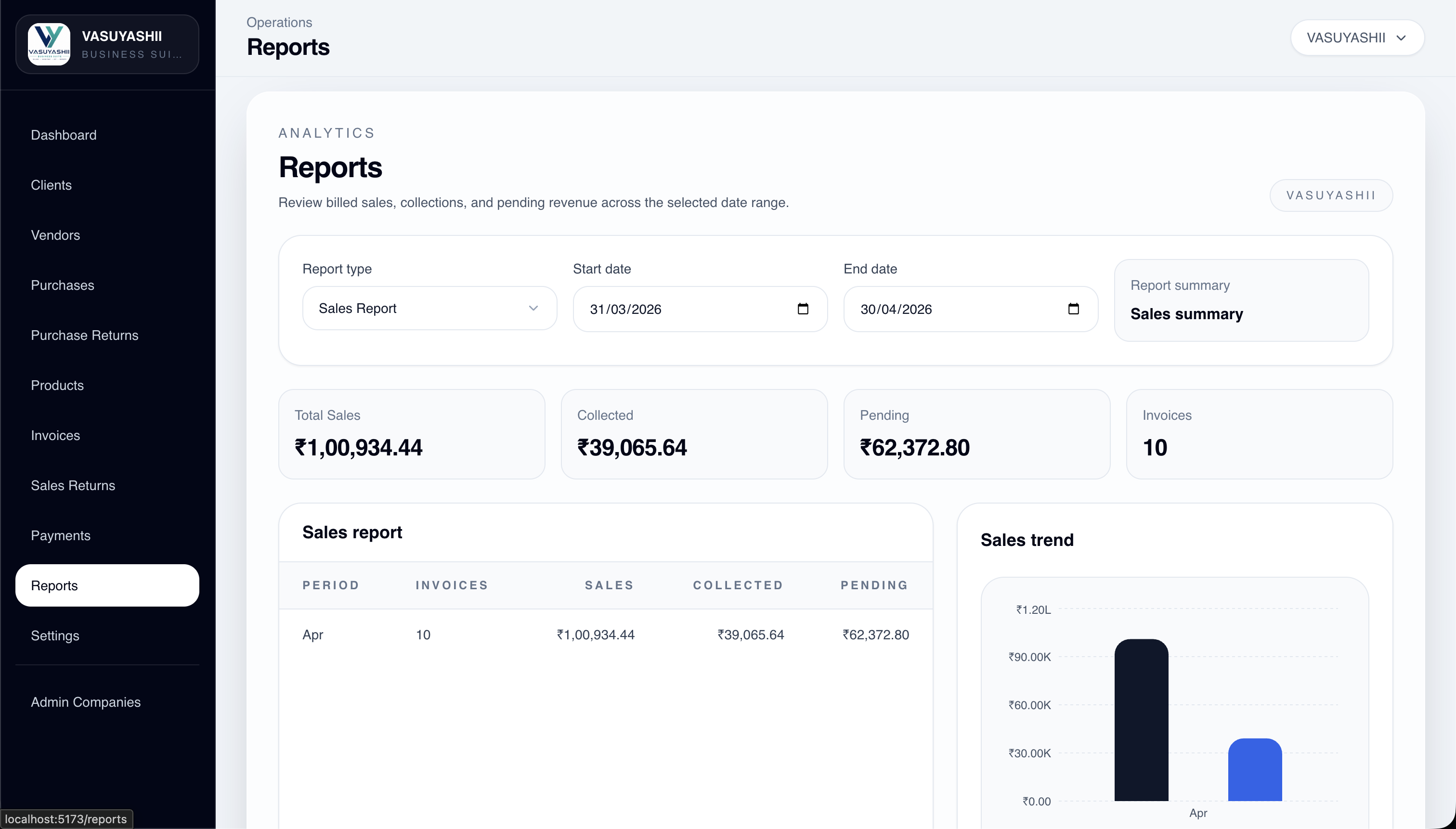
This screenshot demonstrates current product structure. It does not represent a client result or prove that a particular lead magnet increases conversions.
Use an ungated format when the asset helps discovery and can be consumed immediately. Use a short form when the user expects a personalised result, editable file or follow-up. Do not ask for company size, budget, phone, email and ten workflow fields merely to reveal a basic checklist.
A sensible pattern is:
The asset should create a small amount of structured context. Three high-value fields often outperform a long generic form:
Use optional fields for budget or timeline when those answers materially change the result. Do not label every download as a sales-qualified lead. A visitor becomes commercially meaningful only after an action such as a confirmed consultation request, requirements submission or explicit reply.
Measure the complete path, not only downloads.
| Stage | Example event | What it tells you |
|---|---|---|
| View | lead_magnet_view | Relevant traffic reached the asset |
| Start | lead_magnet_start | User engaged with the tool or form |
| Complete | lead_magnet_complete | Asset was generated or downloaded |
| Contact | contact_click | User chose a contact route |
| Confirmed lead | generate_lead | A valid form submission succeeded |
Use event names consistently and include non-personal parameters such as asset name, page path and service category. Google's recommended GA4 events include generate_lead; implementation still needs testing in DebugView and Realtime.
Days 1–2: Choose one high-intent service and review the questions prospects repeatedly ask.
Days 3–4: Build the framework and define the result. Remove questions that do not change the output.
Days 5–7: Create the page, form or worksheet. Write the confirmation state and next action.
Days 8–9: Add privacy language, analytics events and lead-routing context.
Days 10–11: Test mobile layout, validation, asset delivery and internal links.
Days 12–14: Publish, review recordings or event data, and fix the highest-friction step.
A decision tool tied to the service usually works better than a generic ebook. Requirements templates, workflow audits, comparison sheets and scope estimators create context that can support a useful follow-up.
It can include indicative ranges when assumptions, exclusions and validation steps are clear. It should not present a final quote without reviewing workflows, platforms, integrations and acceptance criteria.
Gate only the part that requires delivery, personalisation or follow-up. Let visitors see enough value to understand what they will receive before asking for contact details.
A genuinely useful public resource can earn internal links, engagement and citations, but publishing an asset does not guarantee ranking. Google's people-first content guidance recommends original, substantial content made for users rather than search manipulation.
Reference the asset result and ask one relevant question. A prospect who completed an SRS worksheet should receive a scope-review message, while a visitor using a website audit should receive observations about that audit.
Review it when the service, pricing assumptions, platform rules or buyer questions change. Also review completion rates and qualified conversations quarterly to remove friction or outdated advice.
Choose one service, one buyer decision and one measurable next action. Build the smallest useful asset first. For a project-specific plan, use the requirement template or contact VASUYASHII with the workflow you want to improve.
Related Articles
March 28, 2026
Copy a software development agency portfolio case study template with a filled example, evidence checklist, client approvals and conversion-ready CTA.
Read article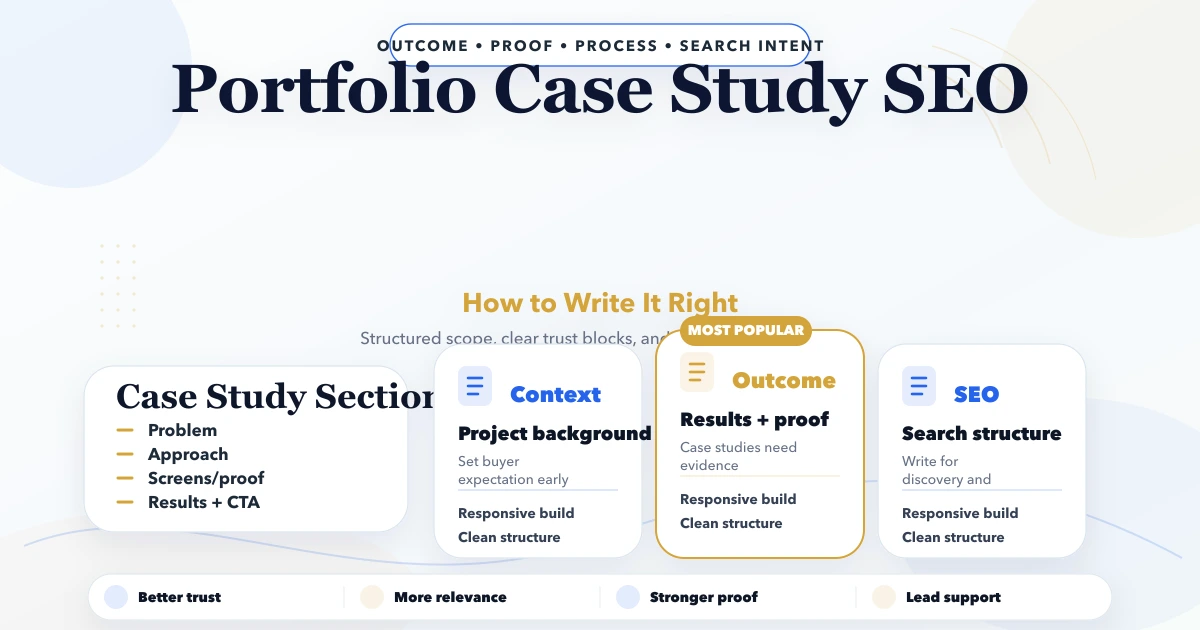
April 23, 2026
Write an SEO-friendly portfolio case study with approved evidence, clear decisions, honest outcomes, useful visuals, internal links and buyer-focused structure.
Read article
March 24, 2026
Compare landing page cost in India by scope, copy, design, development, forms, WhatsApp, analytics, integrations, QA, ownership, and hidden exclusions.
Read article
May 14, 2026
portfolio SEO plan case studies: practical 2026 SEO plan with cluster map, pricing, roadmap, mistakes, FAQs, proof, and next steps for Indian SMBs today.
Read article