
May 19, 2026
Software Development Process for SMEs: 8 Phases
Follow an eight-phase software development process for SMEs covering discovery, scope, UX, build, testing, migration, training, launch, and support.
Read articlePublished Updated
A practical software SRS template for SMEs covering roles, workflows, data, business rules, integrations, acceptance criteria, migration, and change control.
A software requirements specification should turn business conversations into testable delivery rules. For an SME, the useful SRS is not the longest document. It is the document that defines who uses the system, what each workflow must do, which data matters, how exceptions work and how the business will accept the result.
This template is suitable for CRM, ERP-lite, inventory, booking, workflow automation, portals and internal tools. It can be used before requesting quotations or as the baseline after discovery. It is not a legal contract by itself, and regulated projects may require specialist security, privacy or compliance documents.
Editorial review: Reviewed on 3 August 2026 against VASUYASHII's current requirements and company-scoped business-software workflow. Use the companion editable requirement template to capture project-specific answers.
Start with a short control table so everyone knows which version is active.
| Field | Example |
|---|---|
| Project | Distributor order and inventory system |
| Document owner | Operations head |
| Business approver | Company owner |
| Delivery reviewer | Vendor project lead |
| Version | 0.4 draft |
| Status | Under review |
| Last updated | 3 August 2026 |
| Linked decision log | Project decision register |
Record material changes with date, author, reason and approver. Do not silently edit an approved SRS and then expect the quotation or timeline to remain unchanged.
Write the problem in operational language. Avoid “build a modern ERP.” A stronger statement is:
Sales staff currently confirm stock through calls, create orders in chat and re-enter accepted orders into billing software. The first release should give authorised staff current product availability, create an order request and let the office approve or reject it with a recorded reason.
Add two or three measurable outcomes such as reduced duplicate entry, complete status visibility or faster approval. These are target outcomes, not guaranteed ROI claims.
Separate included workflows from future ideas.
In scope example:
Out of scope example:
Exclusions prevent an early planning document from becoming an unlimited feature promise. Future modules can remain in a roadmap section without entering current acceptance.
Name the people who provide requirements, approve workflows, test the system and own production operations. Then define user roles.
| Role | Can do | Cannot do |
|---|---|---|
| Owner | View all company reports and approve configuration | Access another company's data |
| Sales user | View assigned customers and submit orders | Change purchase price or approve order |
| Operations | Review stock and approve order | Manage platform-level settings |
| Accountant | Record payment and export invoice data | Delete product history |
| Admin | Manage users and masters | Bypass audit rules without record |
Permissions must be enforced by the backend. Hiding a button is not authorisation. Add branch, company or territory scope wherever data separation matters.
Document the current process before designing the future one. A simple table is enough.
| Step | Current method | Problem | Future rule |
|---|---|---|---|
| Receive order | WhatsApp message | Missing item details | Structured order form |
| Check stock | Phone call | Delayed confirmation | Current availability view |
| Approve | Verbal | No audit history | Named approver and timestamp |
| Bill | Manual re-entry | Duplicate work | Approved order available to billing |
| Follow up | Personal notes | No shared status | Owner and due-date queue |
For each future workflow, identify trigger, actor, input, validations, decision points, output and failure path.
Give every requirement a stable ID and testable wording.
| ID | Requirement | Priority | Acceptance evidence |
|---|---|---|---|
| ORD-01 | Sales user can create an order for an assigned customer | Must | Valid order appears in pending queue |
| ORD-02 | Quantity cannot exceed configured rule without approval | Must | System blocks and displays reason |
| ORD-03 | Approver can approve or reject with comment | Must | Status history stores actor and time |
| ORD-04 | User can duplicate a previous order as draft | Could | New draft does not change original |
Avoid words such as easy, seamless, robust or fast unless they are followed by an observable criterion.
Business rules often create more complexity than screens. Record calculations, approvals, status changes and constraints separately.
Examples:
Include rounding, timezone, financial-year, unit-conversion and numbering rules where relevant. These details should stay consistent across UI, API, exports and PDF output.
Create a table for important records and fields.
| Entity | Important fields | Validation | Relationship |
|---|---|---|---|
| Customer | Name, phone, GSTIN, address, state | GSTIN format if provided | Has many orders |
| Product | Name, SKU, unit, GST, sale price | SKU unique within company | Used in order items |
| Order | Number, customer, status, dates | Customer required | Has many items |
| Order item | Product, quantity, rate, tax | Quantity greater than zero | Belongs to order |
| User | Name, login, role, status | Unique login | Member of company |
State which fields are required, editable, derived, searchable, exportable and sensitive. Define archive or deletion behaviour before development.
Write what happens when data is incomplete or a service fails. Include:
A useful requirement describes the recovery path. “Show an error” is incomplete if the user does not know whether to retry, correct data or contact an administrator.
For every integration, document system owner, authentication, trigger, fields, response, retry and reconciliation.
| Integration | Trigger | Data sent | Failure handling | Reconciliation |
|---|---|---|---|---|
| Payment gateway | Payment attempt | Order ID and amount | Keep pending, verify webhook | Daily payment report |
| Approved document | Phone and secure link | Log provider failure | Message status queue | |
| Existing CRM | Customer update | Approved customer fields | Retry with idempotency key | Sync exception report |
Provider fees, account ownership and sandbox access should appear in the project assumptions. See integration services for workflow-level planning.
Non-functional requirements describe quality and operating constraints.
Name important workflows and test conditions. For example, “the product search should return an initial result within the agreed threshold for the approved test dataset and network profile.” Avoid promising an absolute speed for every device and connection.
Define backup frequency, retention, restore owner, acceptable recovery time and planned maintenance communication. A backup requirement is incomplete without a restore test.
Define authentication, backend authorisation, password or OTP rules, session expiry, audit events, encryption in transit, secrets management and vulnerability handling. Use the OWASP Application Security Verification Standard as a reference when selecting controls; do not claim compliance unless it has been independently verified.
State supported viewports, keyboard needs, form labels, contrast, touch targets and error announcements. The W3C Web Content Accessibility Guidelines provide a shared reference.
Define logs, audit records, health checks, error monitoring and alert ownership. Avoid storing secrets or unnecessary personal data in logs.
Reports need source and calculation rules. Define filters, columns, totals, timezone, company scope and export format. A request for “sales report” is incomplete without these details.
This current VASUYASHII Business Suite screen illustrates report grouping in a multi-module system.
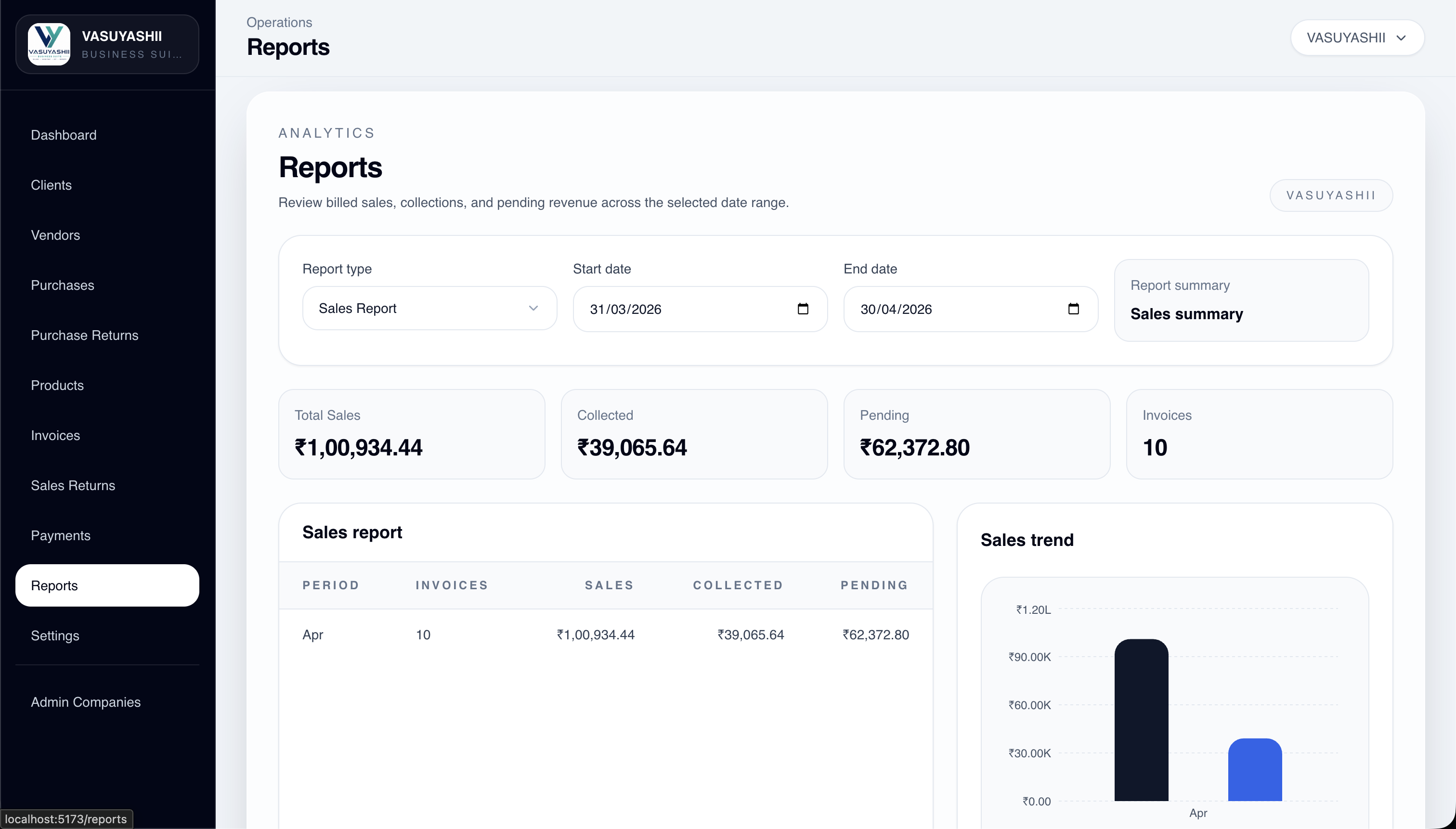
The screenshot demonstrates current product structure, not a standard SRS requirement for every project. Your document should list only reports needed for decisions or statutory workflows.
For PDFs, define template, numbering, company identity, tax fields, line items, totals, bank details, download access and regeneration behaviour.
Document the source files, owners, expected row counts, mandatory columns, duplicate rules and validation totals. Use a dry run before production import.
Acceptance may include:
Do not assume the developer will repair inconsistent historical data unless data-cleaning scope is written.
Assign each requirement to a test case. State the environment, test data, reviewer and evidence required. A UAT issue should include requirement ID, steps, expected result, actual result and severity.
Define release blockers. A spelling issue and a permission bypass should not have the same priority. Also define when an accepted requirement becomes a change request rather than a defect.
Specify development, staging and production environments; account ownership; release steps; rollback; monitoring; documentation and training.
The handover register should include source repository, build instructions, API documentation, database backup, deployment access, third-party accounts, design source, open issues and support contacts. Never place live passwords inside the SRS.
Review the website delivery checklist for ownership principles that also apply to software systems.
Use a simple change request containing:
This protects both sides. It prevents informal chat messages from becoming invisible commitments and gives the business a record of why scope changed.
| Business outcome | Requirement | Design/flow | Test | Status |
|---|---|---|---|---|
| Reduce untracked approvals | ORD-03 | Approval queue | UAT-12 | Planned |
| Prevent unauthorised edits | SEC-04 | Role map | SEC-07 | Planned |
| Reconcile imported products | MIG-02 | Import preview | UAT-21 | Planned |
Traceability helps owners see whether a requested feature supports an outcome and whether it was tested.
They need a shared, testable scope. It can be concise, but verbal requirements and scattered chat messages are risky when workflows, permissions or integrations matter.
The vendor can facilitate, but the business owner and process users must validate rules and acceptance. The final document should have named approvers from both sides.
Wireframes help explain navigation and states, but they do not replace written rules, validation, permissions or acceptance criteria.
Yes. Use change control to record impact on cost, timeline, data, tests and release. Keep the approved baseline visible.
No. The contract can reference the approved SRS for scope, while separately covering payment, ownership, confidentiality, liability and termination. Obtain legal review where needed.
Detailed enough that users, workflows, data, business rules, integrations and acceptance are unambiguous. Future phases can remain at roadmap level until they are funded and approved.
Complete the editable requirements template, review it with the people who perform the workflow, and then request comparable quotations. Use the Custom Software, CRM and ERP hub to map the brief to a realistic product boundary. For help converting an operating process into a scoped SRS, contact VASUYASHII.
Related Articles
May 19, 2026
Follow an eight-phase software development process for SMEs covering discovery, scope, UX, build, testing, migration, training, launch, and support.
Read article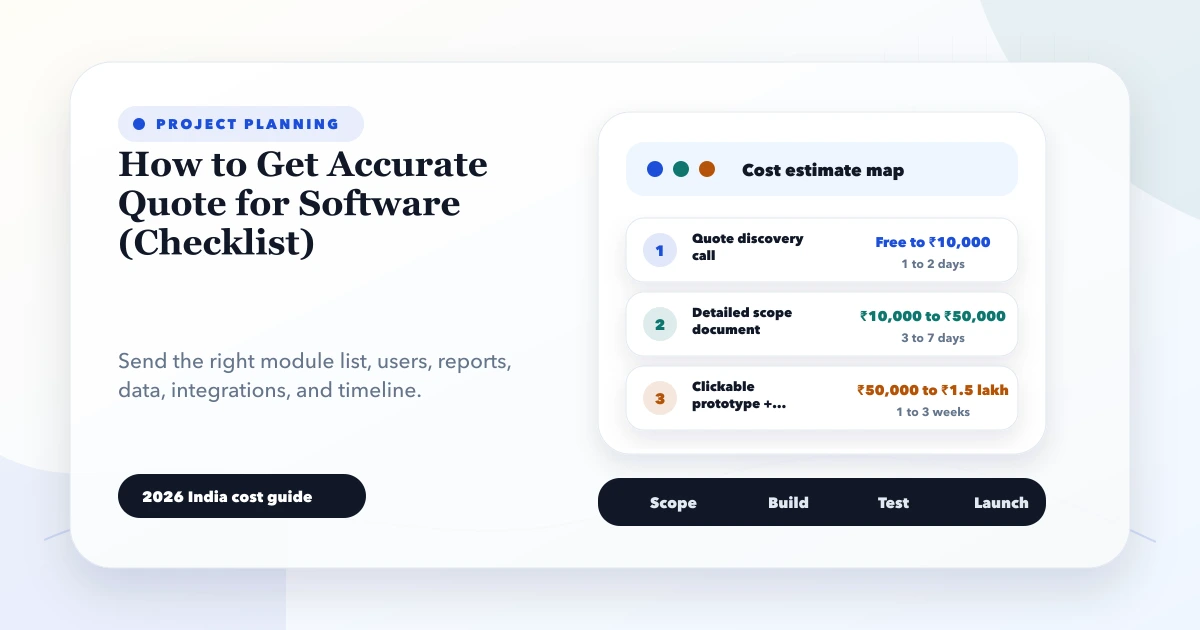
May 28, 2026
accurate software quote checklist: 2026 India pricing guide with modules, timeline, cost drivers, mistakes, quote checklist, and practical planning ranges.
Read article
May 10, 2026
Plan website and software payments around approved scope, visible deliverables, acceptance checks, change control, handover, support and documented ownership.
Read article
May 19, 2026
Prevent software scope creep with a practical change-control process, acceptance criteria, decision owners, impact estimates, and phased delivery rules.
Read article