
March 27, 2026
Restaurant Ordering System: QR Menu and Orders
Plan restaurant QR ordering: menu and cart, table context, staff handoff, payment and POS boundaries, cost drivers and a sample-order acceptance checklist.
Read articlePublished Updated
Plan restaurant table management software for seating, QR and waiter orders, kitchen status, split bills, payments, table release, reports, roles, and rollout.
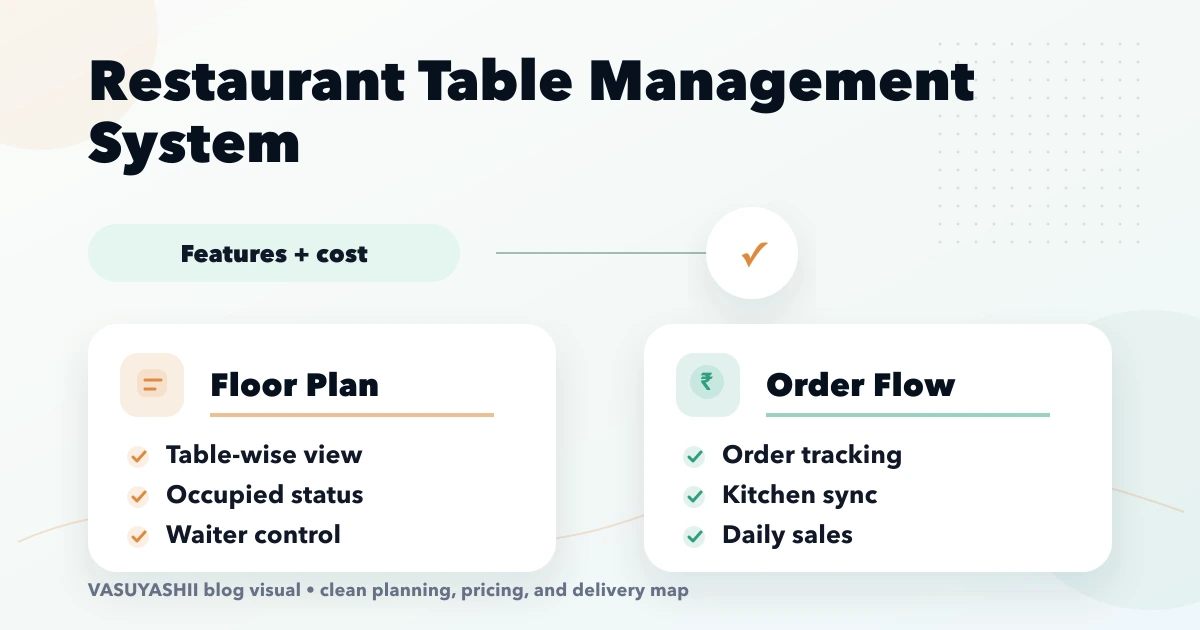
A restaurant table management system is not just a coloured floor map. It controls the relationship between a physical table, active dining session, orders, kitchen status, bill, payment, and final release. If those records are loosely connected, staff can reopen the wrong table, duplicate orders, or mark a table available while payment is still unresolved.
This guide defines the operational states, integrations, permissions, edge cases, and cost drivers for restaurants, cafes, lounges, and food courts planning a custom or configured system.
Model a table as a resource and a dining visit as a separate session. One table can serve many sessions over a day, but an order and payment belong to the correct active session. Use explicit states, unique order IDs, controlled merge/split actions, and an audit history.
Phase one should make seating, ordering, kitchen handoff, billing, and release reliable. Reservations, loyalty, delivery, advanced analytics, and multi-outlet control can follow once the core flow reconciles.
Current VASUYASHII Business Suite covers general business modules such as products, invoices, purchases, payments, expenses, and reports. It does not currently claim the restaurant table-session, KDS, split-bill, or offline flows in this guide; those require a separately accepted implementation.
The system usually needs:
Do not attach all orders permanently to a table number. “Table 8” is reused; session T8-20260722-03 represents one visit.
A simple state model can be:
| State | Meaning | Allowed next states |
|---|---|---|
| Available | No active session | Reserved, Occupied |
| Reserved | Held for a booking | Occupied, Available, No-show |
| Occupied | Guests seated; session open | Billing, Cleaning |
| Billing | Final bill requested or payment pending | Occupied, Cleaning |
| Cleaning | Visit closed; table not ready | Available |
| Blocked | Maintenance or manual hold | Available |
The exact model depends on operations. Define who may override a state and record the reason. A UI colour is only a presentation of the saved state, not the state itself.
The waiter selects the active table session, adds items and modifiers, and sends them to the kitchen. The system should prevent accidental submission to a closed or different session.
The QR identifies the outlet/table and opens a session-aware menu. Decide whether a customer can add directly to the kitchen queue or whether staff approve the order first. Protect against an old photo of the QR being used remotely.
Staff may create takeaway or counter orders without a table. Do not force every order into a fake table; use a separate channel and fulfilment type.
All channels need one item/menu source and compatible order states. Separate systems create mismatched prices and unavailable items.
The kitchen display system (KDS) receives accepted items, not only bill totals. Useful states include new, accepted, preparing, ready, served, cancelled, and returned. Route items to stations such as main kitchen, bar, dessert, or beverage.
Handle these cases explicitly:
Use idempotent order commands so retries do not create duplicate tickets.
These actions create the most dangerous shortcuts.
Move the active session from one table to another while retaining order and audit history. The destination must be available or explicitly merged.
Create a relationship between tables for one dining session. Do not rewrite every order into one table label without preserving the original context.
When guests separate, assign selected items or quantities to a new session or bill through a controlled action. Prevent the same item quantity from being billed twice.
Support by item, quantity, percentage, or fixed amount only when totals, tax, discount, and rounding rules remain deterministic. Record which payments settle each bill portion.
The system should define:
A table should not become available merely because the customer clicked payment. Verify gateway payments server-side and keep cash/card/UPI settlement auditable. If payment remains unresolved, the session needs an exception state rather than silent closure.
Reservations add customer, party size, requested time, duration estimate, source, notes, and status. Do not promise a specific table unless operations support that policy. Allow a waitlist with party size and contact consent.
The host view should show current occupancy, upcoming reservations, blocked tables, and expected release. Avoid algorithmic seating until the business has stable data and clear override rules.
Use a shared product/menu master with item name, category, tax, price, modifiers, station, availability, dietary markers, and outlet. Staff should pause an item without deleting it.
Scheduled menus, outlet-specific pricing, and recipe-linked stock increase complexity. If inventory is separate, document which system owns item availability and how failures are displayed. Review the restaurant inventory guide before promising ingredient-level availability.
Typical roles:
Permissions must be outlet-scoped in multi-location systems. Shared PINs make it impossible to investigate errors. Critical actions require individual accounts and reasons.
Useful reports include:
Do not optimise staff from one metric alone. Faster table turns should not encourage premature billing or poor service.
Restaurants cannot stop operating because Wi-Fi is unstable. Decide the minimum fallback:
True offline support affects architecture and testing. Do not claim it because a page remains visible in browser cache.
Potential integrations include POS, KDS, payment gateway, printer, QR menu, inventory, accounting export, reservation platform, WhatsApp, and customer loyalty. For each integration document:
Use integration services to scope payment, webhook, notification, and API responsibilities.
The cost depends on outlets, devices, ordering channels, table/floor configuration, KDS stations, printing, payment methods, offline behaviour, integrations, permissions, reports, and data migration.
A single-outlet tablet-friendly table board is smaller than a multi-outlet platform with QR ordering, KDS, split billing, reservations, inventory, and owner analytics. Ask vendors to price modules and acceptance criteria, not only screens.
Custom development is justified when the restaurant has a differentiated flow, existing systems, or multi-outlet control that standard POS products cannot support. Otherwise evaluate a proven product first.
Table/session states, waiter orders, KDS handoff, bill request, payment record, release, users, and daily closing.
QR ordering, reservation/waitlist, online payment, notifications, and feedback.
Multi-outlet setup, inventory integration, advanced reports, loyalty, and central menu management.
Pilot one service period or outlet before broad rollout. Keep a rollback/fallback process during the first live days.
Test at least:
Orders from different customers can become mixed. Keep a separate session ID.
Define the closing condition and exception workflow.
This removes accountability for discounts, cancellations, and overrides.
Self-order volume can overwhelm staff if acceptance and availability are uncontrolled.
Reports cannot repair missing or ambiguous events. Stabilise the workflow first.
Network retries must not create duplicate orders or payments.
No. It can be part of a POS, but table/session, kitchen, billing, and payment responsibilities must be explicitly connected.
Yes, when both write to the same active session and use duplicate-safe order commands.
After the visit is closed according to the restaurant's payment and cleaning policy, not merely when a bill is requested.
Yes, but quantity allocation, discount, tax, rounding, and payment settlement need deterministic rules.
Yes, but it requires local queueing, sync state, conflict handling, and tested fallback operations. It is a separate scope decision.
Provide outlets, tables, service flow, ordering channels, billing/payment rules, printers/devices, existing POS/KDS, roles, reports, and integration requirements.
Compare the workflow with QR restaurant ordering and restaurant billing software. For a custom table, kitchen, or payment system, review web application services or contact VASUYASHII.
Related Articles
March 27, 2026
Plan restaurant QR ordering: menu and cart, table context, staff handoff, payment and POS boundaries, cost drivers and a sample-order acceptance checklist.
Read article
March 27, 2026
Learn how a restaurant kitchen display system works, from order routing and station screens to expo handoff, offline planning, pricing and rollout tests.
Read article
April 18, 2026
Plan restaurant inventory software for purchases, units, recipes, yield, wastage, transfers, counts, food-cost variance, permissions, and integrations.
Read article
June 9, 2026
Restaurant website with QR ordering guide covering menu pages, table QR flow, order dashboard, WhatsApp, payment options, and feature checklist.
Read article