
April 3, 2026
Wholesale Billing System: Features, Workflow and Cost
Plan wholesale billing with party rates, stock, returns and customer dues. Compare product versus custom scope, costs and a worked payment-and-return example.
Read articlePublished Updated
Plan distributor billing software with GST invoices, schemes, credit, stock, returns, purchases, payments, reports, controls, costs, and phased implementation.
Billing for a distributor is more than printing a GST invoice. The system must connect customer terms, product and pack information, stock movement, discounts or schemes, returns, payments, outstanding amounts, and the documents used by sales, dispatch, accounts, and the owner.
This guide is for FMCG distributors, electrical and hardware suppliers, mobile-accessory distributors, garment and footwear suppliers, stationery businesses, and other B2B traders evaluating billing software in India. It explains the operational modules, calculation controls, reports, rollout sequence, cost drivers, and boundary between business management and full accounting.
This page focuses on distributor-specific operations such as pack units, schemes, credit allocation, sales and purchase returns, permissions and downstream reporting. For the broader B2B invoicing, party-rate, stock and cost decision, start with the wholesale billing system guide.
By Tushar C. (Founder, VASUYASHII). Editorial review covers distributor invoicing, stock movement, credit and payment controls, return flows, permissions, rollout risk, and buyer-side scope clarity.
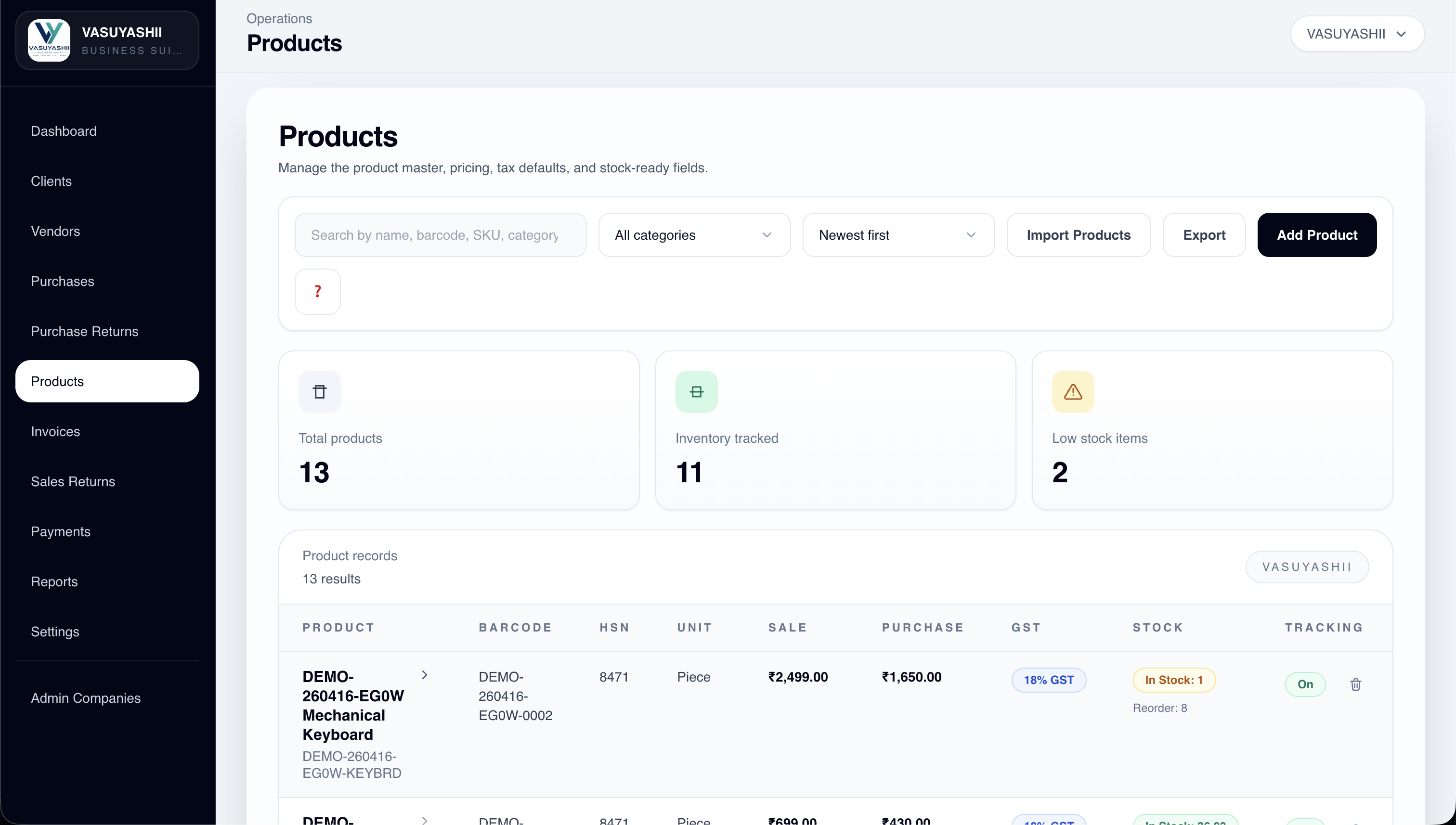
A practical distributor billing system should manage customers, vendors, products, HSN or SAC and GST rates, units and pack sizes, sale and purchase prices, invoices, purchases, sales returns, purchase returns, payments, dues, expenses, PDF documents, and reports. It should keep every record company-scoped and provide role-based access where team members share the system.
Before choosing software, test one full cycle: purchase stock, sell on credit with a scheme or discount, receive partial payment, process a return, and verify stock, tax, customer due, and reports. A polished dashboard is not evidence that this cycle is correct.
An FMCG distributor buys cartons from a supplier and sells pieces, boxes, or cartons to retailers. Rates vary by customer and quantity. A scheme may provide extra units or a discount. Some invoices are paid immediately; others use credit. Damaged goods return later, and one payment may cover several invoices.
The software must answer:
If these rules remain outside the system in staff memory, reports will not be reliable.
| Module | Essential capability | Key control |
|---|---|---|
| Company | GST, address, bank and document settings | Company-wise data separation |
| Customers | Contact, GSTIN, address, terms and history | Duplicate and credit checks |
| Vendors | Supplier identity, tax and purchase history | Verified GST and address data |
| Products | SKU, barcode, HSN/SAC, unit, GST, prices and stock | Controlled master changes |
| Purchases | Supplier bill, item, tax and quantity | Stock update and duplicate bill check |
| Invoices | Customer, item, quantity, rate, discount, GST and due | Calculation and numbering rules |
| Returns | Linked or referenced returned items | Correct reversal and reason |
| Payments | Receipt, method, reference and allocation | No silent due adjustment |
| Expenses | Category, amount, method and evidence | Approval and business purpose |
| Reports | Sales, purchase, payment, due, expense and stock views | Definitions match source records |
| Documents | PDF generation and secure sharing | Template and version control |
These modules form an ERP-lite business suite. They do not automatically provide general ledger, trial balance, P&L, balance sheet, bank reconciliation, payroll, manufacturing BOM, e-invoice, e-way bill, or statutory filing. Confirm each advanced capability separately.
A distributor may purchase one carton, store base units, and sell a box or piece. The product model needs an agreed base unit and conversion rules. Do not let users type "pcs," "piece," and "unit" as unrelated values.
Useful product fields include:
Decide whether price is a reference, default, customer-specific list, or calculated rate. Editing a product's current price should not rewrite old invoice history.
For master-data governance, use the product master and price list guide. For barcode operations, see the barcode inventory system guide.
An invoice flow should define:
The system should preserve calculation inputs, not only the final total. Validate intra-state and inter-state scenarios, tax-inclusive or tax-exclusive rates where supported, line-level and invoice-level discounts, rounding, credit note or return handling, and zero or exempt cases relevant to the business.
Tax setup needs professional verification. Software can calculate configured rules but does not replace the business's tax adviser or statutory responsibility.
Distributor schemes can become a major source of mismatch. Examples include buy ten get one, quantity slabs, invoice-level cash discount, product-specific trade discount, target-based benefit, or a free item from another SKU.
Before development, write each rule with:
Do not implement schemes as an uncontrolled manual negative line. The invoice should show how the benefit was applied, and stock must reflect free quantity where applicable.
Customer due is a result of invoices, returns, credits, receipts, and adjustments. It should not be an editable number without an underlying record.
Record payment date, amount, method, reference, company account, customer, allocation, and notes. If one receipt covers several invoices, define allocation rules and allow a clear unallocated balance. If a payment is reversed, preserve the audit trail rather than deleting history.
Useful owner views include:
For a wider payment workflow, review online payment links and invoice systems.
Purchase entry should capture supplier invoice number, date, items, units, quantities, rates, taxes, charges, amount paid, and due. Check duplicate supplier invoice references where possible.
Decide when purchase stock becomes available: draft, received, verified, or posted. If goods arrive in parts, a simple single-state purchase may be insufficient. Purchase returns need item, quantity, reason, supplier reference, and stock effect.
Supplier due should come from posted purchases, returns, payments, and approved adjustments. Do not infer it only from the last payment note.
Returns should reference the original transaction when possible. Capture reason, quantity, condition, tax and rate basis, stock destination, approval, and refund or credit action.
Returned stock may be saleable, damaged, expired, or pending inspection. Adding every return directly back into available stock can overstate inventory. If the business needs quality states, model them explicitly.
A return should update all connected views consistently: item movement, invoice or credit, customer or supplier balance, tax report, and audit log.
Not every user should edit company settings, GST rates, purchase prices, old invoices, payments, or delete transactions. Define roles around actual work:
Sensitive actions may need approval or at least a reason: backdated invoice, number override, price below threshold, stock adjustment, payment reversal, return, master change, and restore.
Company-scoped access is essential when one user manages multiple firms. A team member authorised for Company A must not see Company B records merely by changing a URL or request identifier.
Start with decisions, not chart count.
| Decision | Required report or view |
|---|---|
| What should be collected? | Customer ageing and invoice outstanding |
| What needs reordering? | Available stock, movement and low-stock list |
| Which products are moving? | Quantity and value by period and category |
| What do we owe suppliers? | Supplier outstanding and purchase history |
| Are returns increasing? | Return quantity, value and reason |
| What changed after closing? | Edit, cancellation and adjustment log |
| Where is cash coming from? | Receipts by method and date |
Every KPI should state its source records, filters, date basis, status inclusion, and refresh time. "Sales" based on draft orders is not the same as posted invoices.
PDF generation should use verified company, customer, item, tax, total, bank, and payment details. Store document version or regeneration history where the business needs evidence of what was shared.
Do not expose a private authenticated file URL through WhatsApp. Use a controlled share link with suitable expiry or verification when documents contain business information. Log the share event, but do not count a WhatsApp link click as confirmed receipt or payment.
Distributor billing software cost depends on:
A standard configurable product is usually less expensive than custom development. Custom work is justified when the business has verified workflows that cannot be handled safely through configuration.
Clean company, customer, vendor, product, tax, unit, and opening-stock data. Remove duplicates before import.
Pilot real transactions with a small team. Reconcile quantities, tax, PDFs, customer balances, and supplier balances daily.
Add controlled return reasons, payment allocation, expense categories, permissions, and owner reports.
After the core records are reliable, add barcode workflows, reminders, secure sharing, imports, branch controls, or integrations.
Run old and new systems in a time-boxed parallel period with a written reconciliation owner. Endless double entry creates two unreliable sources.
VASUYASHII Business Suite is positioned as GST billing, inventory and business management ERP-lite for Indian SMEs. Its product direction includes clients, vendors, products, invoices, purchases, returns, payments, expenses, reports, PDF generation and sharing, backup and restore, multi-company support, and company-scoped permissions.
It should not be described as a full SAP-like ERP or complete Tally replacement. Advanced accounting, statutory integrations, payroll, manufacturing, bank reconciliation, and custom automation require separate confirmation or future modules.
For a fit assessment, contact VASUYASHII with sample invoices, purchase bills, product units, scheme examples, return cases, user roles, and required reports. Use software development services when verified custom workflows are required.
Yes, through assigned price lists, rules, or controlled rate override. Define precedence, validity dates, approval, and what happens when a product's base price changes.
Not necessarily. Billing, stock, purchases, payments, dues, and expenses are business operations. General ledger, trial balance, P&L, balance sheet, statutory filing, and bank reconciliation must be confirmed separately.
Yes, if the system enforces company-wise data separation, numbering, tax settings, bank details, masters, permissions, backups, and reports. Cross-company copy tools should not copy transaction history accidentally.
No. It is useful when item identification and volume justify scanning. Clean product codes, units, labels, device workflow, and stock discipline are prerequisites.
Yes, preferably through a controlled PDF share flow rather than an authenticated private backend URL. The shared document must match the posted invoice.
It depends on data quality, modules, migration, rules, users, and integrations. A focused pilot can be faster than a company-wide rollout, but acceptance should be based on reconciled transactions rather than a calendar promise.
Choose billing software by testing product, stock, tax, credit, return, payment, and reporting consistency. A fast invoice screen is useful only when every connected record remains trustworthy.
Related Articles
April 3, 2026
Plan wholesale billing with party rates, stock, returns and customer dues. Compare product versus custom scope, costs and a worked payment-and-return example.
Read article
March 30, 2026
Plan a restaurant billing system with GST invoices, table and takeaway flows, cashier roles, KOT boundaries, payments, reports, testing, and cost.
Read article
March 26, 2026
Compare ready billing software with custom development in India. Review invoice, payment and stock demos, setup costs, exclusions and rollout checks.
Read article
May 18, 2026
Diagnose ecommerce checkout drop-off across cart, shipping, login, forms, trust, payment, mobile UX, failures, recovery, analytics, and experiment design.
Read article