
June 2, 2026
Small Business Billing + GST Invoice System
Small business billing and GST invoice system guide with invoice fields, GST rules, payments, reports, inventory links, and checklist.
Read articlePublished Updated
Create a clear GST invoice format with required particulars, tax breakdowns, payment details, numbering controls, PDF checks, corrections, and secure records.
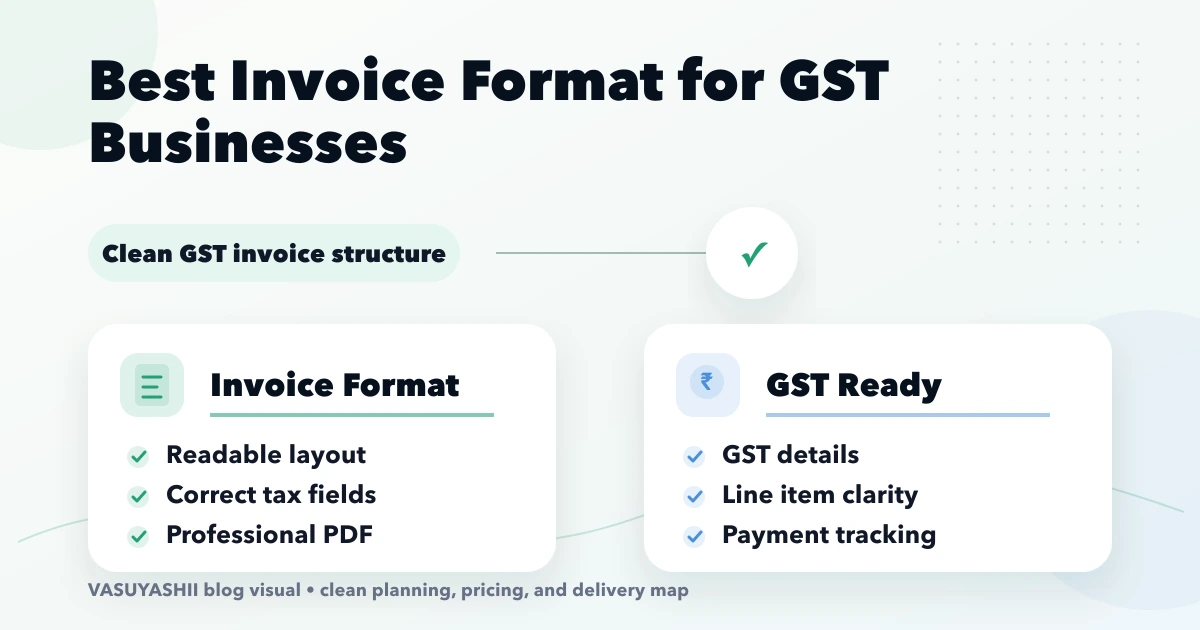
The best GST invoice format is not the one with the most colours or the smallest possible table. It is a document that includes the applicable particulars, makes the tax calculation easy to verify, supports payment follow-up, and can be reproduced from reliable transaction data.
GST rules do not prescribe one visual template for every business, but tax invoices must contain specified particulars. Applicability can differ by transaction, registration type, place of supply, document type, and current statutory requirements. Treat this guide as an operational design checklist and have your accountant or GST professional approve the final format and workflow.
Use a readable A4 or thermal-friendly layout with four clear zones:
Generate the PDF from saved invoice data rather than editing a Word file for each customer. Lock numbering and tax logic, preserve issued versions, and make corrections through the correct document workflow instead of silently replacing history.
Do not use one heading for every transaction. The workflow may need to distinguish:
The correct document depends on the transaction and the law. A visually perfect “GST Invoice” can still be wrong if the business should issue a different document. Confirm current applicability before configuring templates.
Rule 46 of the CGST Rules lists particulars for a tax invoice. A practical configuration checklist includes, as applicable:
Check the current CBIC CGST Rules and official updates rather than copying an old internet template. The CBIC tax-invoice flyer also explains that there is no single prescribed visual format while mandatory information remains necessary.
Display the legal business name prominently, followed by trade name if used, address, GSTIN, contact information, and document title. Keep the logo secondary to the legal identity. Add branch or place-of-business details when the process requires them.
Invoice number and date should be easy to find. Add order/reference number, reverse-charge status, supply type, and due date only when the underlying workflow supports them.
Separate customer billing information from delivery information. Display GSTIN and state/place-of-supply data clearly so reviewers can inspect the tax treatment.
Use consistent columns. A common goods table can include description, HSN, quantity, unit, rate, discount, taxable amount, tax rate, tax split, and line total. Service businesses may use SAC, service period, quantity/hours, rate, and taxable amount.
Avoid reducing font size until the document becomes unreadable. For long descriptions, allow wrapping and repeat the table header on a new PDF page.
Show subtotal, discount, taxable value, each applicable tax component, rounding adjustment, and grand total. Amount paid and amount due are operational fields; they must not change the historical tax calculation silently.
Add bank/UPI details, payment terms, declaration or notes approved by the business, authorised signatory area, and a page number. Terms should remain readable and should not contradict the invoice data.
Assume a local intra-state sale with one taxable line. Present the calculation as a sequence rather than a single unexplained total:
| Field | Example purpose |
|---|---|
| Gross line value | Quantity x rate |
| Discount | Line or invoice discount according to business rule |
| Taxable value | Value on which tax is calculated |
| CGST | Applicable central tax component |
| SGST/UTGST | Applicable state/UT component |
| IGST | Used instead of CGST + SGST where applicable |
| Cess | Separate component where applicable |
| Round off | Transparent final adjustment |
| Grand total | Amount payable for the invoice |
Do not hard-code tax split from the customer's city name alone. The transaction's place-of-supply rules and registration data determine treatment. Ask a qualified professional to approve the configuration.
Numbering is an operational control, not a text box everyone can edit. Define:
Never solve a duplicate number by silently overwriting an issued invoice. If imports and live billing run together, assign the cutover series before go-live.
An invoice is only as reliable as its masters. Product records should carry the approved description, HSN/SAC, unit, tax rate, sale rate policy, and status. Customer records should carry legal name, GSTIN, billing/delivery addresses, state, contact details, and credit terms where used.
Validate GSTIN format at entry but do not claim that format validation proves registration status. Record who approved master-data changes. For multi-company software, ensure each company's series, GSTIN, bank details, and templates remain separate.
Generate PDFs on the backend or through a controlled service from saved invoice data. The PDF record should identify the company, document, version, generation time, and storage path. Secure customer access; do not expose a private authenticated file URL as a public WhatsApp link.
Useful checks include:
VASUYASHII Business Suite includes GST billing, product/customer records, payment and due tracking, backend-generated PDFs, and secure WhatsApp sharing within its current scope. Review the Business Suite page for positioning and confirm the required statutory or accounting modules before setup.
Display bank account or UPI details controlled by the company. Do not allow users to paste arbitrary payment details into each invoice. If a QR code represents a dynamic amount or payment link, verify which invoice it belongs to and how settlement status returns to the system.
“Paid,” “partially paid,” and “unpaid” are collection statuses. Their changes should create payment records and preserve the original invoice value. A failed or reversed payment should not appear as completed.
Define what staff can edit in draft and what becomes locked after issue. Corrections may require cancellation, credit/debit notes, or another approved process depending on the case. Do not delete an issued invoice simply to make a report match.
For sales returns, connect the return to the original customer, items, quantity, reason, stock movement, tax document, and refund or adjustment. Permissions and audit history matter because these flows change both tax and business reports.
Do not print “e-invoice enabled” or “e-way bill integrated” unless the system actually supports the current required workflow. Eligibility, thresholds, fields, API integration, IRN/QR handling, cancellation, and failure states need separate implementation and professional review.
A normal PDF invoice is not automatically an e-invoice. Treat statutory integrations as explicit modules, not decorative fields.
Start with transaction and document requirements. Branding follows the approved information structure.
The PDF and system record then disagree. Correct the source transaction through the approved workflow and regenerate a traceable version.
Payments reduce the due balance; they do not rewrite taxable value or tax.
Use a controlled public share flow with expiry, verification, or revocation appropriate to the business.
Invoices, purchases, payments, and expenses do not automatically provide a complete ledger, trial balance, P&L, or statutory filing workflow.
Multi-company data, series, bank details, taxes, and documents must remain company-scoped.
There is no single visual design for all businesses, but required particulars apply. Check current CBIC/GST guidance and professional advice.
Yes, provided the legal and transaction information remains accurate, readable, and complete.
It is commonly useful for readability and control. Confirm your applicable document requirements and ensure it matches the numeric total.
Manual changes should be tightly controlled, validated for uniqueness, and audited. Define the process before migration and go-live.
No. E-invoicing involves the applicable portal/API process, IRN and prescribed data/QR handling where required.
Yes, but use a secure share URL rather than exposing a private backend file. Ensure the customer can identify the sender and document safely.
Not always. Confirm whether ledger, reconciliation, financial statements, statutory integrations, and filing functions are actually included.
Compare this format with the GST billing and invoice software guide and payment plus invoice workflow. For a Business Suite setup or custom billing workflow, review software development services or contact VASUYASHII.
Related Articles
June 2, 2026
Small business billing and GST invoice system guide with invoice fields, GST rules, payments, reports, inventory links, and checklist.
Read article
May 24, 2026
Plan GST billing software with invoice rules, tax masters, numbering, payments, returns, PDFs, permissions, backups, and integration boundaries.
Read article
May 22, 2026
invoice automation system: practical 2026 guide with examples, INR cost, workflow setup, timeline, mistakes, FAQs, and Indian SME tips today safely with ROI.
Read article
April 16, 2026
Plan quotation and estimate software for SMEs with masters, revisions, approvals, taxes, PDF delivery, acceptance, invoice conversion, reports, and controls.
Read article